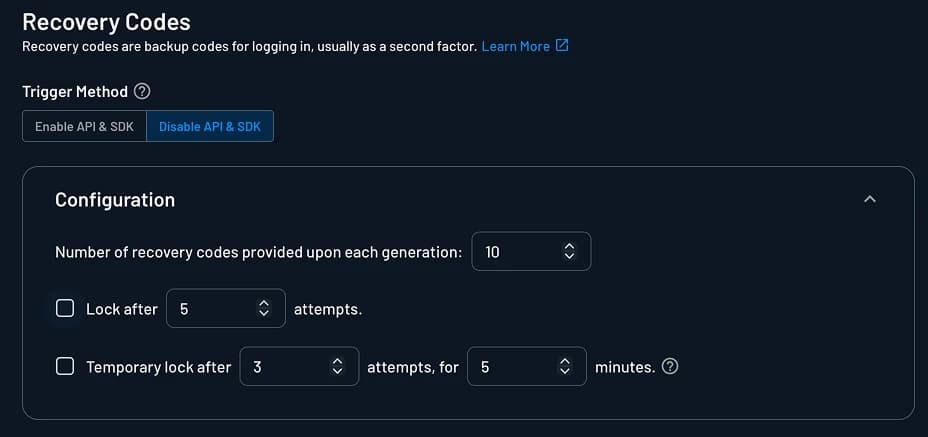
Recovery Codes Settings
Customize your Recovery Codes Settings from the Descope Console (Authentication Methods > Recovery Codes).
Enable Method in API and SDK
The Enable method in API and SDK toggle controls whether Recovery Codes authentication can be invoked programmatically via APIs and SDKs.
- When enabled: Authentication works via flows, APIs, and SDKs
- When disabled: Authentication only works with flows or calls made with a valid management key
Available Settings
This section describes additional details about the configuration options available.
Number of Recovery Codes Provided Upon Each Generation
Define the number of recovery codes provided upon each generation. Number of recovery codes can be between 1 and 10. Default is 10.
Lock After x Attempts
Choose whether or not to block access after a set number of attempts. Disabled by default. Number of attempts can be between 2 and 10.
Temporary Lock After x Attempts, For y Minutes
Temporarily lock user from using recovery codes after a number of failed attempts, for a specified period of time. Disabled by default. Number of attempts can be between 2 and 10.