SAML Applications
Configure a Federated Application to use Descope as a SAML 2.0 Identity Provider. Your service provider redirects users to Descope for authentication, Descope runs your configured flow, and returns a signed SAML assertion. Standard SAML 2.0 protocol throughout — no custom auth logic required.
Note
Configuring additional federated applications (beyond the default) is a Pro+ feature.
The most common flow. The user tries to access a protected resource and the SP redirects them to Descope to authenticate.
- Configure your SP with Descope's SSO URL and Entity ID from the Identity Provider section.
- Descope runs your configured flow, then POSTs a signed
SAMLResponseto your SP's ACS URL. - Your SP validates the assertion signature using Descope's public certificate.
See Service Provider Configuration for setup details.
For a full reference of all SAML application settings, see the Configuration Reference below.
Creating a SAML Application
Navigate to Federated Apps and click + Application in the top right. Choose a template from the Application Library or create a Generic SAML Application. Provide an Application Name, and optionally an Application ID and Description.
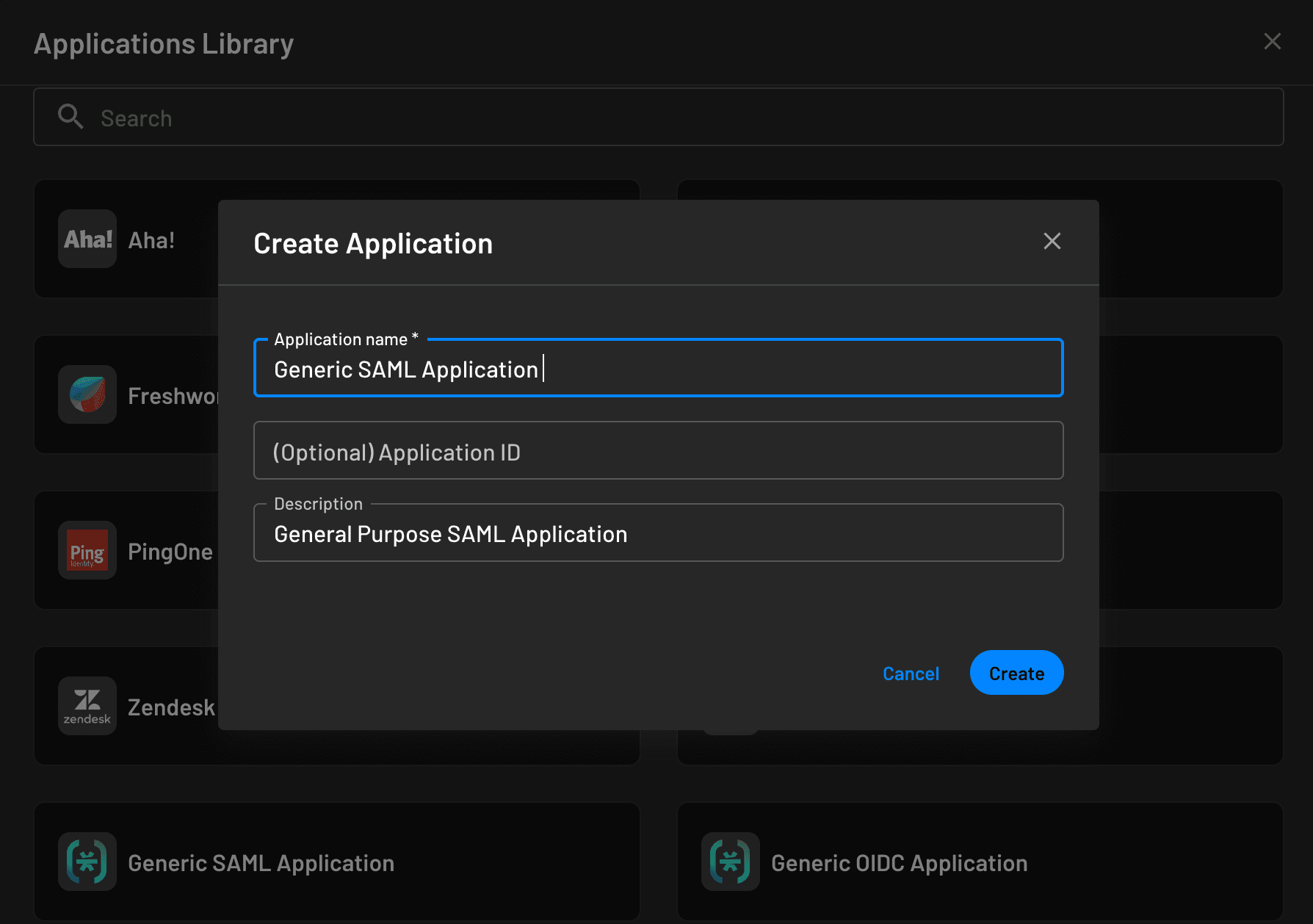
Configuring a SAML Application
Once created, configure the application from its settings page. The two sides you need to configure are the Identity Provider (Descope's details, which you give to your SP) and the Service Provider (your SP's details, which you give to Descope).
Identity Provider Configuration
Configure your SP with Descope's details. You can use the metadata URL or enter fields manually.
Option 1: Metadata URL (recommended)
__BaseURL__/v1/auth/saml/idp/metadata?projectId=xxxxx&ssoAppId=yyyyIf your SP does not support fetching metadata from a URL, download the XML file and upload it manually.
Option 2: Manual Configuration
Configure the SP manually using the following values from the Identity Provider section:
- SSO URL
- Entity ID
- Public Certificate

Note
If your SP requires fingerprint hashes (SHA1 or SHA256) instead of a certificate file, Descope provides these for download as well.
You may also upload a custom certificate to replace the default Descope certificate.
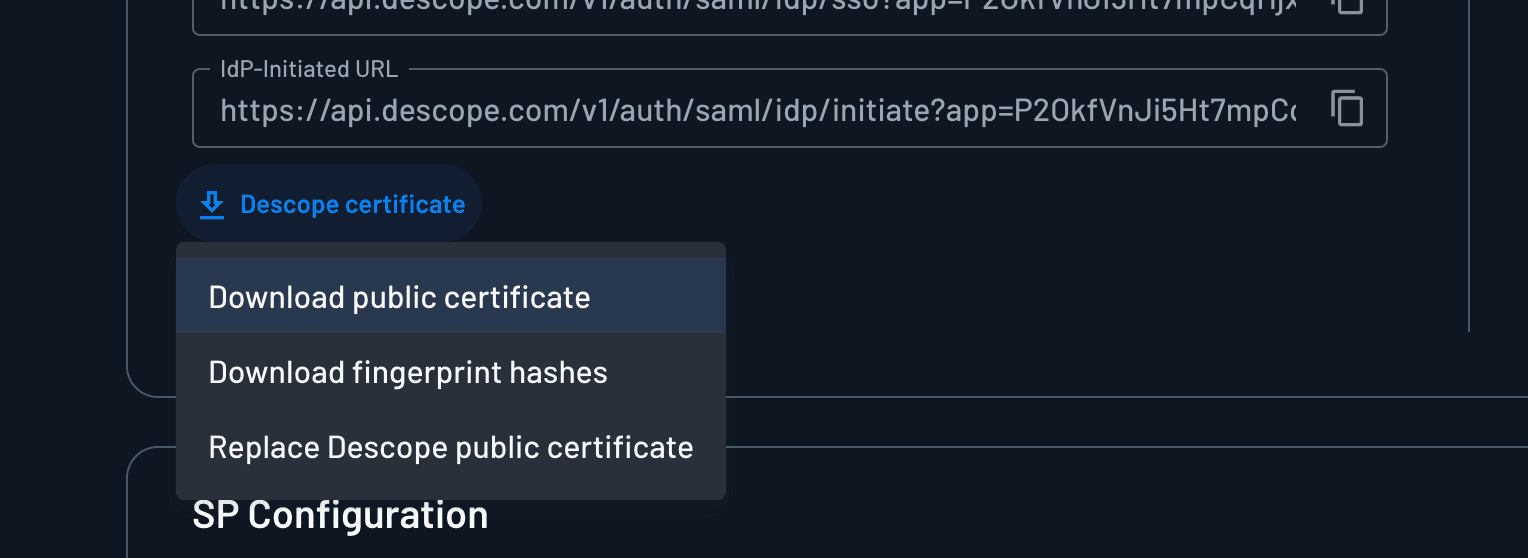
Service Provider Configuration
Configure Descope with your SP's details. You can supply a metadata URL or enter fields manually.
Option 1: Metadata URL
If your SP provides a metadata URL, Descope extracts the ACS URLs, Entity ID, and certificates automatically.
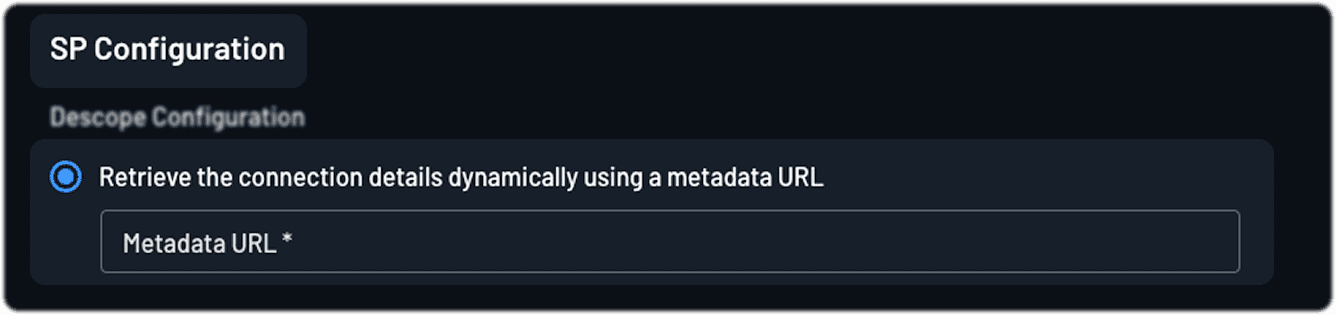
Option 2: Manual Configuration
Provide the following values from your SP:
- ACS URL
- Entity ID (supports wildcards and regex)
- Public Certificate
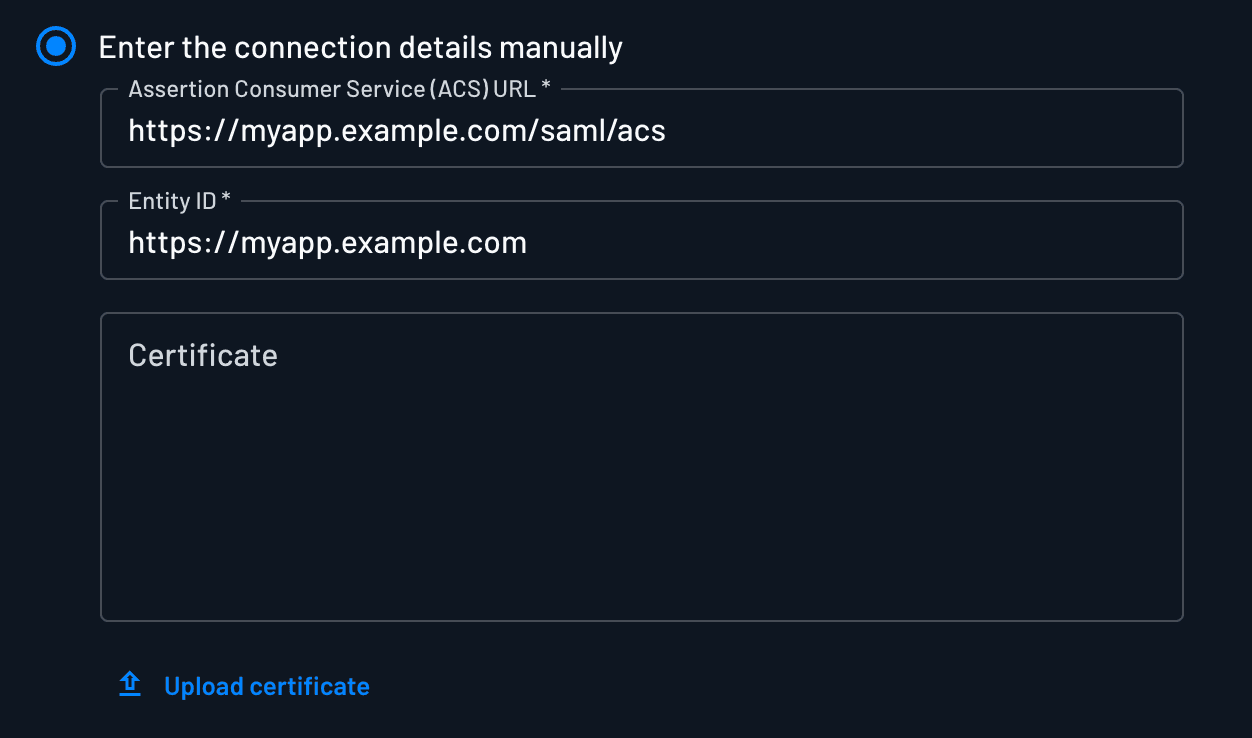

Note
Regex expressions are supported in the Entity ID field to match dynamic or multi-subdomain configurations.
Advanced Settings
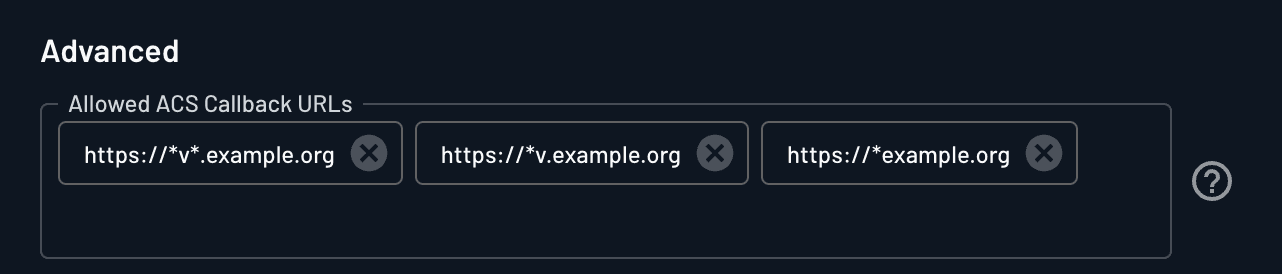
Allowed ACS Callback URLs
Specify additional ACS URLs to support logins from multiple domains or environments. Supports exact URLs and regex patterns.
Tip
Use regex for broader ACS URL coverage across staging, QA, and production environments.
SAML Subject and Name ID
Many SPs require the user's email as the NameID subject. You can choose which user attribute to use: User ID, Email, Phone, or any custom attribute. When using a custom attribute, set the NameID format to unspecified for maximum compatibility.
Supported NameID formats:
urn:oasis:names:tc:SAML:2.0:nameid-format:persistent
urn:oasis:names:tc:SAML:2.0:nameid-format:transient
urn:oasis:names:tc:SAML:1.1:nameid-format:emailAddress
urn:oasis:names:tc:SAML:1.1:nameid-format:unspecified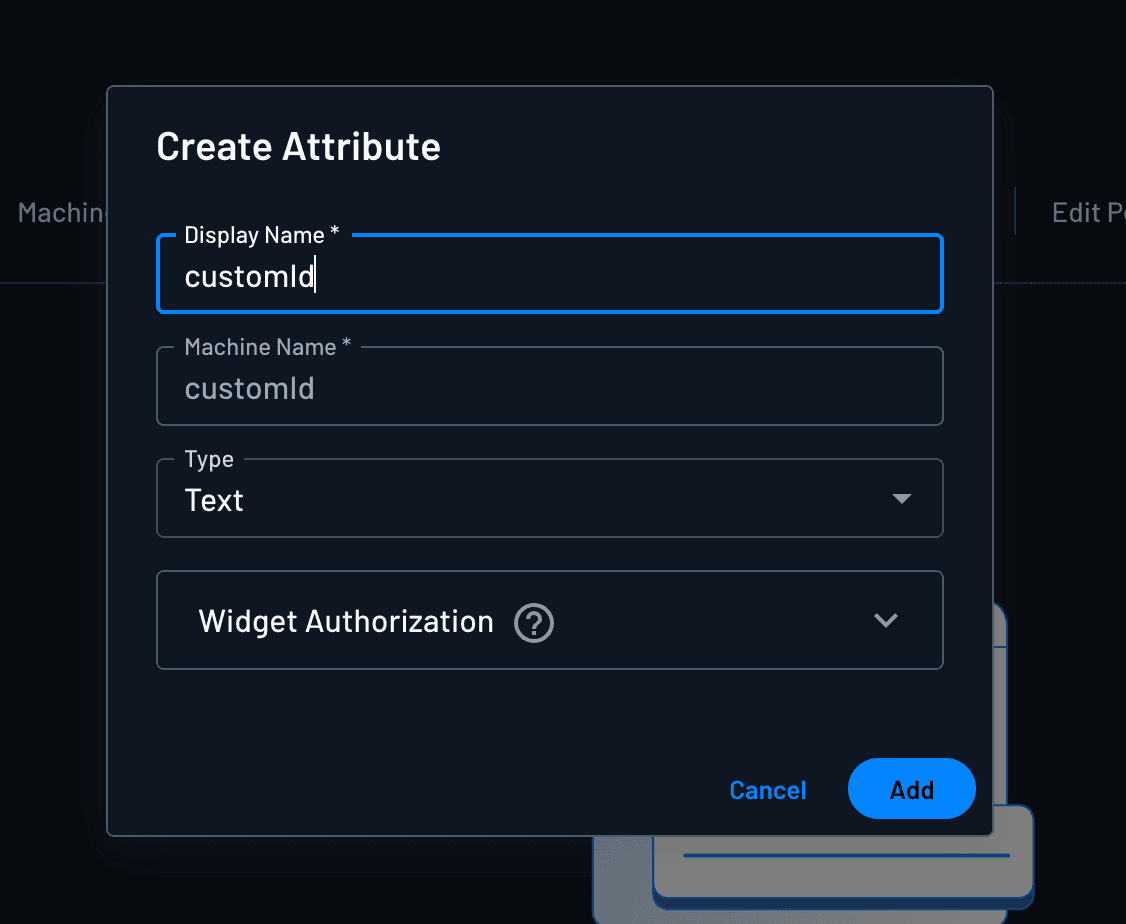

Default Relay State
Determines where users are redirected after signing in via IdP-initiated SSO. Can be customized per application instance or user group.
Error Redirect URL
A hosted error page for end users, shown when a timeout or misconfiguration occurs during SAML login.
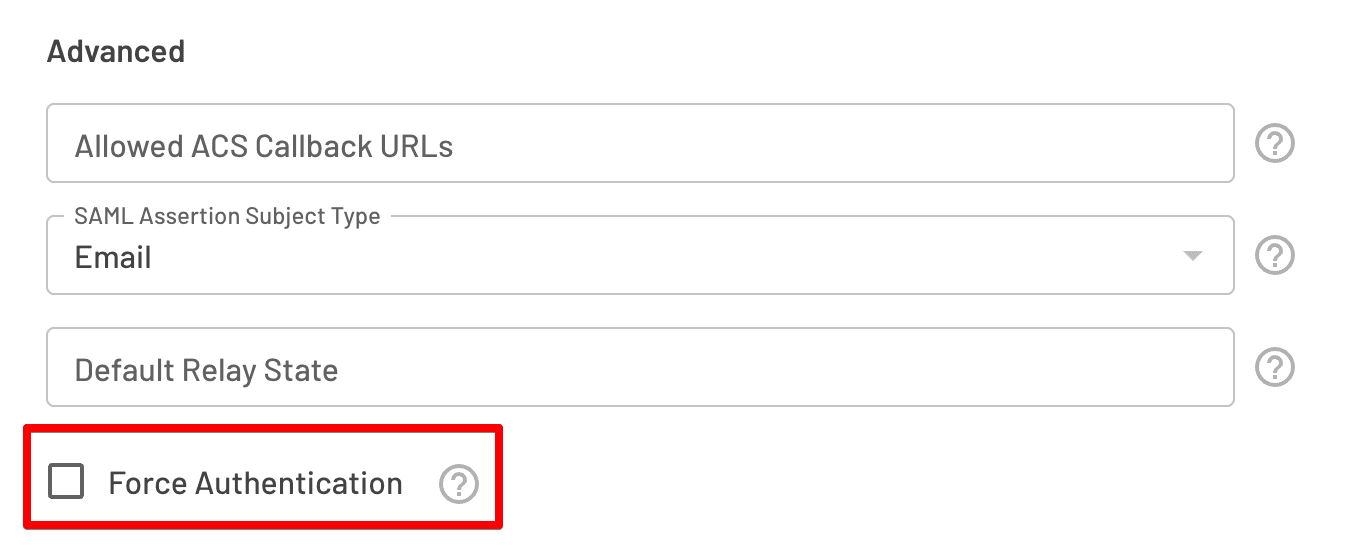
Force Authentication
When enabled, Descope runs the authentication flow even if the user is already signed in — equivalent to the SP sending prompt=login.
Note
When a user already has a valid session and Force Authentication is disabled, Descope redirects the user back to the SP without running the flow. In this case, lastAuth context keys are not populated for that request, since the flow itself was skipped.
SSO Mapping
User Attribute Mapping
Map Descope user attributes to the attribute names your SP expects in the SAML assertion.
| Descope user attribute | User attribute name |
|---|---|
| Descope user email | email |
| Descope display name | name |
| Descope phone number | phone |

Group Mapping
Map Descope roles to the group attribute your SP expects.
| Descope Roles | Group attribute name |
|---|---|
Manager | Manager |

Login Hints
Descope supports passing login hints via query parameters when initiating SAML authentication. Useful when user identity is already known before the flow begins.
Supported parameters (all behave identically):
usernamelogin_hintloginHintLoginHint(used by Okta CIS)
Append to any SP-initiated or IdP-initiated URL:
__BaseURL__/v1/auth/saml/idp/initiate?app=P2NvMv9S3-SA2hNtkVFXq3X3X&login_hint=user@example.comThis populates form.externalId inside the Descope flow, where it can be used in any action or condition.
Single Logout (SLO)
Descope supports a lightweight SLO that terminates the Descope session and redirects users to a configured logout URL. It does not propagate logout to other SPs connected to the same project.
To configure:
- Set a Logout URL in your SAML application — this is where users land after logout.
- Copy the IdP Logout URL from the console and configure it as the logout endpoint in your SP.
__BaseURL__/v1/auth/idp/sso/logout?app=<Descope Project ID>-<Descope Application ID>
IdP-Initiated SSO
Every SAML application has an IdP-initiated URL under the Identity Provider settings:
__BaseURL__/v1/auth/saml/idp/initiate?app=P2NvMv9S3-SA2hNtkVFXq3X3XUsers navigate to this URL, authenticate with Descope, and are posted directly to the SP's ACS URL — no SP redirect required.
Query Parameters
| Parameter | Description |
|---|---|
tenant | Directs users to authenticate with a specific tenant. Accepts tenant name, tenant ID, or email domain. |
login_hint / loginHint / username | Pre-fills user identity in the flow. |
RelayState | Determines where users are redirected after login at the SP. |
flow_token | A single-use token from an Embedded Link (generated via the Management SDK) or a test-user Magic Link (generated via the Management SDK's test-user endpoint). Validate it with the Verify Token action. Any custom claims on the token land on the flow's customClaims context value as a JSON string. Parse the claims (for example with a Scriptlet) into an object and store it under its own context key before pointing Add SAML Attributes's "Context Key for SAML Attribute Map" at it; Add SAML Attributes can't read customClaims directly. |
Note
The IdP-initiated URL recognizes only the parameters listed above. Descope doesn't forward other query parameters into the flow.
Example with tenant and login hint:
__BaseURL__/v1/auth/saml/idp/initiate?app=P2NvMv9S3-SA2hNtkVFXq3X3X&tenant=corp&login_hint=user@example.comConfiguration Reference
| Setting | Section | Description |
|---|---|---|
| Application Name | Application Details | Display name of the application. Can be updated. |
| Application ID | Application Details | Unique identifier set at creation. Cannot be changed. Available in flows to render application-specific logic. |
| Description | Application Details | Optional context for the application. |
| Application Icon | Application Details | Custom icon for the application. |
| Flow Hosting URL | SSO Configuration | URL of the Descope flow users are redirected to when signing in. |
| Descope Metadata (XML) | SSO Configuration — Identity Provider | Metadata URL for your Descope SAML application. |
| Download Metadata (XML) | SSO Configuration — Identity Provider | Downloads the metadata XML for manual SP configuration. |
| Descope Entity ID | SSO Configuration — Identity Provider | Unique identifier for the Descope SAML application. |
| SSO URL | SSO Configuration — Identity Provider | The SSO URL to configure in your SP. |
| IdP-Initiated URL | SSO Configuration — Identity Provider | Entry point for IdP-initiated SSO. |
| Descope Certificate | SSO Configuration — Identity Provider | Downloads the public certificate for assertion validation. |
| Metadata URL (SP) | SSO Configuration — Service Provider | SP metadata URL for dynamic configuration. |
| Manual SP fields | SSO Configuration — Service Provider | ACS URL, Entity ID (regex supported), and SP certificate. |
| Allowed ACS Callback URLs | SSO Configuration — Service Provider — Advanced | Additional ACS URLs for multi-domain or multi-environment setups. |
| SAML Assertion Subject Type | SSO Configuration — Service Provider — Advanced | User attribute to use as the SAML subject (User ID, Email, Phone, or custom). |
| SAML Subject NameID Format | SSO Configuration — Service Provider — Advanced | NameID format sent to the SP. |
| Default Relay State | SSO Configuration — Service Provider — Advanced | Post-login redirect destination for IdP-initiated SSO. |
| Error Redirect URL | SSO Configuration — Service Provider — Advanced | Custom error page URL shown on login failures. |
| Logout URL | SSO Configuration — Service Provider — Advanced | Destination after SLO completes. |
| Force Authentication | SSO Configuration — Service Provider — Advanced | Forces the flow to run regardless of existing session state. |
| Descope user attribute | SSO Mapping — User Attribute Mapping | Descope attribute to map to an SP attribute name. |
| User name attribute | SSO Mapping — User Attribute Mapping | SP attribute name to receive the mapped Descope value. |
| Descope Roles | SSO Mapping — Group Mapping | Descope roles to map to a SAML group attribute. |
| Group attribute name | SSO Mapping — Group Mapping | SAML group attribute name to receive the mapped roles. |