LDAP Connector
Use the LDAP connector to authenticate users against an LDAP directory server. This connector supports both traditional username/password authentication and mutual TLS (mTLS) authentication.
Note
The LDAP Connector integrates directly with an LDAP IdP via webhook and requires the LDAP server to be publicly accessible over the internet (not restricted to an internal network).
Setting Up the LDAP Connector
To integrate the LDAP connector, follow the steps below:
1. Navigate to Connector
- Visit the Connectors page in the Descope Console.
- Choose LDAP from the list of connectors.
2. Connector Setup
Set up the necessary inputs:
-
LDAP Server URL: The LDAP server URL (e.g.,
ldap://localhost:389for standard LDAP orldaps://localhost:636for LDAP over SSL/TLS) -
When
Use mTLSis disabled - Username/Password Authentication:- Bind DN: The Distinguished Name to bind with for searching
- Bind Password: The password for the bind DN
-
When
Use mTLSis enabled - Certificate-based Authentication:- Client Certificate (CRT): The client certificate in PEM format for mTLS authentication
- Client Private Key (KEY): The client private key in PEM format for mTLS authentication
- CA Certificate (PEM): The Certificate Authority certificate in PEM format for validating the server certificate
- Reject Unauthorized: Reject connections to LDAP servers with invalid certificates (default: true)
3. Test & Save
- Validate your configuration by clicking the
Testbutton and observing theTest Resultssection. - Once successful, click
Createto save the connector.
Implementing the LDAP Connector in Your Flow
1. Select or Create a Flow
- Access your Dashboard -> Flows.
- Select an existing flow or create a new one.
2. Integration
Add the LDAP / Search User command in the flow. The Search User command should be used whenever you need to search for a user in the LDAP directory.
Parameters:
baseDn(required): The base Distinguished Name for LDAP searches (e.g.,dc=example,dc=com)searchFilter(required): The LDAP search filter template. Use any dynamic value by using{{value}}as a placeholder (e.g.,(mail={{user.email}})or(uid={{user.name}})).userAttributes(required): Comma-separated list of attributes to retrieve. Thednattribute is always included automatically.scope(optional): The search scope for LDAP queries. Valid values are:sub(default): Search the base DN and all its descendants (subtree search)one: Search only the immediate children of the base DN (one-level search)base: Search only the base DN itself (base object search)children: Search all subordinates of the base DN to any depth, excluding the base DN itself
derefAliases(optional): Specifies how alias dereferencing is done during the search. Valid values are:never(default): Never dereference aliasesalways: Always dereference aliasessearch: Dereference aliases during the search phase, but not when locating the base DNfind: Dereference aliases when locating the base DN, but not during the search phase
Response:
{
  "status": "success",
  "data": {
    "found": true,
    "userDn": "cn=John Doe,ou=users,dc=example,dc=com",
    "attributes": {
      "cn": ["John Doe"],
      "mail": ["john.doe@example.com"],
      "uid": ["johndoe"],
      "sn": ["Doe"],
      "givenName": ["John"]
    }
  }
}
Or when user is not found:
{
  "status": "success",
  "data": {
    "found": false
  }
}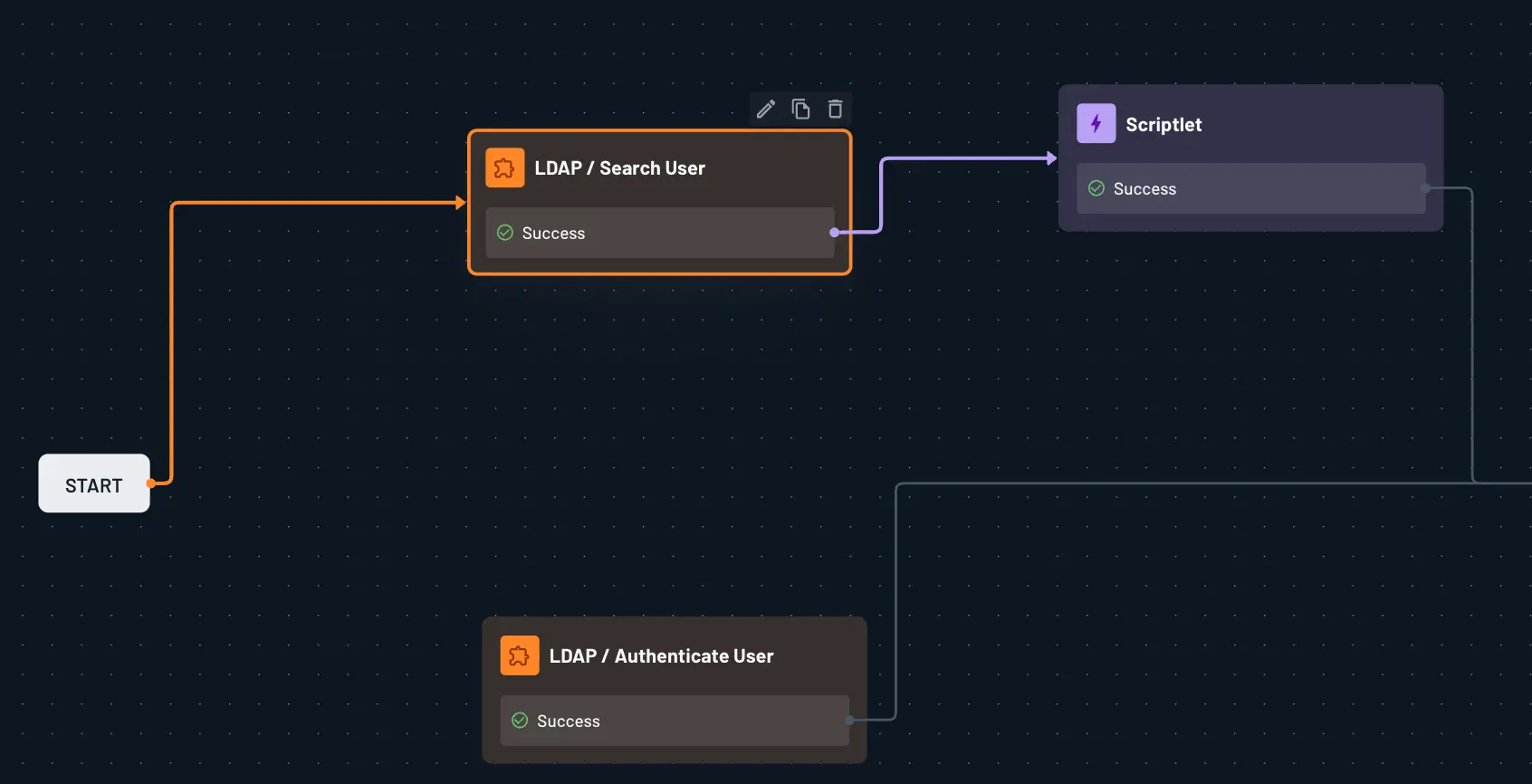
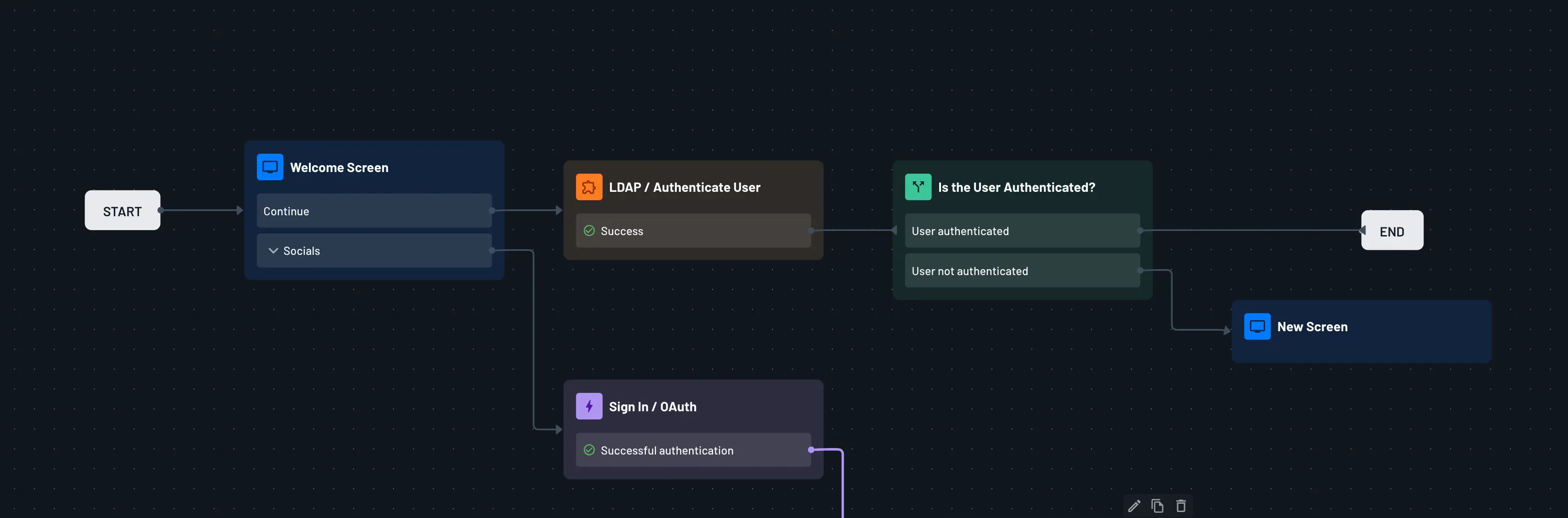
Add the LDAP / Authenticate User command in the flow. The Authenticate User command should be used whenever you need to authenticate a user against the LDAP directory.
Parameters:
userDn(required): The Distinguished Name for the user in LDAP. Use any dynamic value by using{{value}}as a placeholder (e.g.,mail={{user.mail}},dc=example,dc=comor(uid={{user.name}},dc=example,dc=com)).password(required): The user's password for authentication
Response:
{
  "status": "success",
  "data": {
    "authenticated": true,
    "userDn": "uid=john,ou=users,dc=example,dc=com"
  }
}
Or when authentication fails:
{
  "status": "success",
  "data": {
    "authenticated": false,
    "userDn": "uid=john,ou=users,dc=example,dc=com"
  }
}
Error Handling
The LDAP connector provides specific error codes for different failure scenarios:
search_error: An error occurred during the search operationauthentication_error: An error occurred during authenticationconnection_error: Unable to connect to the LDAP serverconfiguration_error: Invalid or missing configuration parameters