Agentic Identity
The Agentic Identity view provides an overview of all agentic identities in your project. From this page, you can view agent details, filter agents, and manage their access.
Viewing Agentic Identity
Navigate to the Agentic Identity section in the Descope Console to see an overview of all your agentic identities and their details. You can filter, select, and revoke access for agents from this page.
You can also search agentic identities and revoke access programmatically with our Management API.
Agentic identities populate this table in two ways:
- Automatically, when a client with the Client Credentials grant type is created. Descope creates an agentic identity for that client immediately, since no user principal is involved. The agent appears in the table as soon as the client exists.
- On first authorization, for delegated agents. A new row is created each time a different user authorizes the client, with that user recorded on the row.
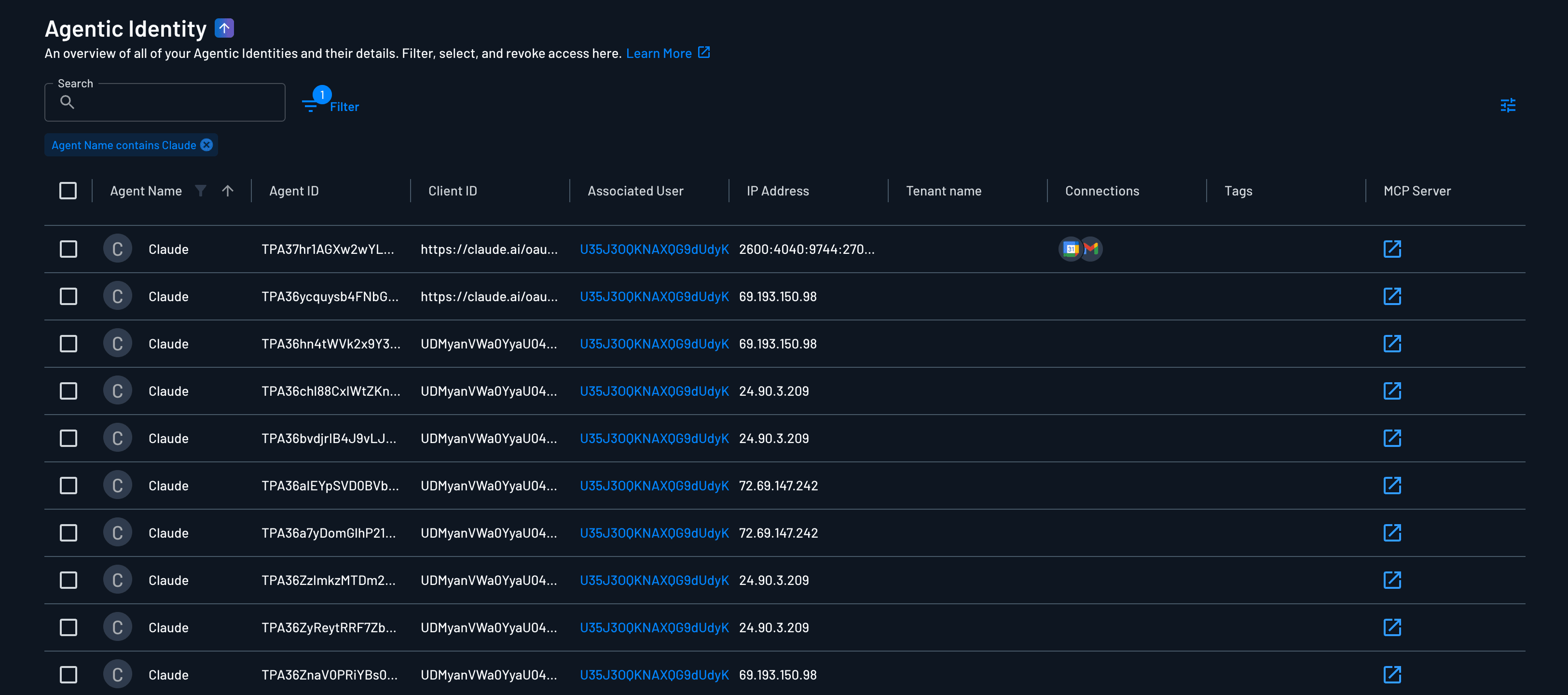
Agent Information
Each agent in the list displays the following information:
Agent ID
Every agentic identity has a unique Agent ID. It also appears under each client, in the clients page as the ID. It adjacent to the client name in the Agentic Identity view and is the stable reference point for all audit events and activity logs associated with that agent.
When a log entry records a token issuance, policy decision, or credential access, the Agent ID is what ties it back to the specific authorization record — not just the client.
Agent Name
The agent name is a human-readable identifier for the agent. This name helps you quickly identify and distinguish between different agents in your system.
Associated User
Agents can optionally have an associated user. When an agent is linked to a user, it operates on behalf of that user with delegated permissions. If no user is associated, the agent operates independently as a machine-to-machine client.
Tenant Name
Agents can optionally have an associated tenant. The tenant name indicates which tenant the agent is associated with. This is important for multi-tenant applications where agents need to be isolated per tenant.
IP Address
The IP address field shows the IP address associated with the agent's authentication or activity. This can be useful for security monitoring and access control.
Tags
Tags are optional labels you can assign to agents for organization and categorization. Tags help you group and filter agents based on custom criteria such as environment, purpose, or team.
Consents
Note
Consents are only available for agents that have been authorized by a user. Agents that have been authorized by a user will have a consent record associated with them.
Underneath the main identity information, you will see the latest consent that has been granted to the agent.
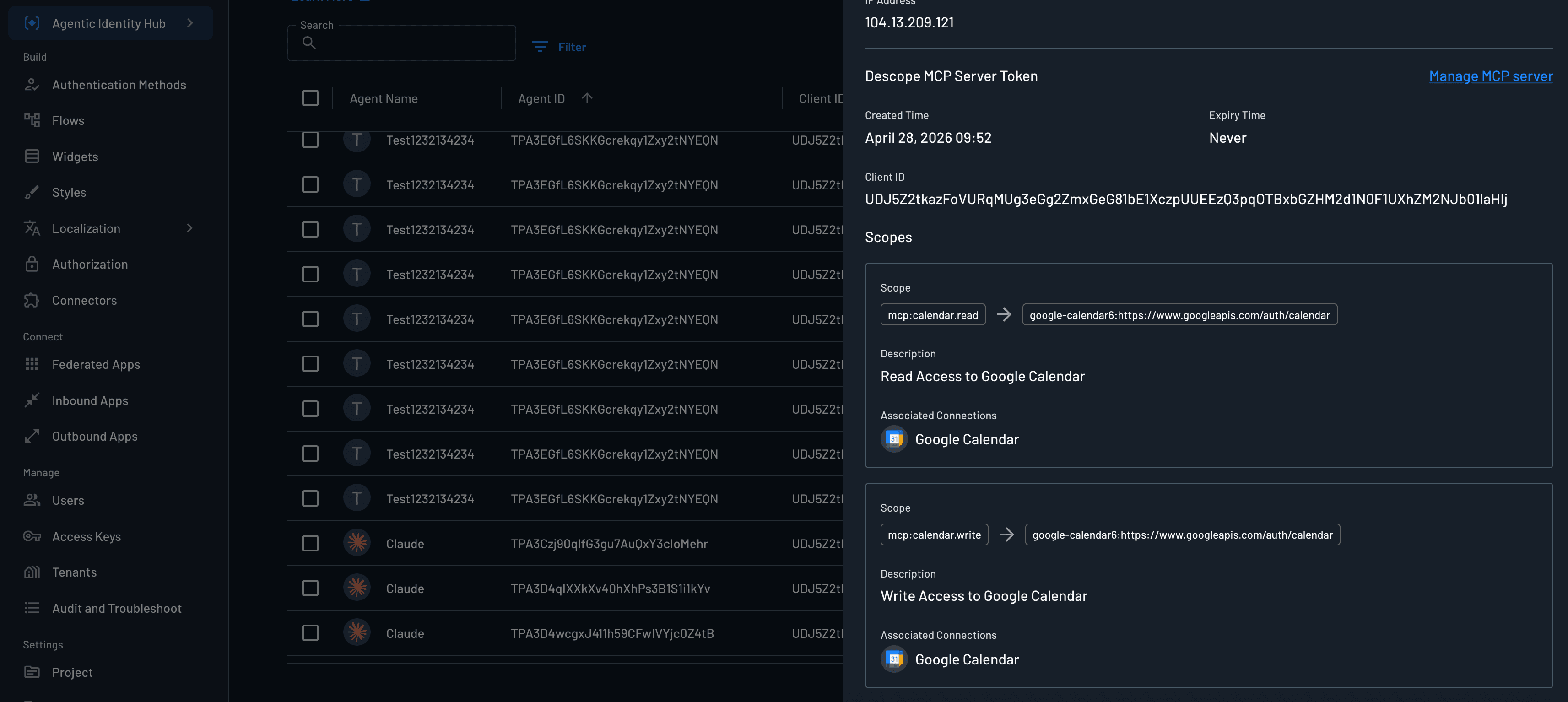
The consent information includes:
- Consent ID: A unique identifier for the consent.
- Scopes: The scopes that have been granted to the agent.
- Created Time: The time when the consent was granted.
- Modified Time: The time when the consent was last updated.
- Expiry Time: The time when the consent will expire.
Scopes
The scopes column shows all the permissions that have been granted to the agent. These scopes can come from:
- User consent: When a user authorizes an agent to act on their behalf, the scopes they consent to are displayed here
Scopes define what actions the agent can perform and what resources it can access. Scopes are often tied to MCP tools, where each scope corresponds to a specific tool or group of tools that the agent is authorized to use.
Created Time
The created time indicates when the user consent was granted or when the agent identity was first created. This timestamp helps track when an agent was provisioned or when a user authorized access.
Modified Time
The modified time shows when the agent was last updated. This includes changes to scopes, associated user, tags, or any other agent properties.
Expiry Time
The expiry time shows when the agent's access token will expire. After this time, the agent will need to re-authenticate or refresh its token to continue operating.
OAuth Client ID
The OAuth client ID is the identifier for the OAuth client associated with this agentic identity. This client ID is used during the OAuth authentication flow to identify which application or agent is requesting access.
Managing Agentic Identity
Filtering Agentic Identity
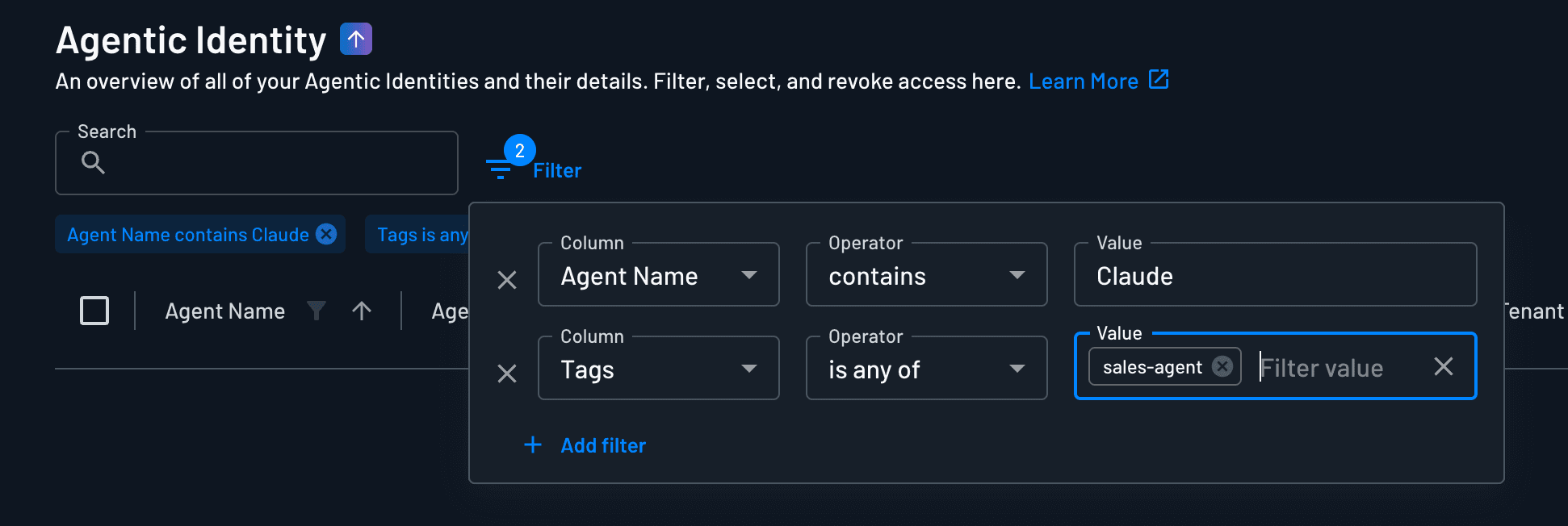
You can filter the agent list to find specific agents based on various criteria. The following table shows all available filter operators, their descriptions, which columns they apply to, and whether they require a value:
| Operator | Description | Applicable Columns | Requires Value |
|---|---|---|---|
| Contains | Determine if the target contains the predicate (supports both lists and strings) | Agent Name, Agent ID, Client ID, Associated User, Tenant Name, Tags, MCP Server | Yes |
| Equals | Determine if two values are equivalent | Agent Name, Agent ID, Client ID, Associated User, Tenant Name, Tags, MCP Server | Yes |
| Doesn't Equal | Determine if two values are not equivalent | Agent Name, Agent ID, Client ID, Associated User, Tenant Name, Tags, MCP Server | Yes |
| In | Determine if value is in the array | Agent Name, Agent ID, Client ID, Associated User, Tenant Name, Tags, MCP Server | Yes |
| Not In | Determine if value is not in the array | Agent Name, Agent ID, Client ID, Associated User, Tenant Name, Tags, MCP Server | Yes |
| Is Empty | Determine if value is empty | Agent Name, Agent ID, Client ID, Associated User, Tenant Name, Tags, MCP Server | No |
| Is Not Empty | Determine if value is not empty | Agent Name, Agent ID, Client ID, Associated User, Tenant Name, Tags, MCP Server | No |
| Matches | Determine if the target matches the regex predicate | Agent Name, Agent ID, Client ID, Associated User, Tenant Name, Tags, MCP Server | Yes |
| Is | Determine if timestamp matches exactly | Created Time, Modified Time | Yes |
| Is After | Determine if timestamp is after the specified time | Created Time, Modified Time | Yes |
| Is Before | Determine if timestamp is before the specified time | Created Time, Modified Time | Yes |
| IP Address In | Determine if an IP address is within a list of ranges | IP Address | Yes |
You can combine multiple filters to create complex queries that help you find exactly the agents you're looking for.
Selecting Agentic Identity
Select one or more agents from the list to perform bulk operations such as:
- Manage Tags
- Revoke Access

MCP Server
The MCP server field indicates which MCP (Model Context Protocol) server the agent is associated with, if any. This helps track which agents are connected to specific MCP resources.
Managing Tags
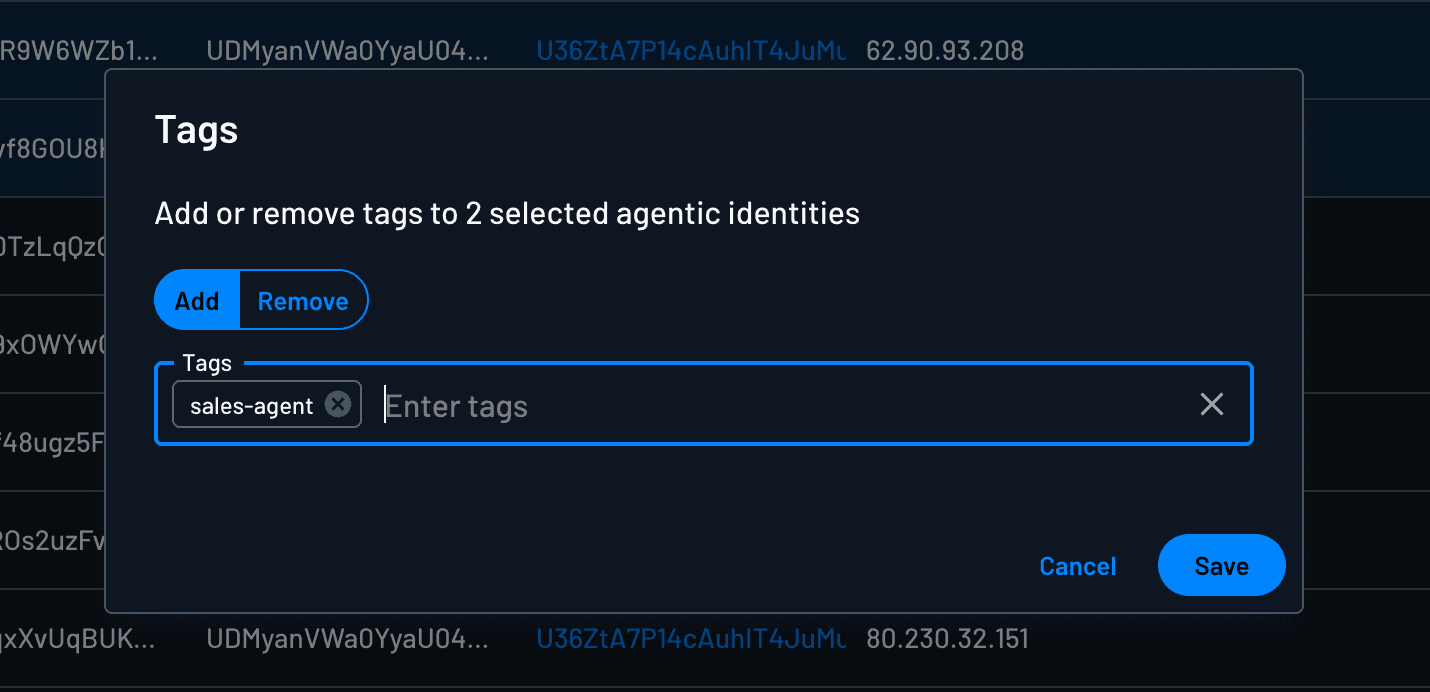
You can manage tags for individual agents or multiple agents at once. This involves adding or removing tags from the agent(s) you have selected.
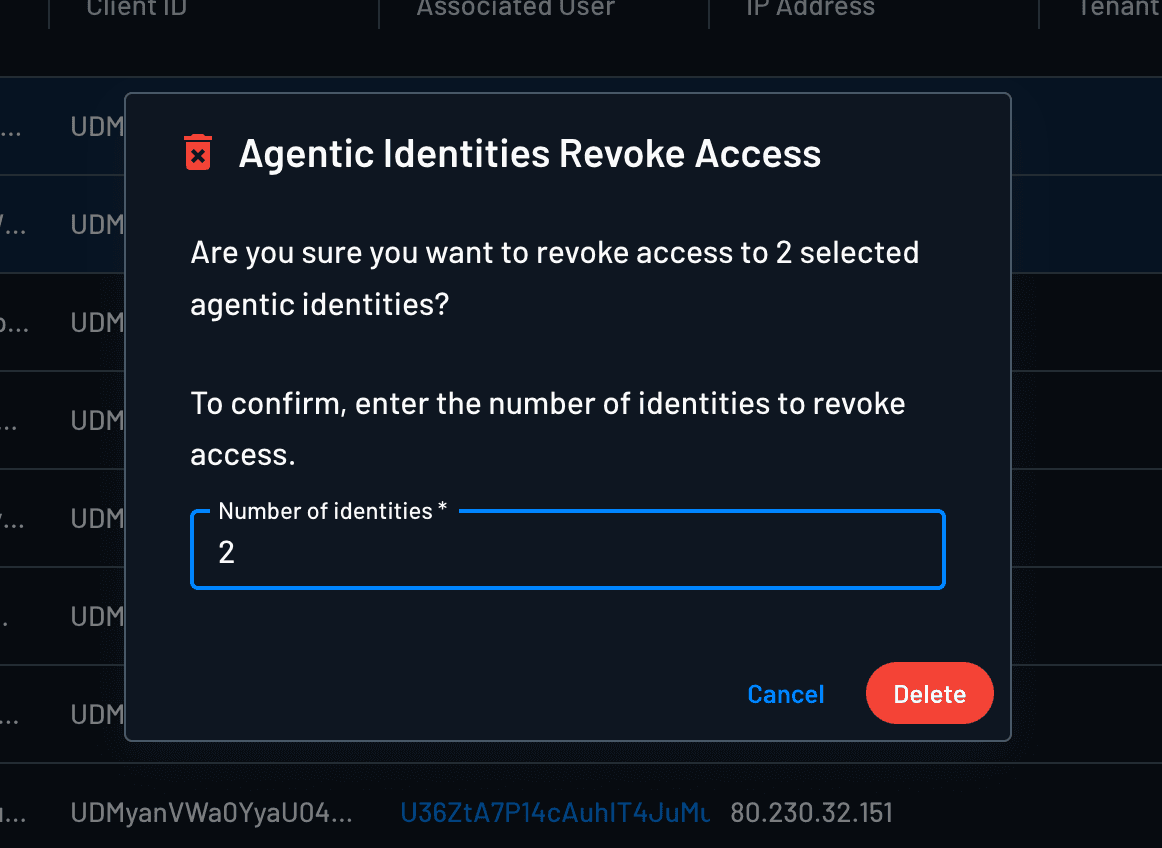
Revoking Access
Revoking access is immediate and cannot be undone. The agent will need to go through the authentication flow again to regain access.
You can also revoke programmatically with the agentic identity revocation endpoint Management API endpoint.
You can revoke access for individual agents or multiple agents at once. When you revoke access:
- The agent's current tokens become invalid
- The agent will need to re-authenticate to regain access
- All associated sessions are terminated
Revoking access is not the same as deleting a client. The client ID will not be invalidated when you revoke access, you are simply invalidating the previously granted user consent.
Downstream Credential Access
Turn an inbound access token into a token for another Resource or a Connection credential, from MCP servers, APIs, or any intermediate service.
MCP Servers
Learn how to configure MCP servers and onboard clients using Descope OAuth 2.1, SSO, audience-scoped tokens, and tool-level scopes.