Claude Code
This guide configures Claude Code to use your Descope project as its Enterprise-Managed Authorization (XAA) identity provider.
You sign in to Descope once, and Claude Code obtains an XAA token (ID-JAG) in the background whenever your agent calls an MCP server. There is no per-server login.
Note
Throughout this guide, the identity provider Claude Code signs in to is your Descope project. Use your Descope issuer URL wherever a provider URL is required.
Your issuer URL is https://api.descope.com/<Your Project ID>, or a different host if you use a custom domain or different regional base URL.
Steps
Turn on the feature
Set CLAUDE_CODE_ENABLE_XAA=1 in your shell profile so it persists. The gate is checked both when you run the commands below and when your agent connects to a server.
export CLAUDE_CODE_ENABLE_XAA=1Connect to Descope Once
This configures the one identity-provider connection that every server reuses.
The simplest path uses CIMD: omit the client ID and secret, and Claude Code registers with Descope dynamically.
claude mcp xaa setup --issuer <your Descope issuer URL>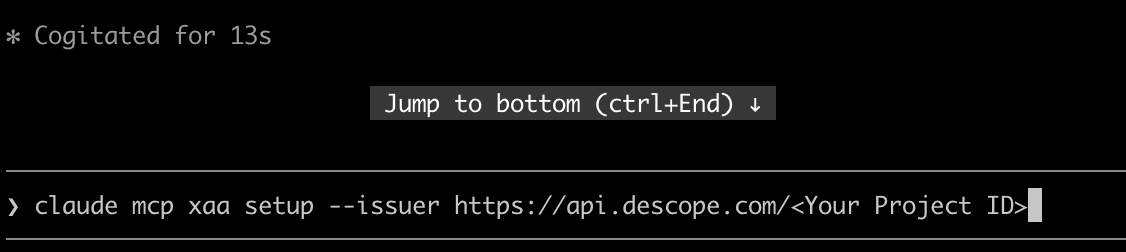
If you have pre-registered a confidential client in Descope for Claude Code, pass its credentials instead. Put the secret in the environment variable that --client-secret reads, then run setup.
export MCP_XAA_IDP_CLIENT_SECRET='<your Descope client secret>'
claude mcp xaa setup --issuer <your Descope issuer URL> --client-id <your Descope client ID> --client-secret
Note
The --client-secret flag takes no inline value. It reads the secret from MCP_XAA_IDP_CLIENT_SECRET. Add --callback-port <port> only if your Descope connection does not allow any loopback port for the browser sign-in.
Sign into Descope
This opens Descope in your browser and caches the session.
claude mcp xaa loginIf you cannot use a browser, pass a Descope-issued ID token directly instead:
claude mcp xaa login --id-token <descope_id_token>Add an MCP Server
Give Claude Code the server's URL. Repeat this step for each server you want to use.
If the server supports CIMD, omit the client ID and secret and Claude Code registers with the server's authorization server dynamically.
claude mcp add --xaa --transport <http|sse> <name> <url>If the server's authorization server does not support CIMD, you must supply a client ID and secret for it. These are the client credentials at the MCP server's authorization server, not your Descope credentials from the previous step. They are controlled by the server owner, not by Descope.
claude mcp add --xaa --transport <http|sse> <name> <url> --client-id <client ID at the server's AS> --client-secretNote
Set --transport to http or sse to match the server; only HTTP and SSE servers are supported. The --client-secret flag takes no inline value; it prompts you for the secret, or reads it from MCP_CLIENT_SECRET.
This would be a different environment variable than the one in the connect step.
Use the Server in Claude Code
Your agent obtains a token in the background when it calls the server.
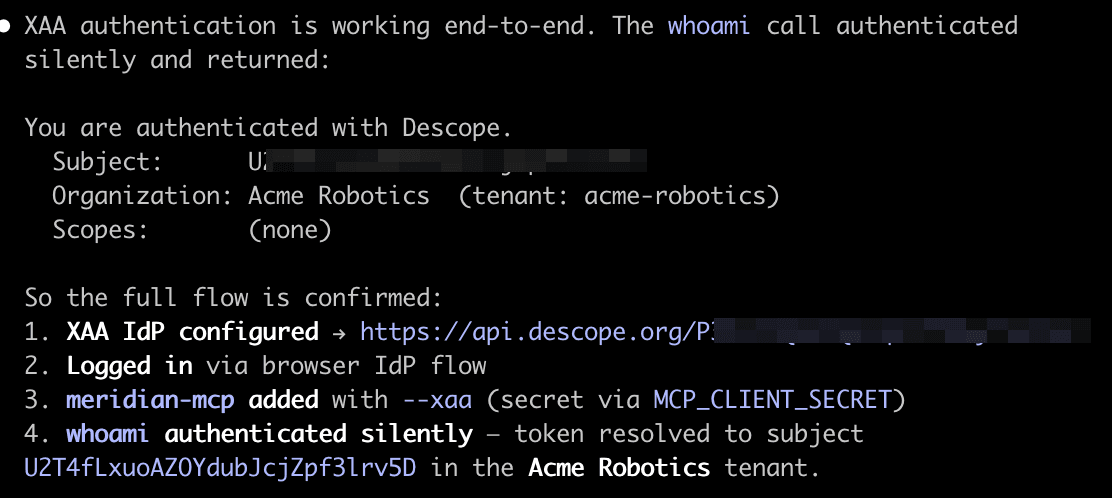
There is nothing more to run.
Manage Your Connection
Use these commands to check or reset your Descope connection:
claude mcp xaa showchecks your current connection.claude mcp xaa login --forcesigns you in to Descope again, for example after your access was reset.claude mcp xaa clearclears the connection so you can start over.
Troubleshooting
| What you see | What it means and who to ask |
|---|---|
XAA is not enabled (set CLAUDE_CODE_ENABLE_XAA=1) | The gate is off. Set CLAUDE_CODE_ENABLE_XAA=1 in your shell profile and restart your shell. |
XAA: no IdP connection configured | You have not connected to Descope yet. Run claude mcp xaa setup, then claude mcp xaa login. |
XAA: server '<name>' needs an AS client_id or a missing AS client secret | The server is missing its client ID or secret. Re-run claude mcp add --xaa for that server. |
Resource server does not implement OAuth 2.0 Protected Resource Metadata, PRM discovery failed, or no authorization server supports jwt-bearer | The server does not publish the metadata Descope needs, or does not support the JWT bearer grant. Ask the server owner to finish setup. See Accept Your Customers' XAA Tokens. |
| The token request is denied because you do not have the scope | Your access has not been granted. Ask your Descope admin to grant you the scope or access profile. |
| The server rejects the token even though sign-in worked | The token's signature may use an algorithm the server does not verify. Ask your Descope admin to check the signing algorithm set for that server. |