ID.me OAuth Provider
Descope provides the flexibility to add custom Social Login (OAuth) providers, including ID.me as an identity provider. This guide will help you configure a custom ID.me OAuth/OIDC provider within the Descope platform.
Creating the ID.me Application
Before integrating the custom OAuth provider in Descope, you must first set up your application on ID.me.
Access ID.me Developer Portal
Go to the ID.me developer portal and select Create application +.
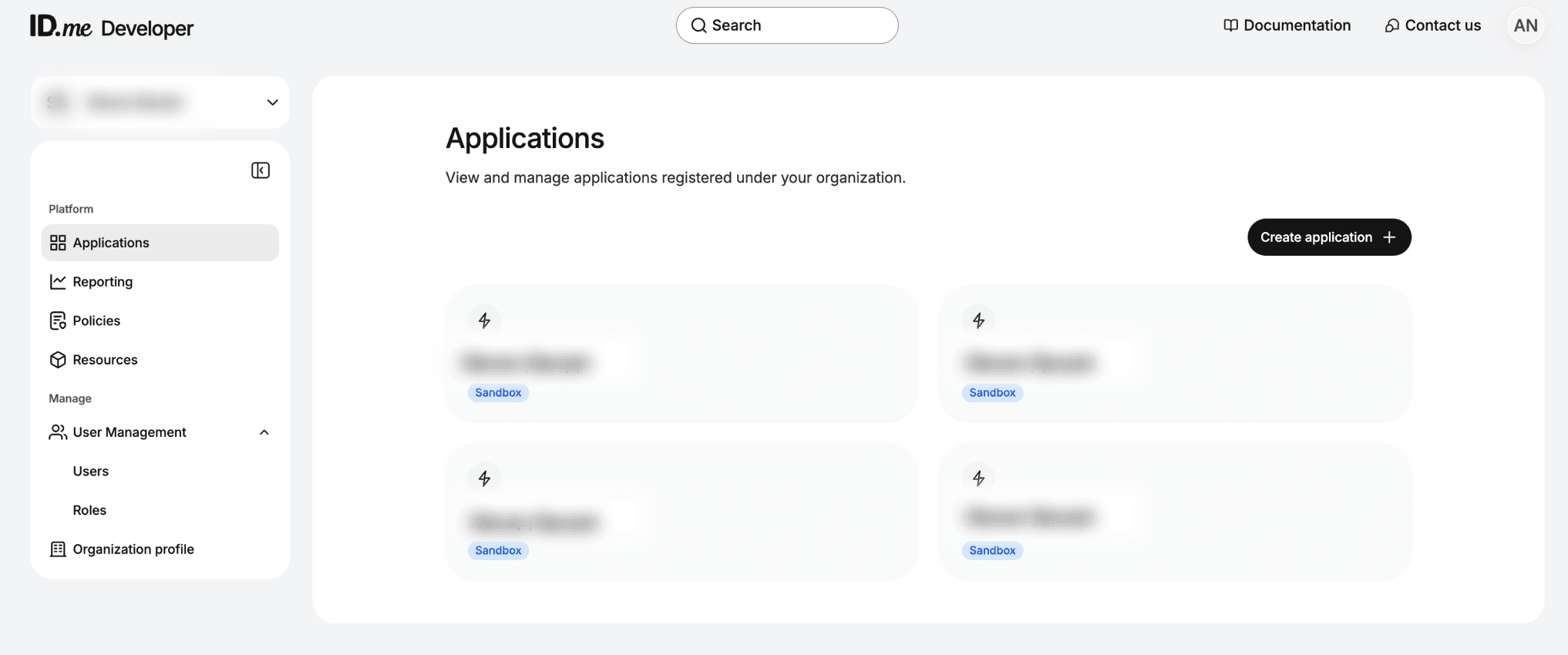
Configuring Application Details
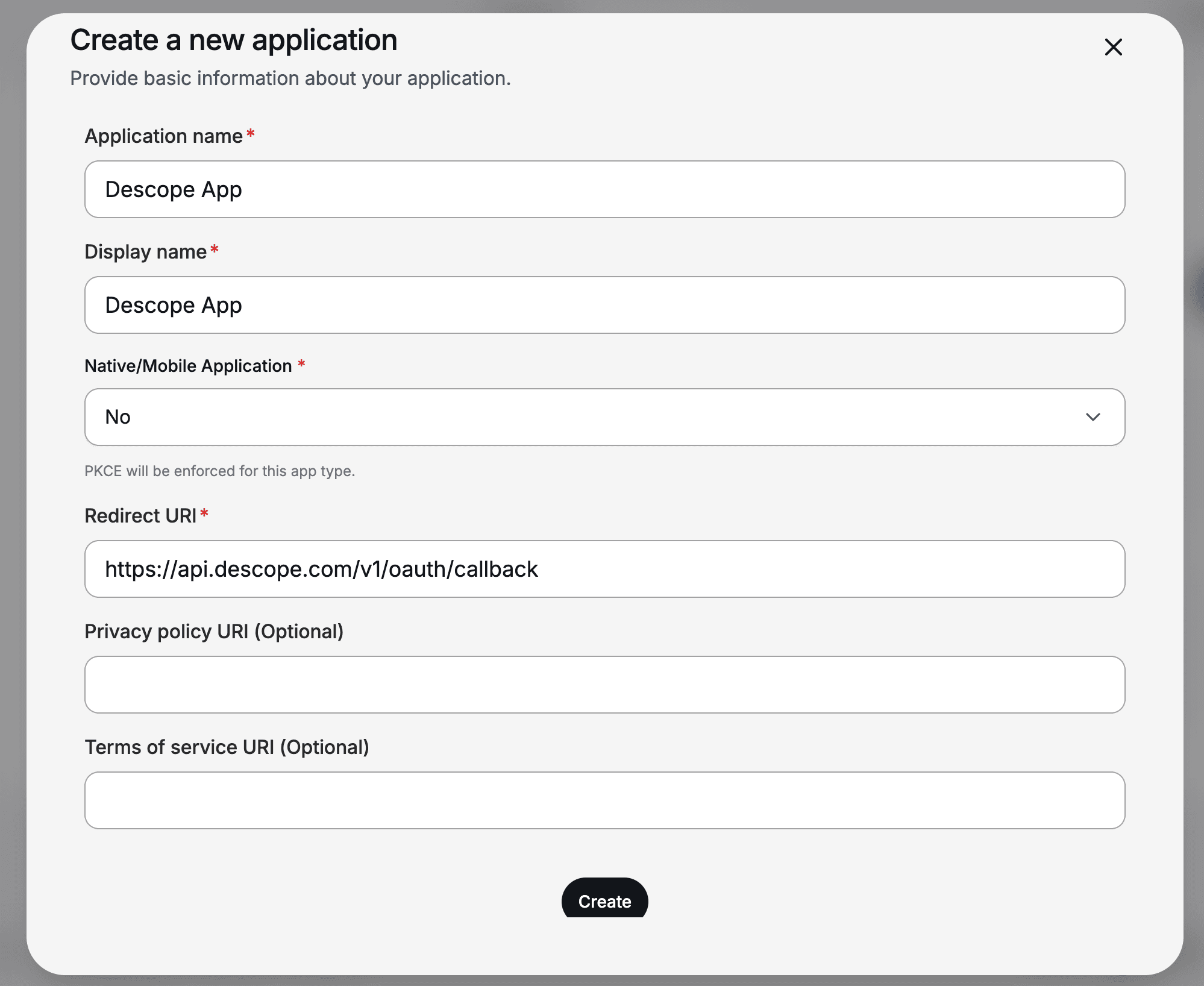
Add your application's details:
- Application Name: Specify app name.
- Display name: Specify a user-friendly name to display during the sign-in flow.
- Redirect URI: This is where users will be redirected after completing authentication. Set the redirect URI to be
https://<your-base-url>/v1/oauth/callback.
Note
You can find your project's base url in our Multi-Region Support Guide.
Below is an example of an application configuration in ID.me:
Creating Descope Custom Provider
In Descope, navigate to the Customize Authentication Methods page and add a new custom provider by selecting + Provider -> Custom. For this example, we will name the provider ID.me.
Configure Account Settings
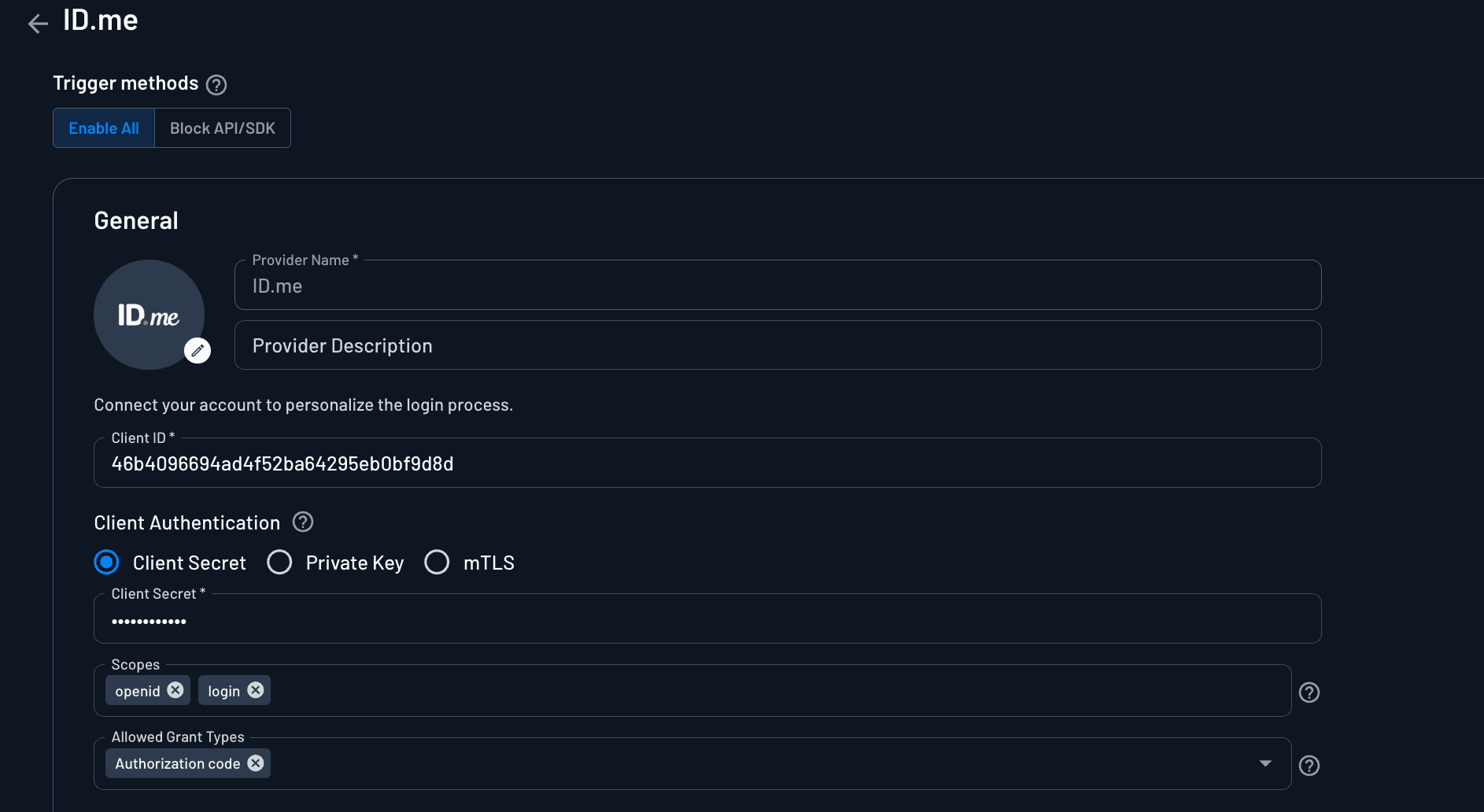
The values needed to configure Descope can be found in your ID.me application under the Integration tab. In your Descope provider, i the account settings:
Client ID: Use the Client ID from the ID.me application.Client Secret: Use the Client secret from the ID.me application.Scopes: The minimum required scopes for using ID.me for login areopenidandlogin. If you need to request other scopes based on the authentication scenario, you can add them here. A full list of supported scopes can be found here.
Note
Some scopes must also be enabled in your ID.me integration before Descope can request them.
Configure Connection Settings
Depending on whether you are using the developers.id.me Production environment, developers.id.me Sandbox environment, or the developers.idmelabs.com Sandbox environment, the base URL for the OAuth endpoints will differ.
| Environment | OAuth domain |
|---|---|
developers.id.me Production | api.id.me |
developers.id.me Sandbox | api.id.me |
developers.idmelabs.com Sandbox | api.idmelabs.com |
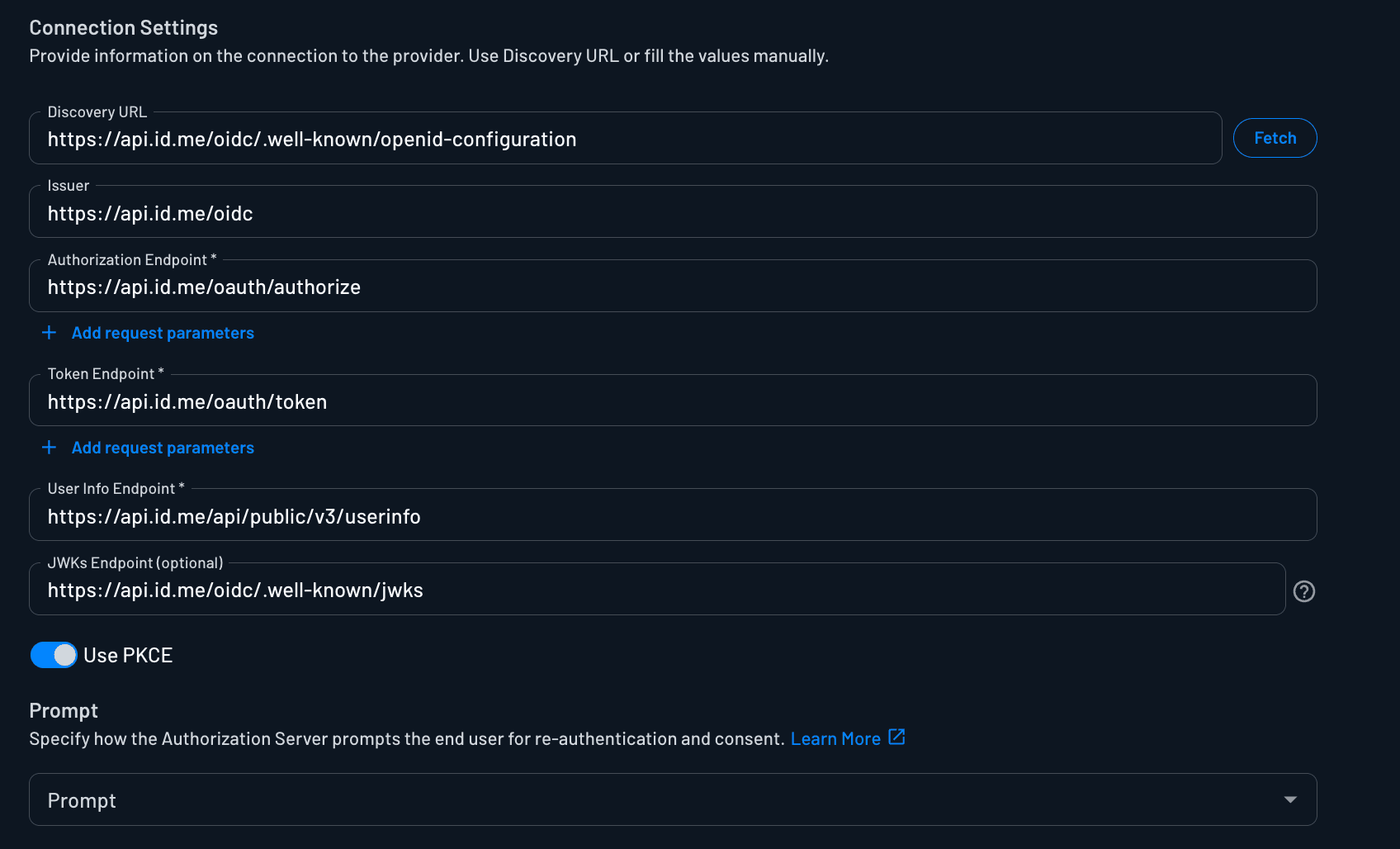
You will need to input the OIDC endpoints that come from the ID.me well known configuration. Replace BASE_DOMAIN with the OAuth domain for your environment from the table above. The values you will need to input in the Console are listed below.
| Setting | Value |
|---|---|
| Discovery URL | https://<BASE_DOMAIN>/oidc/.well-known/openid-configuration |
| Issuer | https://<BASE_DOMAIN>/oidc |
| Authorization Endpoint | https://<BASE_DOMAIN>/oauth/authorize |
| Token Endpoint | https://<BASE_DOMAIN>/oauth/token |
| User Info Endpoint | https://<BASE_DOMAIN>/api/public/v3/userinfo |
| JWKS Endpoint | https://<BASE_DOMAIN>/oidc/.well-known/jwks |
Below is an example of the production well-known configuration values:
Note
You can optionally enable PKCE in the Descope configuration for an additional layer of security.
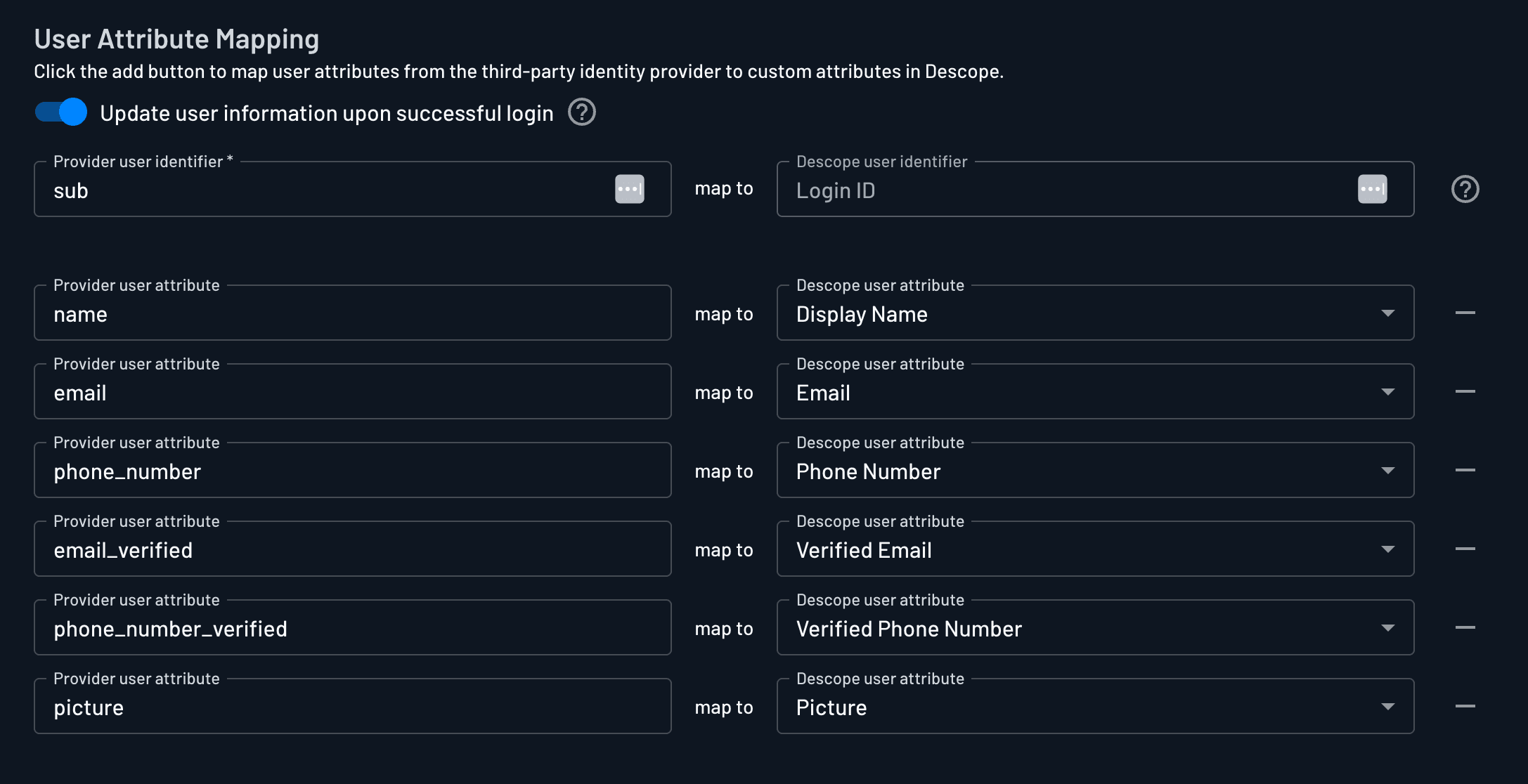
Configure User Attribute Mapping
Map the necessary user attributes based on the information provided by the ID.me user info endpoint. For example, email and name.
For more OAuth provider settings information, check out the OAuth Settings Guide. To add ID.me Social Login to your flow, check out our Social Login In Flows Guide.