KakaoTalk
Descope allows you to create custom Social Login (OAuth) providers within the Authentication Methods page. This allows you to add any Social OAuth authentication within your application. This guide specifically covers the step-by-step configuration of a custom KakaoTalk OAuth provider.
Creating the KakaoTalk Application
Before creating the custom OAuth provider within the Descope console, you must create and configure an application within your Kakao developer account. You can follow the Kakao App Setup Guide for details on creating your application.
When you create your app within the Kakao Developers Console, you must configure the redirect URI. Set the redirect URI to be https://<your-base-url>/v1/oauth/callback. You can find your project's base URL in our Multi-Region Support Guide.
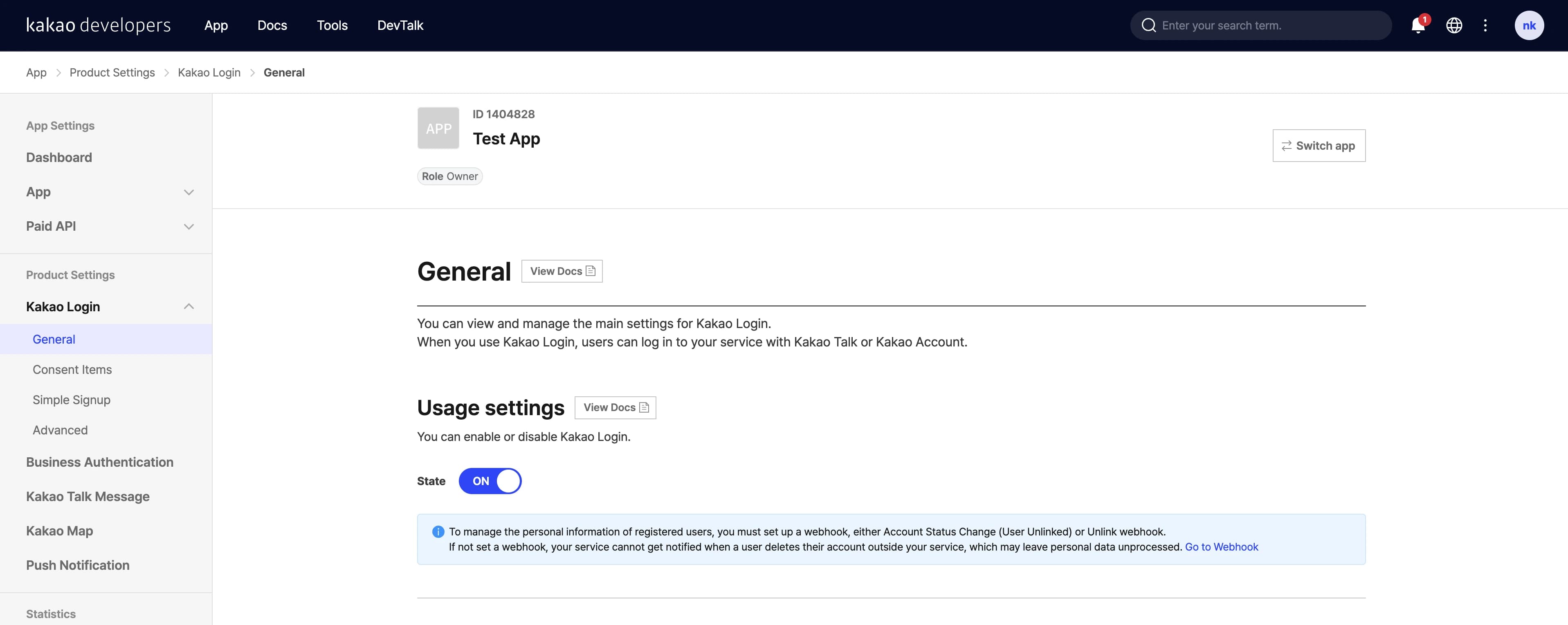
Additionally, make sure Kakao Login is activated for your app under Product Settings -> Kakao Login.
Creating Descope Custom Provider
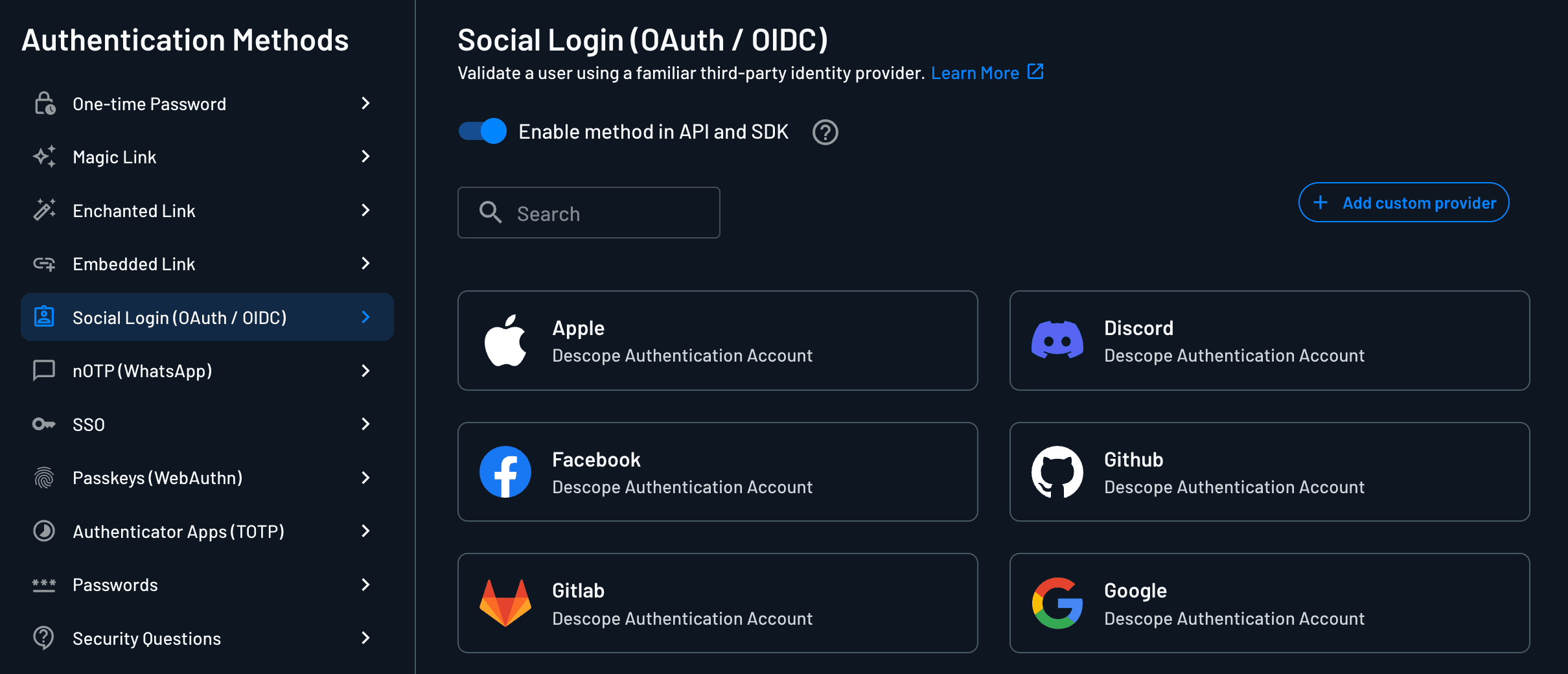
You can configure a custom provider in the Descope Console. Under Authentication Methods -> Social Login,
select + Add custom provider in the top right corner.
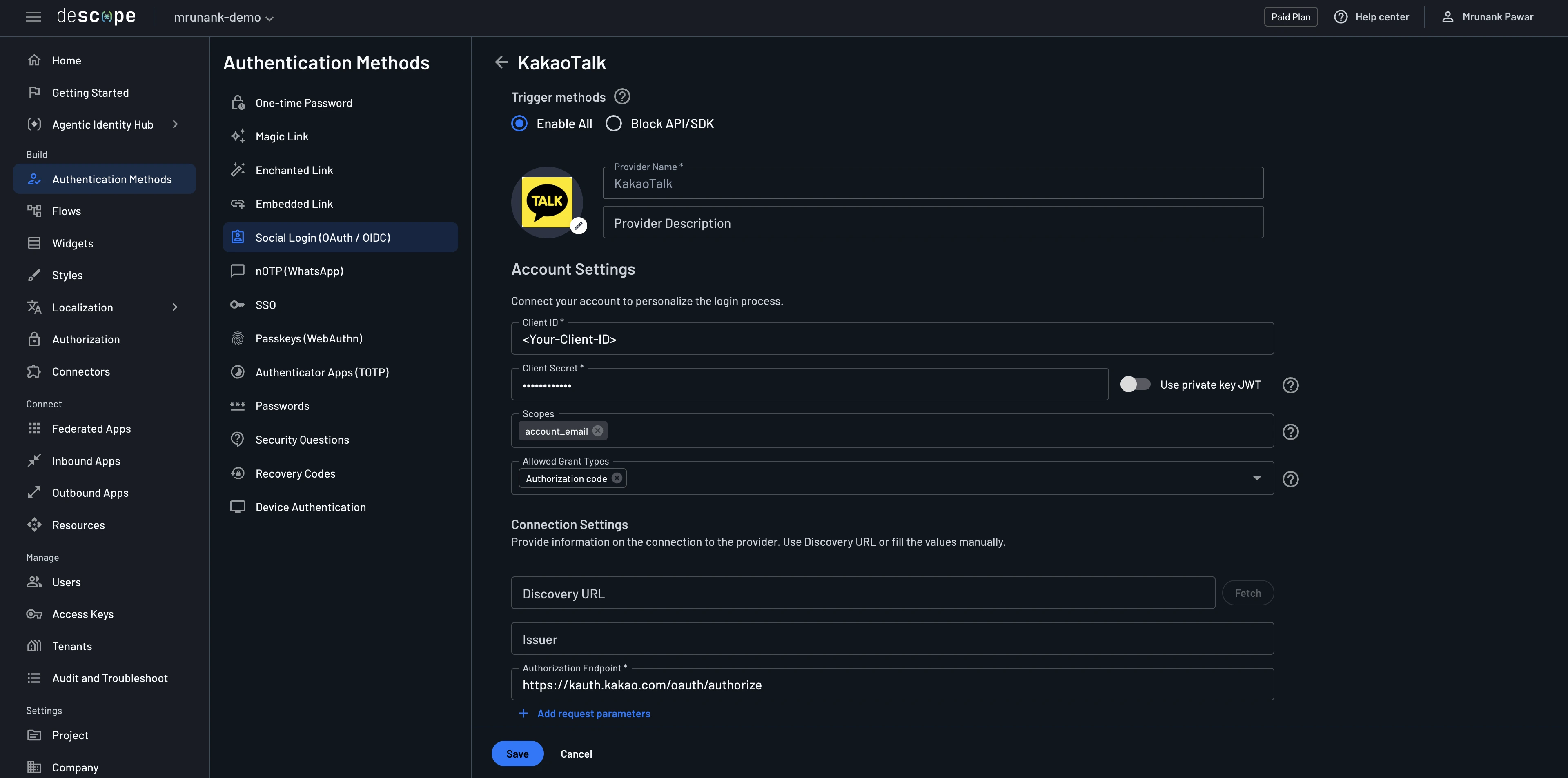
You can then set the name (in this case, "KakaoTalk"), logo, and description for your custom provider.
Configure Account Settings
Within the account settings section of your provider, you will configure the following items:
Client ID: This is the REST API Key of the application created within the Kakao Developers Console. You can find it under App -> Platform Keys.Client Secret: This is the Client Secret generated for your Kakao application. You can enable and retrieve it under App -> Platform Keys.Scopes: These are the configured scopes granted to Descope for the user within Kakao. Scopes provides users using third-party apps the confidence that only the information they choose to share will be shared.Authorized Grant Type: Use Authorization Code (recommended). This uses the standard authorization code exchange for better security.
Configure Connection Settings
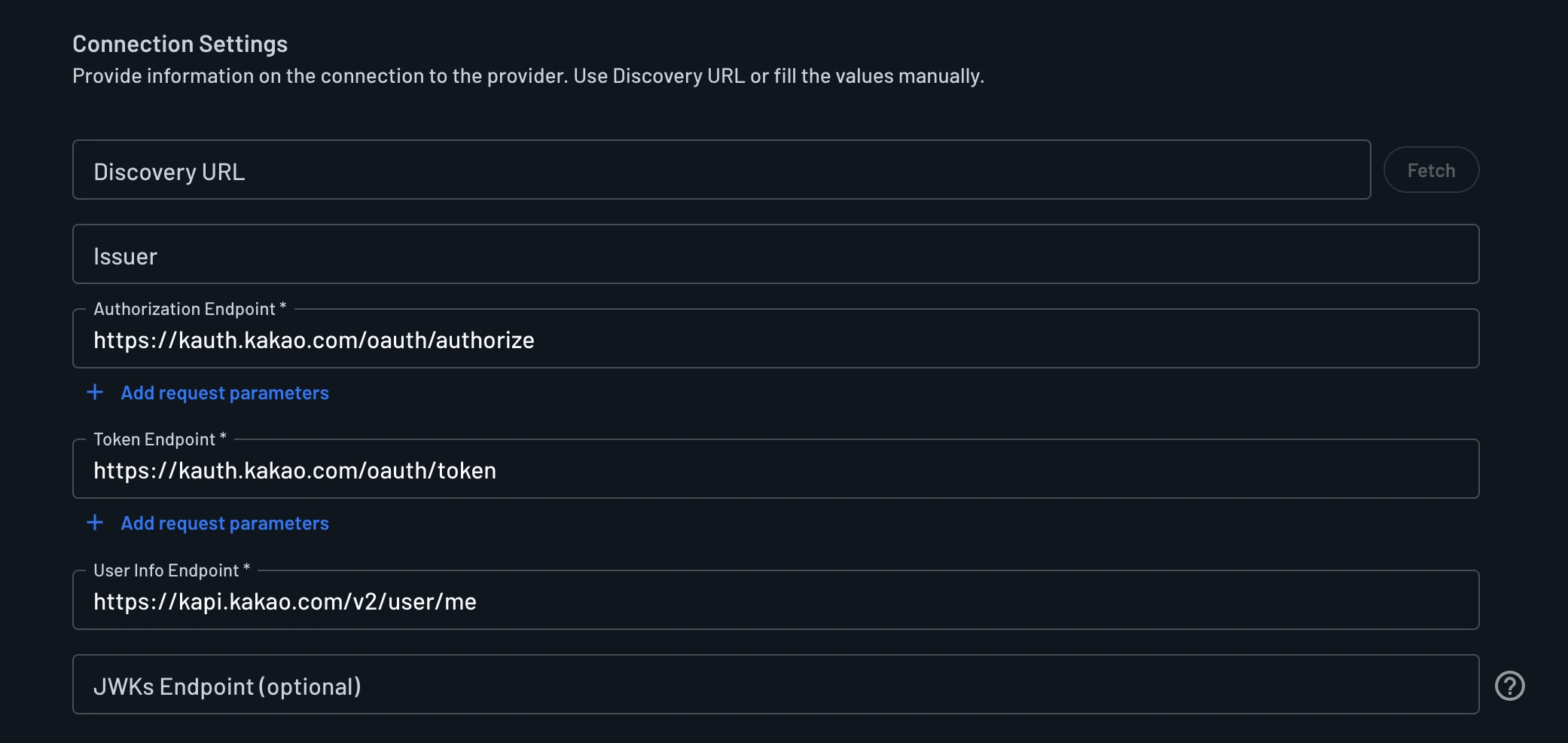
Within the Connection Settings section of your provider, you will configure the following items:
-
Authorization Endpoint: The endpoint to request authorization from the user. For KakaoTalk, this endpoint is
https://kauth.kakao.com/oauth/authorize. -
Token Endpoint: The endpoint to exchange the authorization code for an access token. For KakaoTalk, this endpoint is
https://kauth.kakao.com/oauth/token. -
User Info Endpoint: The endpoint to retrieve user details for attribute mapping. For KakaoTalk, this endpoint is
https://kapi.kakao.com/v2/user/me.
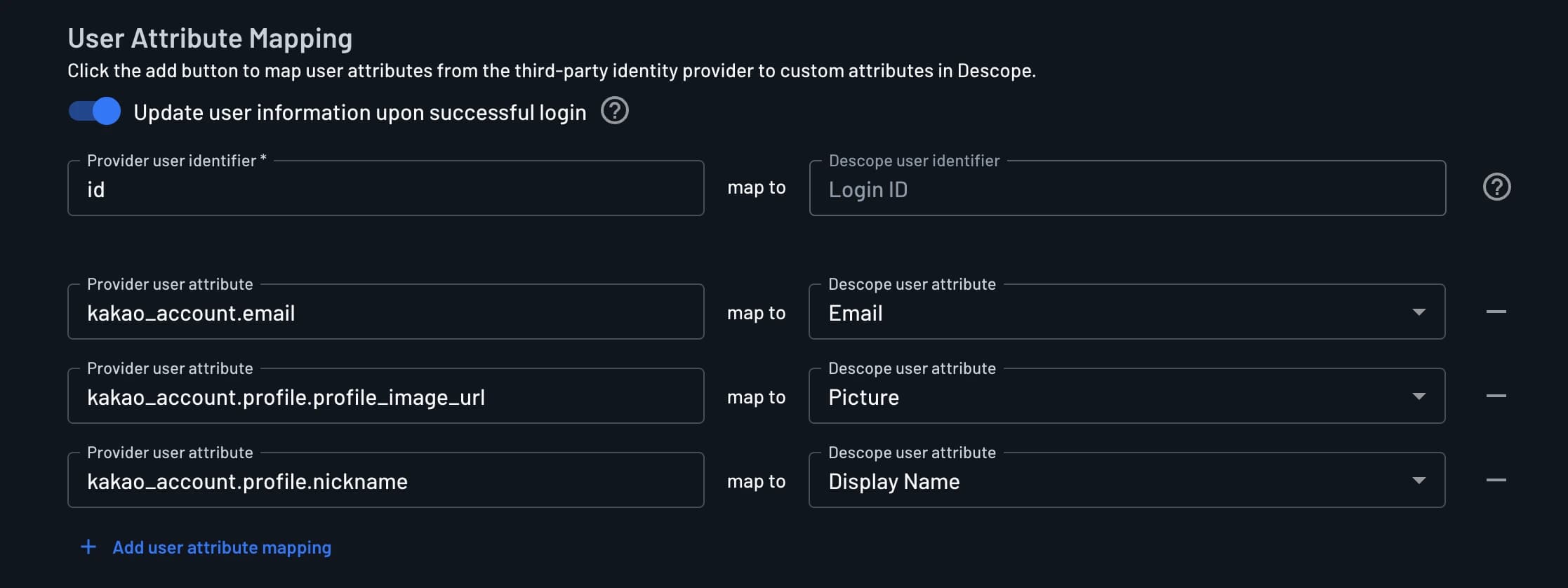
Configure User Attribute Mapping
Given the account_email and profile_nickname scopes, Descope can capture any items from the user info endpoint response. Per the below example, we have mapped email, display name, and picture.
Map these fields in the User Attribute Mapping section of the Descope Console accordingly.
For more OAuth provider settings information, check out the OAuth Settings Guide. To add KakaoTalk Social Login to your flow, check out our Social Login In Flows Guide.