Defining a Schema
The ReBAC schema is comprised of three main components:
- Namespaces: Top-level entities in your application, like documents, folders, and organizations
- Relation definitions: Define the possible relationships between namespaces, like a user being a member of an organization
- Relations: The actual relationships between specific entities, like a specific user being a member of a particular organization
The general flow of defining a schema involves creating namespaces and relation definitions.
Schema Templates
The templates will only appear if you do not have a pre-existing schema present. You can remove the schema by clicking the delete (trashcan) button in the top right corner of the schema editor.
The Descope Console provides several pre-built schema templates to help you get started quickly. You can access these templates in the Console under the Schema tab of the FGA page.
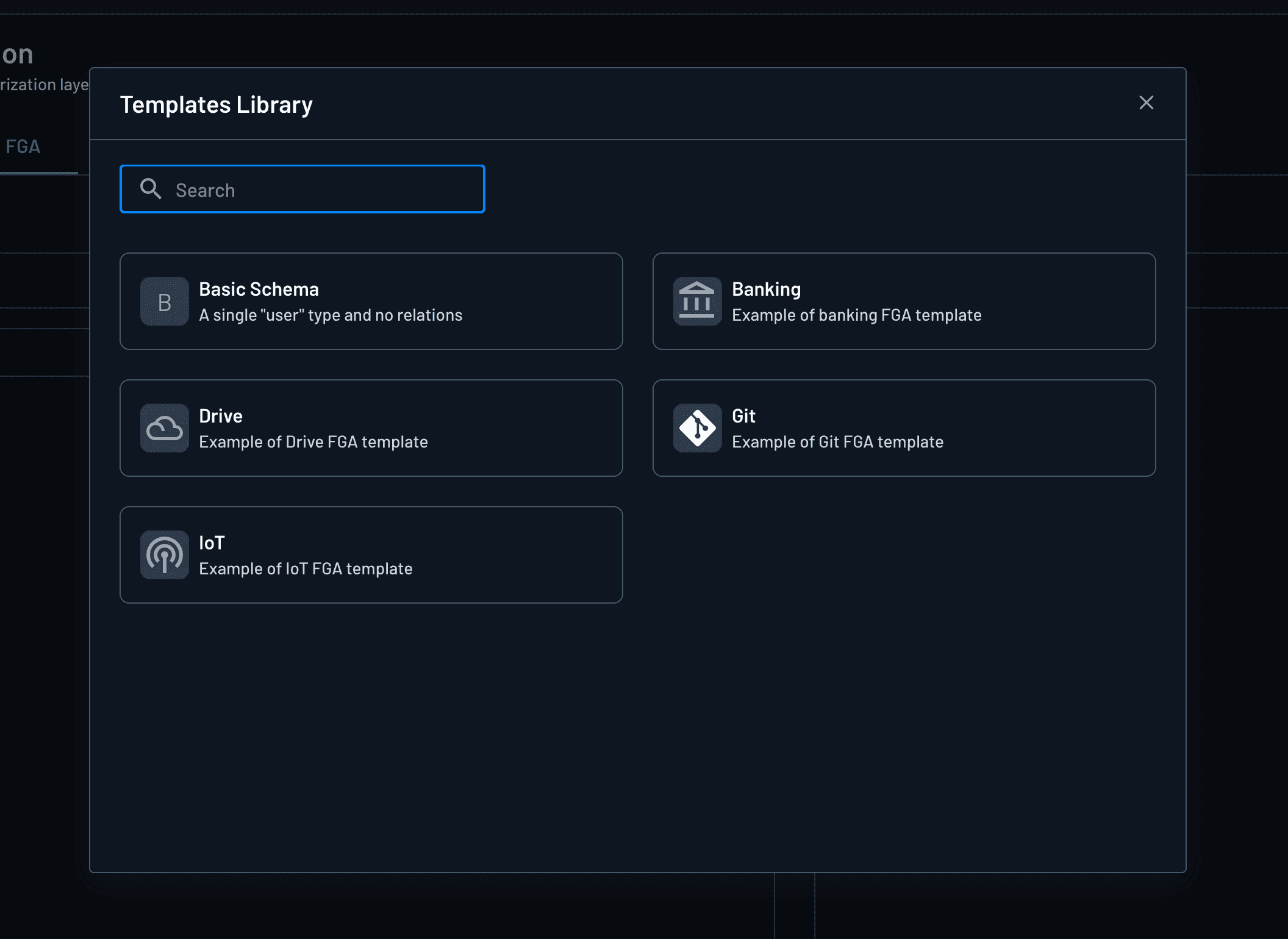
Understanding the DSL (Domain-Specific Language)
The ReBAC schema uses a Domain-Specific Language (DSL) to define your authorization model. Understanding the DSL syntax is essential for creating effective schemas.
Schema Structure
Every schema begins with a model declaration:
model AuthZ 1.0This declares that you're using the AuthZ 1.0 model format.
Types
Types represent the entities in your system. They are the building blocks of your authorization model:
type user
type account
type folder
Types can be simple (like user) or complex with relations and permissions (like account or folder).
Relations
Relations define direct relationships between entities. They specify who or what can have a particular relationship with a resource.
Basic Relations
type account
  relation owner: user
  relation manager: user
This defines that an account can have an owner relation to a user, and a manager relation to a user.
Union Relations (OR)
You can define that a relation can be satisfied by multiple types using the union operator (|):
type account
  relation owner: user | group
This means an account's owner can be either a user or a group.
Relation References
You can reference relations from other types using the # operator:
type account
  relation owner: user | Group#member
This means an account's owner can be:
- A direct
user - A
Groupthat has amemberrelation (which resolves to users who are members of that group)
Self-Referential Relations
Types can reference themselves to create hierarchical structures:
type folder
  relation parent: folder
This allows folders to have parent folders, creating a folder hierarchy.
Permissions
Permissions define what actions can be performed. They are computed from relations and can reference other permissions.
Basic Permissions
type account
  relation owner: user
  permission can_close: owner
This defines a can_close permission that is granted to the account's owner.
Permission Composition (OR)
Permissions can be composed using the union operator (|):
type account
  relation owner: user
  relation manager: user
  permission can_withdraw: owner | manager
This means can_withdraw is granted if the user is either the owner OR the manager.
Permission Chaining
Permissions can reference other permissions:
type account
  relation owner: user
  relation manager: user
  permission can_withdraw: owner | manager
  permission can_view: can_withdraw | beneficiary
The can_view permission is granted if:
- The user has
can_withdrawpermission (which means they're owner or manager), OR - The user is a beneficiary
Traversing Relations
You can traverse relations using dot notation:
type account
  relation managed_by: branch

type branch
  relation manager: user

type account
  permission can_withdraw: managed_by.manager
This means can_withdraw is granted to users who are managers of the branch that manages the account.
Complex Permission Examples
type folder
  relation parent: folder
  relation owner: user
  relation editor: user

  permission can_edit: editor | parent.owner | parent.can_edit
This permission is granted if:
- The user is a direct editor of the folder, OR
- The user is the owner of the parent folder, OR
- The user has
can_editpermission on the parent folder (which recursively checks up the hierarchy)
DSL Syntax Summary
| Syntax | Description | Example |
|---|---|---|
type <name> | Define a type | type user |
relation <name>: <type> | Define a relation | relation owner: user |
| | Type union (OR), before with | user | group |
# | Relation reference | Group#member |
. | Traverse relation | parent.owner |
permission <name>: <expression> | Define a permission | permission can_edit: owner |
& | Intersect (AND) of relations/permissions inside a permission's expression, before with | permission can_edit: editor & owner |
- | Difference (exclude) of relations/permissions inside a permission's expression, before with; this operator cannot appear after with | permission can_view: viewer - suspended_user |
condition <name>(<params>) { <CEL> } | Define a CEL condition | condition IsAdmin(role string) { role == "admin" } |
constraint <name>(<args>) | Define a built-in constraint | constraint GeoCountry("US") |
with <condition> | Attach a condition/constraint to a relation or permission | relation viewer: user with IsAdmin |
& | Condition AND, only after with | with IsAdmin & CanEdit |
| | Condition OR, only after with | with IsAdmin | CanEdit |
! | Condition NOT, only after with; unary negation of a single condition, unlike the binary - operator above | with !IsSuspended |
Conditions (ABAC with Common Expression Language)
In addition to relations and permissions, the DSL supports attribute-based conditions written in CEL (Common Expression Language). The condition keyword is used to declare a condition that takes typed parameters and evaluates a CEL expression against a caller-supplied context that may include additional details such as a user's IP or the time a request was made.
ReBAC on its own answers the class of problem such as "can this user do X" by walking a series of relationships between entities in the form of a graph. ABAC builds on this by adding the use of attributes. Attributes can be used to specify ideas like time, geography, clearance level, etc. Say you want to limit when an action can happen by working hours; this is where attributes, and thus ABAC, can be used on top of a typical ReBAC check. Put another way, attributes can function as a lookup where a literal or constant are previously-defined. Additionally, a condition could also be defined to receive and evaluate two (or more) arguments.
A simple check can be written in CEL like request.weekday in allowed_workday. In this case, request.weekday is an attribute and allowed_workday could be a literal/constant that is previously defined (i.e. [Monday, Wednesday, Friday]).
A typical example involving role lookups would look like the following:
model AuthZ 1.0

condition IsAdmin(role string) { role == "admin" }

type user

type doc
  relation viewer: user with IsAdmin
In the previous example, viewer is a ReBAC relation. The value of role is provided with the request's context. with IsAdmin is an ABAC gate with the condition that checks the passed-in role against admin. The condition role == "admin" is written in CEL.
This shows how to build ABAC relations into a ReBAC definition through the use of a with clause.
Built-in Constraints
The DSL also ships built-in constraints for common attribute checks, so you don't have to write CEL by hand. Declare one with the constraint keyword and attach it using with, the same way as a custom condition:
constraint IpRange
constraint GeoCountry("US", "GB")
constraint TrustedGeoCountry: GeoCountry("US", "GB", "CA", "AU", "NZ")

type user

type resource
  relation regional_reader: user with GeoCountry
  relation trusted_reader: user with TrustedGeoCountry
  relation ip_gated_reader: user with IpRange
If a constraint is defined with arguments in a schema, then they cannot be changed at Check time. On the other hand, constraints defined without arguments passed into them can accept arguments from check-time context, like IpRange in the above example.
The following constraints are all included by default:
| Constraint | Purpose | Context parameters (when called with no args) |
|---|---|---|
IpRange | IP falls within a CIDR range | ip (ipaddress), ip_range (string) |
IpList | IP is one of an allow-list of addresses | ip (ipaddress), allowed_ips (list) |
GeoCountry | Country code is in an allowed set | country_code (string), allowed_countries (list) |
DateExpiryEpochSeconds | Current time is before an expiry timestamp | now_epoch_seconds (int), expiry_epoch_seconds (int) |
StringMatchRegex | String matches a regular expression | str (string); pattern is always required at declaration, never omitted |
NumAtLeast / NumAtMost | Number is above/below a bound | num (double), min/max (int) |
NumRange | Number falls within a min/max range | num (double), min (int), max (int) |
BoolCheck | Boolean equals an expected value | bool (bool), expected (bool) |
IntList | Integer is one of an allowed set | int (int), allowed_ints (list) |
LabelList | String label is one of an allowed set | label (string), allowed_labels (list) |
As noted above, the StringMatchRegex constraint is the exception when it comes to providing arguments: you must always supply its pattern argument at declaration time, e.g. StringMatchRegex("^admin_.*"); it has no argument-free form.
Complete Schema Example
For a complete, real-world schema example, see the Google Drive example which demonstrates a document platform with hierarchical folder structures, file permissions, and permission inheritance.
Managing Your Schema
You can learn how to insert your schema into Descope and manage it on the Managing a Schema page.