Managing a Schema
Once you've defined your schema, you can implement it in Descope using either the Console or programmatically via SDKs and APIs.
Managing Schemas in the Console
The easiest way to create and manage schemas is through the Descope Console. Navigate to the Authorization page, select FGA, and open the Schema tab.
From the Schema tab, you can:
- Create new schemas - Start from scratch or use a template
- Edit existing schemas - Modify your schema directly in the editor
- Delete schemas - Remove schemas and all associated relations
The Console provides a code editor where you can write your schema in DSL format, validate it, and save it directly to your project.
Visualizing Your Schema
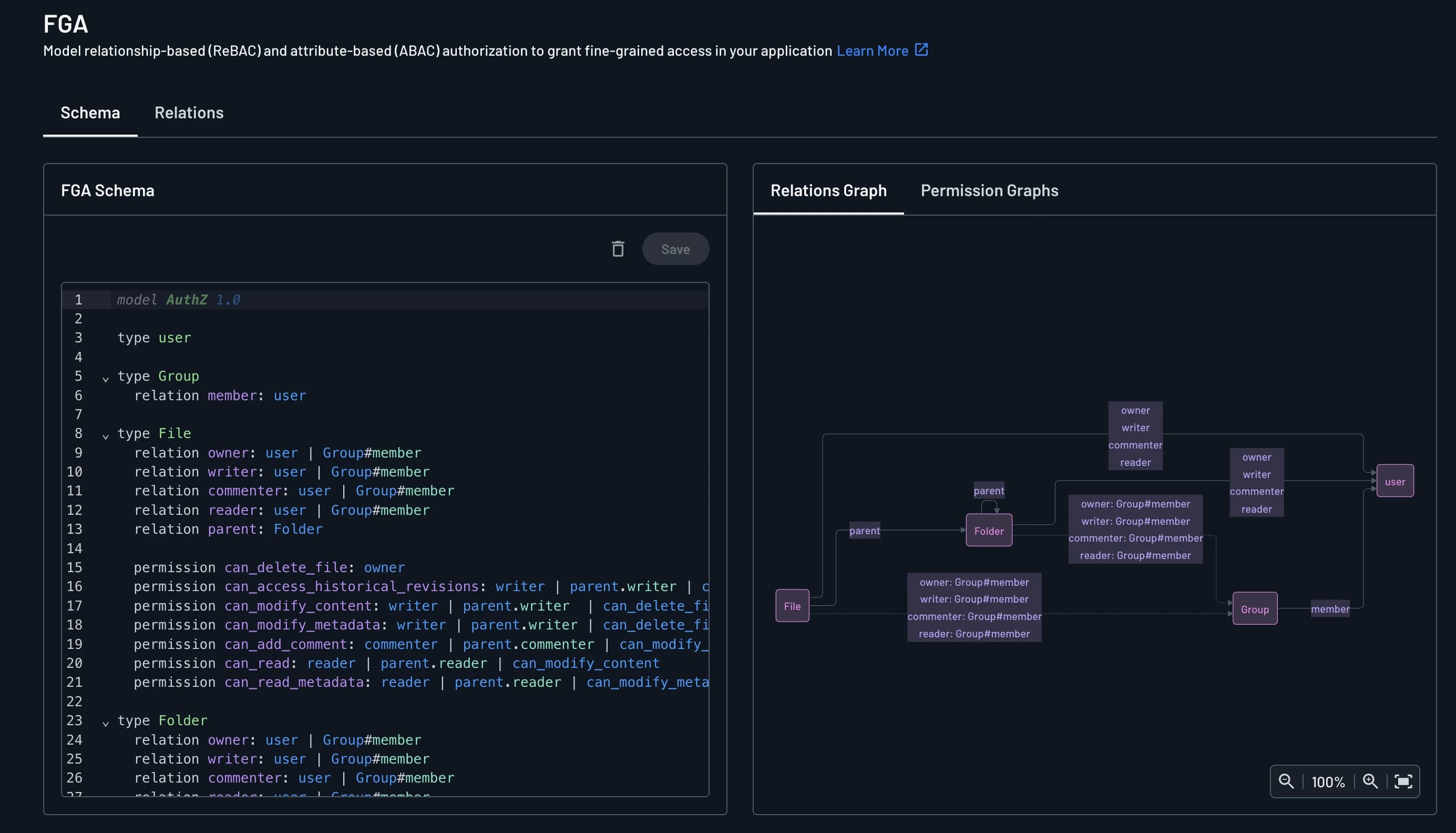
Alongside the editor, the Schema tab includes a graphs panel with two views:
- Relations Graph - Shows how relations connect your types
- Permission Graphs - Shows how relations resolve into your permissions
The permission graph merges relation leaves that feed the same permissions in the exact same way into a single node, so the graph stays readable even when several relations grant identical access.
The graphs reflect your last saved schema, not unsaved edits in the editor:
- Unsaved changes show a placeholder in both graphs until you save
- A schema with no permissions defined shows a placeholder on the Permission Graphs view instead of an empty graph
- Narrower screens hide the graphs panel so the editor has room to work
Viewing schema graphs
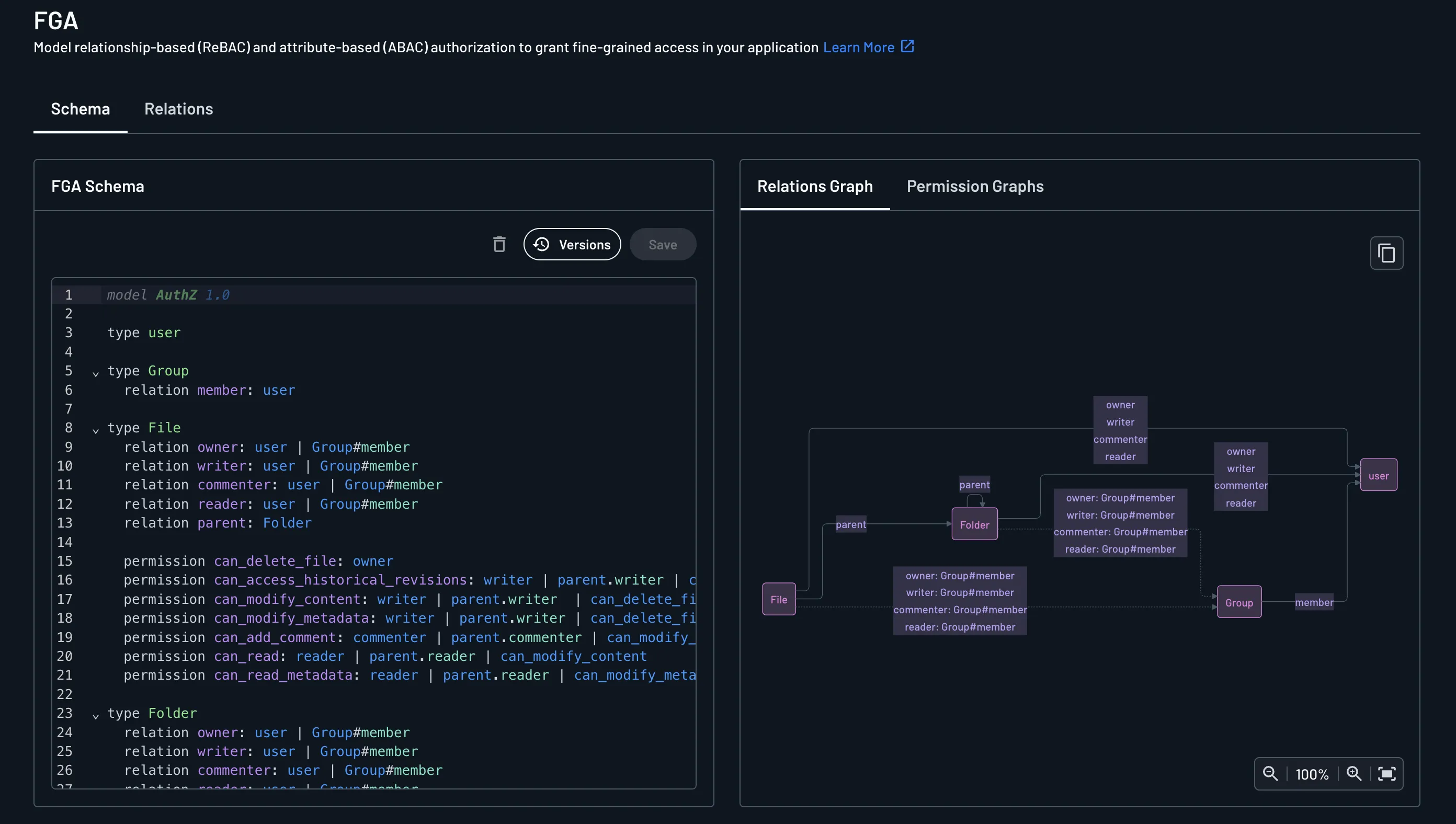
Next to the schema editor, the Relations Graph and Permission Graphs tabs visualize your saved schema as diagrams. Unsaved edits in the editor clear these diagrams until you save again.
Each rendered graph has a copy button in its top-right corner. Clicking it copies the graph's underlying Mermaid source code to your clipboard, letting you reuse the diagram elsewhere, such as in your own documentation or an external Mermaid editor. The button appears only alongside a rendered graph, so it's absent while edits are unsaved, and on the Permission Graphs tab if the schema defines no permissions.
Viewing schema graphs
Next to the schema editor, the Relations Graph and Permission Graphs tabs visualize your saved schema as diagrams. Unsaved edits in the editor clear these diagrams until you save again.
Each rendered graph has a copy button in its top-right corner. Clicking it copies the graph's underlying Mermaid source code to your clipboard, letting you reuse the diagram elsewhere, such as in your own documentation or an external Mermaid editor. The button appears only alongside a rendered graph, so it's absent while edits are unsaved, and on the Permission Graphs tab if the schema defines no permissions.
Managing Schemas with SDKs and APIs
To implement a schema programmatically, you can create a YAML or JSON file that defines the schema and make a saveSchema call via API or SDK. Or, use the other schema management functions to create, update, and delete schemas, namespaces, and relation definitions.
Install SDK
npm i --save @descope/node-sdkImport and initialize Management SDK
import DescopeClient from '@descope/node-sdk';

const managementKey = "xxxx"

try{
    //  baseUrl="<URL>" // When initializing the Descope clientyou can also configure the baseUrl ex: https://auth.company.com  - this is useful when you utilize a custom domain within your Descope project.
    const descopeClient = DescopeClient({ projectId: '__ProjectID__', managementKey: managementKey });
} catch (error) {
    // handle the error
    console.log("failed to initialize: " + error)
}
Save (create or update) a schema
The saveSchema function allows for creation or updating of a schema. If the schema already exists, the upgrade parameter determines whether the existing schema will be overwritten entirely.
This code shows how to save the schema defined in a given file (YAML/JSON). An example of this schema file can be found in the Define Schema page.
const schema = `<schema>`;
await descopeClient.management.fga.saveSchema(schema);
Delete a schema
The deleteSchema function deletes an existing schema, including all relations.
await descopeClient.management.fga.deleteSchema()Load a schema
The loadSchema function returns the current project's schema.
// Note: loadSchema may be available through the fga namespace
const schema = await descopeClient.management.fga.loadSchema();
Dry run a schema
The dryRunSchema function validates a schema without saving it and returns what would be deleted from the current schema. This is useful for testing schema changes before applying them.
// Dry run a schema to see what would be deleted
const dryRunResponse = await descopeClient.management.fga.dryRunSchema(schema);

// dryRunResponse contains information about what would be deleted
// This allows you to review changes before applying them
Delete a namespace
The deleteNamespace function deletes a specific namespace and all related relations. This operation cannot be undone.
# Delete a namespace
# Args:
# name (str): namespace name to delete
# schema_name (str): optional, can be used to track the current schema version
# Legacy Authz interface - not recommended for new code
descope_client.mgmt.authz.delete_namespace("doc", schema_name="")