SQL Connector
The SQL Connector enables you to query relational databases directly from Descope flows. Use it to look up user records, validate data, or fetch information from any supported SQL database engine at runtime.
Supported Engines
- CockroachDB
- MariaDB
- MySQL
- Oracle
- PostgreSQL
- Redshift
- SQL Server (MSSQL)
Configure the SQL Connector
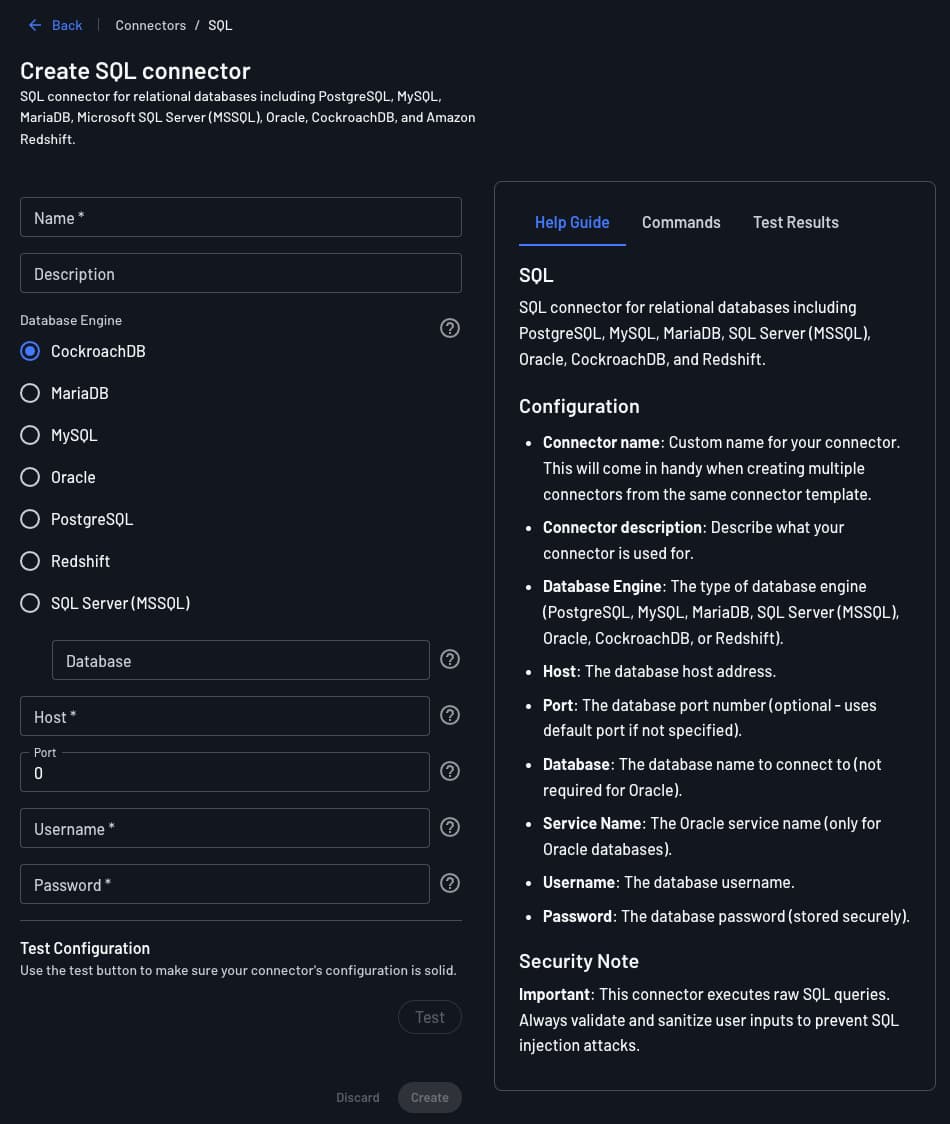
Navigate to the Connectors page in the Descope Console and select SQL to create a new connector.
Connector Settings
- Connector Name: A unique name for this connector. Helpful when you have multiple SQL connectors pointing to different databases.
- Connector Description (optional): A brief note on the connector's purpose.
- Engine: The database engine to connect to (e.g., PostgreSQL, MySQL, MariaDB, Oracle, CockroachDB, Redshift, SQL Server).
- Host: The hostname or IP address of the database server (e.g.,
db.example.comor10.0.0.5). - Port: The port the database is listening on. Common defaults: PostgreSQL
5432, MySQL/MariaDB3306, Oracle1521, SQL Server1433. - Username: The database user account used to authenticate the connection.
- Password: The password for the database user.
- Database: The name of the database (or schema) to connect to.
Note
The database host must be publicly accessible over the internet. Databases restricted to an internal network (VPN, private VPC) are not reachable unless you expose the endpoint or use a publicly accessible proxy.
Testing
After filling in all fields, click Test to verify the connection. The Test Results panel will confirm whether the connector can successfully connect to your database. Once the test passes, click Create to save the connector.
Add the SQL Connector to a Flow
1. Select or Create a Flow
Navigate to Flows in the Descope Console and open an existing flow or create a new one.
2. Add the Connector Action
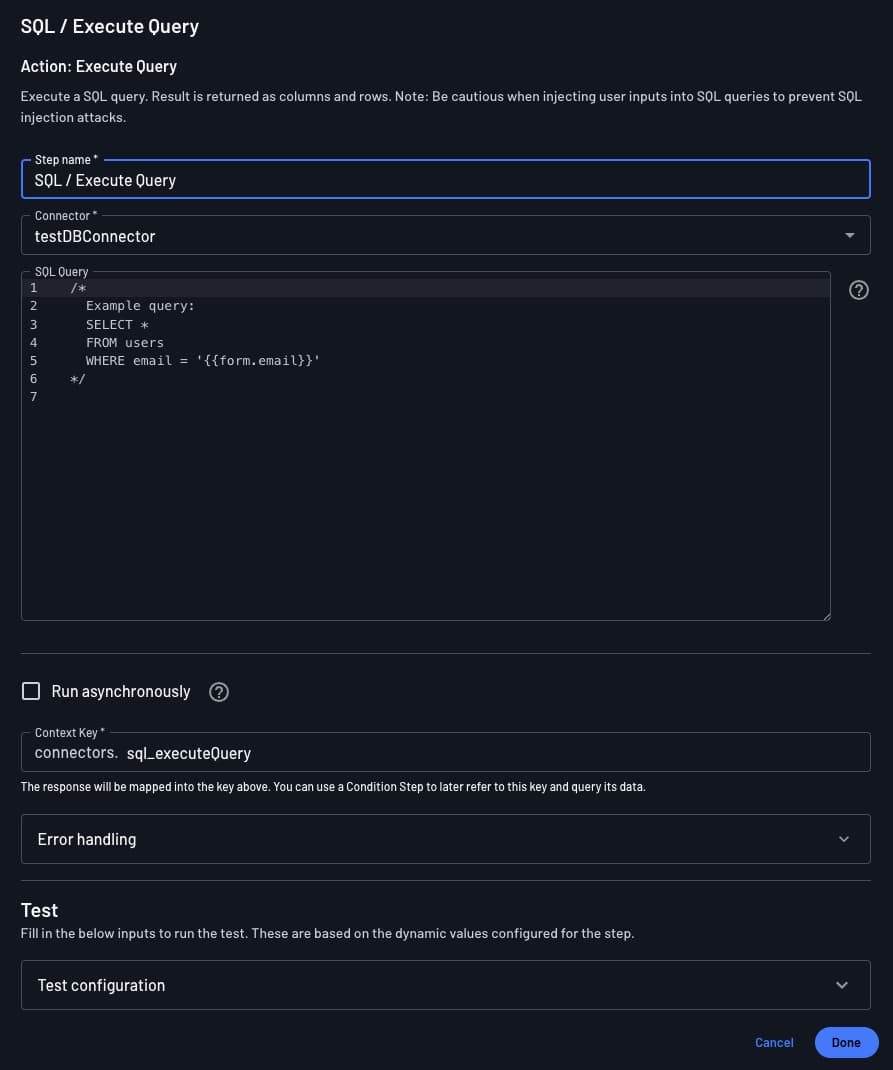
In the flow editor, add the SQL / Execute Query action. This action accepts a single SQL query and returns the results as an object.
Parameters:
query(required): The SQL query to execute. You can inject dynamic flow values using{{value}}placeholders (e.g.,SELECT * FROM users WHERE email = '{{user.email}}').
3. Example Use Case
A common pattern is to look up a user record during login and enrich the Descope session with custom claims:
- Add the SQL / Execute Query action with a query like:
SELECT role, tenant_id FROM users WHERE email = '{{user.email}}' - Use the result to conditionally branch the flow based on the user's role.
- Add a Set Custom Claims action to attach
roleandtenant_idto the session token.
Security Considerations
Warning
Queries are executed with the credentials configured in the connector, which have full access to the connected database. Follow the principle of least privilege: create a dedicated read-only database user for this connector and grant it access only to the tables it needs.
When building query strings with dynamic values, take care to avoid SQL injection. Prefer parameterized query syntax where your database driver supports it, or limit dynamic values to well-validated inputs.