Policies
Policies are the authorization rules that govern what each subject (a client, an agent, or a user) can access across your Descope project. A policy answers three questions: who the rule applies to, what Resources or Connections it grants access to, and how that access is obtained (the grant type).
Policies can apply to every Inbound Application and Agentic Client in your Descope project.
You can manage your policies on the Policies page in the Descope Console. From there you can:
- Create policies that grant specific subjects access to specific Resources and Connections, with specific scopes
- View all active policies and understand which rules are currently in effect across your project
- Delete policies to immediately remove their effect; there is no disabled state; a policy is either active or gone
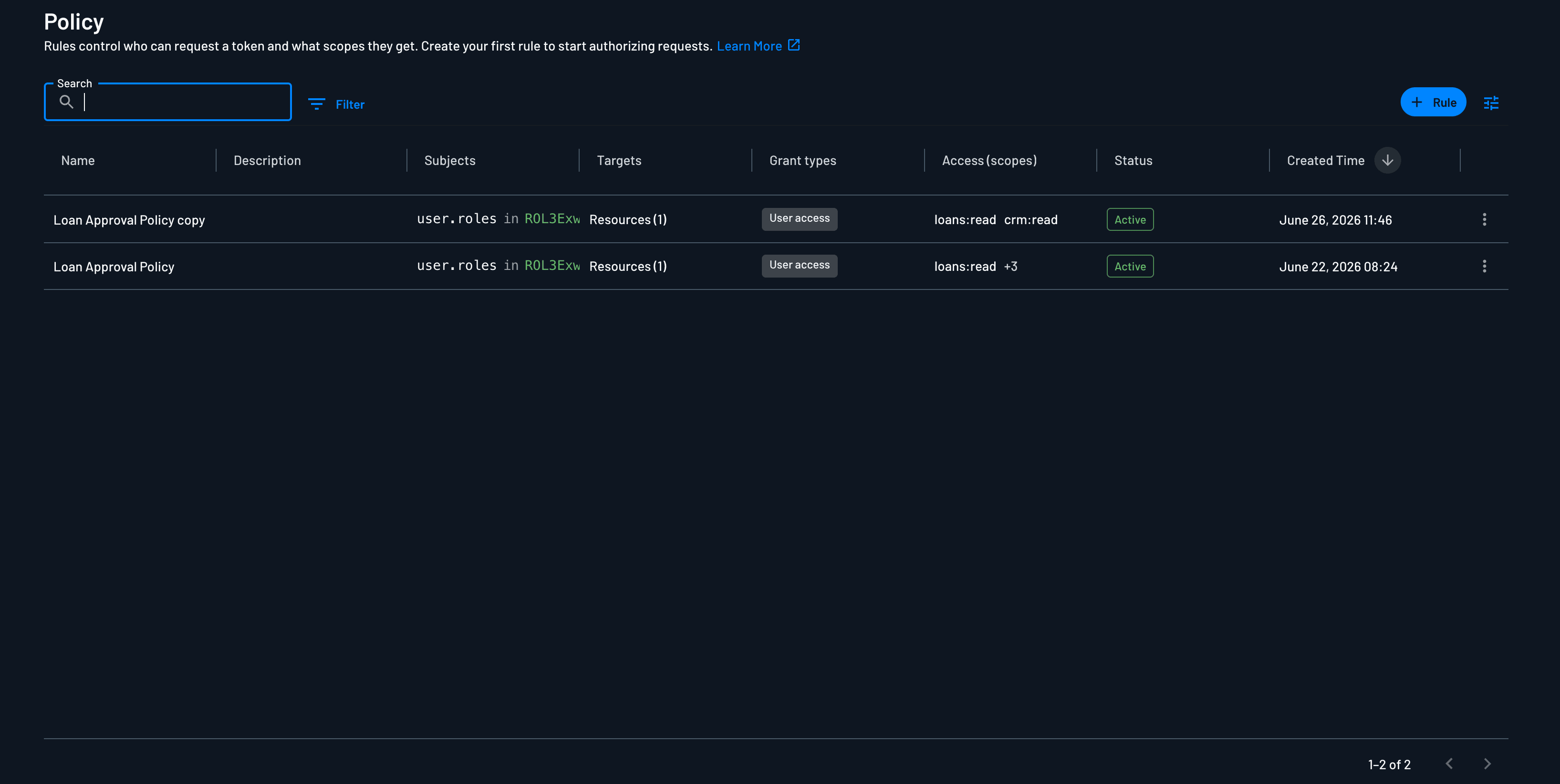
Policies follow an allow model with least-privilege defaults. Scopes are only granted when an active policy explicitly permits them, and policies take effect as soon as they are created.
Note
There is no staging or preview mode. Policies that are created or removed take effect immediately.
Policies and User Consent
Two levels of control decide what an OAuth client or agent ends up with when a user is in the loop:
- Admin level (policies): An admin decides in the Console which subjects may receive which scopes on which Resources and Connections. Descope applies these policies to the consent screen automatically. A scope that no policy allows for this user or this client is removed before the screen renders, so the user never sees it and can't grant it.
- User level (declinable scopes): Within what policy allows, the user decides. Scopes marked Allow user to decline scope on the Resource can be unchecked on the consent screen. Scopes without it must be accepted to continue.
Policy always wins: the user can only consent within what the admin has allowed. Grant types with no user in the loop, such as token exchange and client_credentials, skip consent entirely, so policy is the only control.
What Ends Up in the Token
The access token carries the scopes that were actually granted, even if the client asked for more. For example, a client requests contacts.read contacts.write reports.read. Policy doesn't allow reports.read for this user, so it never appears on the consent screen, and the user declines contacts.write. The token is issued with contacts.read only. The client doesn't need to retry with a smaller request.
This is the default for every Inbound App and Agentic Client. If a client should get either every scope it asked for or nothing, turn this off by setting allowPartialScopes to false with the Management API. The token request then fails unless every requested scope is granted.
How a Policy Is Structured
Every policy is authored in the same way, regardless of the application or grant type it governs:
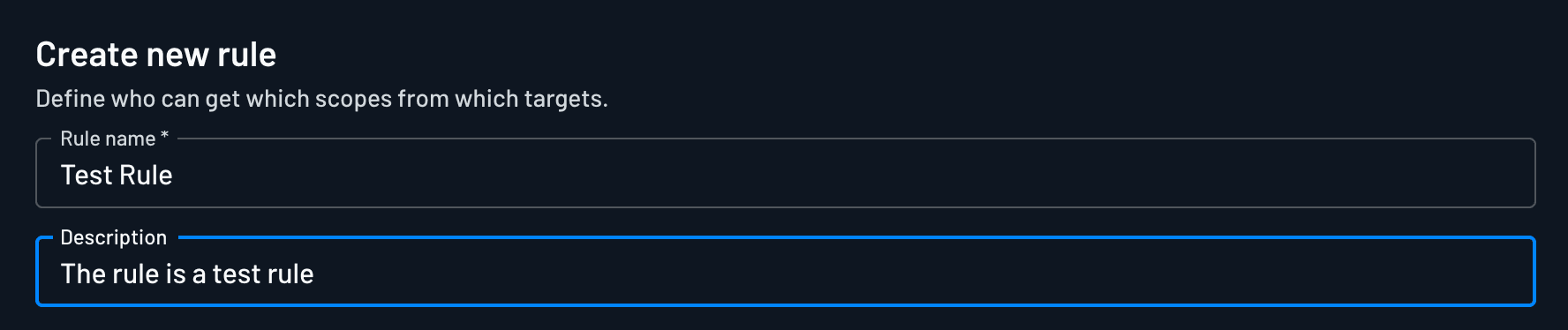
- Rule details: a name and description
- Subjects: who the rule applies to
- Targets: the Resources or Connections the rule grants access to
- Grant types: how the access is obtained
1. Rule Details
Start by giving the policy a rule name and a description. These document the policy's purpose so anyone reviewing your project's access model can understand what it does and why it exists.
2. Subjects
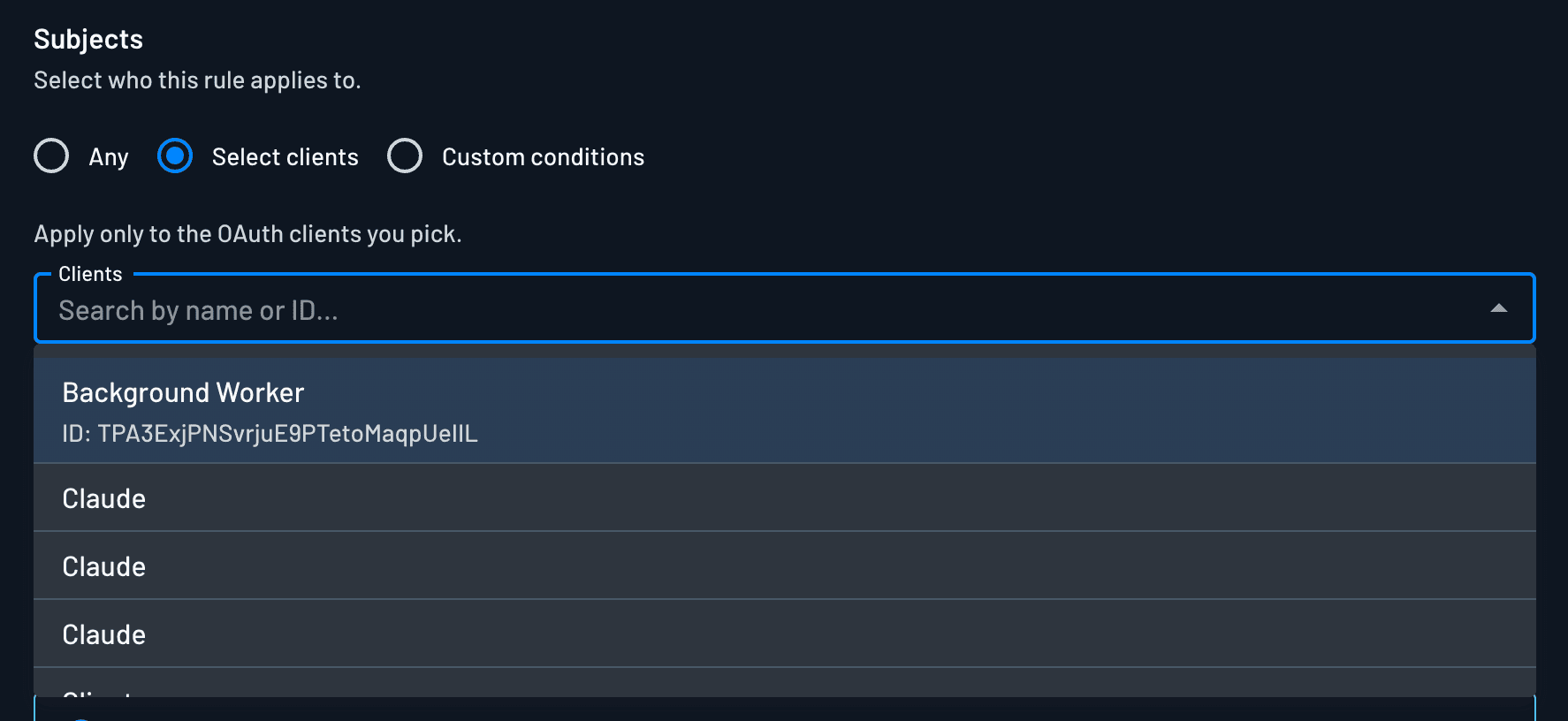
Subjects define who the policy applies to. Choose one of:
| Subject option | Description |
|---|---|
| Any | The policy applies to every subject. Use this for baseline access that should be available to all clients, agents, or users. |
| Select clients | The policy applies only to specific clients. A searchable dropdown lists all of your clients; search by name or client ID to select one or more. |
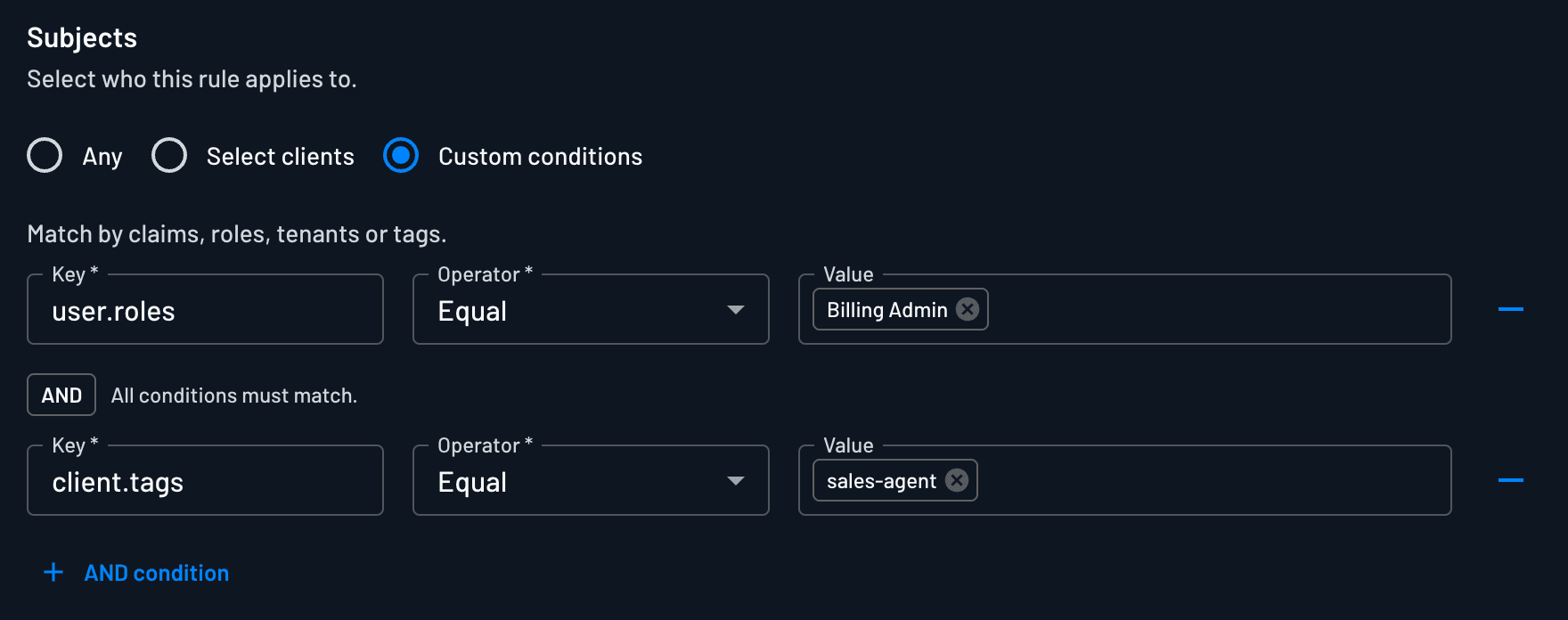
| Custom conditions | The policy applies to subjects that match a set of conditions evaluated against user attributes, tenant context, JWT claims, and client metadata. |
Custom Conditions
When you choose Custom conditions, you build one or more conditions that are all evaluated together with logical AND. These are the same conditions used throughout Descope policies.
Supported condition keys:
| Condition Key | Description |
|---|---|
user.roles | Roles assigned to the authenticating user |
user.tenantIds | Tenants the user belongs to |
user.permissions | Permissions assigned to the user |
jwtClaims.<name> | Any claim included in the inbound JWT |
client.tags | Tags assigned to the OAuth client during onboarding |
client.name | The name of the client (e.g., Claude, ChatGPT, or a custom name) |
client.clientId | The client ID of the client |
client.registrationType | The registration type of the client |
client.status | The status of the client, either Verified or Unverified |
Supported operators:
| Operator | Meaning |
|---|---|
| Equal | Exact value match |
| Not equal | Must not match value |
| In | Value exists in list |
| Not in | Value does not exist in list |
| Contains | Substring or array membership match (requires value) |
Using SSO Groups in Conditions
To drive policies from SSO groups (from providers like Okta or Azure AD), first map those groups to Descope roles in your tenant's Roles & Groups tab. Once mapped, reference them with the user.roles condition key.
See SSO User and Group Mapping for setup details.
3. Targets
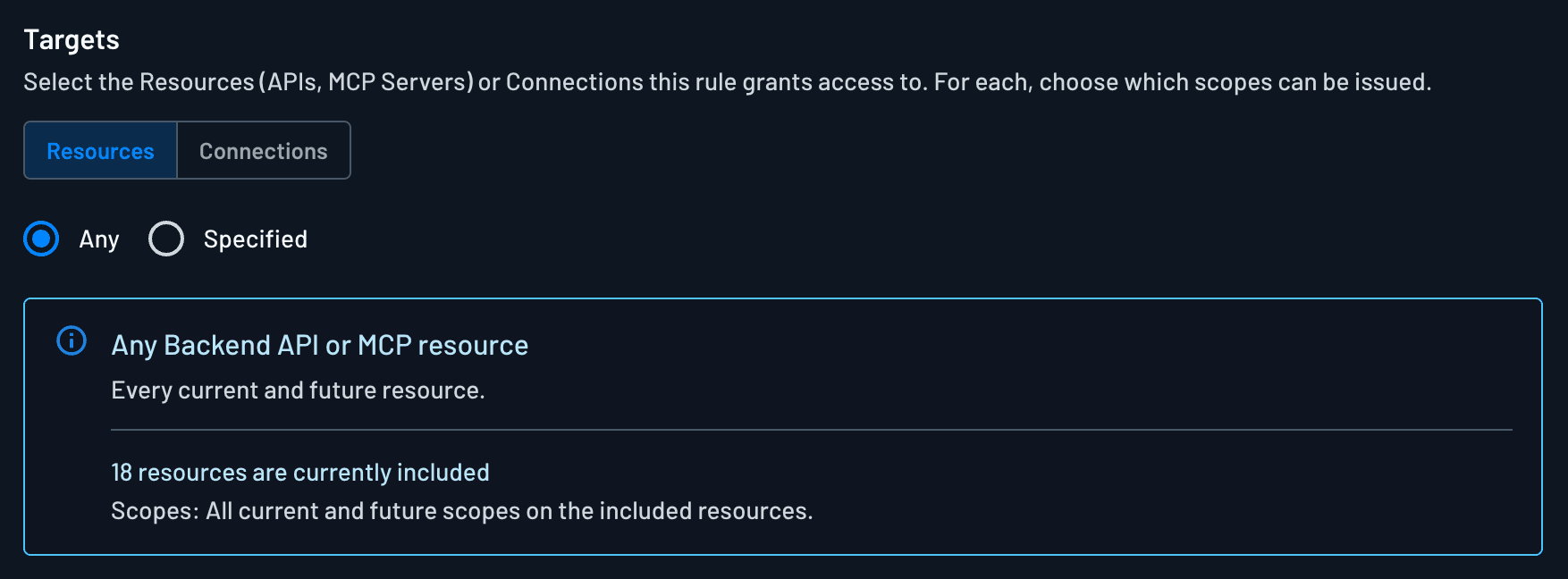
Targets are the Resources or Connections the policy grants access to. A Resource is any backend API or MCP server you've registered (an MCP server is simply a type of Resource), so the same model governs an agent calling your API and an agent invoking MCP tools. For each target you select Any or Specified:
| Target option | Description |
|---|---|
| Any | The policy applies to all Resources (or all Connections). |
| Specified | The policy applies only to the Resources (or Connections) you select. For each selected target, choose the specific scopes within it that this policy grants. |
When you choose Specified, you pick the individual Resources (or Connections) and then, within each one, the exact scopes to grant. This is how you express least-privilege access: for example, granting read-only scopes on one Resource while withholding write scopes.
Note
The set of scopes you can grant comes from the Resource or Connection itself.
A policy can only grant scopes that already exist on the target.
4. Grant Types
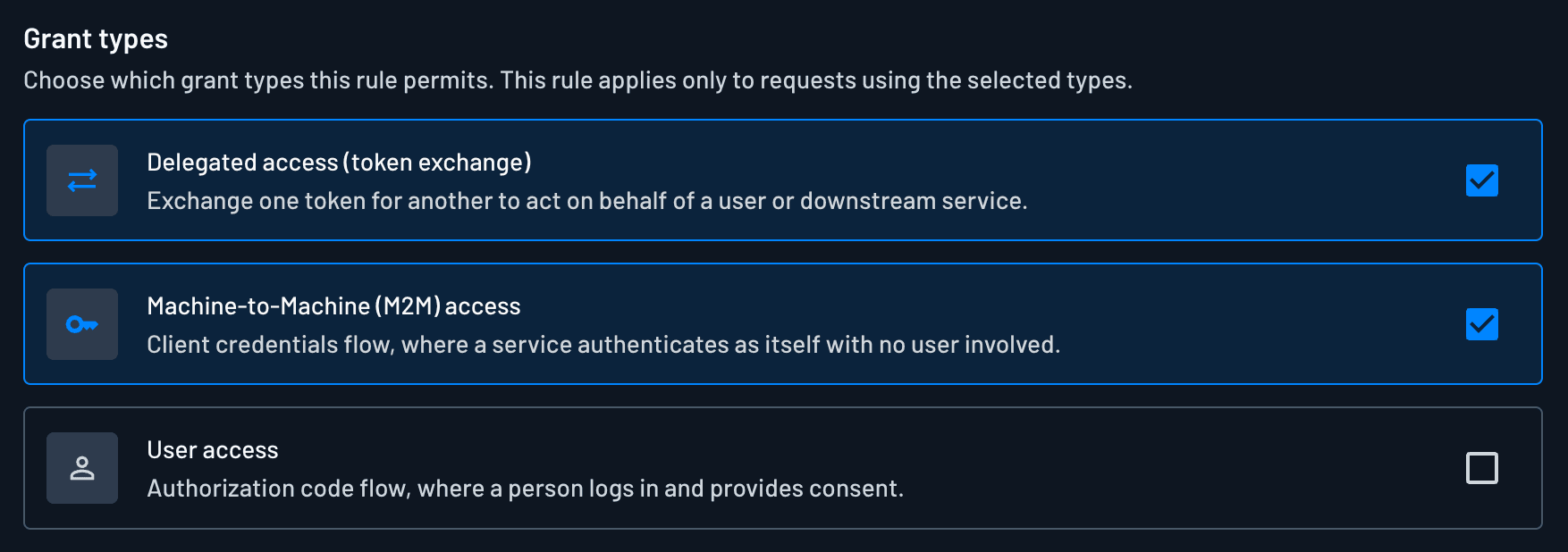
A policy specifies which grant types it applies to. This controls the kind of access the subject is obtaining when the policy is evaluated:
| Grant type | Description |
|---|---|
| Delegated access (token exchange) | A subject exchanges an existing token for a new one scoped to the target (RFC 8693). Used when an application or agent acts on behalf of a user or another identity to reach a Resource. Token exchange is always available at the project token endpoint, and this policy grant type is what permits it. The same grant type also governs fetching a Connection credential from the Connection token endpoints with an access token. See Token exchange. |
| Machine-to-Machine (M2M) access | A subject authenticates as itself using the client_credentials flow, with no user present. Used for service-to-service and autonomous agent access. |
| User access | An end user authenticates directly (authorization code, password, OTP, magic link, SSO, etc.) and the access token is issued to act as that user. |
A single policy can cover one or more grant types. The effective scopes a subject receives are the intersection of: the scopes the target defines, the scopes the matching policy grants, and, for user access, the scopes the user consents to.
How Policies Are Enforced
Policies are evaluated at the moment an access token is issued or exchanged. The grant type determines whether a consent screen is involved:
- User access (authorization code) is the only flow that presents a consent screen. The policy will block the issuance of a token if a user attempts to grant consent to scopes that are not allowed by the policy.
- Delegated access (token exchange) and M2M (
client_credentials) never present a consent screen. The policy is evaluated during the token request and simply allows or blocks delivery of the token, trimming its scopes, before it is returned.
Your Resource (API or MCP server) then validates the token, checking iss, exp, aud, and scope, before serving any request. Downstream third-party services enforce the scopes on Connection tokens when an agent calls their APIs.
When that Resource calls another service on the user's behalf, it asks Descope for a new credential, and a Delegated access policy is checked again for that target. See A Policy on Every Hop, for how this works across a chain of agent calls.
Policy Violations and Audit Events
When a client or agent requests scopes on a Resource or Connection that no active policy permits, Descope denies the request at the token boundary. The access token is not issued, not exchanged, or not expanded with the forbidden scopes.
Each denial is recorded as a Warning audit event. Common triggers include:
- Resource scopes: An MCP client or agent requests scopes on an API or MCP server during authorization, token issuance, or token exchange, but no policy grants those scopes for that subject.
- Connection scopes: A client or Resource fetches a Connection credential with an access token and the requested Connection or scopes are not permitted.
- User consent: A user attempts to approve scopes on the consent screen that policy forbids (authorization code flow). Consent fails and no token is issued.
The Data section of each event includes the client, target Resource or Connection, requested scopes, and the policy evaluation outcome: enough to debug misconfigured clients, stale consents, or missing policies.
Monitor violations in the Agentic Activity Dashboard for aggregated counts by MCP server and Connection, or search the full audit trail and Search Audit API.
Examples
Read-only API access for a specific client
Rule name: Reporting Client - Read Only
Subjects: Select clients → "Reporting Dashboard"
Targets: Specified → Reports API
  Scopes: reports.read
Grant types: User access
Tenant-scoped delegated access
Rule name: Finance Tenant Delegated Access
Subjects: Custom conditions
  user.tenantIds IN ["corp_finance", "corp_ops"]
Targets: Specified → Invoicing API
  Scopes: invoice.read, invoice.create
Grant types: Delegated access (token exchange)
M2M access for a verified service
Rule name: Sync Service - M2M
Subjects: Custom conditions
  client.tags CONTAINS "verified-service"
Targets: Specified → Inventory API
  Scopes: inventory.read, inventory.write
Grant types: Machine-to-Machine (M2M) access