Admin Portal
The Admin Portal is a hosted experience that can surface a combination of user-facing and admin-facing widgets, including the User Profile Widget, the Applications Portal Widget, the Outbound Applications Widget for connecting third-party accounts, and admin capabilities from Admin Widgets such as user management, role management, and access key management.
Any authenticated user can open the Admin Portal, regardless of tenant membership or admin role. Use it as a hosted landing page where all of your customers' users launch their SSO apps and manage their profile. Admin-only widgets stay visible only to users who hold the right permissions.
Self-service SSO for your customers
To let tenant admins configure their own SSO/SCIM connection, use the SSO Setup Suite, the self-service configuration experience. New to SSO? See Getting Started with SSO.
Admin Portal Settings
In the Descope Console, go to Widgets and open the Admin Portal tab. This page is where you define what the hosted portal contains and how it behaves. You can also manage enablement, style, and the widget list with Terraform — see Terraform → Admin Portal.
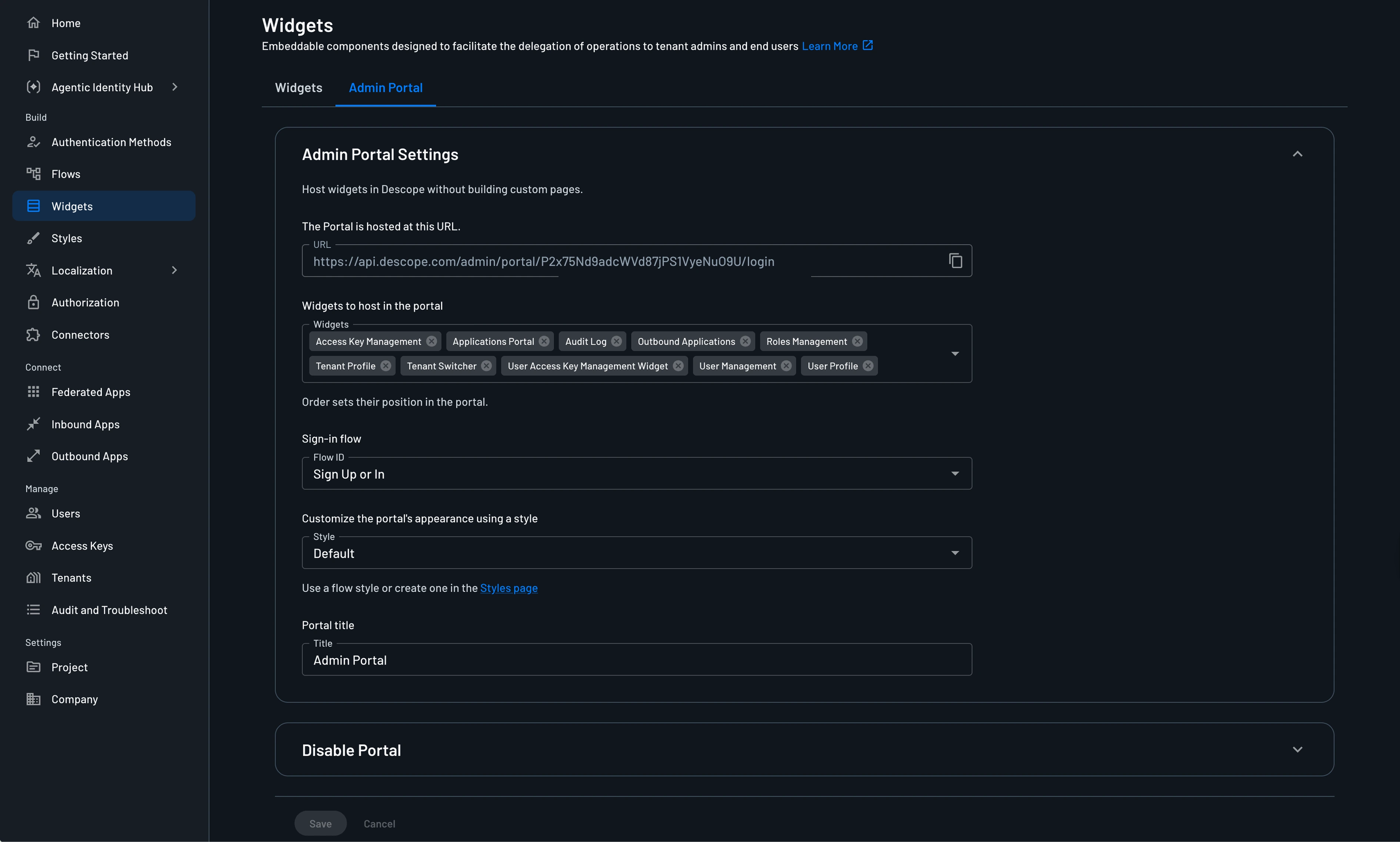
Users don't need a tenant to open the portal. Some hosted widgets, such as user management, role management, and access key management, are tenant-scoped and only appear for users who belong to a tenant. User Profile and Applications Portal aren't tied to a tenant, so every authenticated user sees them.
Note
If a user is part of multiple tenants, you can pre-select a tenant to use with the Admin Portal, with the tenant query parameter. An example URL is: <admin-portal-url>?tenant=<tenant-id>
The portal is styled and branded according to your project's styling and branding configuration. You can also customize the title of the portal.
- URL: Shows the hosted portal link that you can share or embed.
- Widgets to host in the portal: Controls which widgets appear in the left navigation, and the order selected here determines the order in the portal menu.
- Sign-In flow: Determines which flow is used when a user is redirected to authenticate for the portal.
- Style: Applies the selected style and theme configuration.
Note
You can also set the portal's appearance with the theme query parameter, using either light or dark. For example, <admin-portal-url>?theme=light loads the portal in light mode.
- Portal title: Sets the title shown in the hosted portal experience.
Note
You can disable the Admin Portal, which will make the admin portal URL inaccessible, and prevent users from accessing the portal. You can re-enable it at any time.
What Users See in the Hosted Admin Portal
The hosted portal presents a left-side navigation with the widgets you configured, and a main content area for the selected widget.
For example, a tenant admin may see user management, role management, access key management, audit logs, applications portal, user profile, and tenant profile, depending on enabled widgets and role permissions.
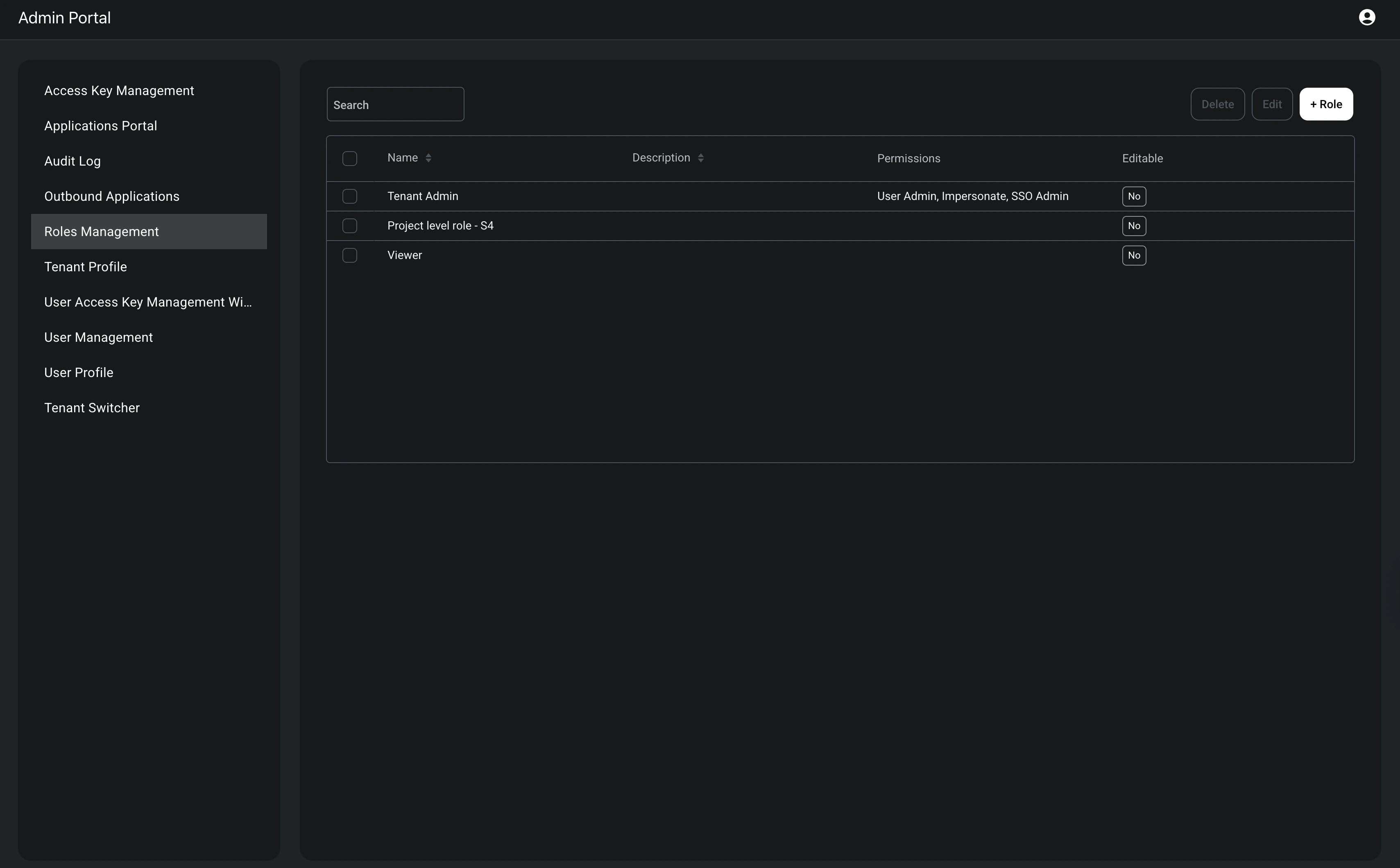
Even when a widget is listed in the portal configuration, users only see actions they are authorized to perform. This makes the portal suitable for mixed audiences where different admins have different permission scopes.
You can restrict which users of the Admin Portal see a given widget by configuring required permissions on that widget.
This applies to any widget hosted in the portal, whether it's a User Widget or an Admin Widget.
Collapsing the Navigation Menu
On desktop, the left navigation can be collapsed and expanded using a toggle in the toolbar. It's open by default, and your preference is remembered in the browser for future visits.
Note
You can set the navigation's initial state with the sidebarOpen query parameter. For example, <admin-portal-url>?sidebarOpen=false loads the portal with the navigation collapsed.
On mobile, the navigation appears as a drawer and is always collapsed by default.
Selecting a Tenant
If a user belongs to more than one tenant, they must select an organization from the Select an Organization page before accessing the portal.
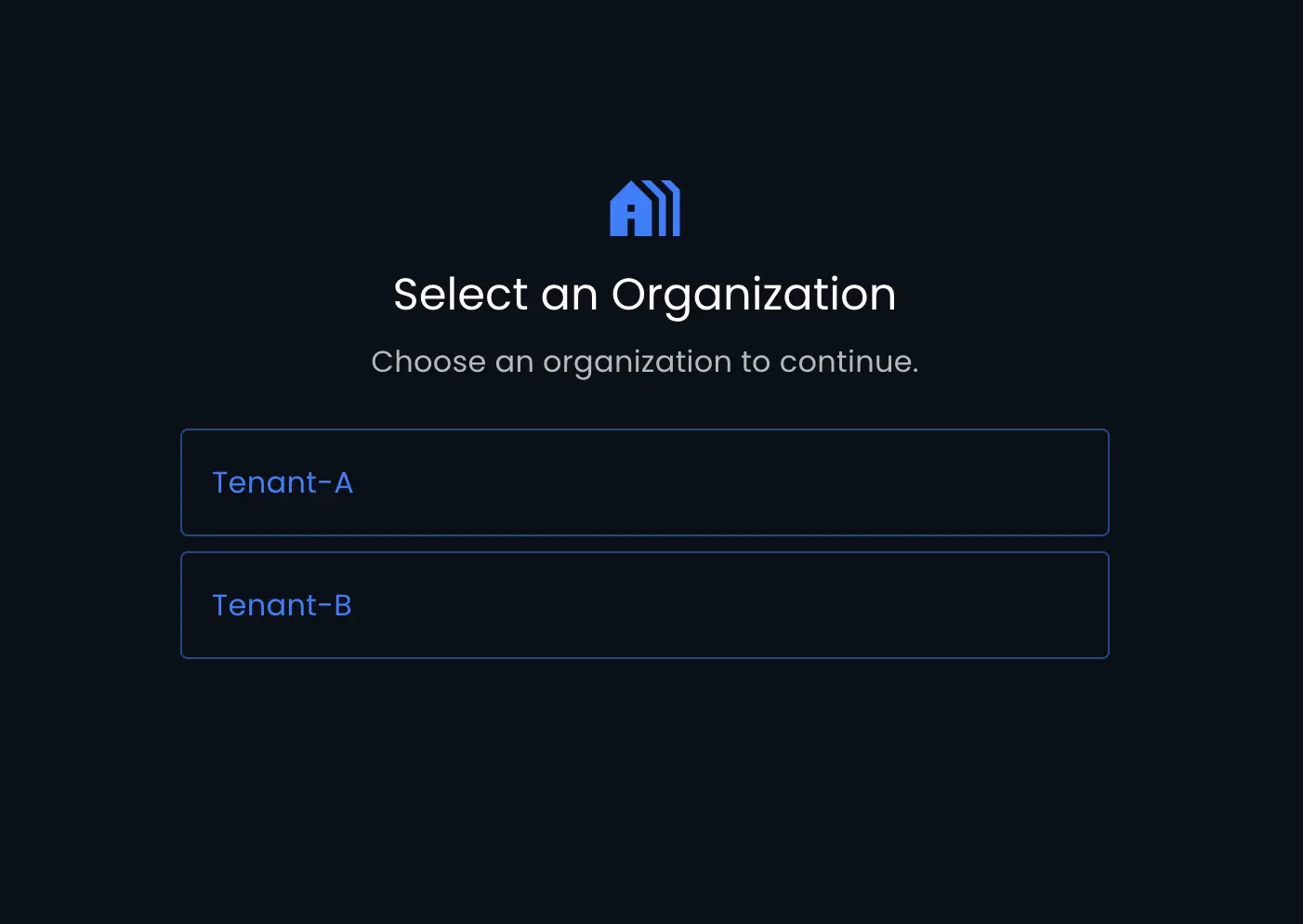
After the user selects a tenant, everything in the portal is scoped to that tenant.
Users who belong to only a single tenant skip this page and are taken directly into the portal.
To switch to a different tenant after making a selection, users can open the profile menu and select Switch Organization.
Users Without a Tenant
B2C users who aren't associated with any tenant skip tenant selection and land in the portal directly. They see only the widgets that don't require a tenant, like User Profile and Applications Portal. User management, role management, access key management, audit, tenant profile, and outbound applications all need a tenant to scope to, so they stay hidden even when configured for the portal.