Multi-Tenancy with Connections
When using Connections with MCP Auth, token storage and retrieval behavior depends on how the token is scoped to a user and/or tenant.
Token Scope Models
Connections support three token scope models:
- User-level tokens
- User-level tokens associated with a tenant
- Tenant-level tokens
1) User-Level Tokens
User-level tokens are stored for a specific user within a connection, with no tenant involved.
- A user can hold multiple tokens for the same connection, told apart by their scope set or by an external identifier (
externalIdentifier) you set on each token when you store it. API keys have no scopes, so several API keys for the same user can only be told apart by their external identifiers. Pass the sameexternalIdentifierwhen you fetch the token. - Storing a token again for the same user with the same scopes and external identifier replaces the existing one.
- Retrieval is done via the user token fetch endpoints.
The two tokens above belong to the same user on the same connection. Nothing about a tenant tells them apart, only their scopes or external identifiers do.
2) User-Level Tokens Associated with a Tenant
These tokens are also fetched via the user token fetch endpoints, but include tenant association.
- They allow storing multiple tokens for the same user across multiple tenants within the same connection.
- Tokens are treated as separate records based on tenant association.
- Scope overlap does not collapse tenant-specific tokens; tenant association keeps them distinct.
This model is useful when the same person belongs to multiple customer tenants and needs tenant-specific external credentials.
Same user, same connection, but here the tenant association is what keeps the two tokens distinct, even if their scopes are identical.
3) Tenant-Level Tokens
Tenant-level tokens are scoped to a tenant and shared among its users.
- These tokens are typically used by multiple users in the same tenant.
- Access is controlled by tenant context and authorization (for example, a tenant role such as Tenant Admin).
- Retrieval is done via tenant-scoped token fetch patterns.
One token belongs to the tenant, not to any user. Every user in Acme fetches the same shared credential.
Internal Workforce Agents
Tenant-level tokens are not only for customer tenants. If you use Descope to manage your own internal workforce agents, you typically create a tenant that represents your company and store the organization's tokens at the tenant level within it. The tenant is internal rather than a customer, but the mechanism is identical, so it still gives you a place to vault organization-wide credentials in Descope for your internal agents to use.
Per-Tenant Connections
The models above decide who a stored token belongs to. Separately, a Connection itself can be project-wide or belong to one tenant. Use a tenant's own Connection when each customer brings their own OAuth client, API key, or base URL, such as their own HubSpot app or their environment's host.
Set the Associated Tenant on the Connection to tie it to a tenant (see Connection Details), or create tenant-specific instances from a DCR preset Connection when customers bring their own OAuth apps.
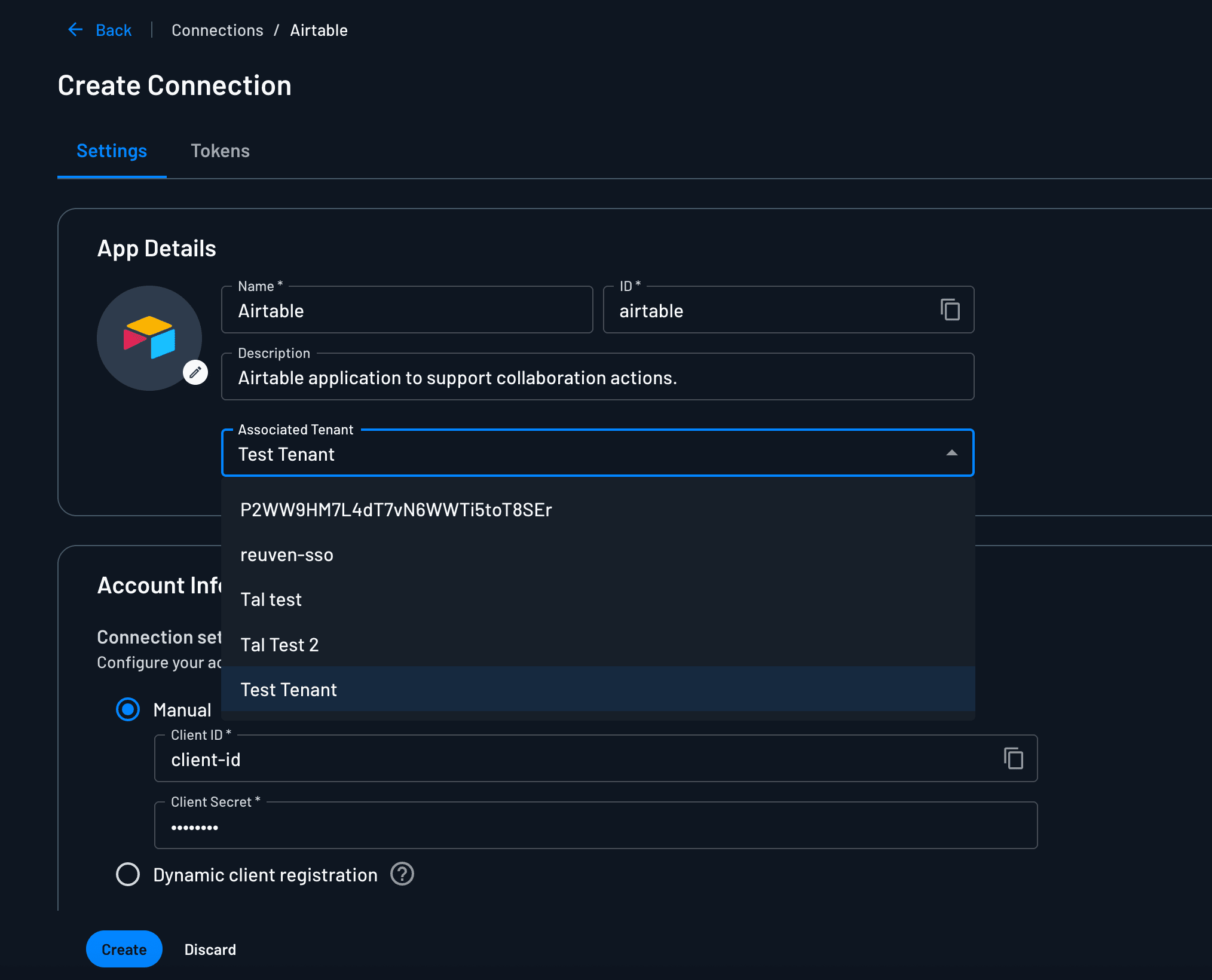
When a gateway, API, or MCP server fetches a Connection credential with an inbound token, Descope uses the Connection that matches the tenant on the token, the dct claim. One codebase can then keep each customer's credentials, endpoints, and scope mappings separate.
Choosing the Right Model
- Use user-level tokens when credentials are personal and not tenant-specific.
- Use user-level + tenant tokens when a user operates in multiple tenants and each tenant should have separate external credentials.
- Use tenant-level tokens for shared tenant integrations managed by tenant administrators.