MCP Servers
The MCP Servers page in the Agentic Identity Hub is a dedicated view of your Resources of type MCP server.
Every MCP server listed here is a Resource, and the same servers also appear on the Resources page alongside your API Resources. Whichever page you open it from, you're editing the same Resource.
From the MCP Servers page you can:
- View your MCP servers: see every MCP Server Resource in your project, along with its registered clients and configuration
- Configure server settings: scopes, client registration methods (DCR and CIMD), consent flows, and session management
- Manage registered clients: view, filter, and delete the clients that have connected to each server
The page also has a Dynamic Registration Templates tab, where you manage the templates that set the consent flow, session, and token defaults for clients that register themselves through DCR or CIMD.
Descope as the Authorization Server
Descope acts as your authorization server: it registers clients, runs login and consent, and issues tokens. Your MCP implementation is the resource server that validates them. For the full model and why to structure it this way, see the MCP overview.
When you create a Resource in Descope for your MCP Server, you can also define MCP scopes and Connection scope mappings on the Resource.
Descope issues tokens with an aud claim that includes your MCP server URL. Your server URL must be present in the audience list for the token to be valid.
You can create unlimited MCP Server Resources per Descope project.
Settings
See the MCP Server Settings documentation for details on configuring your MCP server, including server details, client registration, scopes, and consent/assessment flows.
Usage Samples
Under the Usage Samples section, you can find code examples of how to configure your MCP server to use Descope authentication. You will also find your Discovery URL (.well-known) as well as your Issuer URL.
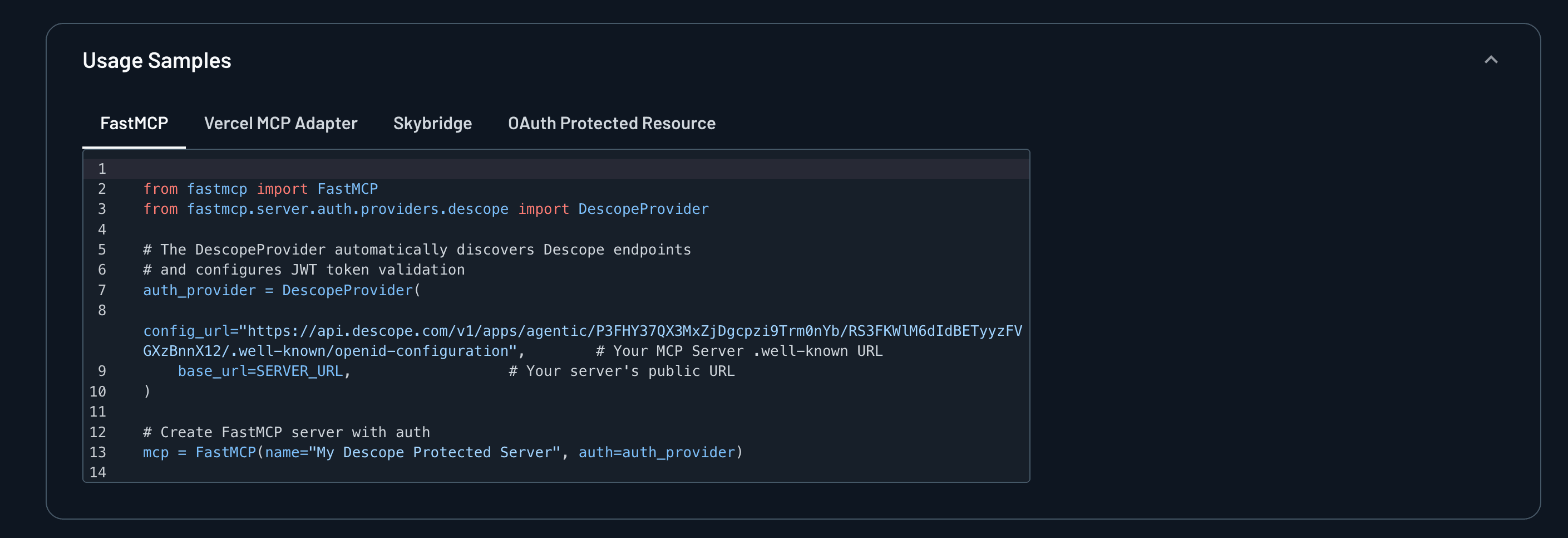
For starter templates for how to get started with MCP Auth with Descope, you can visit our AI examples repository.
Your MCP server also has to host an OAuth Protected Resource Metadata document at <MCP Server URL>/.well-known/oauth-protected-resource, which points MCP clients to Descope as the authorization server. Once it's hosted, try connecting with a client like MCP Inspector to confirm you can complete discovery and login.
How MCP Server Authentication Works
After you've configured your MCP server settings, MCP clients can discover and connect to your server. The authentication and authorization flow consists of the following steps:
Authorization Server Discovery
Descope hosts the authorization server and publishes a .well-known discovery document with the OAuth endpoints, signing keys, and supported scopes for your MCP server, so MCP clients can find everything they need without you running OAuth infrastructure. Discovery URL covers the document's fields and how MCP clients find it.
Client Authentication
Note
This section applies only to authentication flows with user interaction (authorization code flow). For machine-to-machine (M2M) authentication using the client_credentials flow, user consent is not required.
When a client makes an /authorize request, Descope runs a User Consent Flow to authenticate the user and collect scope approval.
The consent screen displays the descriptions you configured for each MCP scope, helping users understand what access they are granting.
After consent, Descope issues an access token containing only approved scopes and includes the MCP server URL in the aud (audience) claim. The access token may contain multiple audiences, but must include your MCP Server URL for the token to be valid for your MCP server.
Token Validation & Tool Execution
Your MCP server validates Descope access tokens using the public key from the JWKs endpoint (our session validation functions make this easy).
After validation, the server checks the aud claim and confirms the correct tool scope is present before executing the requested tool.
If the tool needs third-party credentials, the server retrieves them from Connections, Descope's secure token vault, and fetches the external service token with the Descope access token, or with a Management Key, before tool execution.
Complete Auth + Tool Execution Flow
Select any step to see what happens.