Generate Audit Event
The Generate Audit Event action creates custom audit events that are logged and available in your project's Audit page and any connected services. This action allows you to track specific business events, user actions, or system activities that are important for compliance, monitoring, or debugging purposes.
Custom audit events generated through this action will appear alongside standard Descope audit events, providing a comprehensive audit trail for your application.
Configuration
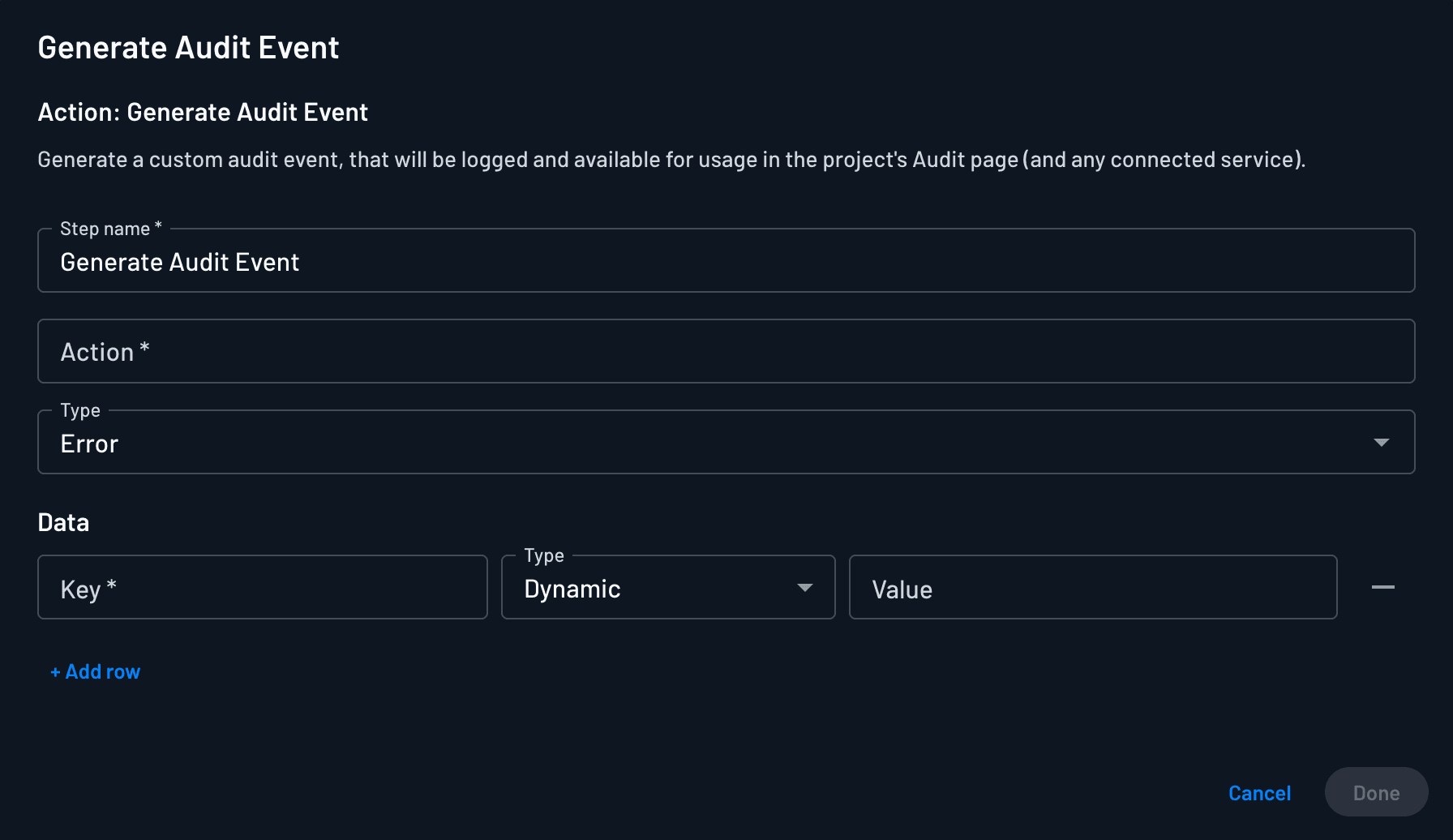
The Generate Audit Event action allows you to specify:
- Step Name: The name of the step within the flow
- Action: A descriptive name for the event
- Type: Choose from three severity levels:
- Information: General events for tracking normal operations
- Warning: Events that indicate potential issues or unusual behavior
- Error: Events that represent failures or security concerns
- Event Data: Any relevant data from the flow context, including user information, timestamps, or custom parameters
- Actor ID (optional): The actor to record on the event. Leave it empty to use the default actor for the flow's context
Attributing the Actor
The Actor ID field sets the Actor ID on the generated event. This is the same field that identifies who performed the action on built-in Descope events. It accepts dynamic values, so you can draw the actor from the flow context.
In an interactive flow, use {{user.userId}} to attribute the event to the signed-in user.
In a Management Flow started by a Descope audit event, use {{triggeringEvent.metadata.actorId}} to attribute the event to whoever performed the action that triggered the flow. This resolves to the Descoper's user ID for actions taken in the console, or to the management key ID for actions taken through the SDK or API. Some events carry no actor, such as changes made by an automated process, and the value is empty in those cases.
You can also enter a static value, such as the ID of the service account a flow runs on behalf of.
If you leave Actor ID empty, Descope falls back to the actor on the request that ran the flow. In a Management Flow, that is not always the actor of the event that started the flow, so set the field when your audit pipeline needs to record who performed the original action.
Flow Implementation
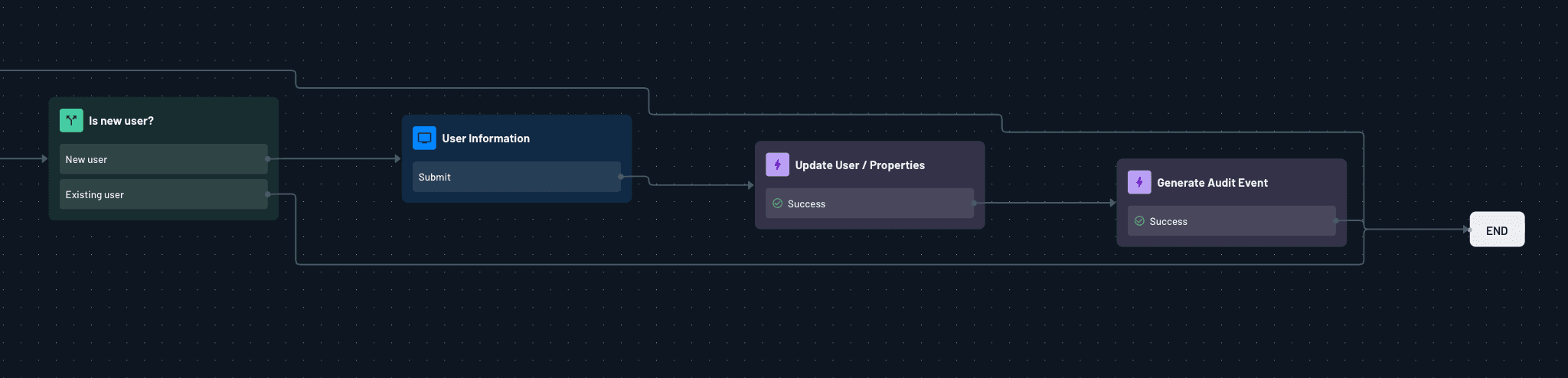
To generate a custom audit event within a flow, simply add the action at the relevant point of the flow.
Viewing Audit Events
Generated audit events will appear in your project's Audit page with the following information:
- Event timestamp
- Action name
- Event type (with appropriate severity indicators)
- Event data (as JSON)
- Actor ID (if set on the action)
- User information (if available)
- Flow context details
You can filter and search these events using the audit page's built-in search and filtering capabilities.
Additionally, these audit events will be streamed alongside default events to any configured Analytics connectors.
Custom audit events are subject to the same retention policies as standard Descope audit events.