Custom Claims in Flows
Use the Custom Claims flow action when claim values depend on flow context, such as conditional logic, connector responses, step-up authentication, or user inputs collected during the flow.
For project-wide claim shaping, use JWT Templates. For the full conceptual guide (including limits, nested JSON claims, and method selection), see Custom Claims.
If a claim key does not exist in the JWT, this action adds it. If the key already exists (including from a JWT Template), the flow action value overrides it for that flow run.
Add the Custom Claims Action
- Open the flow where you want to set claims.
- Click the add button in the lower-left corner.
- Search for Custom Claims and add the action.
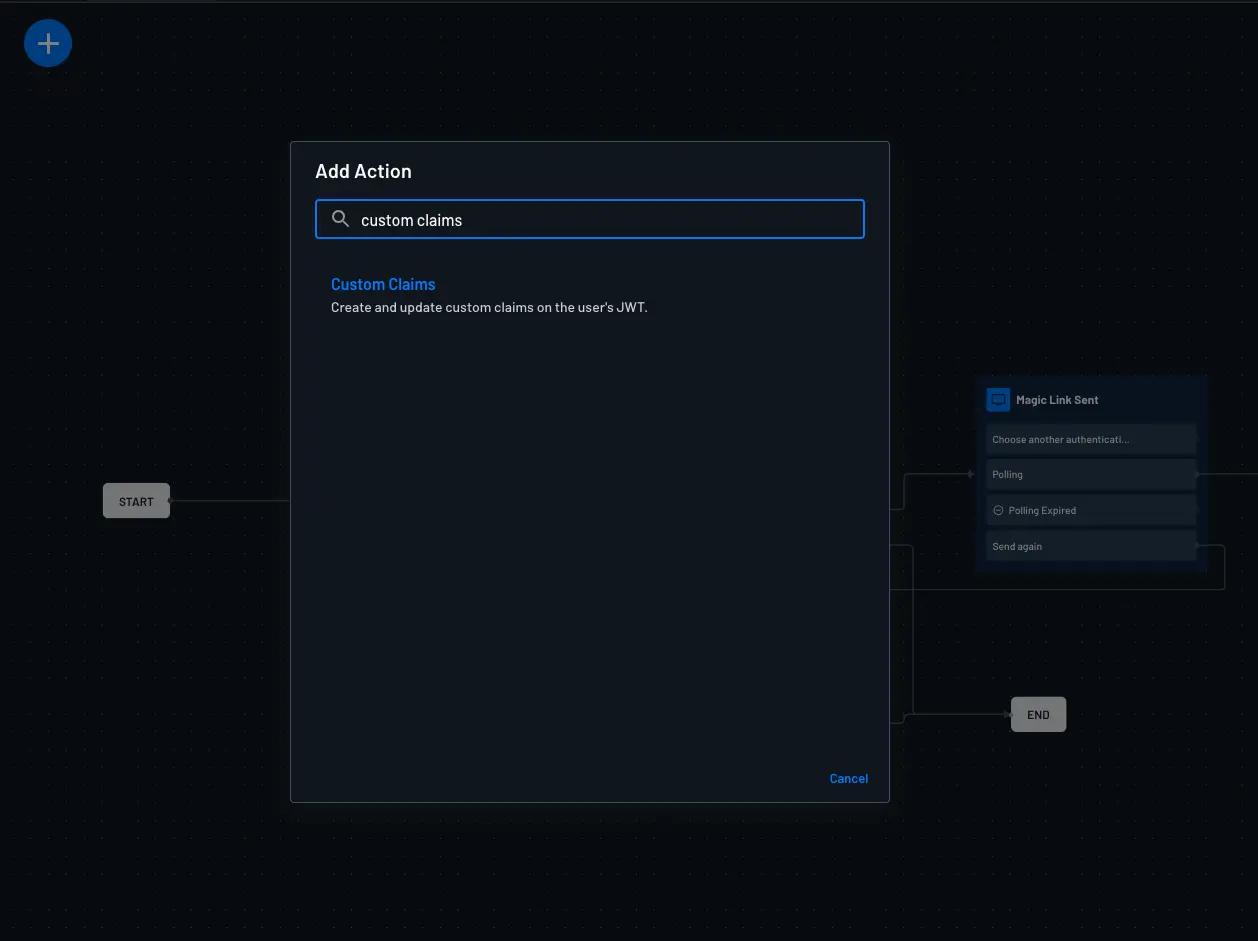
Configure the Custom Claims Action
When implementing custom claims, avoid exposing sensitive data. See JWT Claims security best practices.
In Simple mode, you can set string, boolean, numerical, and dynamic values.
In Advanced mode, you can define claims as a JSON object for more complex structures.
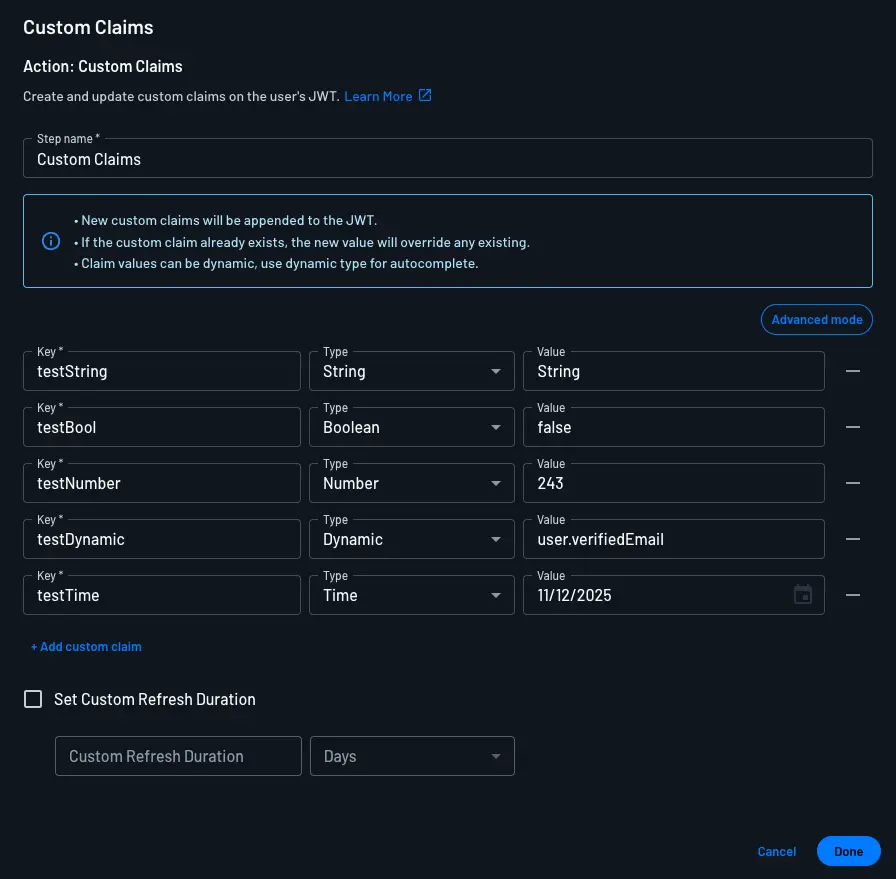
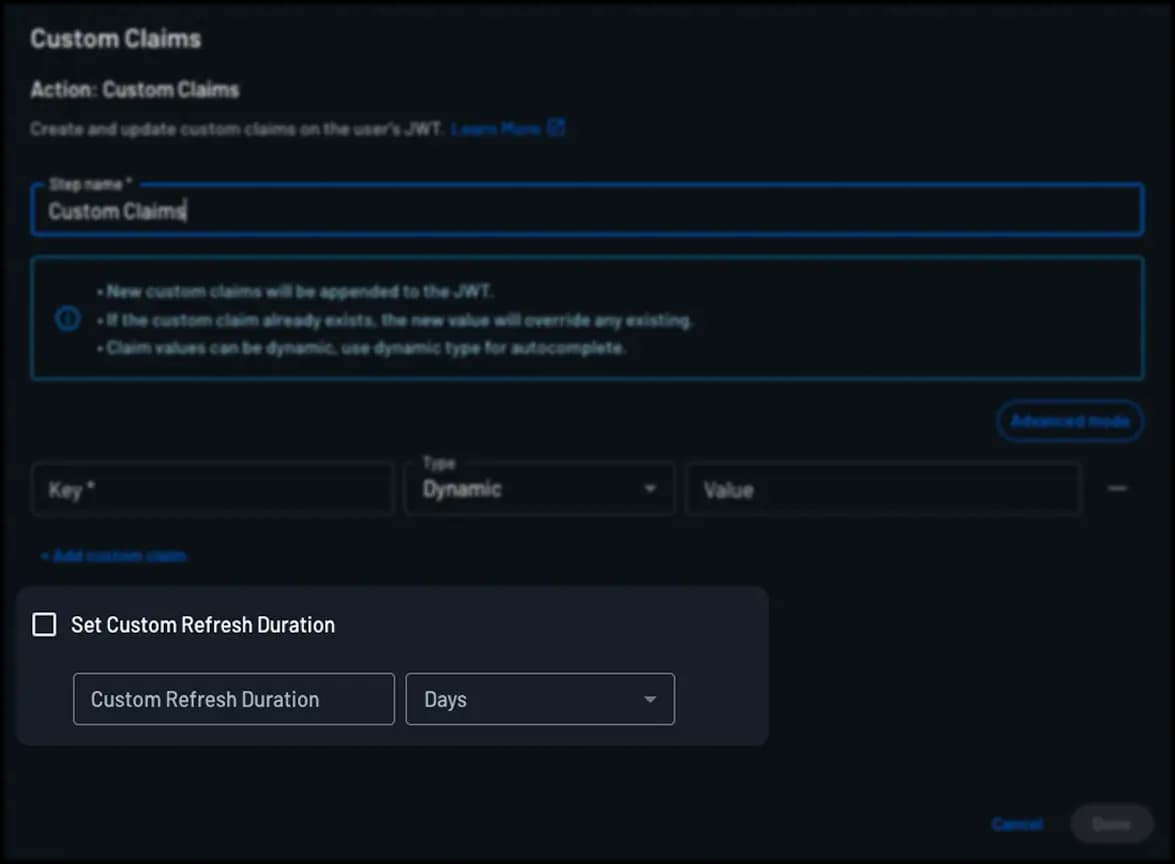
You can also enable Set Custom Refresh Duration in this action. When set, it overrides the project-level refresh token timeout for sessions issued by this flow.
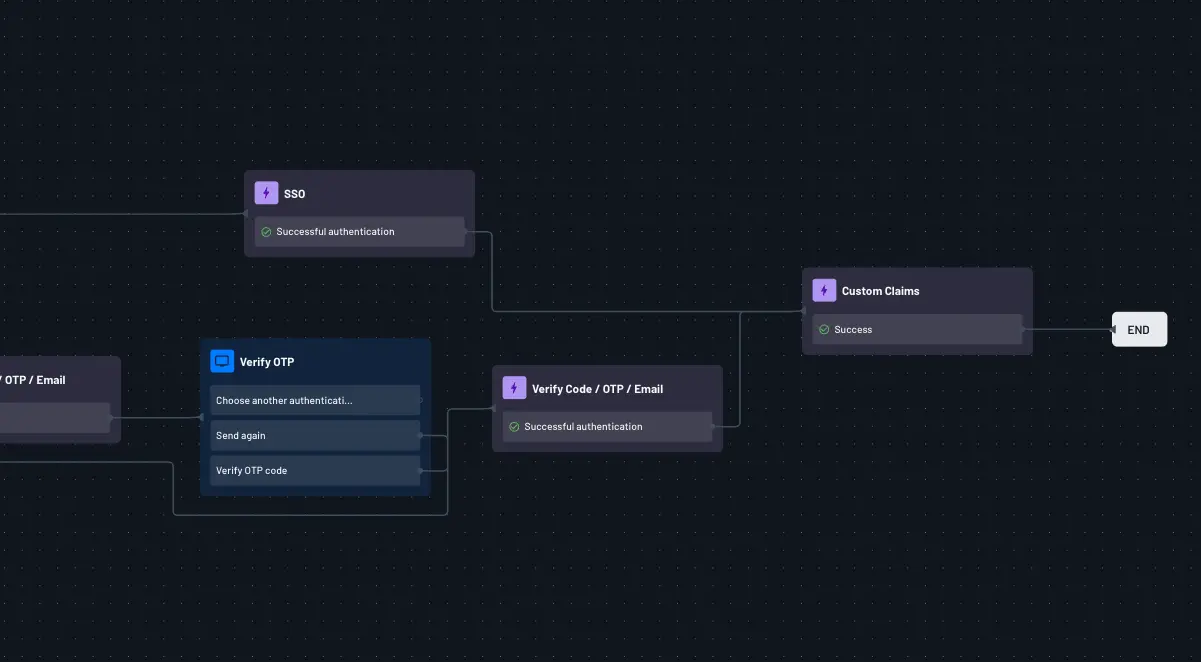
Save and Attach the Action
After configuration, click Done and place the action after user verification (typically near the end of the flow).
Test the Flow
Run the flow and inspect the returned JWT to confirm your claims are present.
Example: Include IdP Groups in the JWT
When a user authenticates with SSO, you may want to include the groups received from the external identity provider in the issued JWT in order to map IdP groups to internal roles, permissions, organizations, or other authorization entities.
To include IdP groups, add a Custom Claims action after the SSO authentication step and set a custom claim value from the idpGroups flow context key, as shown below:
| Key | Type | Claim value |
|---|---|---|
idp_groups | Dynamic | idpGroups |
Because idpGroups is populated from the IdP response during SSO authentication, updated group membership from the IdP may not appear in the JWT until the user authenticates through the relevant SSO flow again.
Example JWT with this custom claim:
{
  "amr": ["oauth"],
  "aud": ["P2OkfVnJi5Ht7mpdfFjx17nV5epH"],
  "idp_groups": ["Engineering", "Admin"],
  "drn": "DS",
  "exp": 1740591584,
  "iat": 1740591404,
  "iss": "P2OkfVnJi5Ht7mpdfFjx17nV5epH",
  "rexp": "2025-03-26T17:36:44Z",
  "sub": "U2sH5htjJuR98vQZOOD0tI5D6PQF"
}
Nested JSON Claims
You can set nested claim objects in Advanced mode. For full examples and guidance, see Nested JSON Claims.