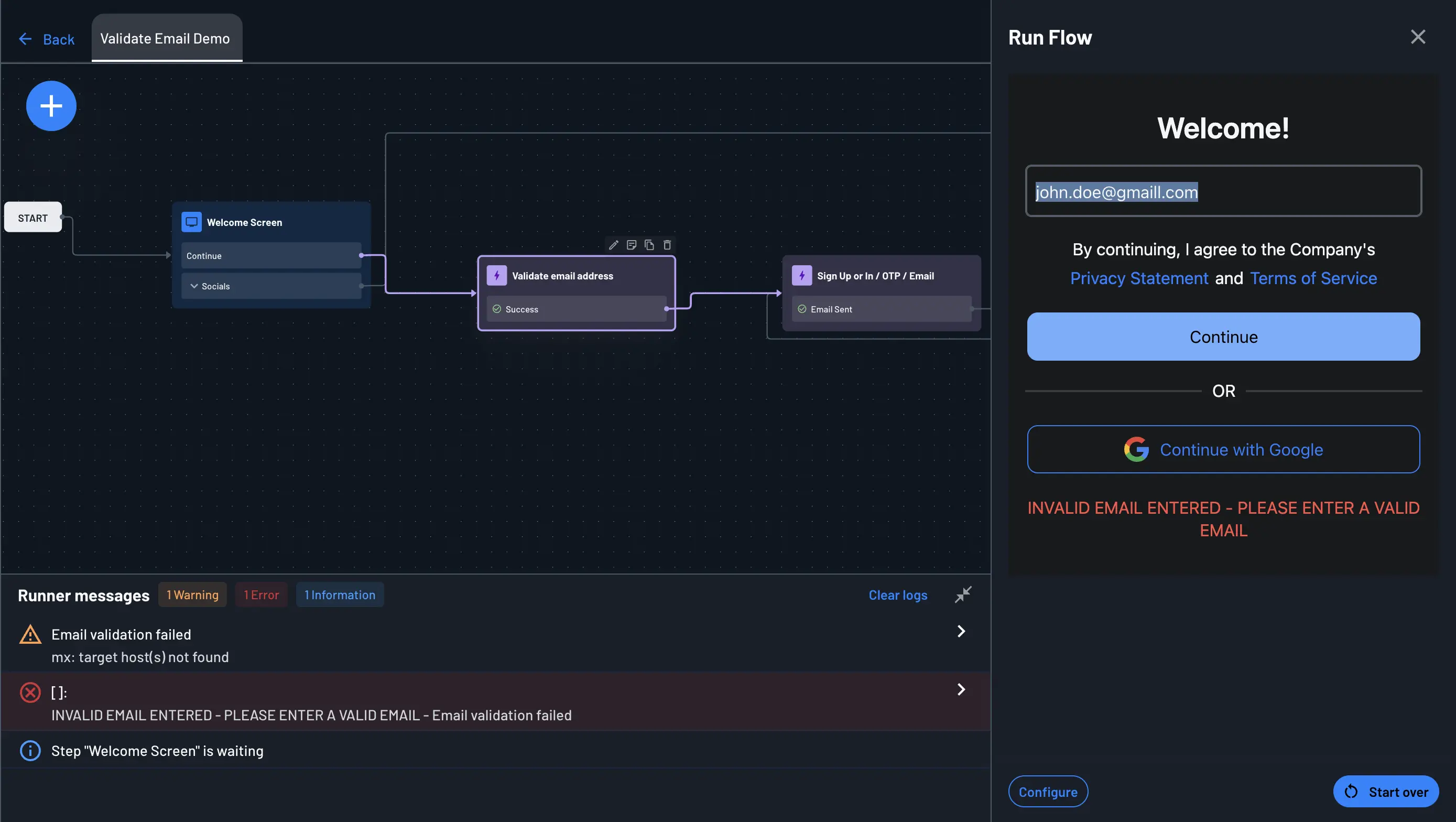
Validate Email Address
The Validate Email Address action checks an email address before your flow sends anything to it. It performs two checks:
- Format validation - confirms the address is syntactically valid. Entries such as
invalidemail.com,user@, or@domain.comfail this check. - MX record lookup - queries DNS for the domain's mail exchange (MX) records. A domain with no MX records cannot receive email, so the address is rejected.
How It Works
Place this action before any step that sends an email, so it can confirm the address is valid first. This avoids sending unnecessary emails to addresses that don't exist and protects your sending reputation.
Note
An MX lookup confirms that the domain can receive email. It does not confirm that the specific mailbox exists. An address like neverever@example.com passes as long as example.com has valid MX records.
Adding the Action to Your Flow
- Open your flow in the Flow Builder.
- Click the
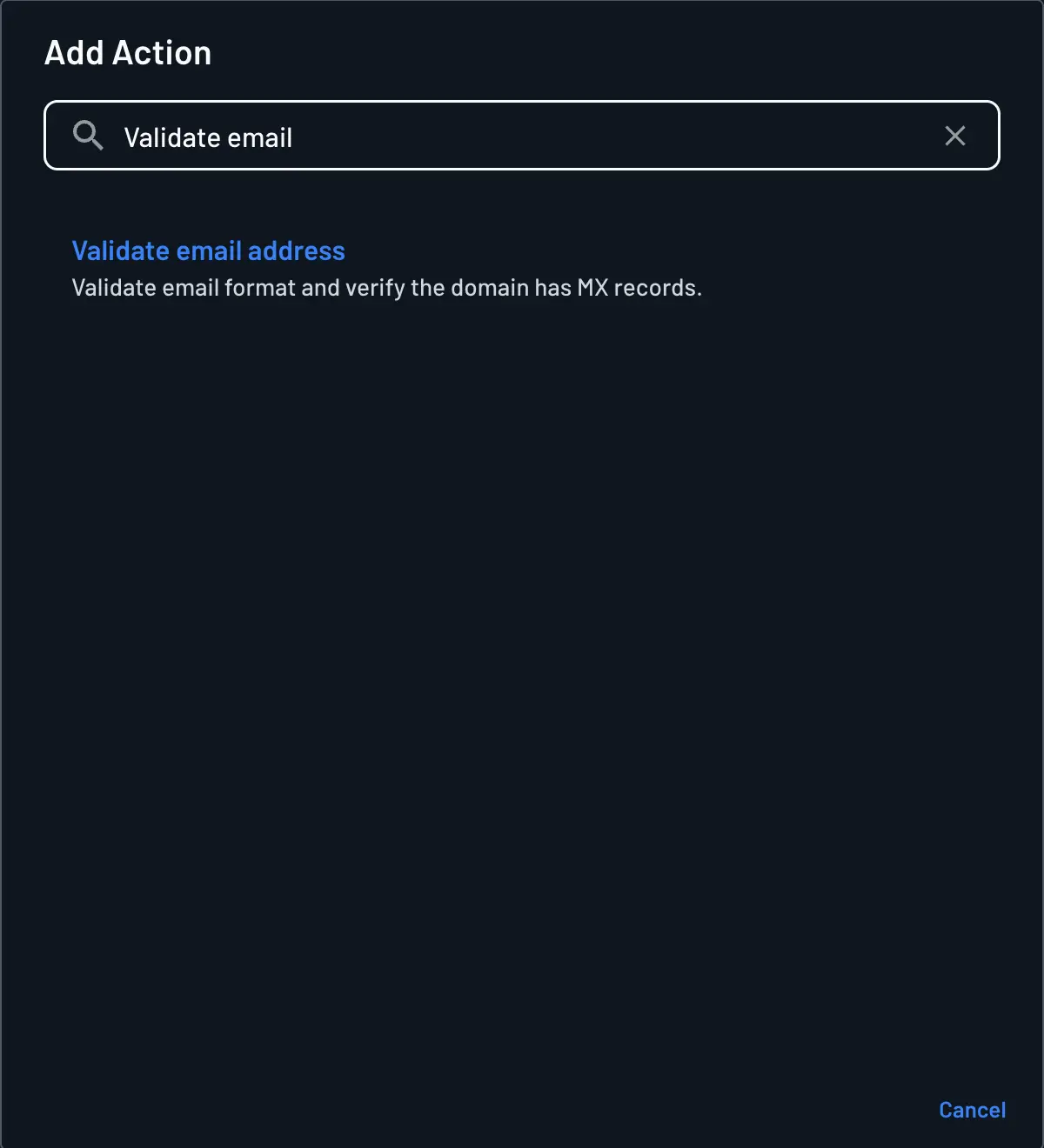
+in the top left corner and selectAction. - Search for
Validate Emailand select Validate email address. - Drag the action into your flow and connect it after the screen that collects the user's email.
Error Handling
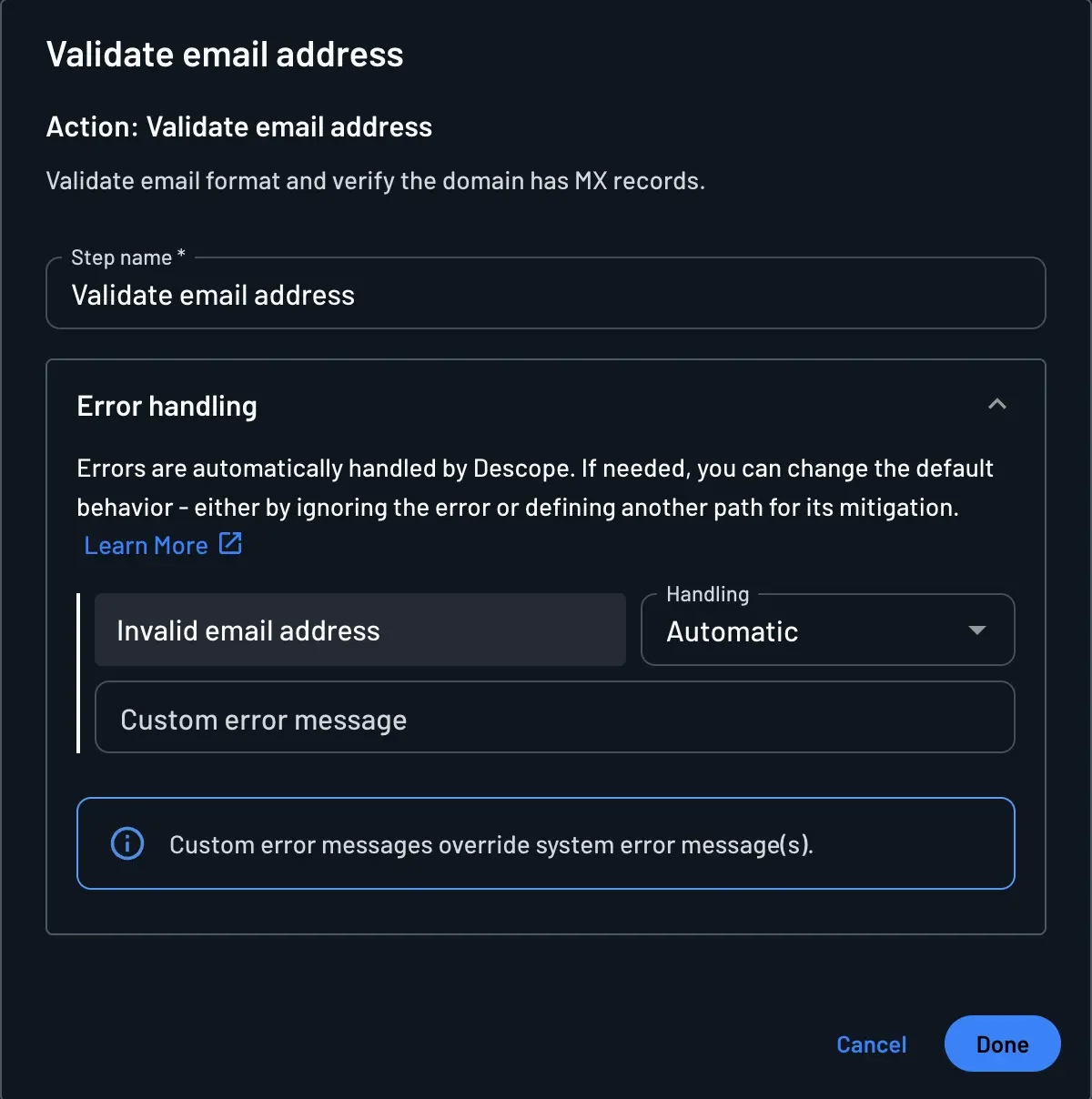
The action returns a single error, Invalid email address, when the address fails either check. You can set the handling behavior for that error and optionally provide a custom error message, which overrides the default system message.
| Handling | Behavior |
|---|---|
| Automatic | Automatically return to the previous screen and display the error in its designated message component. This is the default. |
| Mitigate | Send the flow to a step you choose and clear the error, treating it as resolved. |
| Continue | Send the flow to a step you choose and keep the error so it can be displayed there. |
| Ignore | Treat the step as successful and continue or exit the flow without further error handling. |
| Abort | End the flow and send the error to your application instead of showing a screen. |
For more detail on each option, see Customizing Flow Errors.
Testing the Action
Run your flow and submit an address with a domain that has no MX records, such as user@example.invalid. The action fails and, with Automatic handling, returns you to the previous screen with the error message displayed. Submitting a valid address allows the flow to continue to the next step.