Flow Versioning
Descope supports comprehensive flow versioning, making it easy to manage changes, track history, and restore previous versions whenever needed. Every time you save changes to a flow, Descope automatically creates a new version, allowing you to maintain a complete audit trail of your flow's evolution.
Saving Flow Versions
When saving changes to a flow, you have the option to include a note describing what was modified. These version notes help you keep a clear record of how your flows have evolved over time and make it easier to identify which version contains specific changes or fixes.
To save a version with a note:
- Make your changes in the flow editor
- Select the Save & Note option
- In the save dialog, optionally add a descriptive note about the changes
- Click Save to create the new version
Viewing Version History
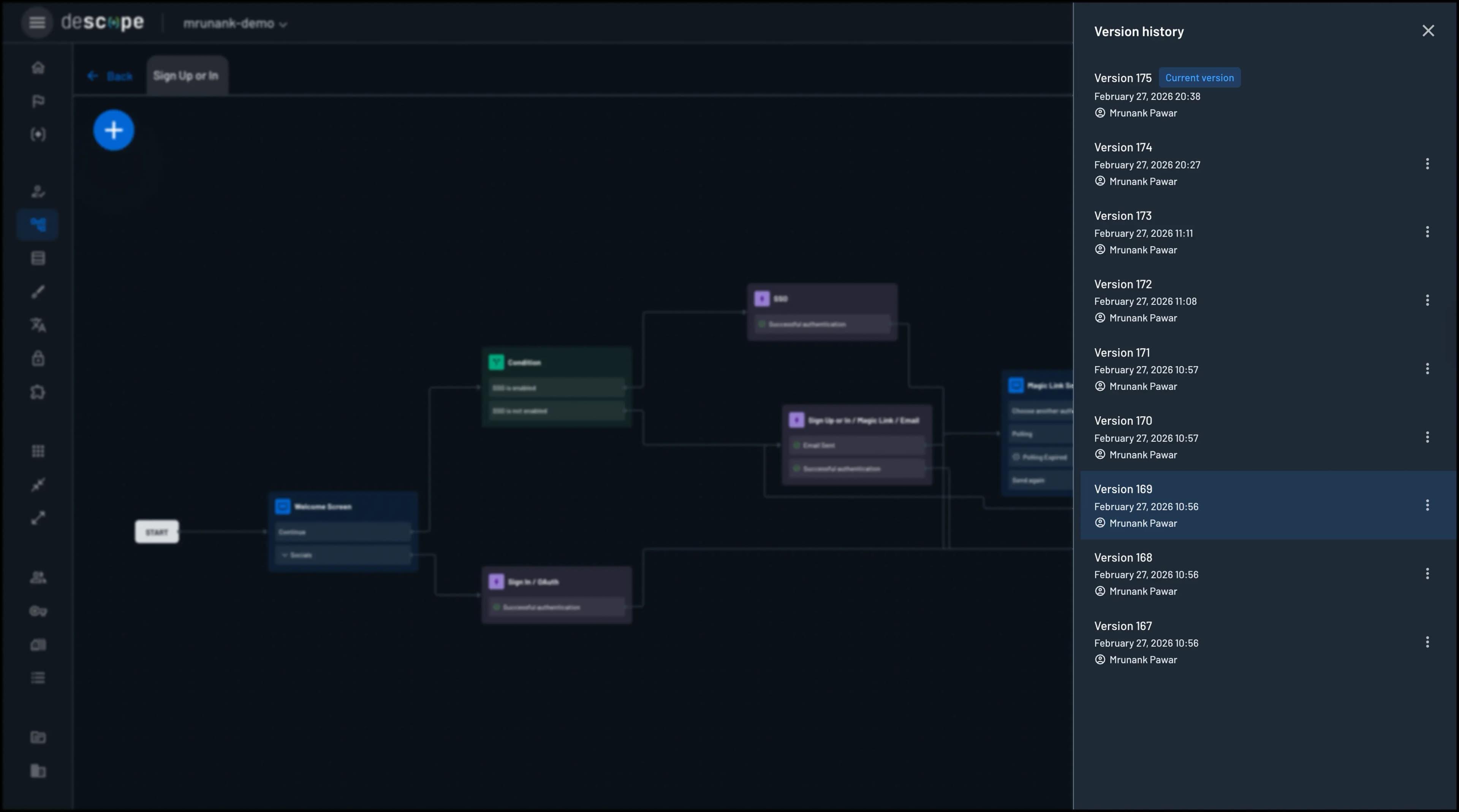
To access the version history for a flow, head to the Flows page in the Descope Console and click the version history icon in the top-right corner of the flow editor.
The version history interface displays all previous versions of your flow, including:
- Version number
- Date and Timestamp
- Version notes (if provided when saving)
- Author who made the changes
- Actions available for each version
Previewing Versions
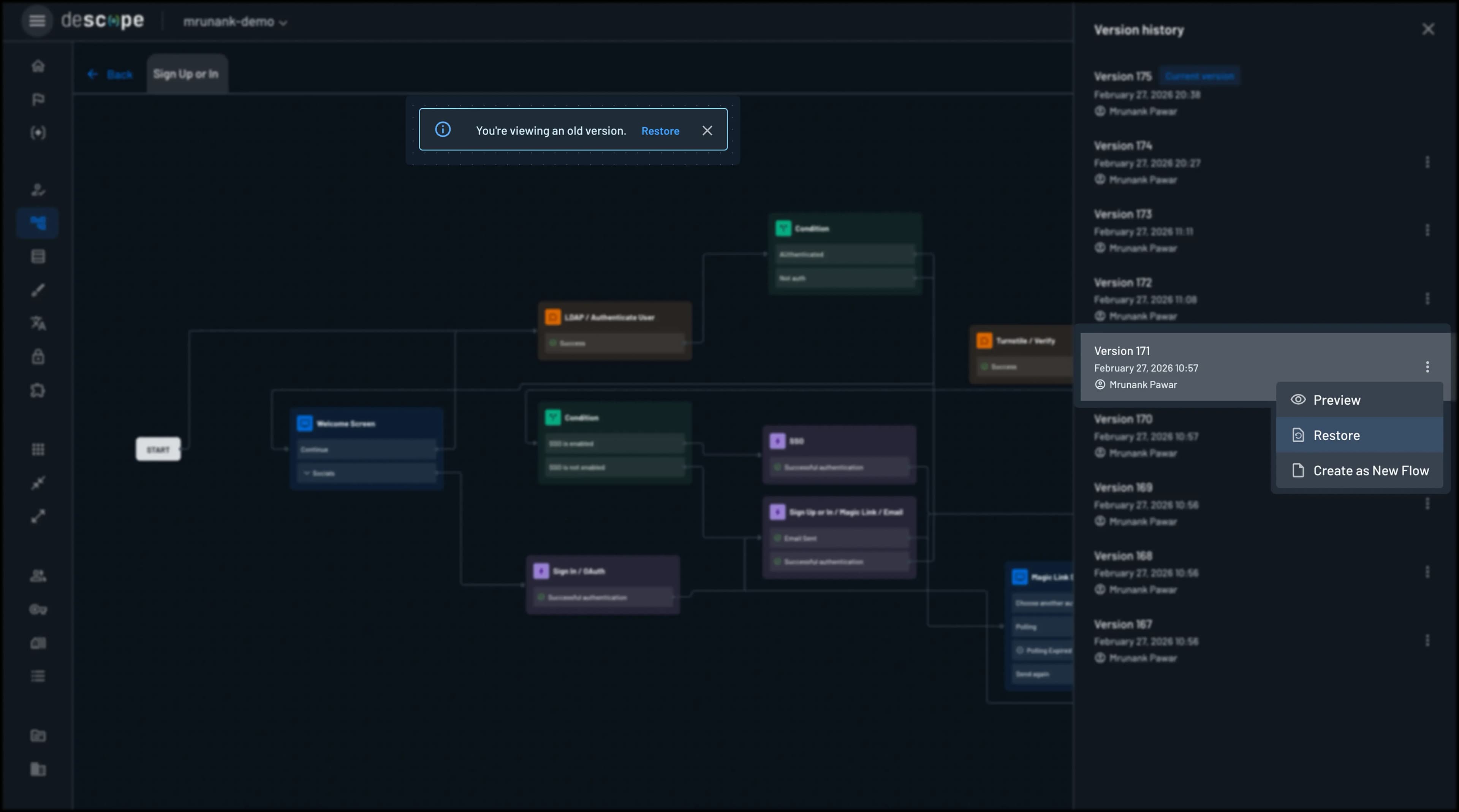
You can preview any past version directly from the version history interface. This allows you to:
- Review the exact state of screens, actions, and configurations at any point in time
- Understand what changes were made between versions
Simply click on a version in the history to preview it. The preview shows the flow in read-only mode, so you can examine it without making any changes.
Restoring Versions
You can restore a previous version by clicking the Restore button on the version you want to revert to.
- Open the version history for your flow
- Select the version you want to restore
- Click Restore on the version you want to revert to
- Confirm the restoration
This will immediately replace the current version of the flow with the selected previous version. The current version will be preserved in the history, so you can always restore it if needed.
Comparing Versions
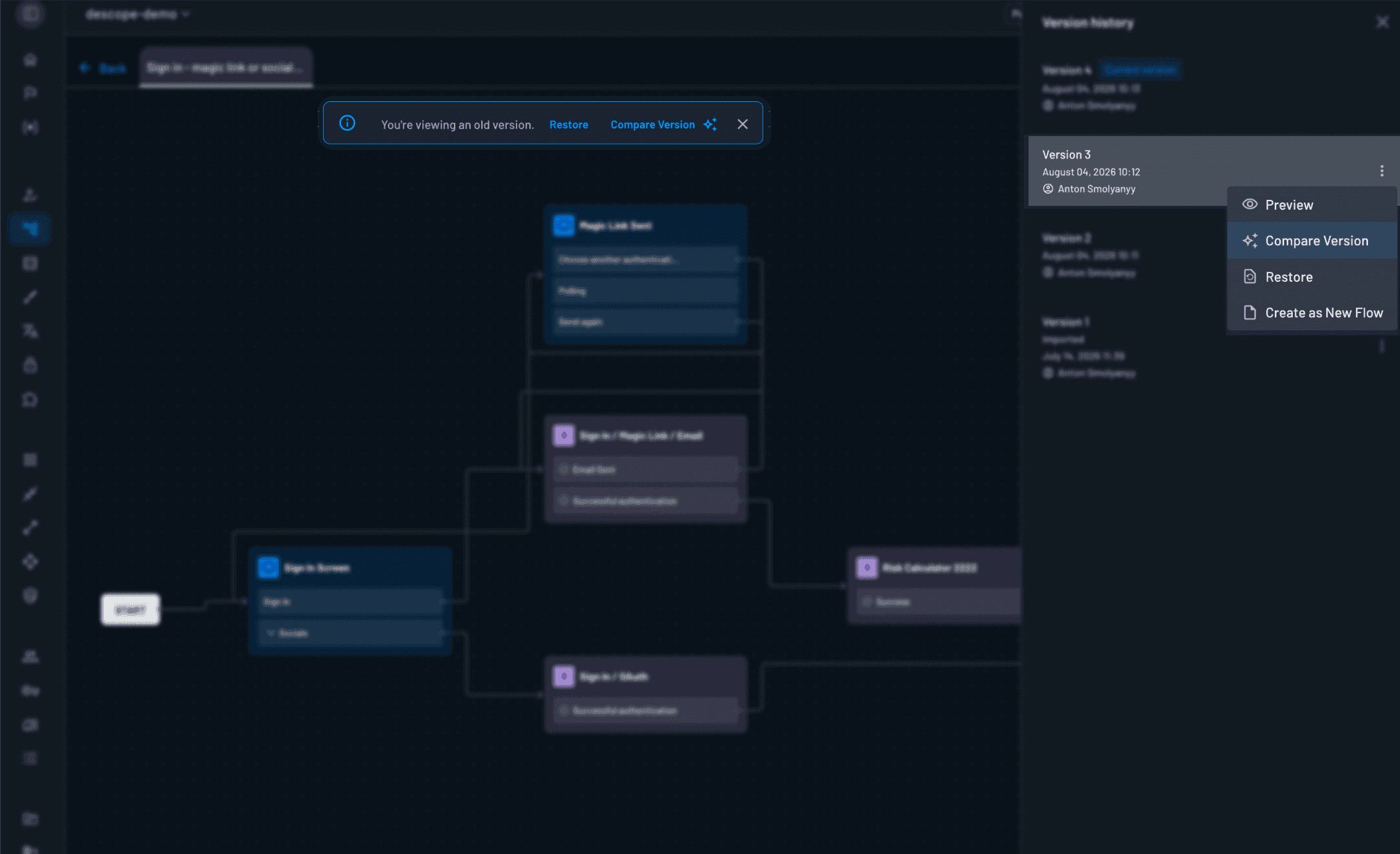
If you have AI features enabled for your Descope company, then you can generate an AI-powered analysis of how the current version of your flow compares to a specific past version. The generated report will list the differences in flow behavior and components between the given version and the current one, cumulative across all versions between them.
- Open the version history for your flow
- Select the version you want to compare against
- Click Compare Version on the version you want to compare against
Duplicating Versions as New Flows
You can also duplicate any previous version as a completely new flow. This is useful when you want to:
- Create a variant of a flow based on a previous version
- Experiment with changes without affecting the current flow
- Maintain multiple versions of a flow as separate entities
To duplicate a version:
- Open the version history
- Select the version you want to duplicate
- Click Create as New Flow
- Give the new flow a name and ID
The duplicated flow will be a completely independent flow, allowing you to modify it without affecting the original.