Localization
When building an application for use across many countries, it's essential to translate and localize your application for each user's location. Descope simplifies translating text within your flows, widgets, and messaging templates by offering translation via connectors or manual overrides. When using a connector to translate a Descope Flow, Widget, or messaging template, you can override the translation response from the third-party service to meet your needs.
This guide provides an overview of localization configuration. For detailed connector setup guides, see our Localization Connectors page.
You can also configure localization programmatically through the Descope Client SDKs by passing the locale parameter to the Descope component, giving you manual control over which language or locale is displayed for your flow.
Configuration Overview
To configure the localization of a Descope flow, widget, or messaging template, navigate to the Localization section within the Descope console. Once here, you can select the applicable flow, widget, or messaging template you want to localize from the dropdown, then click Configure Localization.
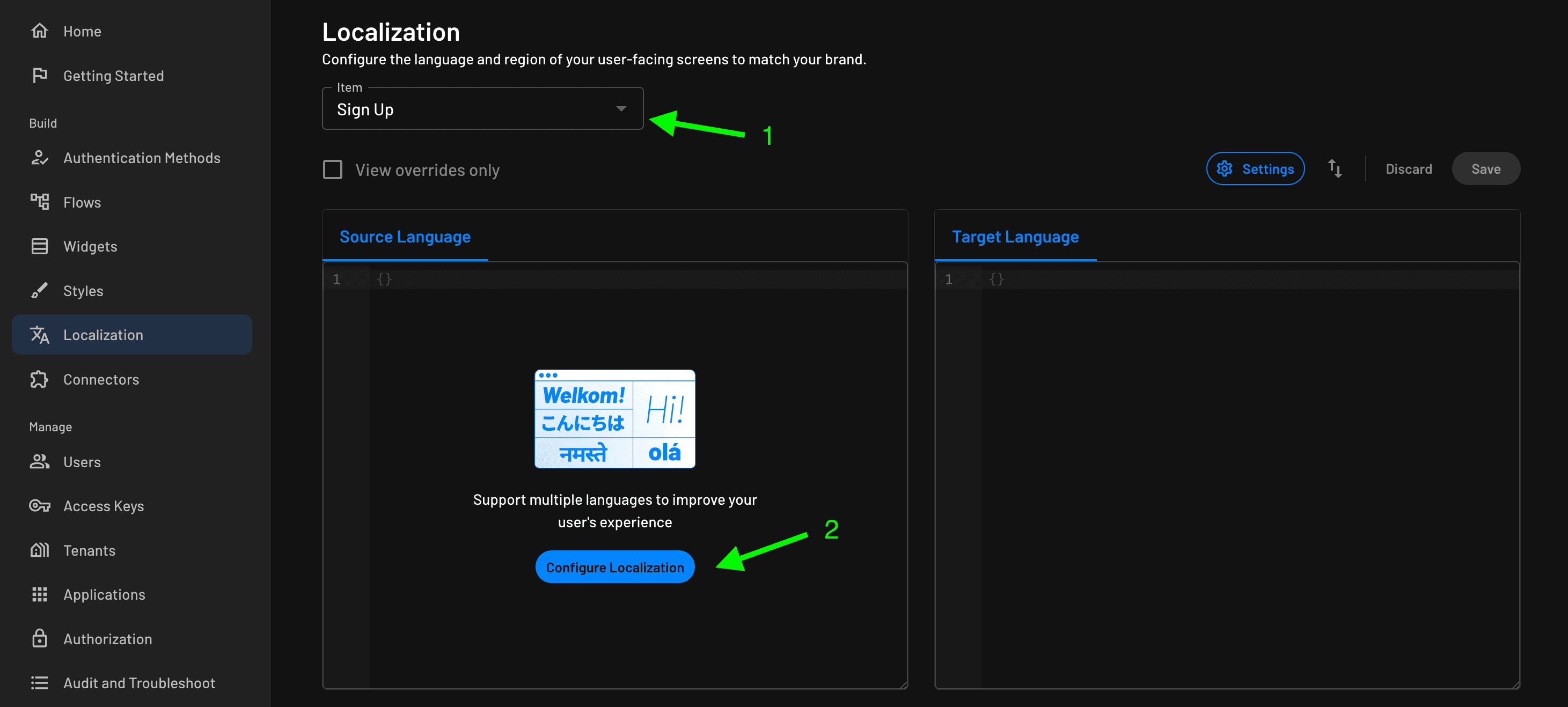
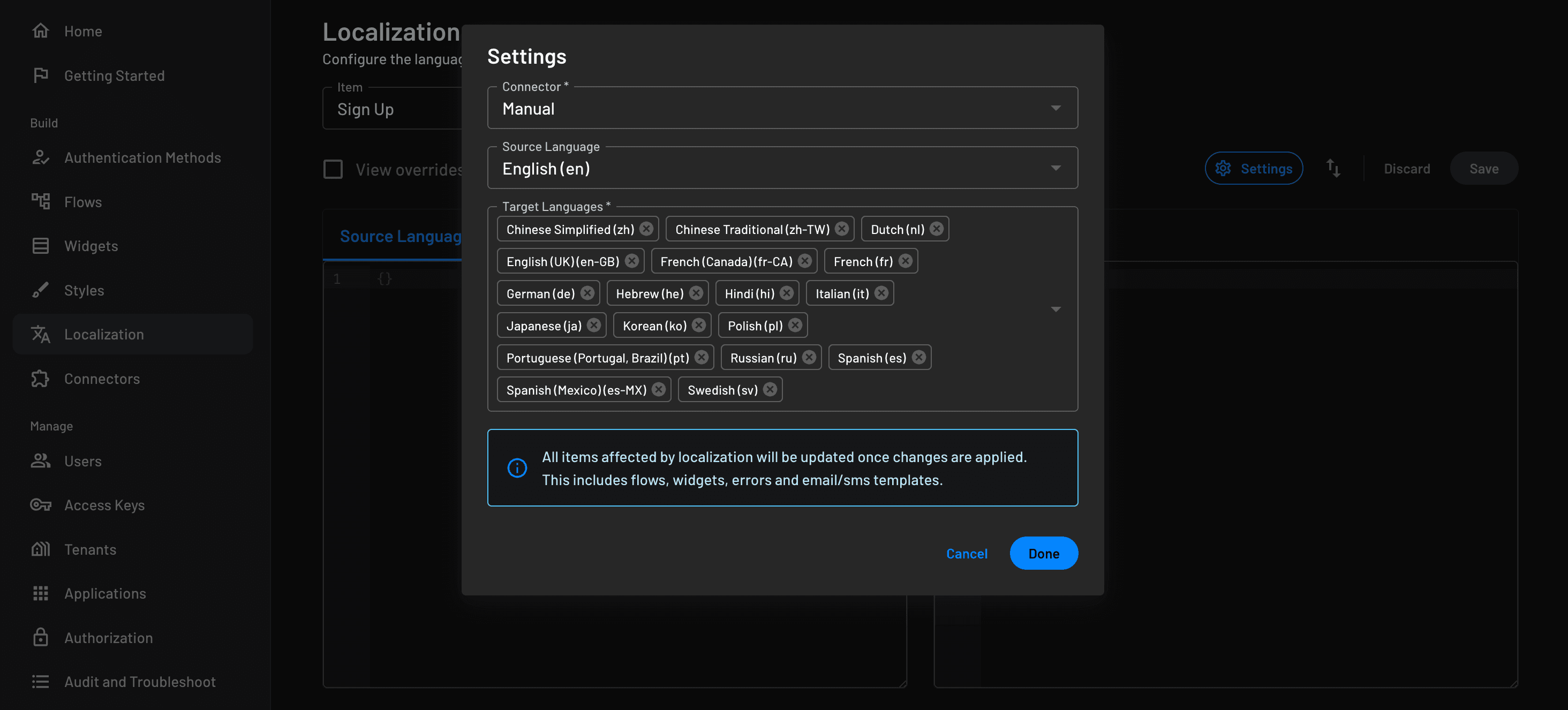
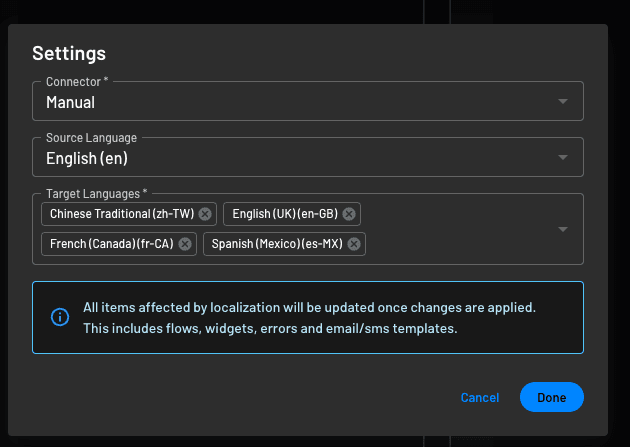
Once you have clicked Configure Localization, you will be prompted to select the connector, source language,
and target languages.
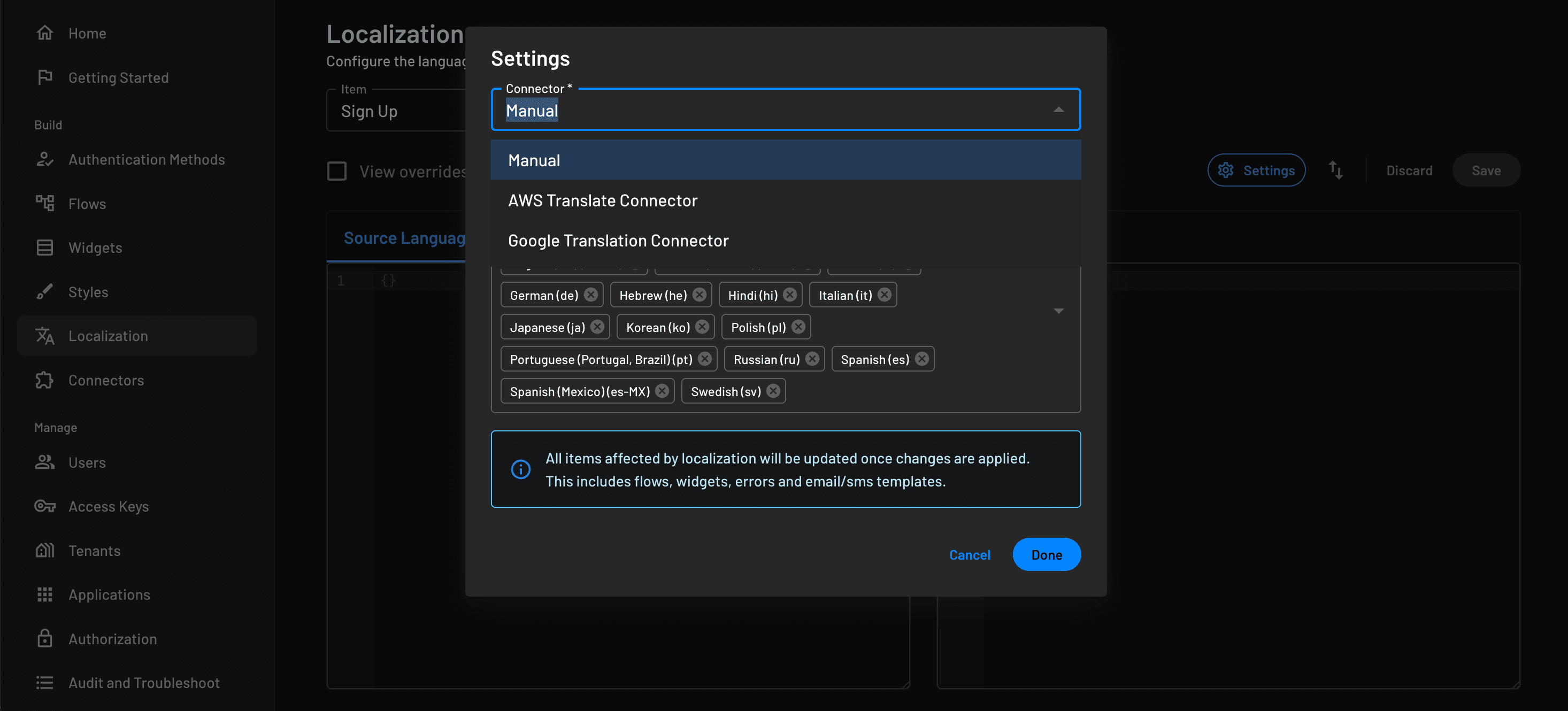
When you select the dropdown for Connector, you can choose manual or use one of our Localization connectors.
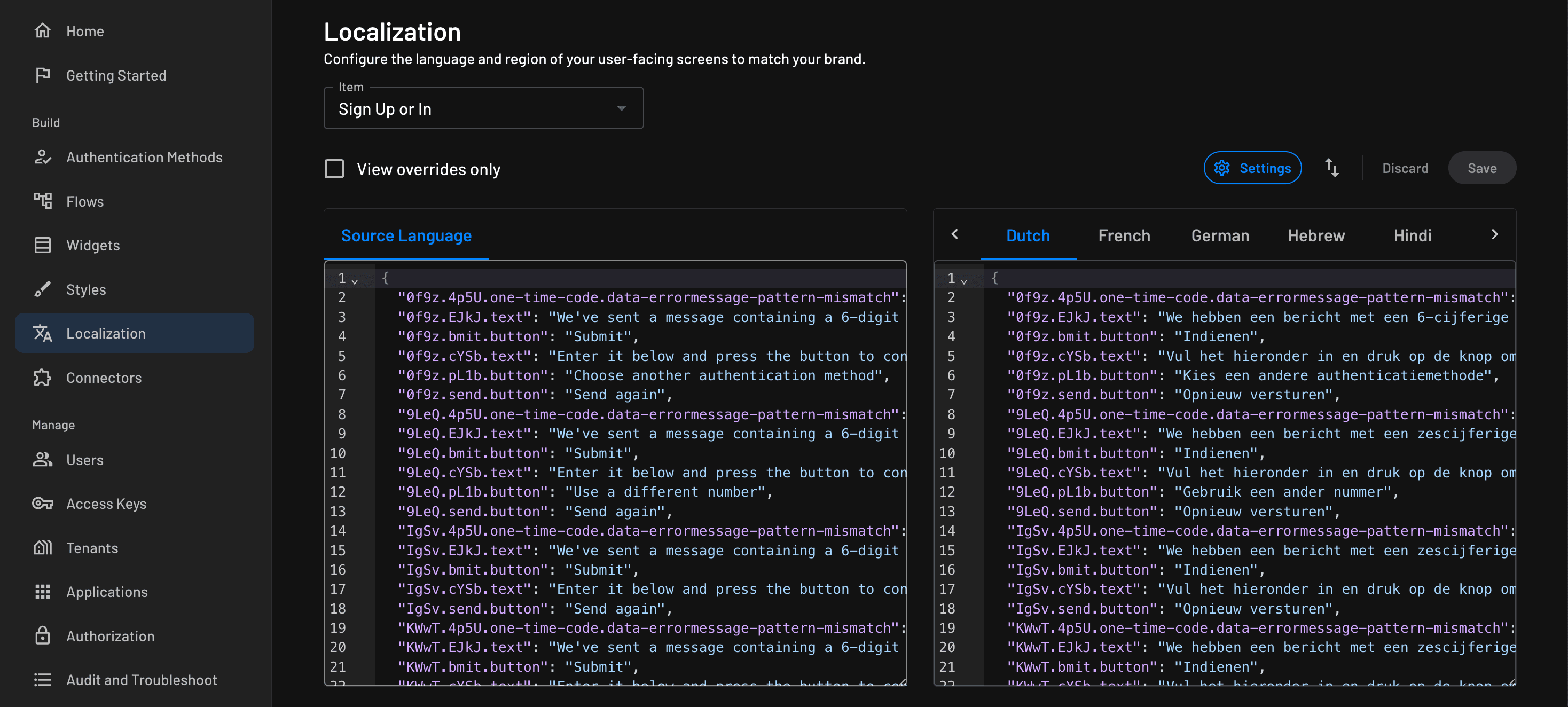
After selecting Done, you will see a page similar to the one below. You can change the settings from the previous modal by clicking the settings icon at the top right. You can also import and export the translations via the arrows icon. You can also select the checkbox to View overrides only to show only the overridden items on the right-hand side for the selected language.
Widget Localization
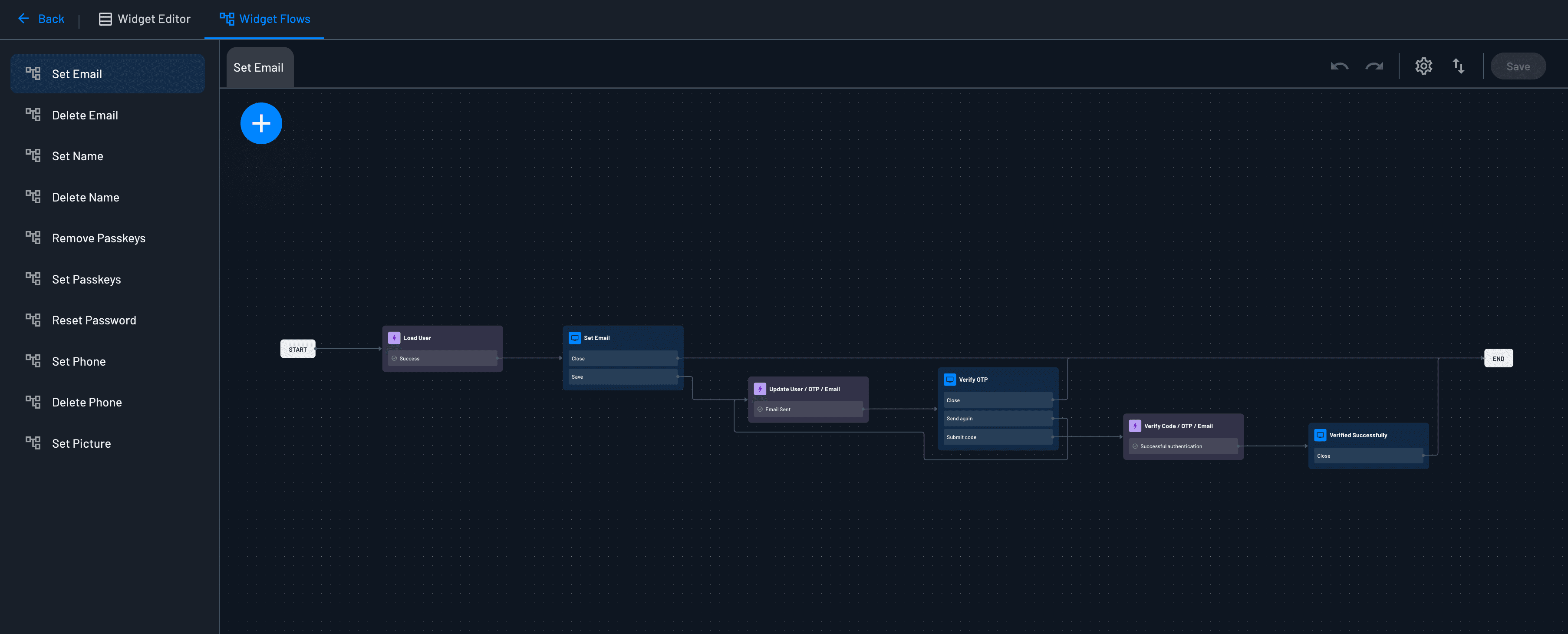
A widget is translated as a single unit: configuring localization for a widget also translates its main screen and any flow it triggers. Flows owned by a widget are configured from the widget itself, so they don't appear as separate entries in the flow list.
Manual Localization
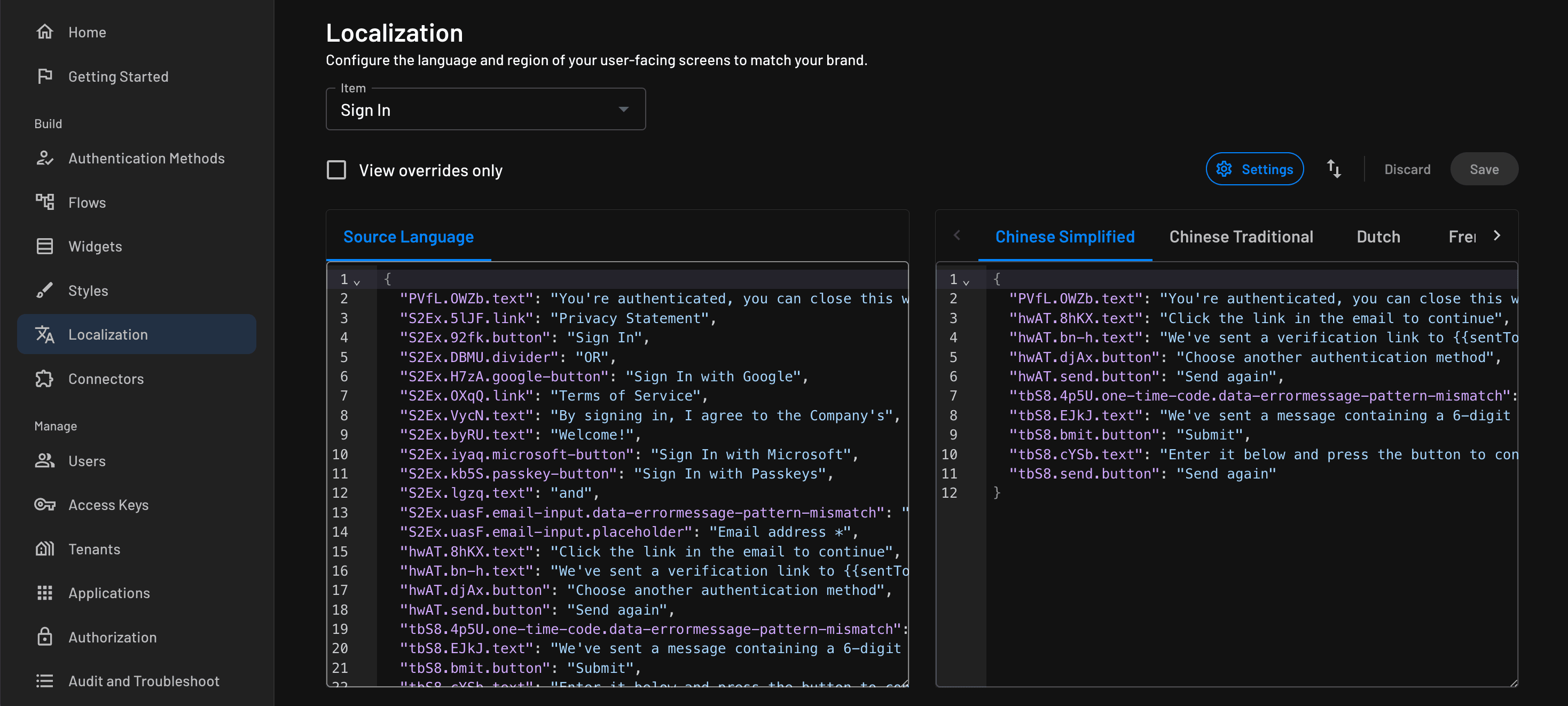
After selecting the manual option for localization, you will see a screen like the example below. You can then manually override the translations per language.
Connector Based Localization
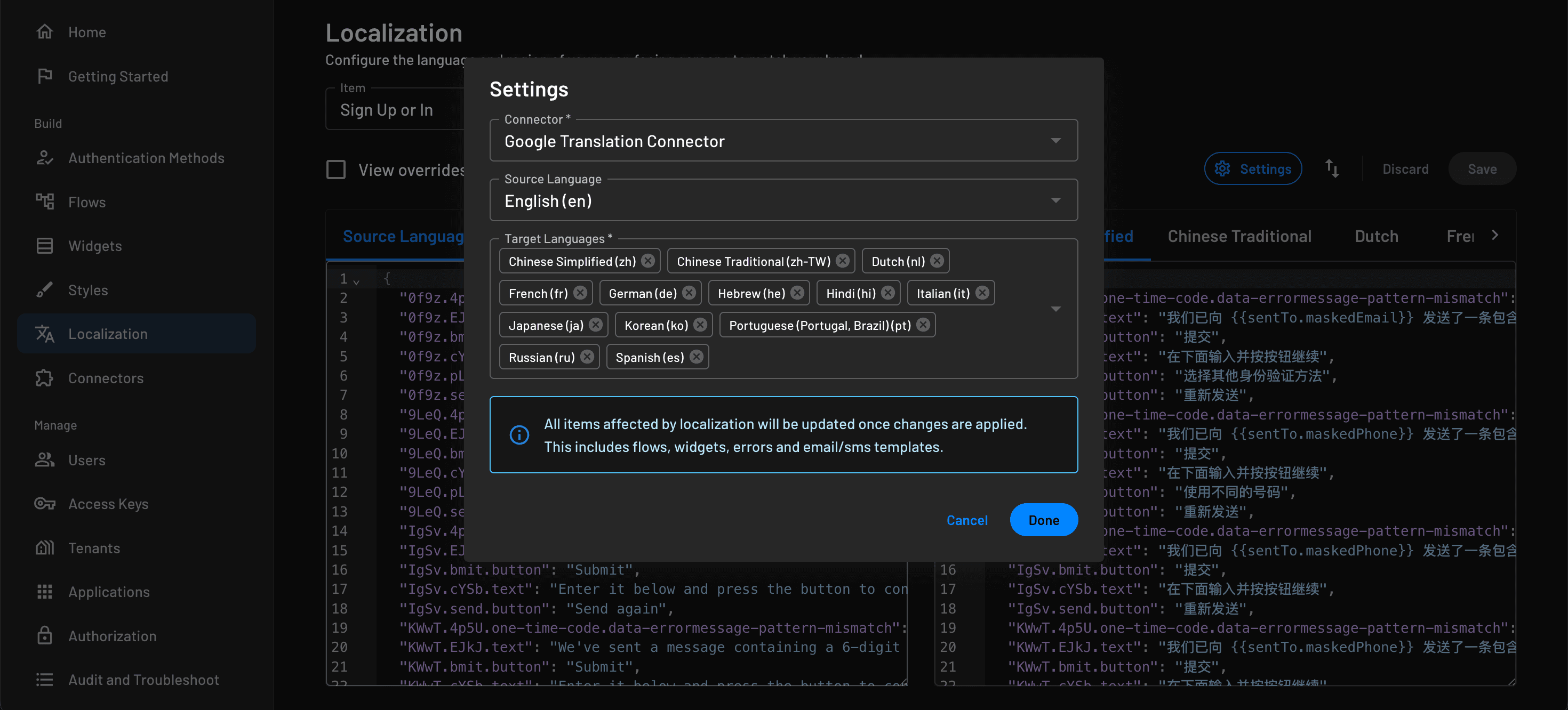
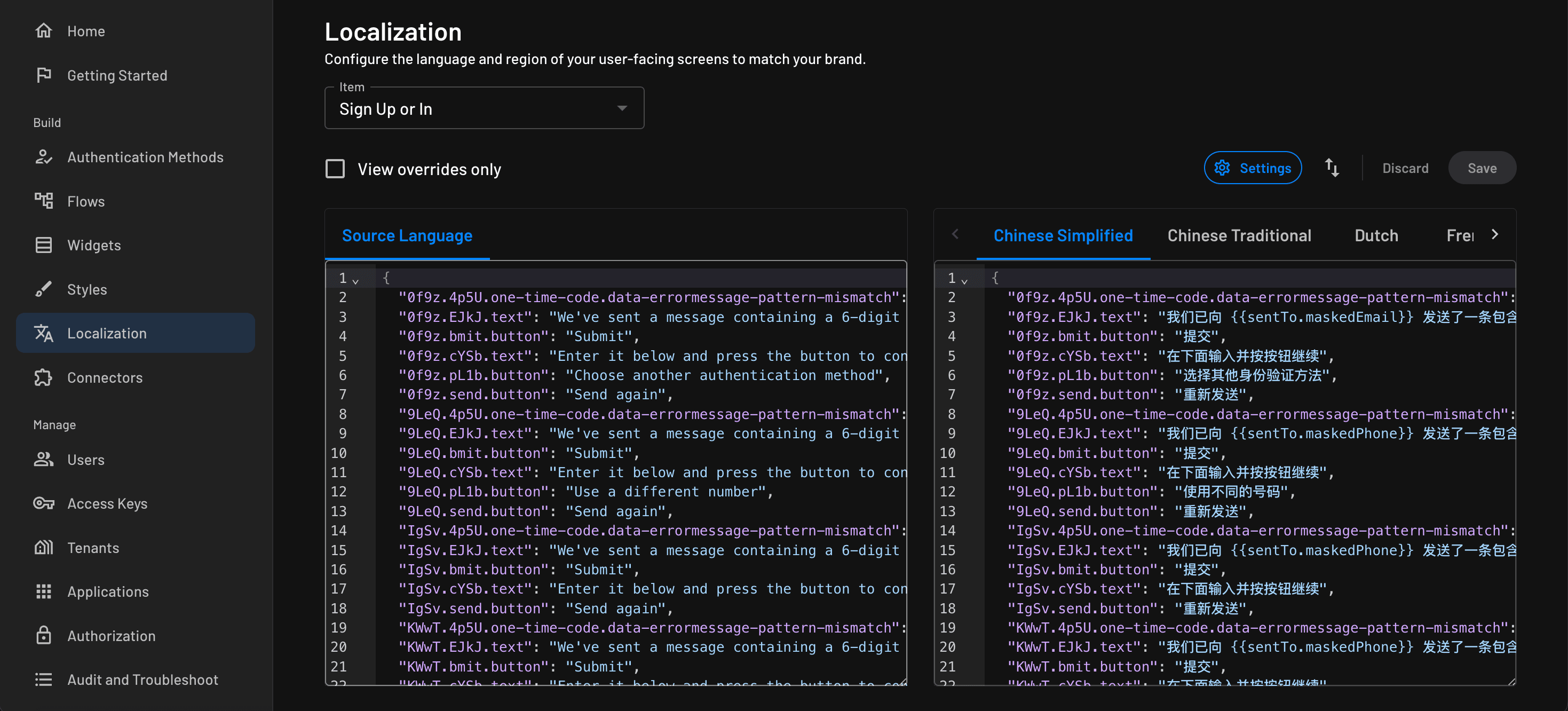
When configuring localization to utilize a localization connector, the localization will automatically be generated for the flow, widget, or messaging template based on the returned translation. Below you can see an example configuration and the generated translation.
Manually Overriding Connector Translations
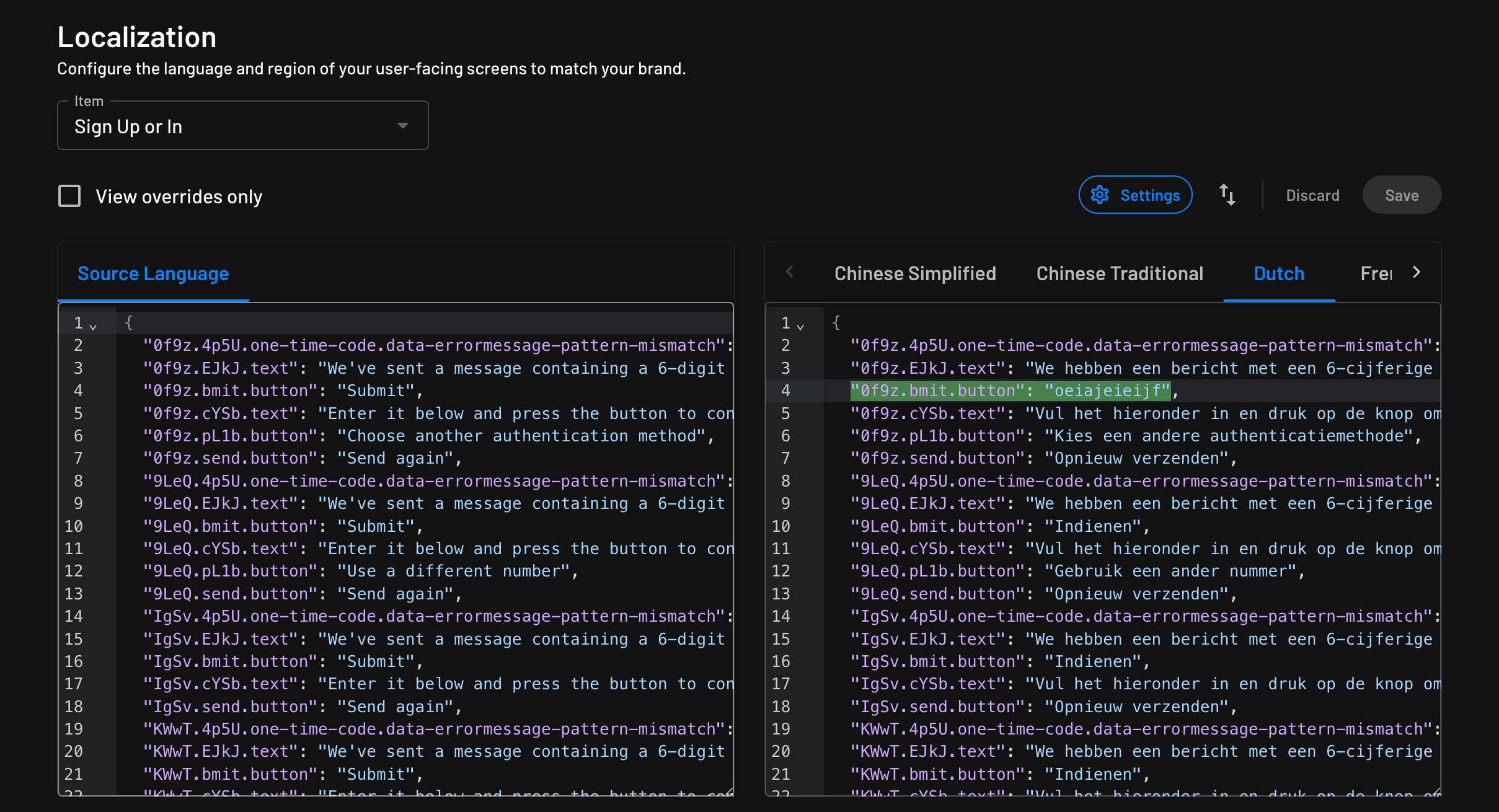
When you configure localization with a connector, you can manually override the translation. When you override the translation, you will see the override highlighted like the below example.
Right-to-Left Email Templates
When you localize an email messaging template into a right-to-left language such as Hebrew, Arabic, or Farsi, Descope sets the direction and alignment of the translated HTML body for you, with no extra configuration.
Descope compares the Source Language and Target Language you configured:
| Source and target | Result |
|---|---|
| Left-to-right source, right-to-left target | The body renders right-to-left, and left alignment becomes right. |
| Right-to-left source, left-to-right target | The body renders left-to-right, and right alignment becomes left. |
| Both the same direction | The original direction and alignment carry over unchanged. |
Centered content stays centered. Descope never modifies your source template, only the generated translations.
Global Strings
Global Strings provide a centralized way to define reusable text values that can be referenced across flows, screens, and messaging templates. They are especially useful for maintaining consistent copy, supporting localization, and avoiding duplication of text throughout your authentication experiences.
You can define global strings in the dedicated Global Strings section of the Descope console. You define a unique key and associate it with one or more string values, each mapped to a specific language. At runtime, the system resolves references to these keys and renders the appropriate string based on the active language context.
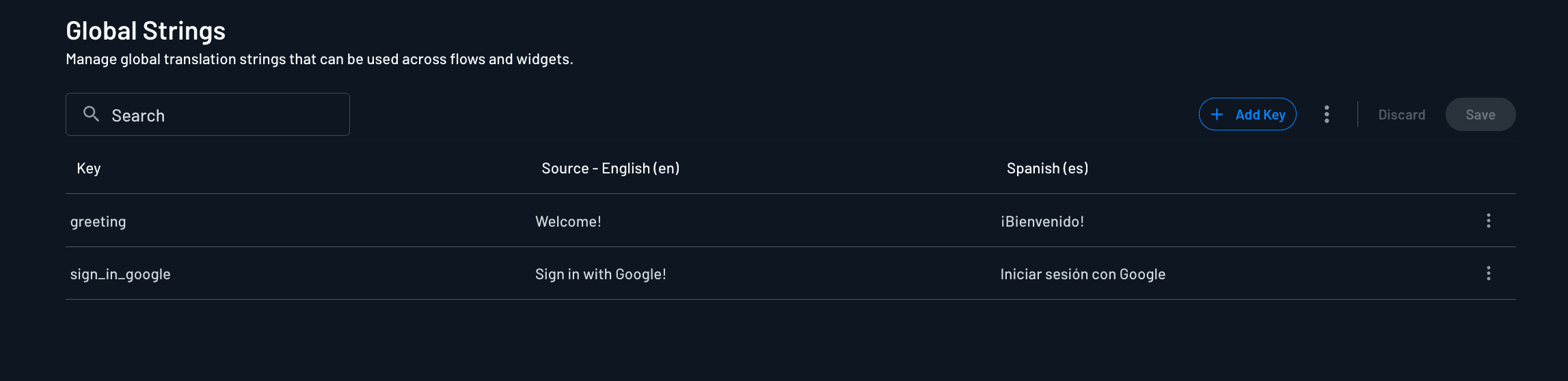
You can reference global strings in your flows, screens, and messaging templates using the {{strings.<key>}} syntax. For example, if you have a global string key called greeting with the value "Welcome!", you can reference it as {{strings.greeting}}.
Use the three-dot menu next to Add Key to manage language settings and import or export global strings. Export globals downloads a JSON snapshot of your current global string configuration, and Import globals allows you to import a global strings JSON.
Note
Importing will override existing global strings.

Localizing Errors
When it comes to translating errors, there are a few areas where you need to accomplish this.
Flow Components
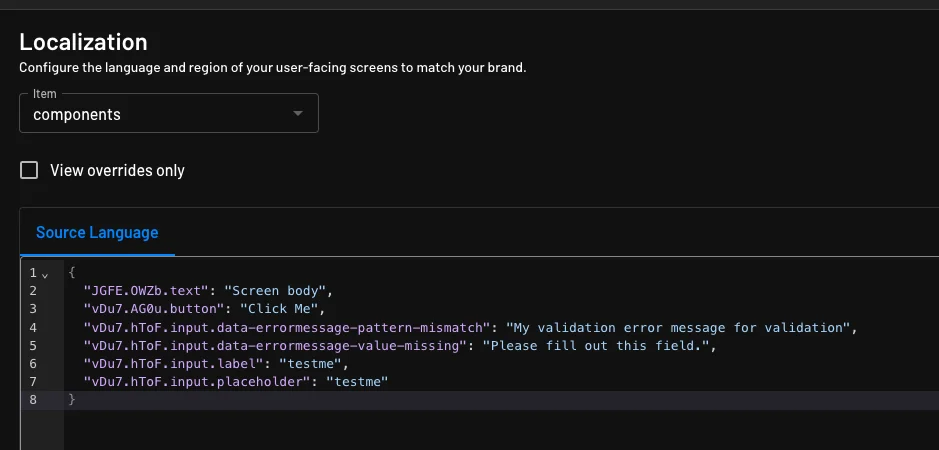
Some Descope components have errors that are managed in the flow itself and can be localized within the localization section of the Descope console. Examples of these components would be the missing value messages or customized Validation Error Messages.
System Flow Errors
Descope system-level flow errors, such as OTP verification failures, must be translated using the Descope error transformer within the frontend SDK.
Below is an example of configuring the error transformer within the frontend SDK to localize system-level flow errors.
function errorTransformer(error) {
  const language = getClientLanguage(); // Function to get the client's language, e.g., 'en', 'es', 'de'

  const translationMap = {
    en: {
      OTPVerifyCodePhoneFailed: "Failed to verify OTP code",
    },
    es: {
      OTPVerifyCodePhoneFailed: "No se pudo verificar el código OTP",
    },
    de: {
      OTPVerifyCodePhoneFailed: "Der OTP-Code konnte nicht überprüft werden",
    },
    // Add more languages and translations as needed
  };

  const translations = translationMap[language] || translationMap['en']; // Default to 'en' if language not found

  return translations[error.type] || translations[error.text] || error.text;
}

function getClientLanguage() {
  // Logic to determine the client's language, e.g., from browser settings or user profile
  // For demonstration purposes, return 'en' (English) by default
  return navigator.language.split('-')[0] || 'en';
}
Localizing Custom Error Messages in Flows
Custom error messages set on flow conditions and action error handling can now be localized, including messages that reference global strings ({{strings.KEY}}). Previously, only screen content was localized. Custom errors defined at the flow logic level were not included.
This does not apply automatically to existing flows. Detection runs on every flow save and reflects the flow's state as of its most recent save, it is not a one-time flag. If a flow was created before this feature shipped, or if a new custom error is added to a flow that was already saved after the feature shipped, the flow needs to be saved again for that error to be picked up. There is no bulk migration, each flow's custom errors are localized as of its last save.
What gets localized
- Condition error messages
- Action error handling error messages
Where these appear
Localized keys for these error messages appear in Localization > Flows and Widgets, in the Source and target language JSON editors, using this format:
dsl.{taskId}.condition.{index}.error-message
dsl.{taskId}.error-handling.{errorType}.error-message
{taskId} is an internal task identifier and may itself contain dots, for example a task that is the end-step of an action group can have an ID like 4.end, producing a key such as dsl.4.end.error-handling.UserDoesNotExists.error-message. Treat {taskId} as an opaque value rather than a fixed set of segments.
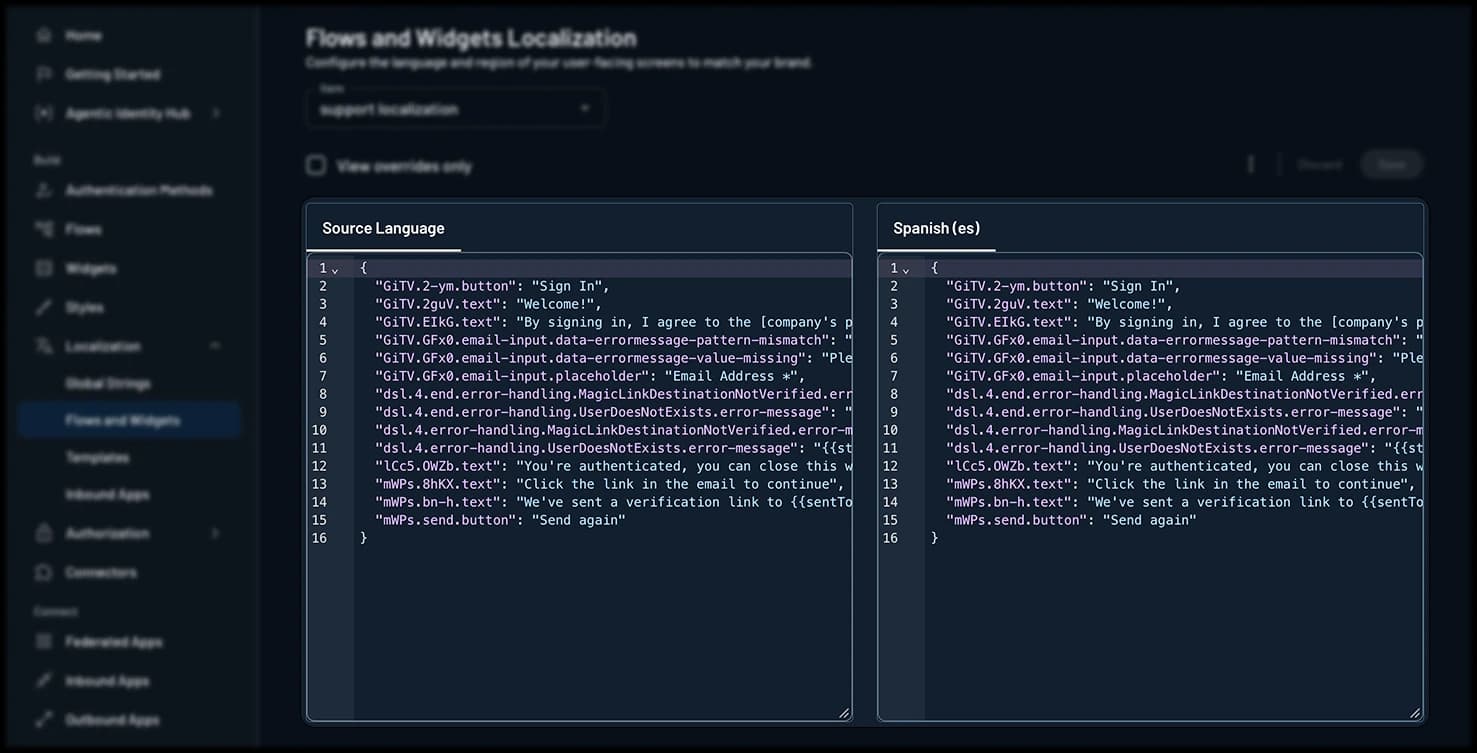
These keys appear as flat entries alongside standard screen content keys (like GiTV.2-ym.button), with no grouping, section header, or label distinguishing them. This is expected. Recognize the dsl.* pattern rather than treating it as a display issue.
Resolution conditions
For a custom error message to be localized, two separate things need to be true:
The translation data needs to exist. This requires the flow to have been saved since this feature shipped (see the note above), which generates the localization keys shown in the Source panel. A manual override can also be added directly for a specific key without waiting for a save, but this is not the standard workflow.
At request time, the request needs to qualify for localization. Specifically:
- A locale is passed on the request
- That locale is one of the flow's configured target languages
If either of these is not satisfied, the original (source language) message is used instead.
Editing and overriding translations
Any dsl.* key can be manually edited or overridden in the Source and target language JSON editors, using the same mechanism as screen content.
Manual overrides work even before an auto-generated translation exists for that language, for example before a translation connector runs, or if no connector is configured at all.
Global strings
If a custom error message references a global string ({{strings.KEY}}), that reference resolves per language using the flow's configured global strings, the same as it does in screen content.
Out of scope
Error sources other than condition errors and action error handling errors are not covered by this feature.
Language support
Descope includes built-in support for the following languages. If the language or locale you need isn't listed here, you can define one yourself as a custom language.
| en: English (en) | ka: Georgian (ka) | ps: Pashto (ps) |
| af: Afrikaans (af) | de: German (de) | pl: Polish (pl) |
| sq: Albanian (sq) | el: Greek (el) | pt-BR: Portuguese (Brazil) (pt-BR) |
| am: Amharic (am) | gu: Gujarati (gu) | pt: Portuguese (pt) |
| ar: Arabic (ar) | ht: Haitian Creole (ht) | pt-PT: Portuguese (Portugal) (pt-PT) |
| hy: Armenian (hy) | ha: Hausa (ha) | pa: Punjabi (pa) |
| az: Azerbaijani (az) | he: Hebrew (he) | pa-Arab: Punjabi (Shahmukhi) (pa-Arab) |
| bn: Bengali (bn) | hi: Hindi (hi) | ro: Romanian (ro) |
| bs: Bosnian (bs) | hu: Hungarian (hu) | ru: Russian (ru) |
| bg: Bulgarian (bg) | is: Icelandic (is) | sr: Serbian (sr) |
| ca: Catalan (ca) | id: Indonesian (id) | si: Sinhala (si) |
| zh-CN: Chinese (Simplified) (zh-CN) | ga: Irish (ga) | sk: Slovak (sk) |
| zh: Chinese (Simplified) (zh) | it-IT: Italian (Italy) (it-IT) | it-CH: Italian (Switzerland) (it-CH) |
| zh-TW: Chinese (Traditional) (zh-TW) | ja: Japanese (ja) | sl: Slovenian (sl) |
| hr: Croatian (hr) | ja_JP: Japanese (Japan) (ja_JP) | so: Somali (so) |
| cs: Czech (cs) | kn: Kannada (kn) | es: Spanish (es) |
| da: Danish (da) | kk: Kazakh (kk) | es-MX: Spanish (Mexico) (es-MX) |
| fa-AF: Dari (fa-AF) | ko: Korean (ko) | es-US: Spanish (US) (es-US) |
| nl: Dutch (nl) | lv: Latvian (lv) | sw: Swahili (sw) |
| en-GB: English (UK) (en-GB) | lt: Lithuanian (lt) | sv: Swedish (sv) |
| et: Estonian (et) | mk: Macedonian (mk) | ta: Tamil (ta) |
| fa: Farsi (Persian) (fa) | ms-Arab: Malay (Jawi) (ms-Arab) | te: Telugu (te) |
| fil: Filipino (fil) | ms: Malay (ms) | th: Thai (th) |
| tl: Filipino, Tagalog (tl) | ml: Malayalam (ml) | tr: Turkish (tr) |
| fi: Finnish (fi) | mt: Maltese (mt) | uk: Ukrainian (uk) |
| fr-CA: French (Canada) (fr-CA) | mr: Marathi (mr) | ur: Urdu (ur) |
| fr: French (fr) | mn: Mongolian (mn) | uz: Uzbek (uz) |
| fr-FR: French (France) (fr-FR) | no: Norwegian (Bokmål) (no) | vi: Vietnamese (vi) |
| my: Burmese (my) | chk: Chuukese (chk) | cy: Welsh (cy) |
| km: Khmer (km) | om: Oromo (om) | hmn: Hmong (hmn) |
| yi: Yiddish (yi) |
Dialect support
Descope supports additional localization dialects to enhance your end user's experience further.
Supported extended dialects include:
- zh-CN: Chinese (Simplified) as used in Mainland China
- zh-TW: Chinese (Traditional) as used in Taiwan
- en-GB: English as used in the United Kingdom
- it-IT: Italian as used in Italy
- it-CH: Italian as used in Switzerland
- fr-CA: French as used in Canada
- fr-FR: French as used in France
- pt-BR: Portuguese as used in Brazil
- pt-PT: Portuguese as used in Portugal
- es-MX: Spanish as used in Mexico
- es-US: Spanish as used in the United States
- ms-Arab: Malay in Arabic script (Jawi)
- pa-Arab: Punjabi in Arabic script (Shahmukhi)
- fa-AF: Dari as used in Afghanistan
Dialects with connectors
The AWS Translate and Google Cloud Translate connectors don't support all of the Descope-supported dialects.
AWS Translate does not support en-GB. Google Cloud Translate does not support en-GB, fr-CA, or es-MX.
Custom Languages
Descope ships with a long list of built-in languages. However, if the language or locale you need isn't in the built-in language list, you can define your own entry with a display name and a language code of your choosing, then localize your flows, messaging templates, and global strings with your language.
Custom languages are scoped to a project. Once you create one, it's available as a target language for other localization items in the same project.
A custom language inherits its text direction from its language code. Give it the code of a right-to-left language and email templates translated into it render right-to-left. Descope treats any other code as left-to-right. The region has no effect on direction, so a code of en with a region of IL still renders left-to-right.
Adding a Custom Language
Custom languages can only be added as target languages. Descope does not support custom source languages, so the Source Language input always lists built-in languages only.
Navigate to Localization on the Descope console.
Select the flow or messaging template you want to localize, then click Configure Localization.
Open the Target Languages dropdown. The menu is split into a Custom group and a Default group, with custom languages listed first.
Click + Custom language to open the Add Custom Language dialog.
Fill in the Name, Language Code, and optional Region, then click Add Language.
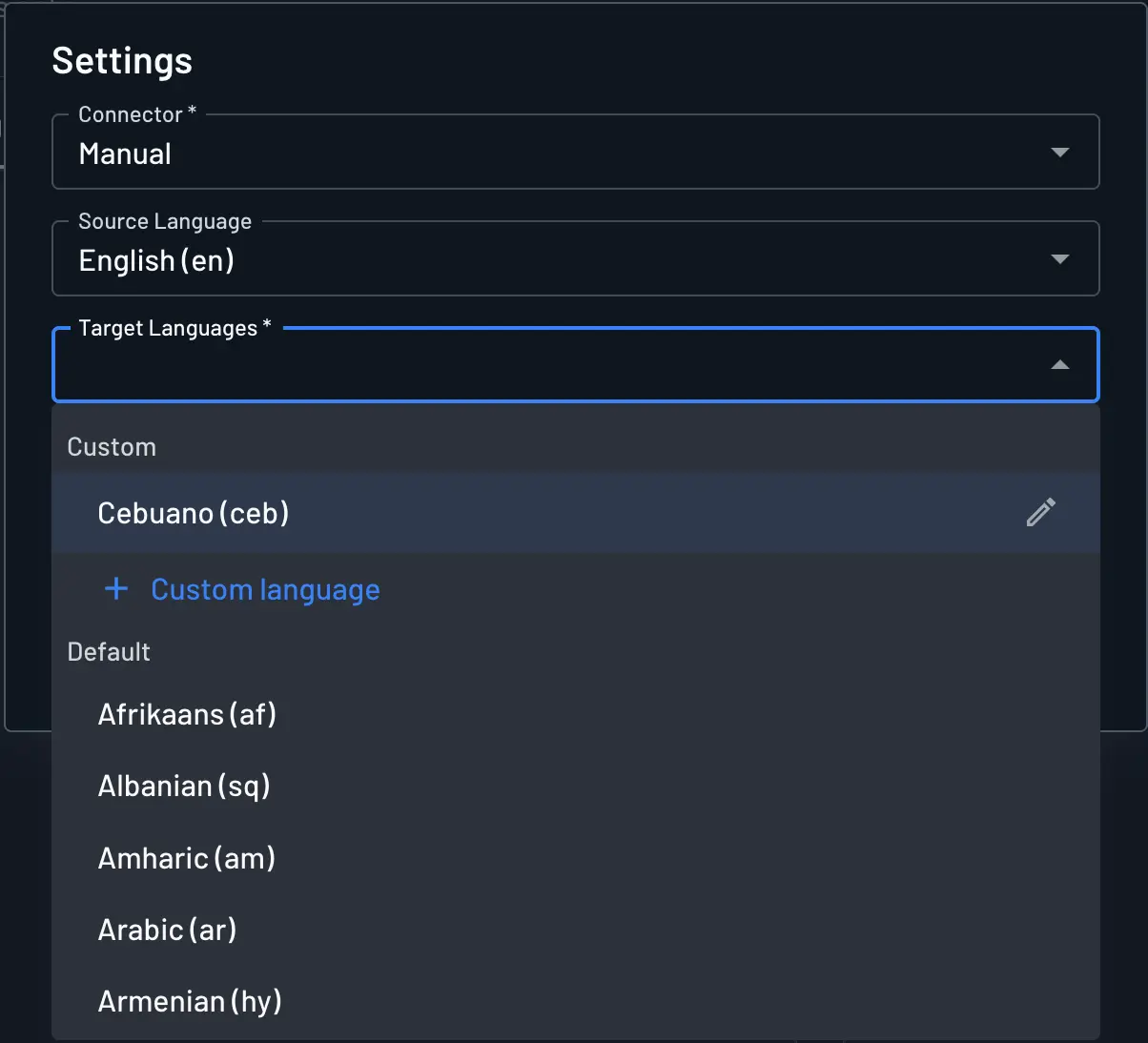
The dialog accepts the following values:
| Field | Required | Description |
|---|---|---|
Name | Yes | The display name for the language, shown wherever the language is listed in the console. For example, Cantonese (Hong Kong). |
Language Code | Yes | The language code your client sends to request this language. For example, yue. Can't be changed after the language is created. |
Region | No | An optional region subtag used to distinguish variants. A language code of yue with a region of HK resolves to yue-HK. Can't be changed after the language is created. |
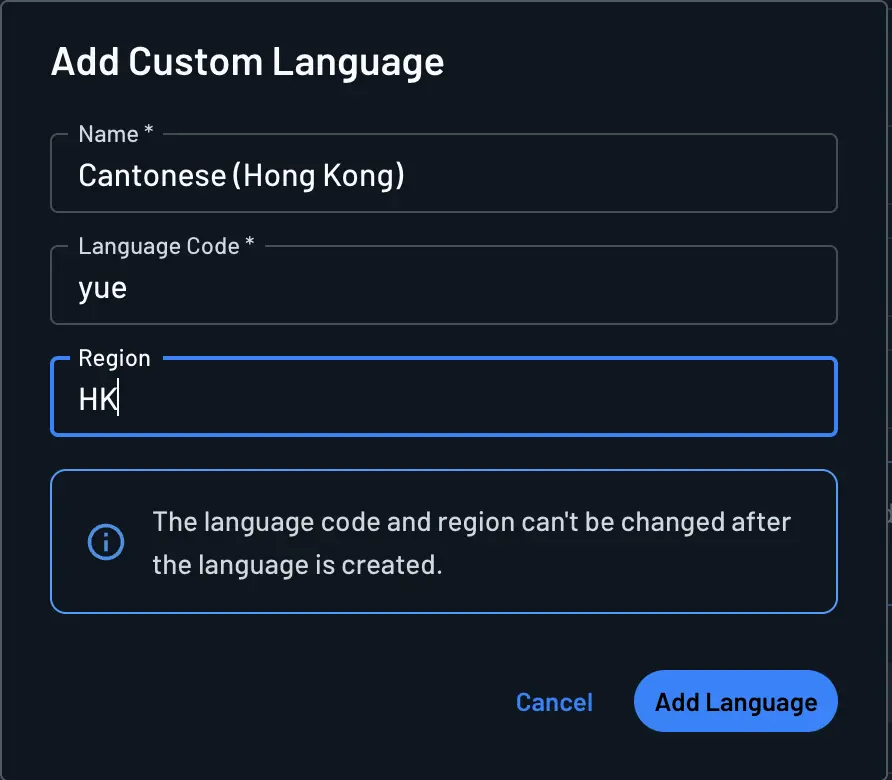
Click Add Language to save. The new language appears immediately in the Custom group of the Target Languages dropdown, where you can select it and begin entering translations.