Descope + Golf.dev
Descope manages identity, authentication, and authorization for your MCP environment, with our Agentic Identity Hub. It defines who can access which servers, tools, and resources.
Golf.dev is an MCP firewall and gateway platform that acts as a runtime enforcement layer for those Descope policies. It sits in front of MCP servers and applies Descope-issued identity, roles, and scopes to every request.
This setup is useful when you need to:
- Enforce RBAC and tool-level permissions
- Secure MCP servers you do not control (e.g. SaaS tools)
- Apply consistent identity and access rules across all agent traffic
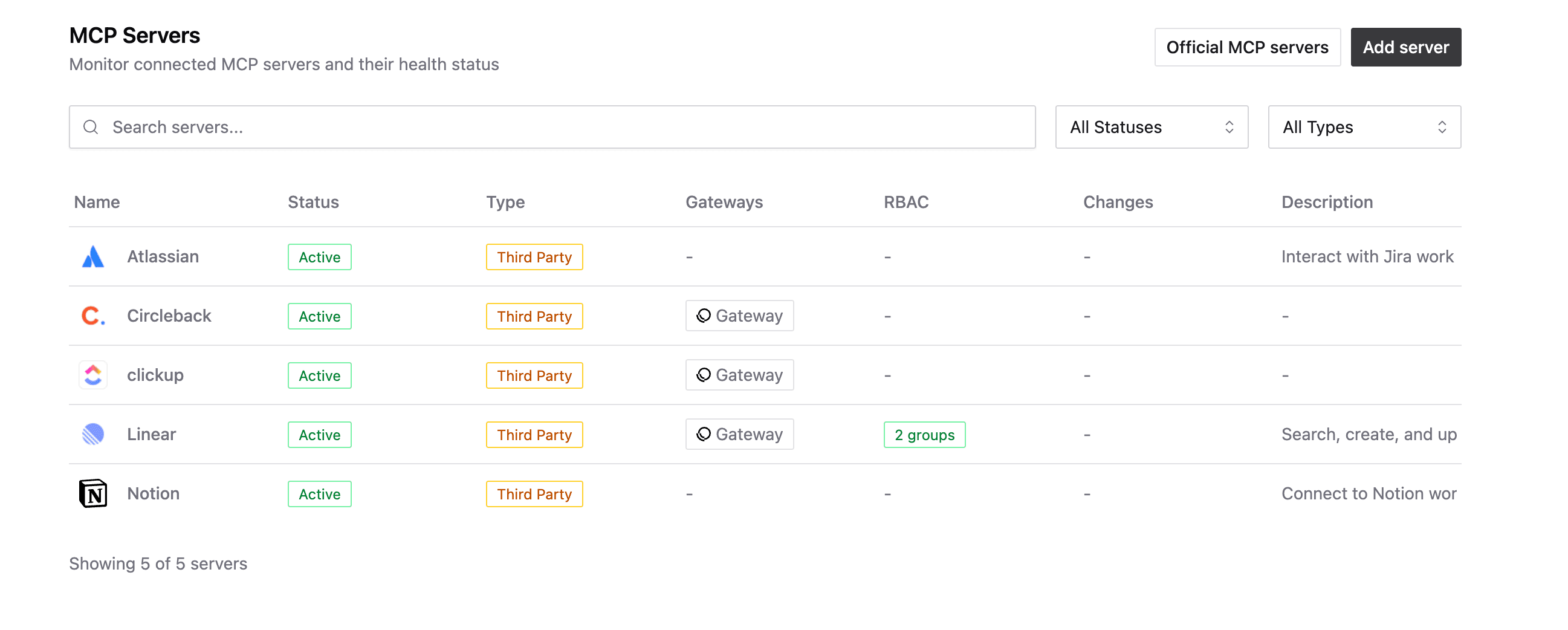
How They Work Together
Descope defines identity and access control: authentication (OAuth 2.1, SSO, MFA), authorization (RBAC, scopes, roles), and centralized policy management.
Golf.dev Gateway enforces those policies at runtime. It's an MCP-aware proxy that validates Descope tokens, reads roles and scopes, and applies access policies before requests reach MCP servers.
Because Golf.dev understands MCP semantics (methods, tools, resources), it enforces Descope policies at the protocol level, not just HTTP. This lets you:
- Enforce least-privilege access to tools
- Control agent access to third-party MCP servers
- Apply consistent identity rules across all systems
- Audit every request with a single identity model
How the Integration Works
- An agent or MCP client will authenticate with Descope and receive an access token.
- Requests are sent through the Golf.dev Gateway.
- Golf.dev validates the token using Descope's issuer and JWKs endpoint.
- Roles and scopes from the token are mapped to Gateway policies.
- Requests are allowed or denied before reaching the connected MCP server.
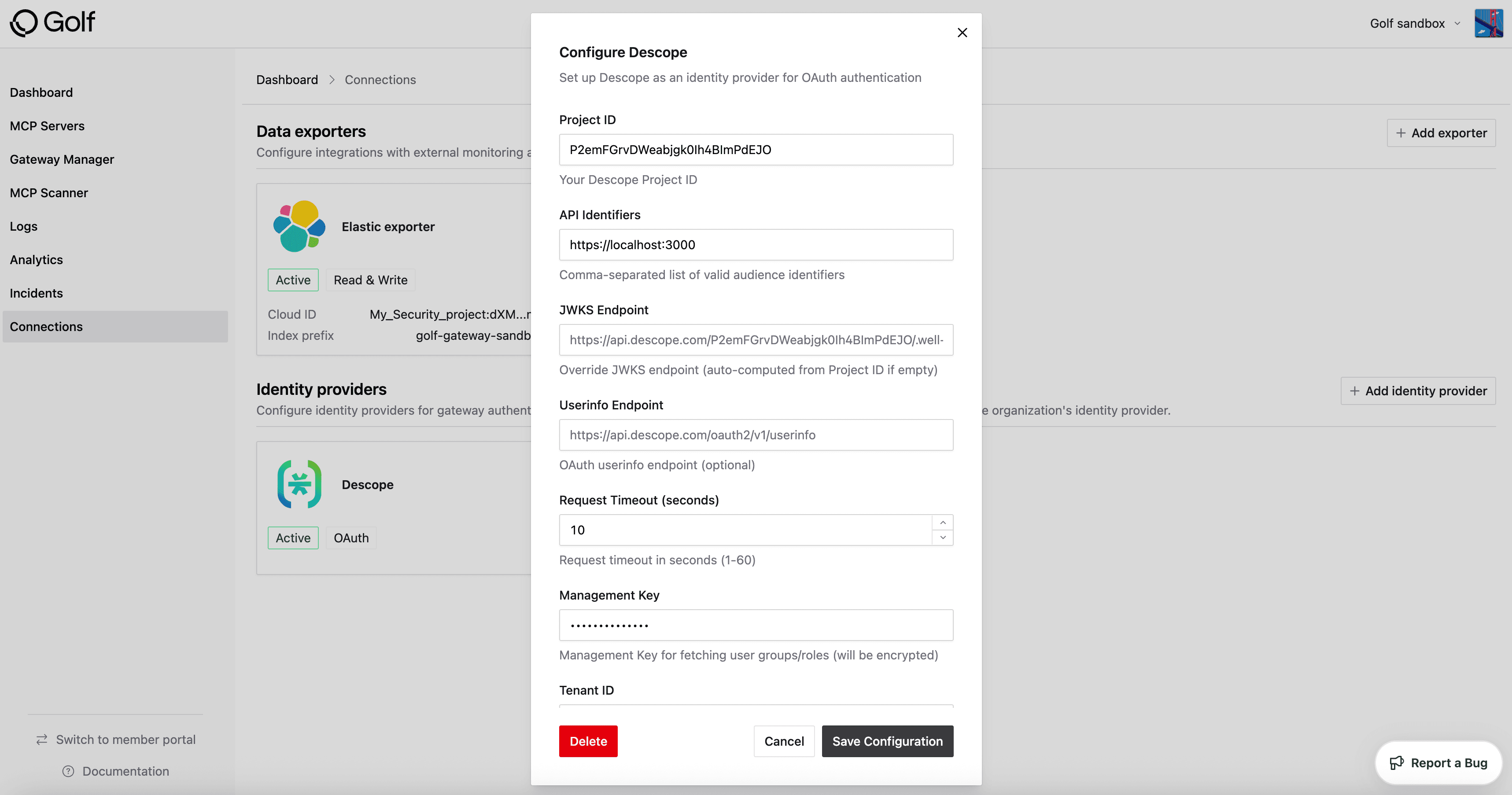
Required Configuration Values
When configuring Descope as an identity provider in Golf.dev Gateway, use the following values:
Required
- Project ID - Your Descope Project ID
- Issuer URL -
__BaseURL__/v1/apps/customized/__ProjectID__ - API Identifiers - Comma-separated list of valid audience identifiers that Golf.dev will accept from your Descope token
Optional
- JWKs Endpoint - Auto-generated from your Project ID as
__BaseURL__/__ProjectID__/.well-known/jwks.json, but can be overridden if needed - UserInfo Endpoint - Optional endpoint if you want Golf.dev to query user information from the OAuth endpoint
- Request Timeout - Default is 10 seconds. Valid range is 1-60 seconds
- Management Key - Required for Golf.dev to retrieve user information, including role information for role synchronization
- Tenant ID - Required if you want to get tenant role information for tenant-scoped role synchronization
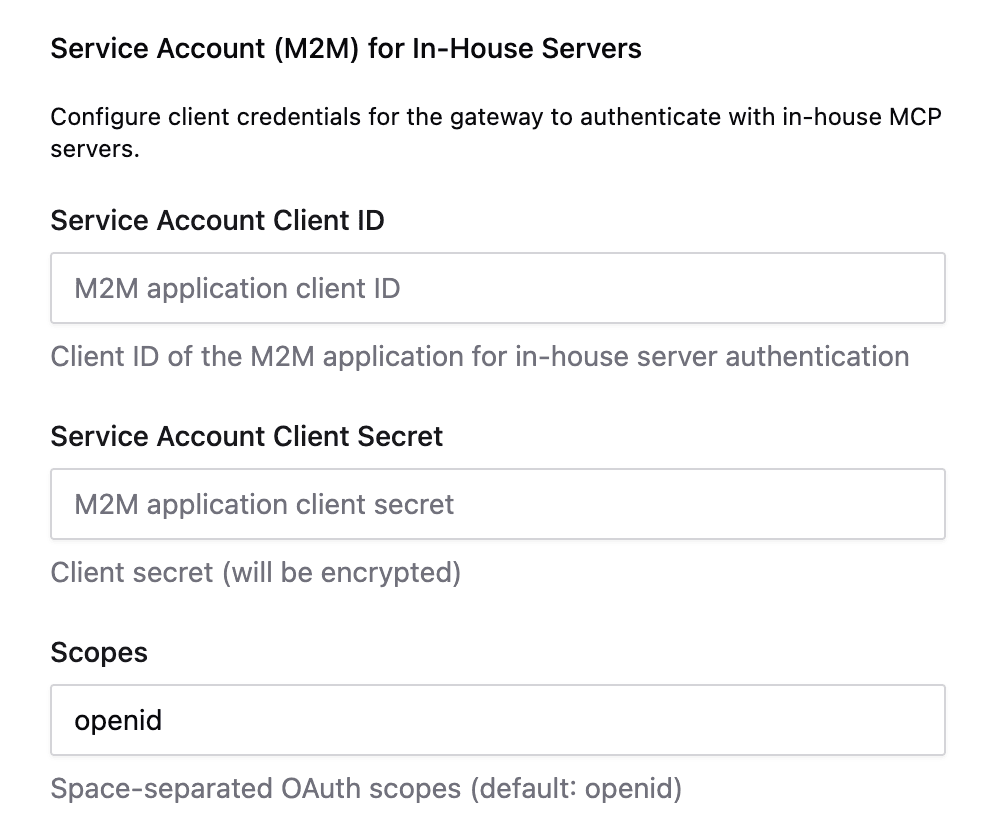
Service Account (M2M) for In-House Servers
If you have MCP servers that you've built in-house and are static clients (that don't dynamically register), you can use a Service Account (Machine-to-Machine) configuration:
- Client ID - Service account client ID from Descope
- Client Secret - Service account client secret from Descope
- Scopes - OAuth scopes required for the service account
This allows Golf.dev Gateway to authenticate to your in-house MCP servers using the service account credentials.
Role Synchronization
When role sync is enabled:
- Descope roles are mapped to Golf.dev Gateway groups
- Access is evaluated using the assoiated Descope role
- Tenant-scoped roles are supported
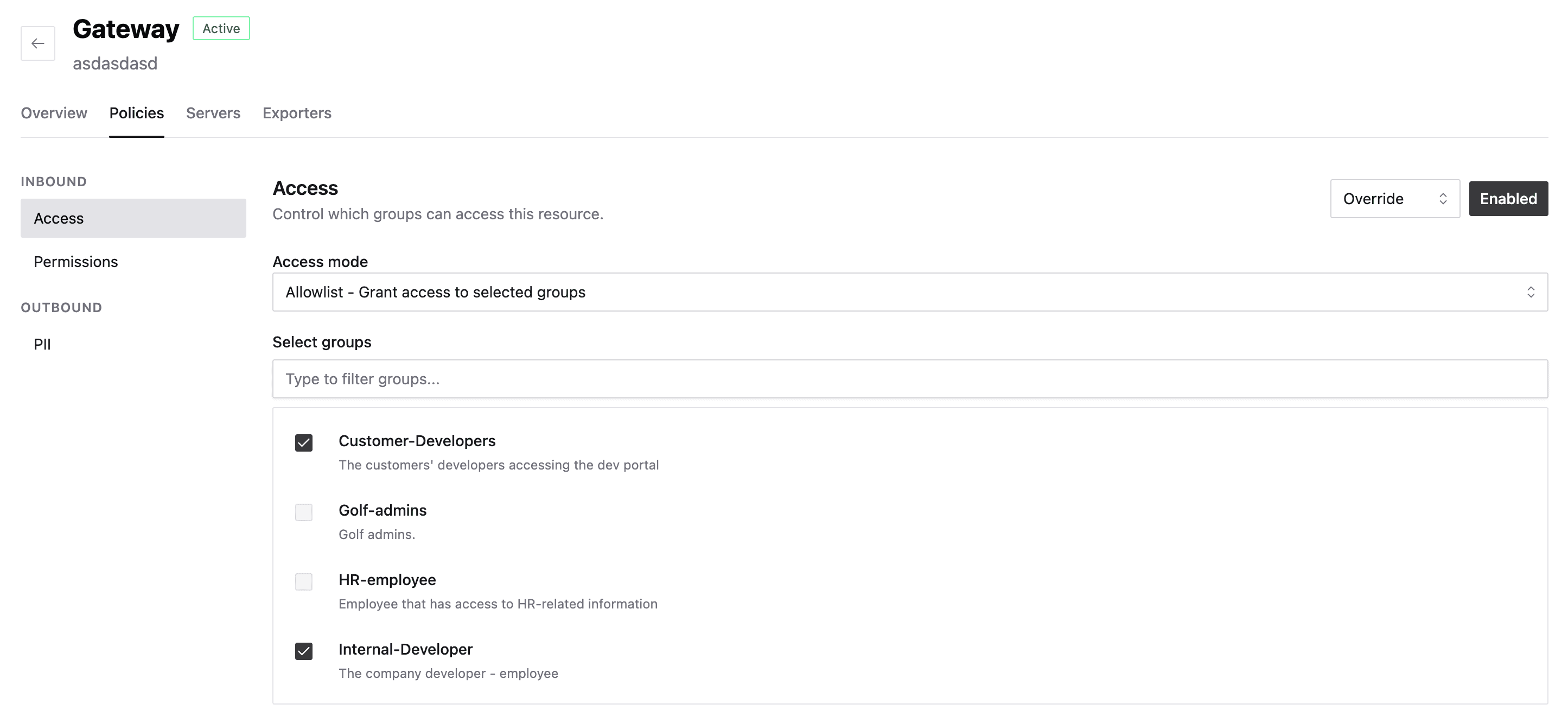
An example of role sync is a user with the role finance-analyst can call the getInvoices tool but not the writeLedger tool.
If you're building your own MCP server, you can configure the authorization server for it with MCP Servers.
Once you've connected your MCP server to Descope and want to set up RBAC for your MCP server, you can do the following in Golf.dev: