Client-Initiated Backchannel Authentication (CIBA)
Some clients cannot show a login screen. A CLI, a voice assistant, a kiosk, or an autonomous agent may need a person to approve a request without ever having a browser to redirect them into. Client-Initiated Backchannel Authentication (CIBA) is the OAuth 2.0 extension that covers those decoupled or headless cases.
Instead of redirecting the user, Descope sends them an out-of-band message, for example an email, with a link to log in and approve the request on a separate device.
CIBA is available to confidential clients only and is off by default. You would enable it per app under Grant Types, and the same settings apply to Agentic Clients.
How CIBA Works
With CIBA enabled on an inbound app:
- A client application sends a backchannel authentication request to Descope on behalf of a user, and gets back an
auth_req_idfor the pending request. - Descope sends the user an out-of-band message (for example, an email) that contains a link to log in and approve or deny the request.
- The user authenticates and approves the request using a standard login/consent experience.
- Meanwhile, the client periodically polls the Descope
/tokenendpoint with theauth_req_id. Until the user finishes, the request is still pending. - Once the user approves, Descope returns the usual OAuth token set (access token, refresh token, ID token).
Select any step to see what happens. The client never redirects the user. Descope contacts them directly, and the client polls until they answer.
CIBA Configuration
At the inbound app level, CIBA is controlled through the app's CIBA settings, which include:
- Enable CIBA - Turns backchannel authentication on for this inbound app.
- Connector - Which email provider configuration Descope should use to send CIBA approval emails, plus an optional fallback provider.
- Template - The HTML template to use for the out-of-band approval message.
- Link Expiration - How long the link in the out-of-band message remains valid before expiring.
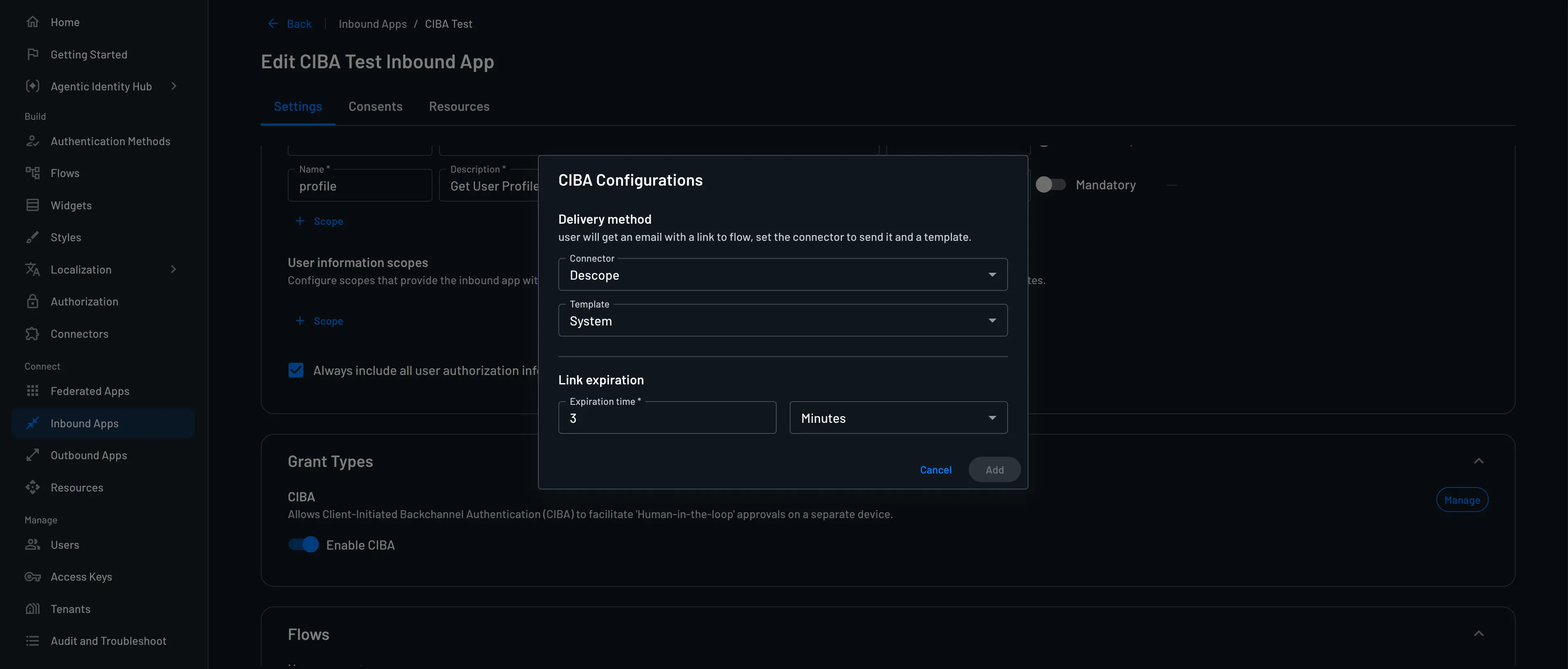
Once CIBA is enabled and templates are configured, clients can use the inbound app's backchannel authentication endpoint (exposed via the inbound app's well-known) to start CIBA flows and then poll the /token endpoint until the user completes authentication.
Configuring the CIBA Flow
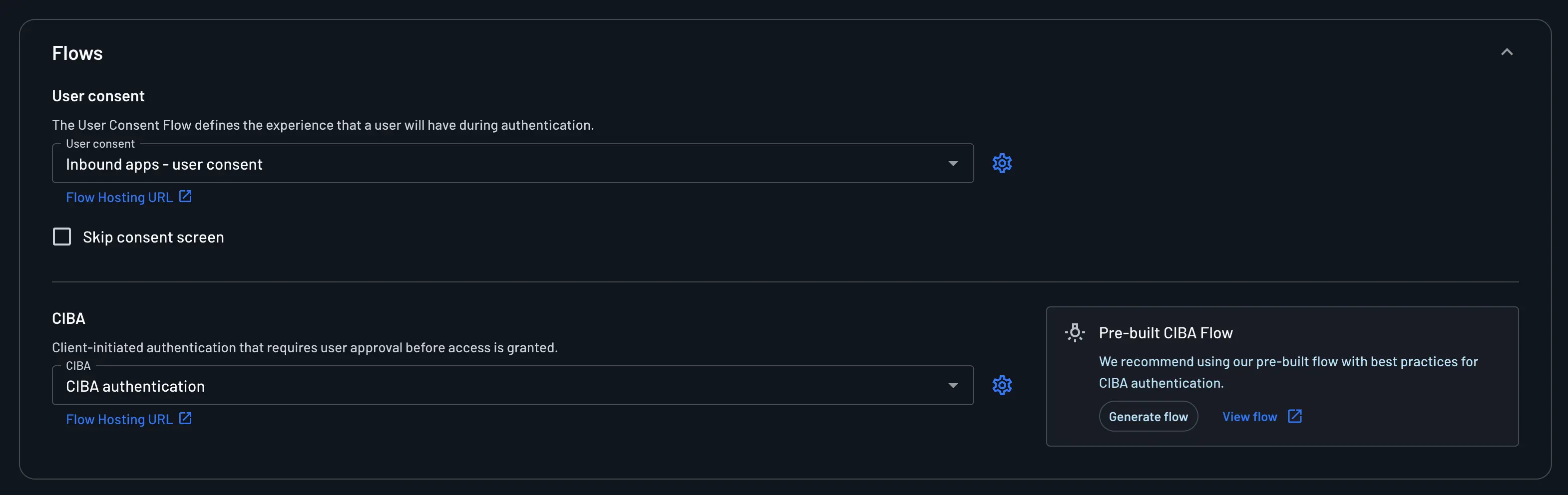
After the initial CIBA connection settings, you can also configure which Descope flow should run when a user approves the backchannel authentication request.
In the Flows section of the inbound app's CIBA settings, you have two options:
-
Use the pre-built CIBA flow (recommended): Descope provides a best-practice flow for authenticating the user and completing the CIBA approval process; click Generate Flow to create it, or open the CIBA Authentication template.
-
Build your own flow and select it: If you need custom screens or additional approval logic, you can create your own flow and select that flow for CIBA.
If you choose a custom flow, it must include all required CIBA behavior:
- CIBA User Code Verification — verifies the user code in the approval link and binds the session to the pending request.
- CIBA Approval — records whether the user approved or denied the pending CIBA request.
- A completion path for both outcomes:
- Approve: completes the CIBA transaction so
/tokenpolling can return tokens. - Deny: rejects the CIBA transaction so polling clients receive a denial/failed result.
- Approve: completes the CIBA transaction so
Without CIBA Approval in the flow, the backchannel request remains incomplete and the client polling
/tokenwill not receive a successful token response. See Consent Flows for Inbound Apps for the recommended pattern.