Sub-tenants
Sub-tenants allow you to create multi-level hierarchical structures within your tenant organization. This guide explains how sub-tenants work and how to manage them effectively:
- A tenant can have multiple sub-tenants
- Sub-tenants can have their own sub-tenants (nested hierarchy)
- Each sub-tenant has exactly one parent (either a tenant or another sub-tenant)
- Sub-tenants inherit certain configurations while maintaining independent control over others
A tenant can have multiple sub-tenants, and sub-tenants can nest further, but each sub-tenant has exactly one parent. Inheritance flows downward only: a sub-tenant can inherit users and roles from its parent (see Role Inheritance), and membership on a sub-tenant never grants access back up to the parent.
Creating Sub-tenants
Currently, the creation of sub-tenants is only supported through the Tenants page of the Descope Console or through our API.
You can create a sub-tenant in either of these places:
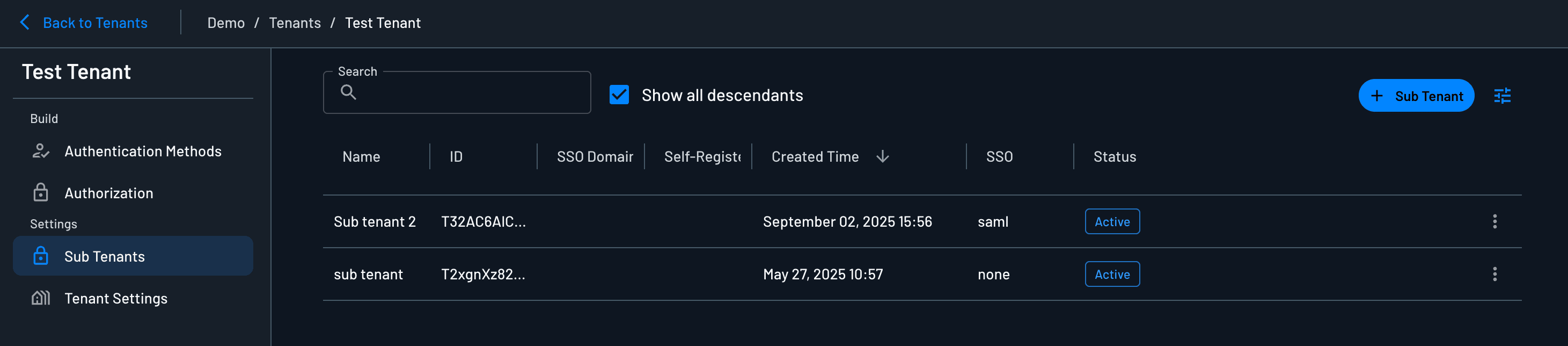
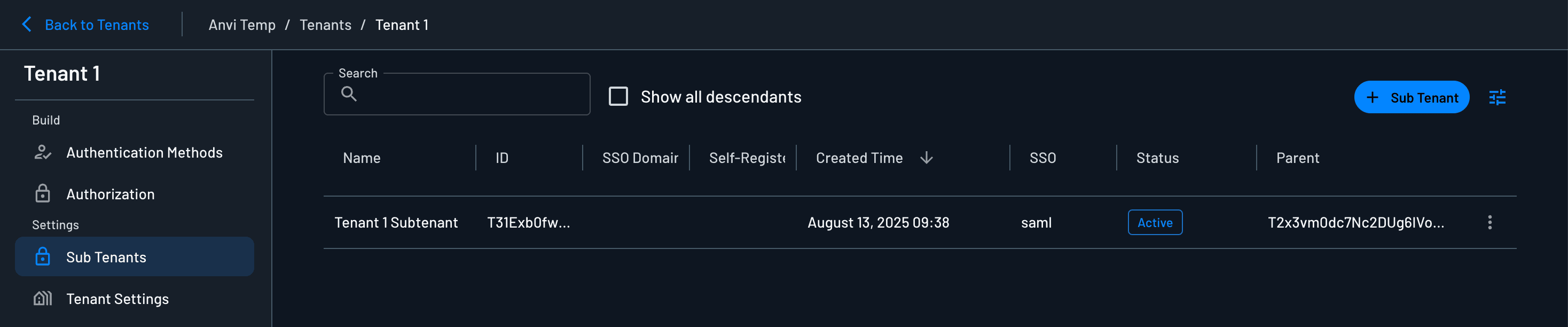
- Inside a tenant: open the parent tenant, go to Settings → Sub-tenants, and create a child tenant there.
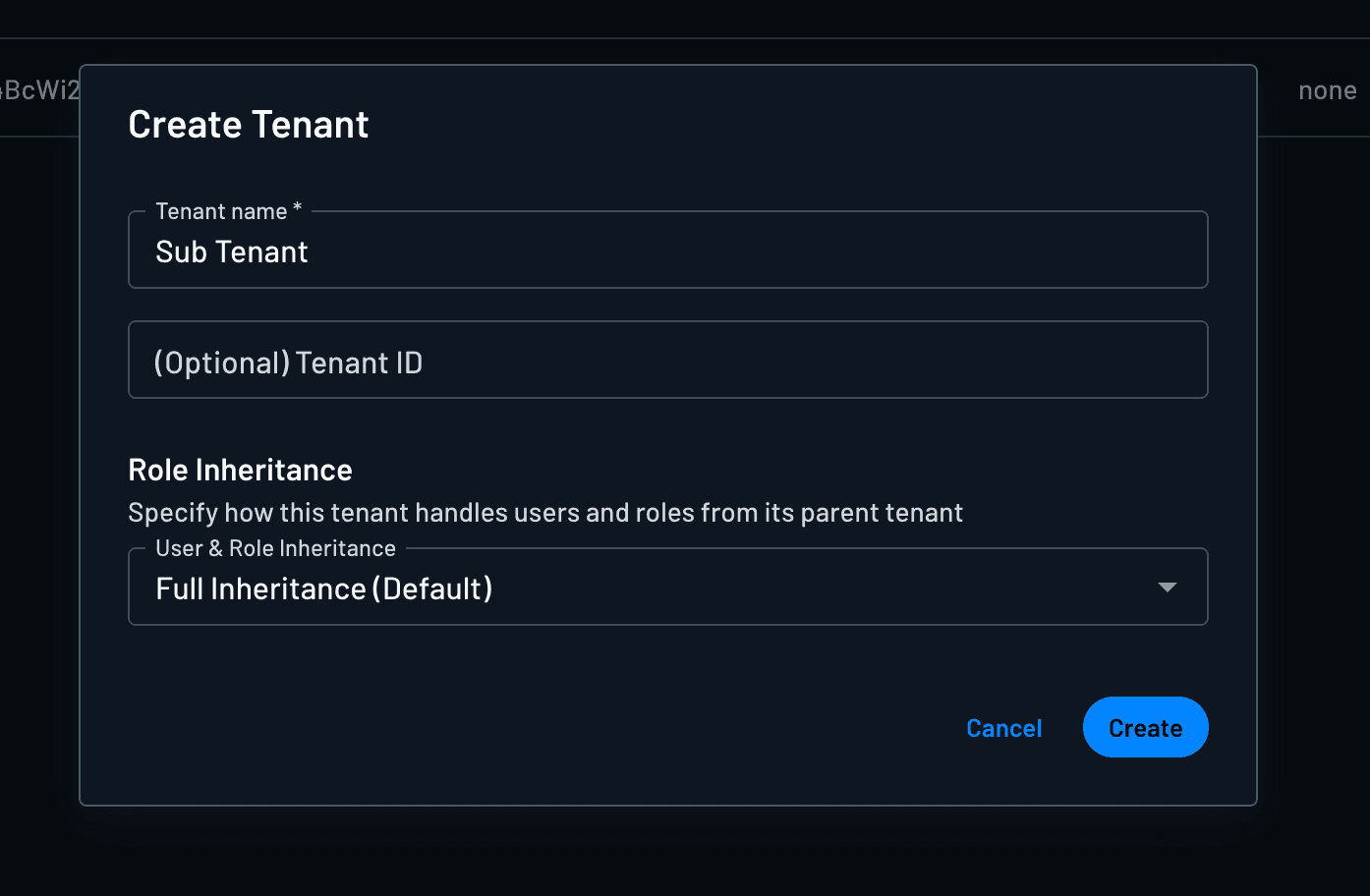
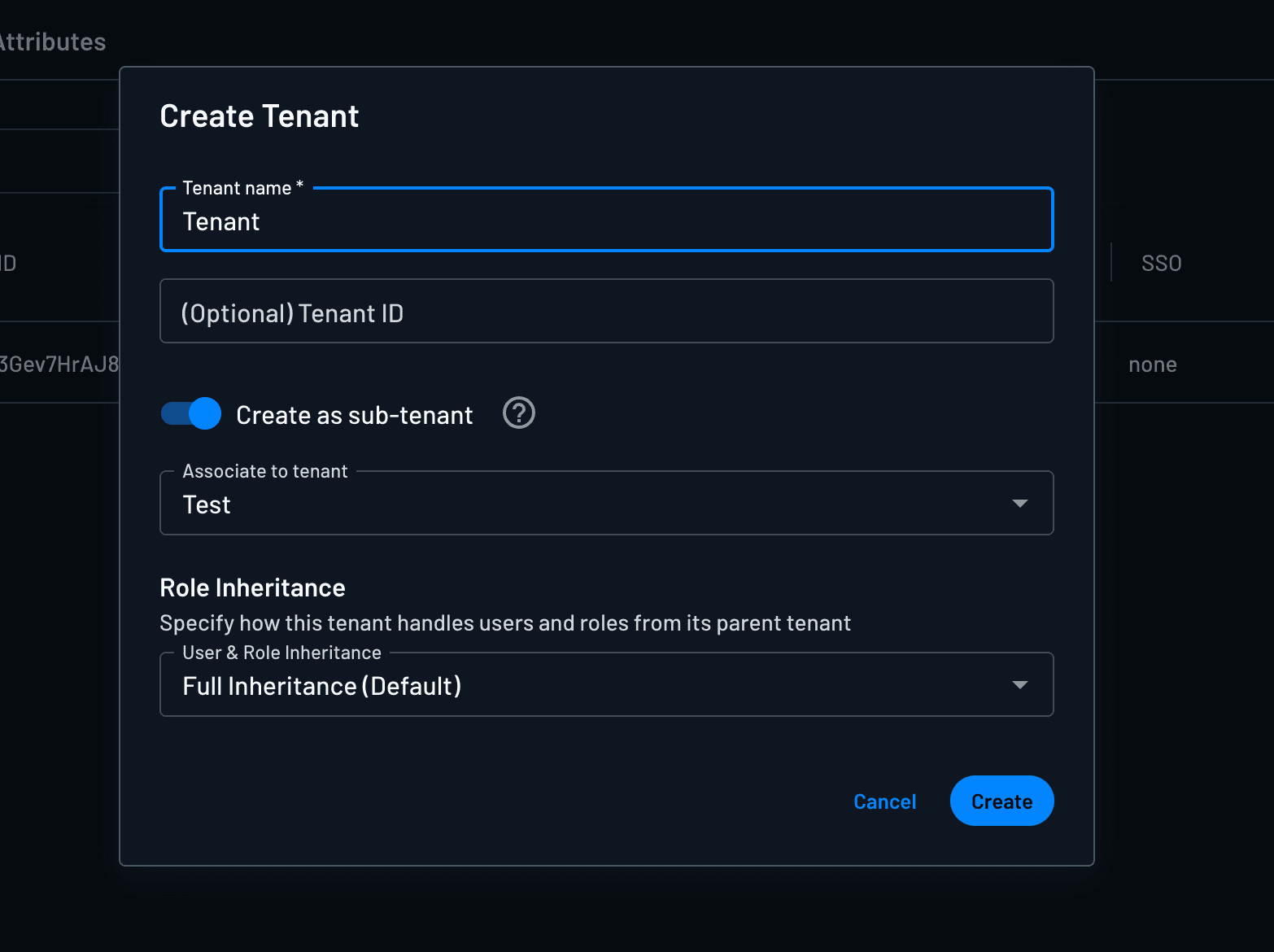
- From the main Tenants page: create a new tenant, toggle on Create as sub-tenant, and select an existing tenant or sub-tenant as the parent.
When you create a sub-tenant, you can set Role Inheritance, which controls how the sub-tenant handles users and roles from its parent tenant:
| Option | Behavior |
|---|---|
| Full Inheritance | Sync all users and assigned roles from the parent tenant |
| User only | Sync users from the parent; roles are assigned locally on the sub-tenant |
| None | Disable inheritance for both users and roles |
Note
Inheritance only flows downward: roles or membership on a sub-tenant do not grant access to the parent.
You can also manage existing sub-tenants from the Sub-tenants tab in the parent tenant's Settings. To see a complete hierarchy, including nested sub-tenants, you can select the Show all descendants checkbox.
Roles from Parent Tenants
Available on request
Roles from parent tenants are not available in sub-tenants by default. Contact Descope Support to enable this for your project.
A sub-tenant can use the roles defined on any tenant above it in the hierarchy, in addition to its own roles and project-level roles. This lets you define a role once on a higher-level tenant and assign it to users in every sub-tenant below it, instead of recreating the same role in each one.
A sub-tenant can assign these roles:
| Role type | Defined on |
|---|---|
| Tenant roles | The sub-tenant itself |
| Inherited roles | Any ancestor tenant: its parent, the parent's parent, and so on |
| Project roles | The project |
- Separate from Role Inheritance: The Role Inheritance setting controls whether users and their assigned roles sync down from the parent. Parent tenant roles are available in a sub-tenant whichever option is set, including User only and None.
- Same-name roles: If more than one level defines a role with the same name, the closest one is used: the sub-tenant's own role, then the nearest ancestor's role, then the project-level role.
- Read-only in sub-tenants: An inherited role can only be edited or deleted on the tenant that defines it. In a sub-tenant, you can duplicate it to create an editable copy.
In the Descope Console:
- On a sub-tenant's Authorization tab, roles from parent tenants are marked Inherited.
- When you invite or edit a user, the role list is grouped into Tenant Roles, Inherited Roles, and Project Roles. Each inherited role shows the tenant it comes from.
Roles from parent tenants can also be assigned through the Management API and SDKs, the same way as the sub-tenant's own roles.
Sub-tenant Configurable Features
Sub-tenants support independent configuration of many features. See the relevant documentation for details:
Authentication and Session Settings
Authentication settings follow specific inheritance rules:
- SSO Configuration: Can either be
- Inherited from the parent tenant (only group mapping and SSO domain are editable)
- Created independently for the sub-tenant
- Password Settings: Always inherited from the parent tenant
- Session Management: Always inherited from the parent tenant
JWT Structure
Sub-tenants appear in the session JWT under the same tenants map as any other tenant. Each key is a tenant ID with that tenant's roles and permissions. Parent and sub-tenant IDs sit at the same level — the claim does not encode hierarchy.
For example, a user has the Partner role only on Tenant 1, and Tenant 1 has one sub-tenant (Tenant 1 Sub-tenant):
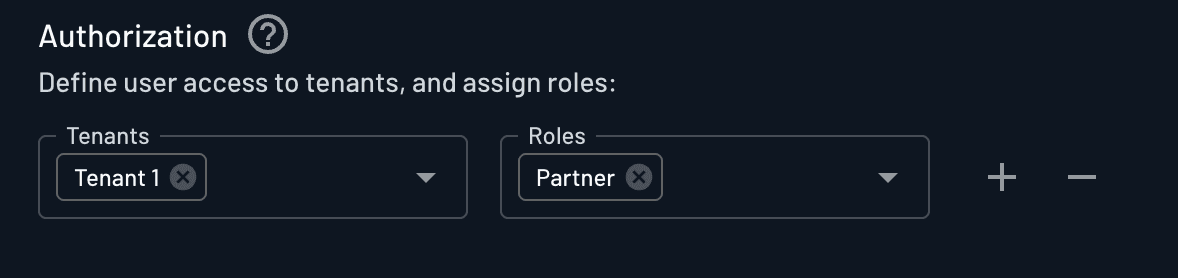
{
  "tenants": {
    "<Tenant 1 ID>": {
      "permissions": [],
      "roles": ["Partner"]
    },
    "<Tenant 1 Sub-tenant ID>": {
      "permissions": null,
      "roles": ["Partner"]
    }
  }
}
Both IDs appear the same way. If your app needs to tell parents from sub-tenants:
- Add the
tenant.subtenantclaim with a JWT Template or Custom Claims action. This dynamic value returnstrueif the tenant has a parent,falseotherwise. - Look up the tenant with Load Tenant by ID or Search Tenants if you need the full hierarchy. Each tenant includes
parent(empty for top-level) andsuccessors(direct sub-tenant IDs), so you can rebuild the hierarchy server-side.
Note
Claims set from tenant.subtenant or a custom tenant attribute only reflect the currently selected tenant (dct).
They do not describe hierarchy for every tenant the user belongs to.