Alloy Connector
This connector integrates with Alloy to provide identity verification and fraud monitoring through Alloy's Journey and Events APIs.
Descope's Alloy connector lets you submit entities to Alloy Journeys and send lifecycle events for ongoing monitoring, then branch your flows using the responses.
Configuring the Alloy Connector
To integrate the Alloy connector, follow the steps below:
Navigate to Connector
- Visit the Connectors page in the Descope Console.
- Choose Alloy from the list of connectors.
Connector Setup
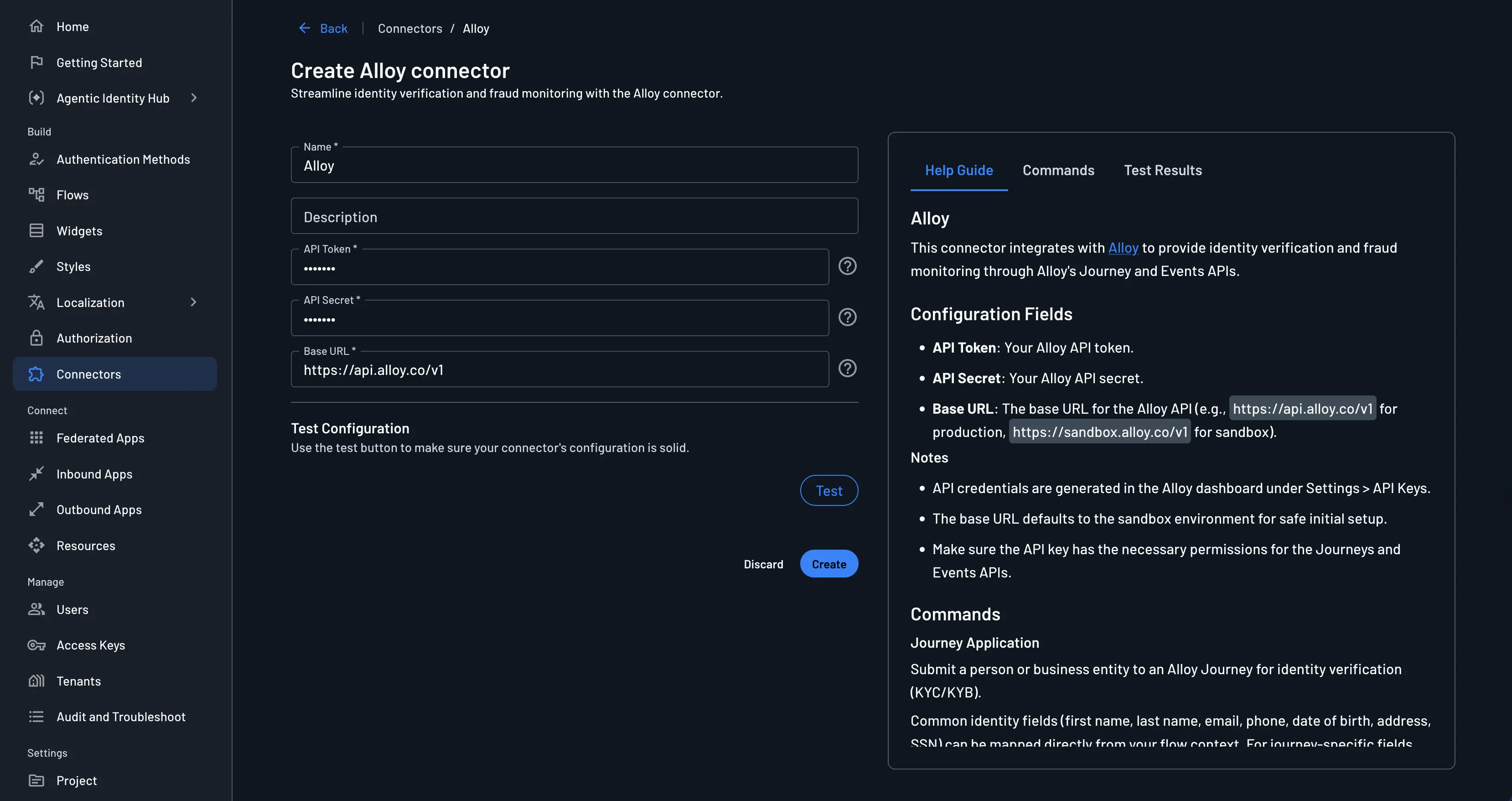
Configure the following fields:
- Connector name: Assign a custom name for your connector, especially useful when using multiple connectors originating from the same template.
- Connector description: (Optional) A short description of how you use this connector.
- API token: The Alloy API token.
- API secret: The Alloy API secret.
- Base URL: The base URL for the Alloy API, for example:
https://api.alloy.co/v1(production) orhttps://sandbox.alloy.co/v1(sandbox).
Test & Save
- Use the Test button to verify your configuration. The test performs an authenticated request to the Alloy API to confirm that the credentials and base URL are correct.
- When the test succeeds, click Create to save the connector.
Implementing the Alloy Connector
Warning
Place Alloy connector steps after screens or actions that collect the identity and context fields you map into the connector (for example, name, email, address).
1. Select or Create a Flow
Navigate to Flows in the Descope Console and open an existing flow or create a new one.
2. Integration
Click the blue + icon in the flow builder and select Connector, then select the Alloy action steps.
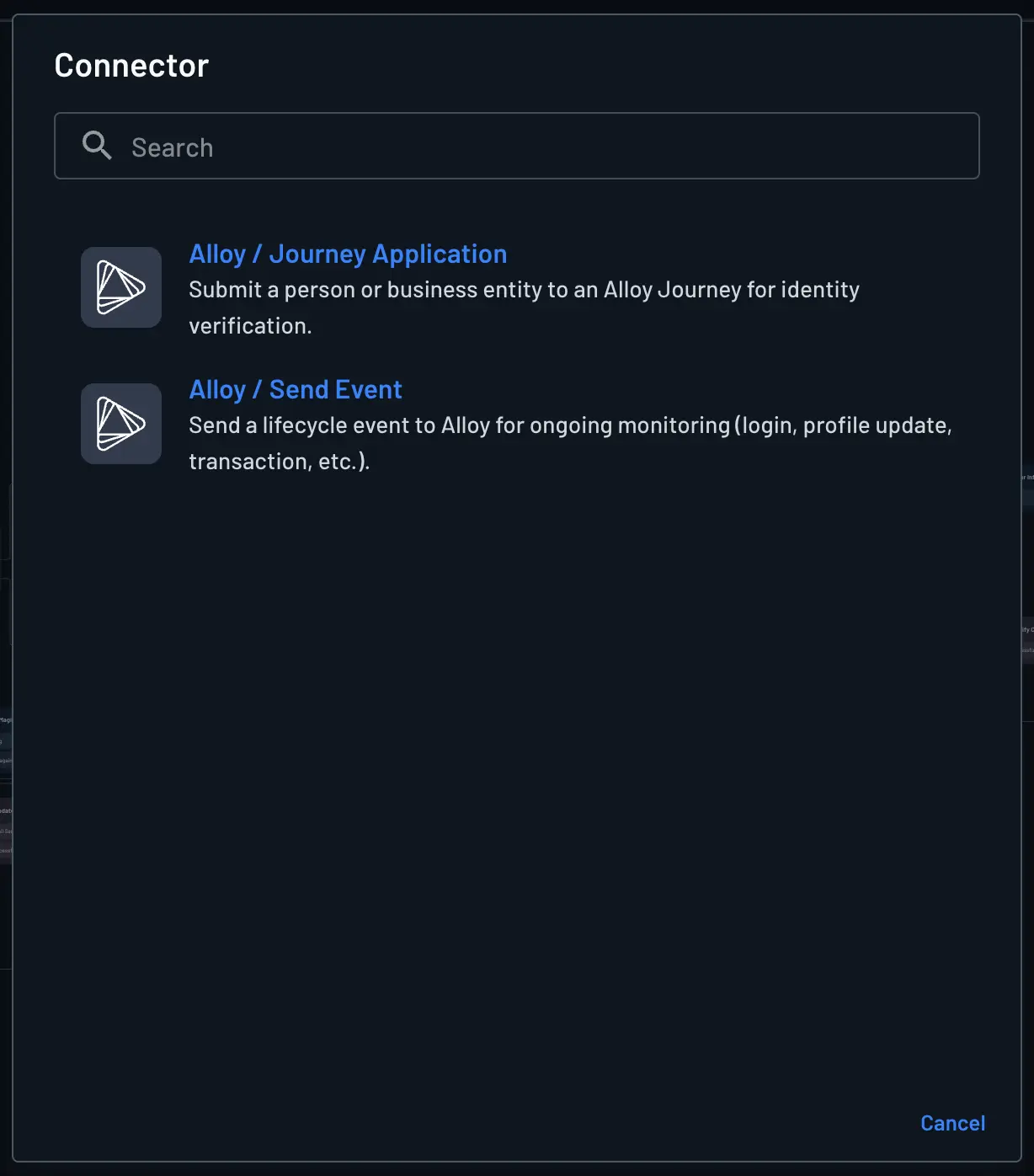
Alloy / Journey Application
Submits a person or business entity to an Alloy Journey for identity verification (KYC/KYB). You can map common identity fields from your flow context—such as first name, last name, email, phone, date of birth, address, and SSN—and supply any journey-specific fields that are not covered by explicit parameters through the Additional entity data object.
After a Journey Application step runs, you can access the results in the flow context under the key connectors.alloy_journeyApplication.
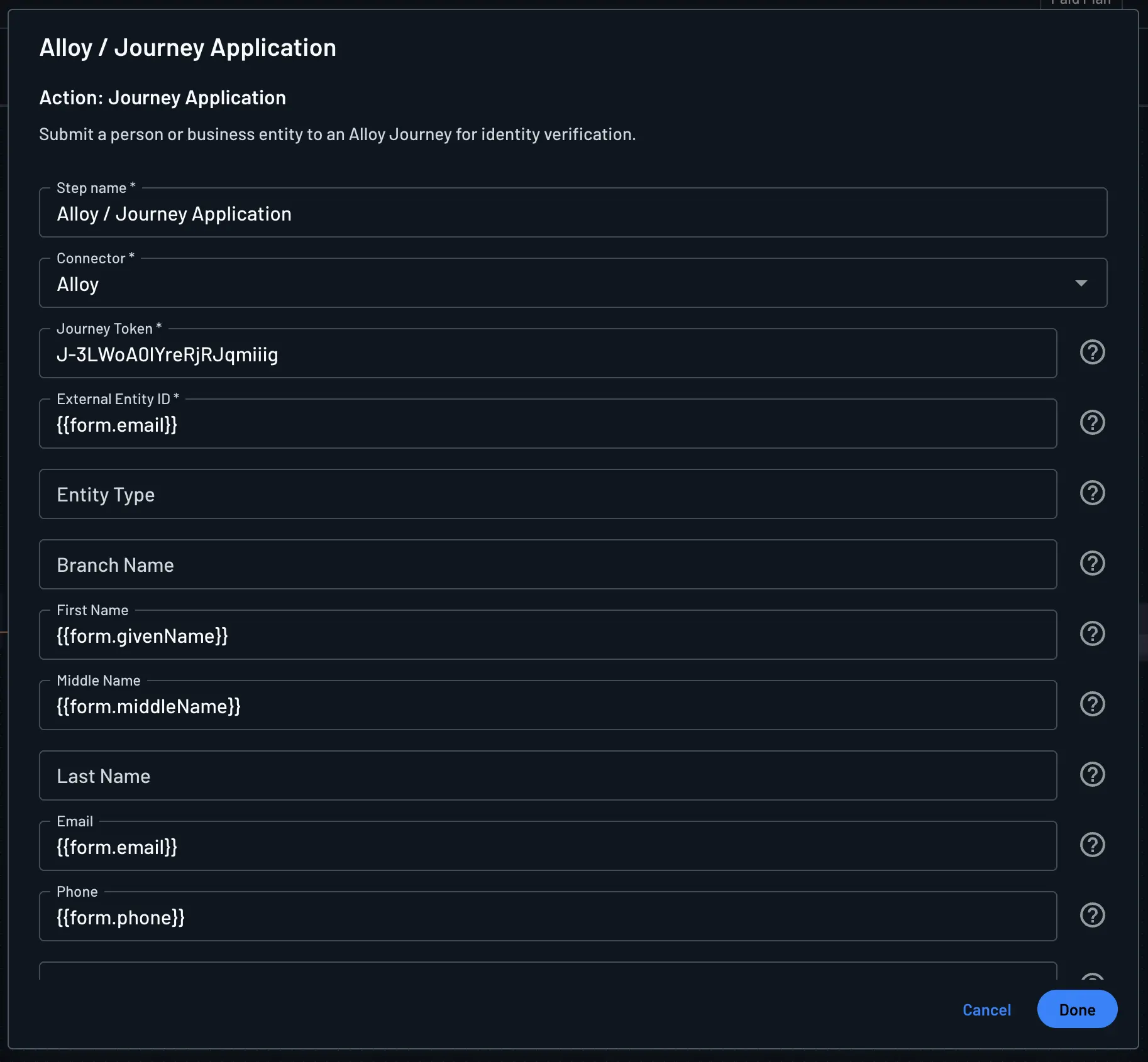
For the complete response shape, see the Alloy Journey Applications API reference.
Alloy / Send Event
Sends lifecycle events to Alloy for ongoing monitoring. Supported event types include login, person_created, person_updated, transaction, credentials_updated, and others defined by Alloy. You must supply at least one entity identifier: either an external entity ID (your own id, such as the Descope login id used when the journey was created) or an entity token from Alloy’s journey response.
Important
Each event type can require specific fields in the Event data parameter. For example, a login event expects login_method with one of: biometric, password, passwordless, sso. See the Alloy Events API reference for type-specific requirements.
After Send Event, you can access the results in the flow context under the key connectors.alloy_sendEvent.
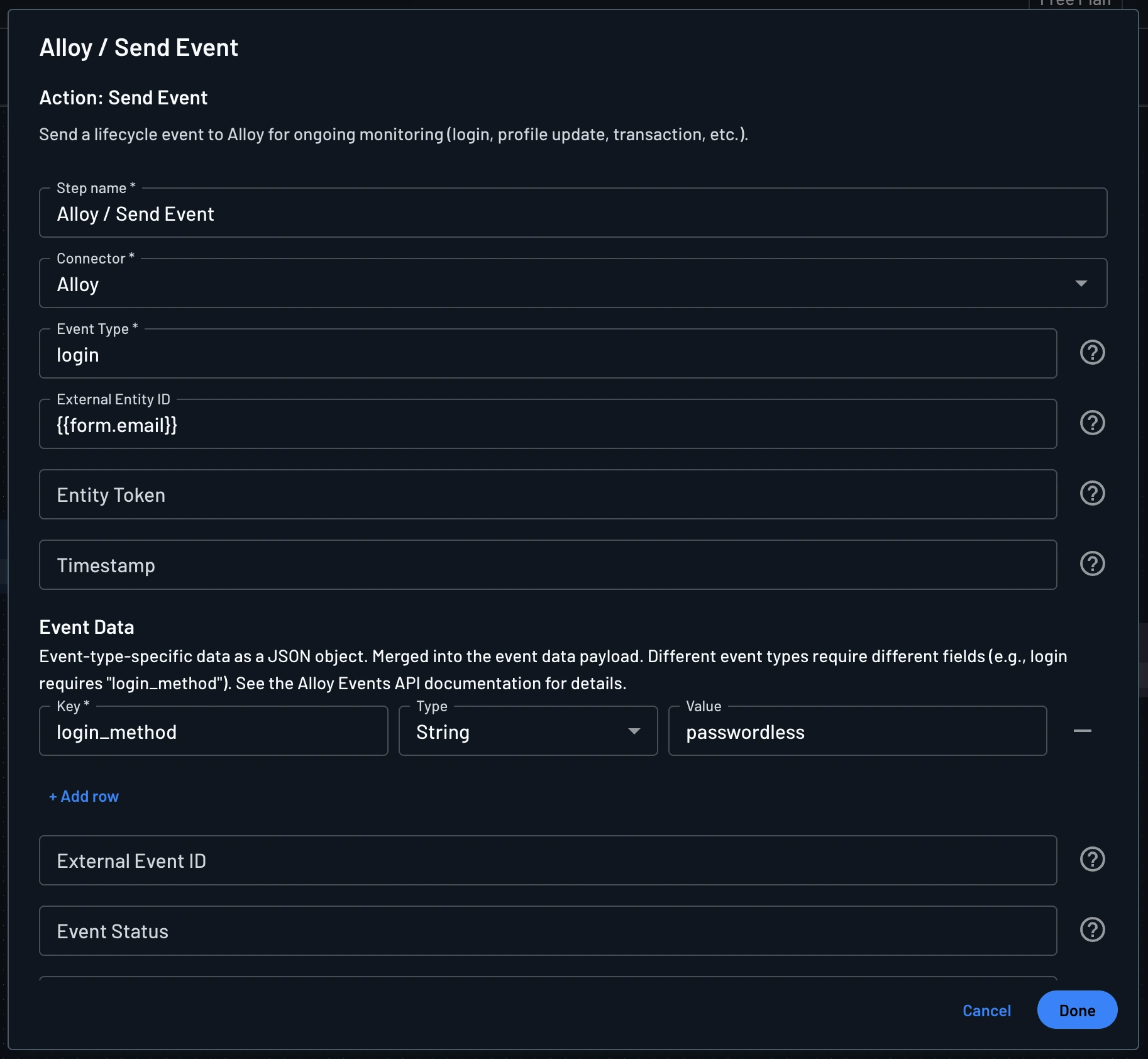
Refer to the Alloy Events API reference for full field documentation.