Reassigned Connector
Descope's Reassigned connector integrates Reassigned's RND (Reassigned Number Database) to detect whether a phone number's owner has changed since a specific date. This connector helps protect against phone number recycling fraud, where threat actors exploit recently reassigned phone numbers to gain unauthorized access to accounts or intercept sensitive communications.
Phone number recycling occurs when carriers reassign inactive numbers to new subscribers. Without proper checks, legitimate authentication messages or account recovery codes may be delivered to unintended recipients, creating security vulnerabilities.
Note
The Reassigned connector relies on the external Reassigned Numbers Database (RND). Response times, uptime, and the freshness of results are determined by the RND service, which is not real-time and may only be updated monthly.
Setting Up the Reassigned Connector
To integrate the Reassigned connector, follow the steps below:
1. Navigate to Connector
- Visit the Connectors page in the Descope Console.
- Choose Reassigned from the list of connectors.
2. Connector Setup
Set up the necessary inputs:
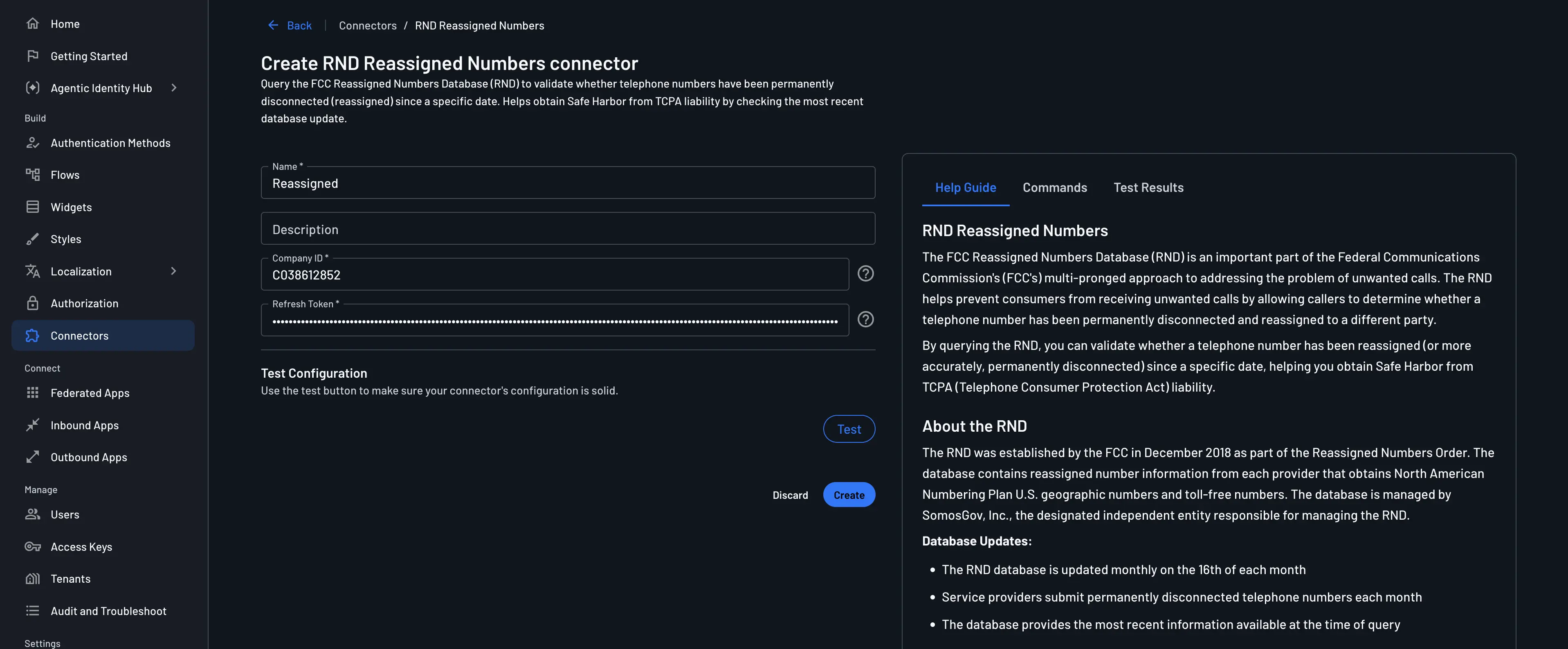
- Connector Name: Assign a unique name to your connector for easy identification, particularly useful when using multiple connectors of the same type.
- (Optional) Connector Description: Summarize the purpose of your connector.
- Company ID: Your RND company ID (e.g., C038612852). Retrieve this from your RND account under Account -> Company -> Company ID.
- Refresh Token: Your RND refresh token for authentication. Retrieve this from your RND account under Account -> API Credentials.
Note
You must be registered as a Caller or Caller Agent in the RND and have an active subscription to use this connector. Registration and subscription information can be found here.
3. Test & Save
- Validate your configuration by clicking the
Testbutton and observing theTest Resultssection. - Conclude the setup process by selecting
Create.
Implementing the Reassigned Connector in a Flow
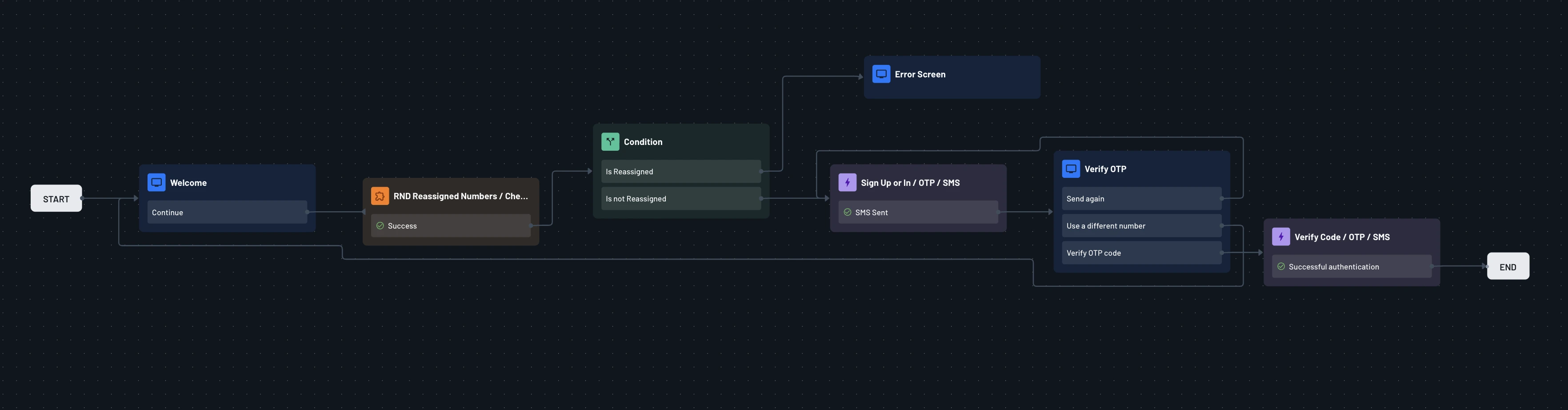
This flow demonstrates how the Reassigned connector is utilized to check if a phone number has been reassigned since a specific date, helping you identify potential security risks from phone number recycling.
1. Select or Create a Flow
- Access your Dashboard -> Flows.
- Select an existing flow or create a new one.
2. Integration
Click on the blue plus sign inside the flow builder and choose "Connector". You should be able to see the new connector action as shown below:
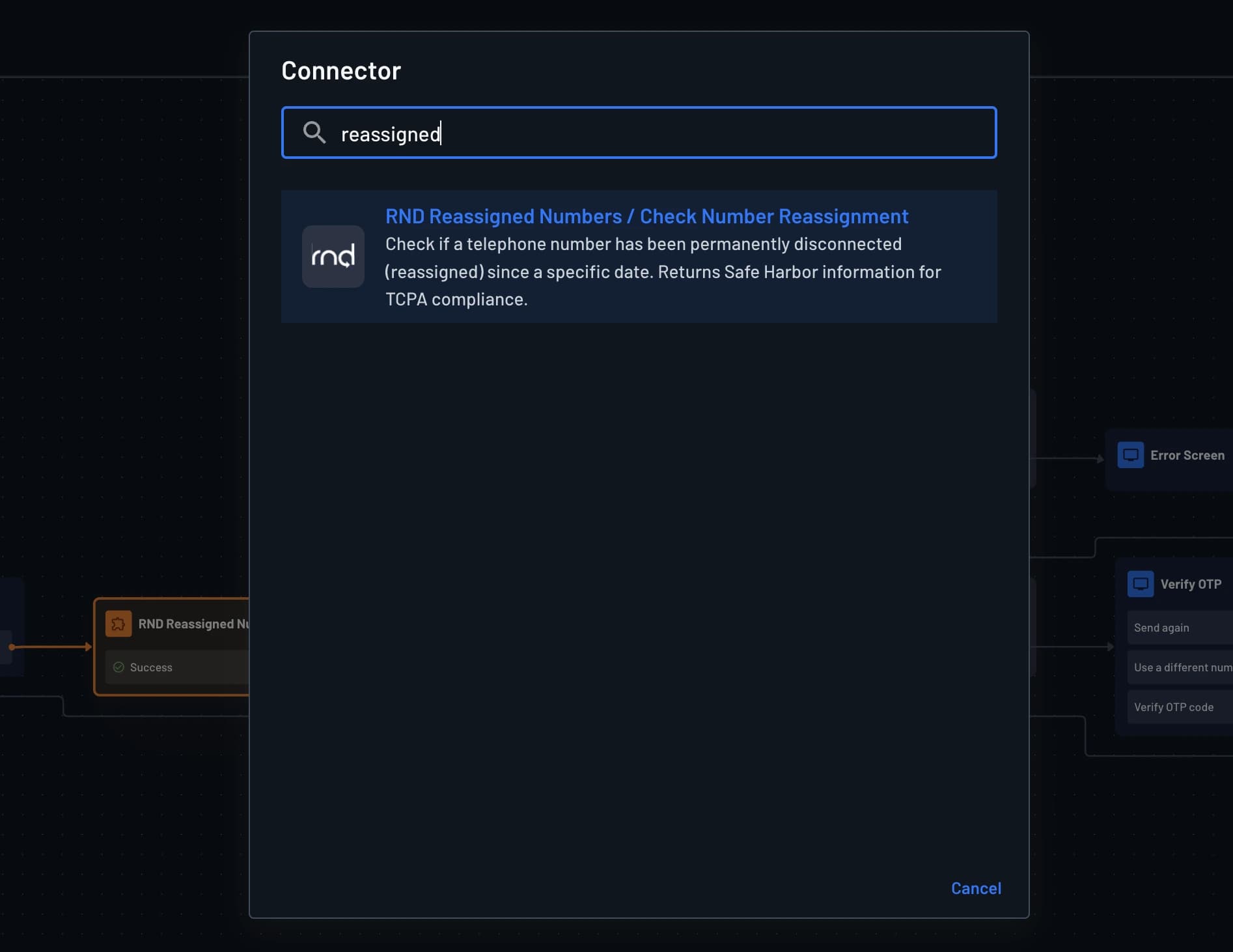
To check if a phone number has been reassigned, use the RND Reassigned Numbers / Check Number Reassignment connector action in your flow configuration. This action queries the RND database and returns whether the phone number has been disconnected and reassigned.
You need to provide the Last Known Contact Date in YYYY-MM-DD format (e.g., 2024-01-15). This is the date when you last had contact with the consumer or when they provided consent. Typically, use the current date when checking during sign-up or phone number updates.
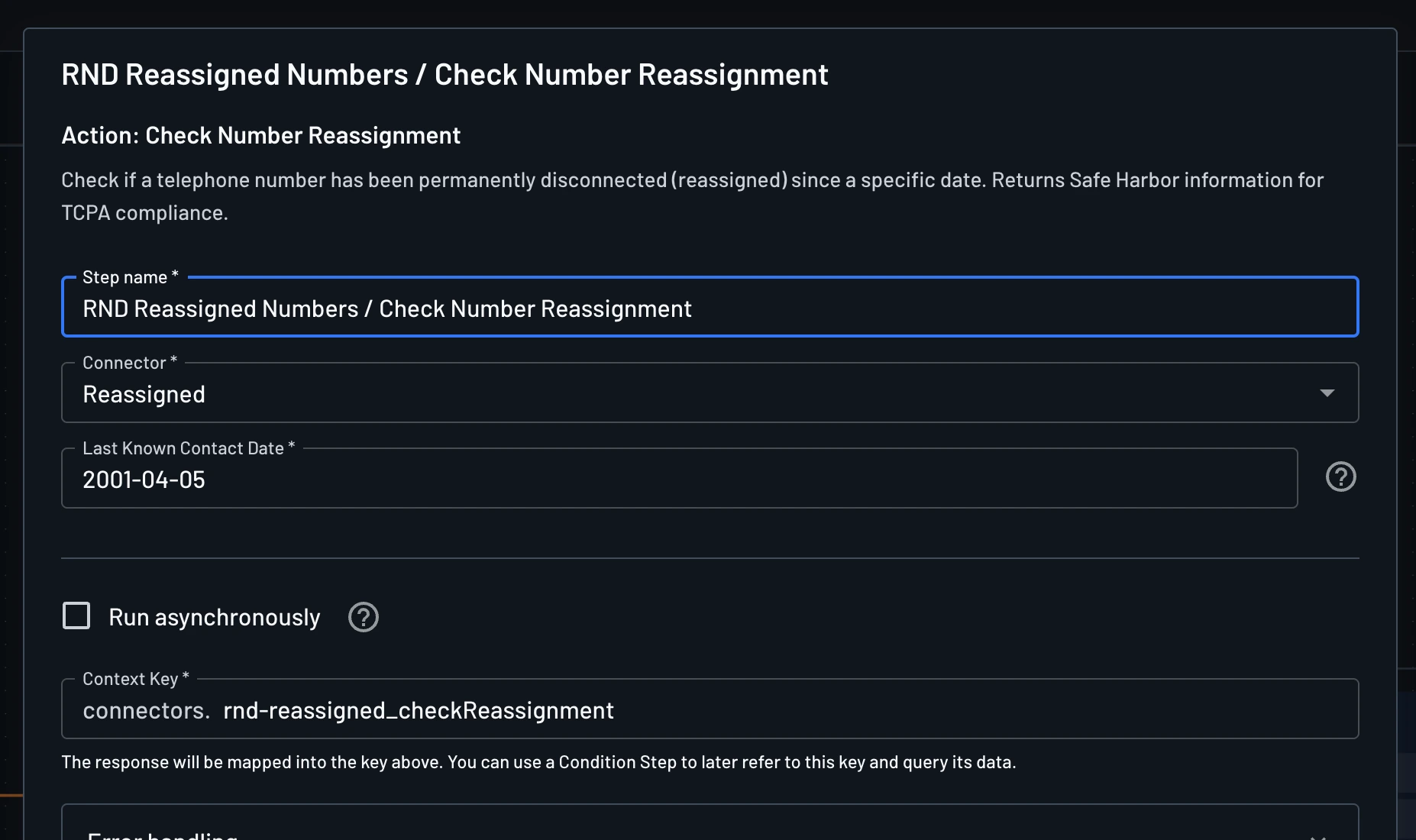
The connector will return a boolean value in the connectors.rnd-reassigned_checkReassignment context key, indicating whether the phone number has been disconnected and reassigned.
In conditions, use the connectors.rnd-reassigned_checkReassignment.disconnected context key to evaluate the result and block the user if the phone number has been disconnected and reassigned.
This is an example of a flow that uses the Reassigned connector to check if a phone number has been disconnected and reassigned: