Bitsight Connector
Descope's Bitsight connector enables you to integrate security rating assessments into your authentication flows, allowing you to make risk-based decisions about user access based on their organization's security posture.
Setting up the Bitsight Connector
To integrate the Bitsight connector, follow the steps below:
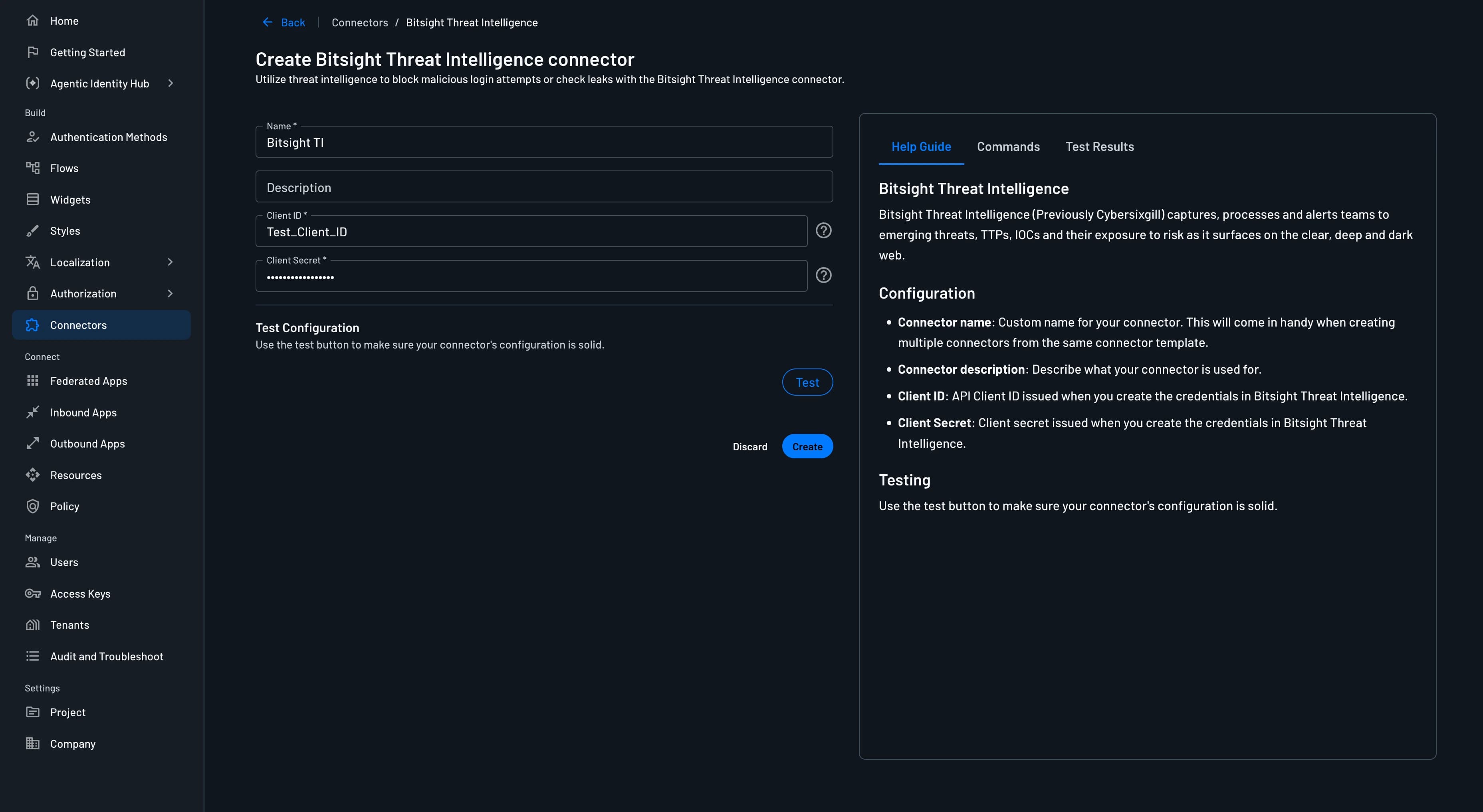
1. Navigate to Connector
- Visit the Connectors page in the Descope Console.
- Choose Bitsight from the list of connectors.
2. Connector Setup
Set up the necessary inputs:
- Connector name: Assign a custom name for your connector, especially useful when using multiple connectors originating from the same template.
- Connector description: (Optional) A brief description of your connector's purpose.
- Client ID: API Client ID issued when you create the credentials in Bitsight Threat Intelligence.
- Client Secret: Client secret issued when you create the credentials in Bitsight Threat Intelligence.
3. Test & Save
- Validate your configuration by clicking the
Testbutton and observing theTest Resultssection. - Conclude the setup process by selecting
Create.
Implementing the Bitsight Connector
1. Select or Create a Flow
- Access your Dashboard -> Flows.
- Opt for an existing flow or generate a new one.
2. Integration
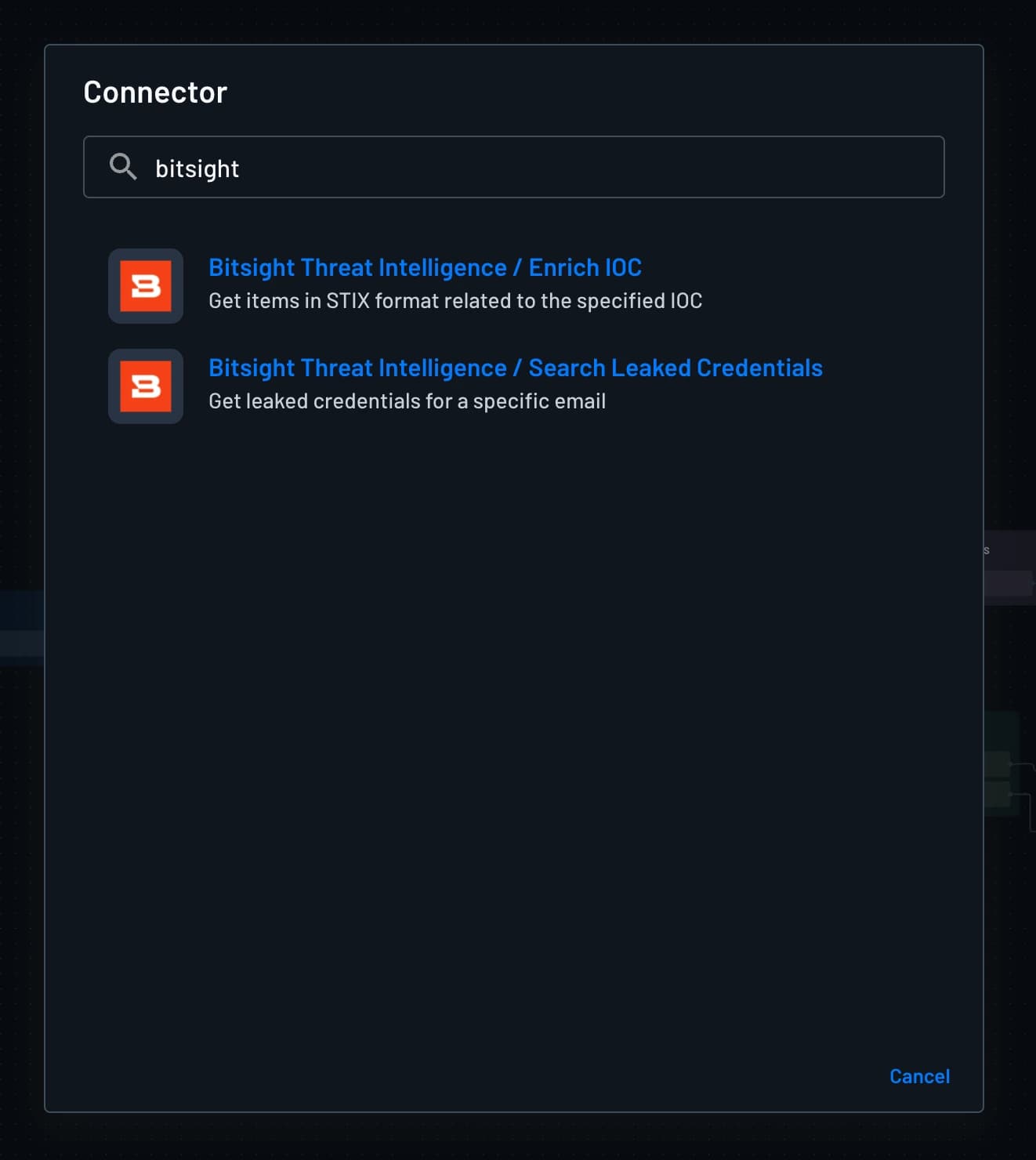
Click the + plus icon in the flow builder and select Connector. You should be able to see the Bitsight Threat Intelligence / Enrich IOC and Bitsight Threat Intelligence / Search Leaked Credentials connector actions.
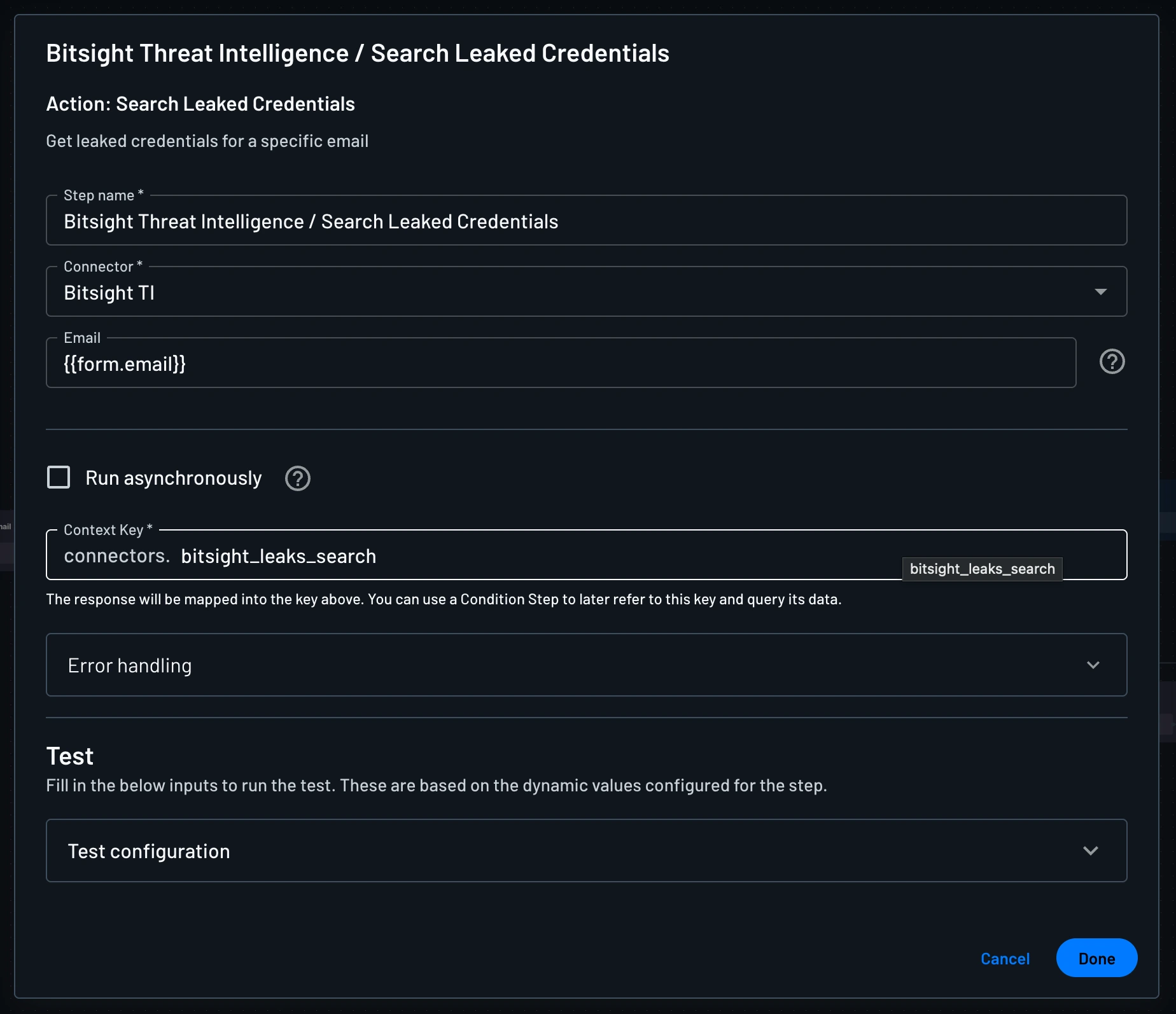
Bitsight Threat Intelligence / Search Leaked Credentials
Check if an email address or domain has been exposed in breach dumps. This is ideal for evaluating login or signup risk by detecting whether a user's credentials have appeared in breach dumps.
The result is saved in the connector context, e.g., connectors.bitsight_leaks_search. You can use this result in a condition to block the user if the email address or domain has been exposed in breach dumps.
Bitsight Threat Intelligence / Enrich IOC
Get STIX-formatted threat intelligence data about a suspicious IP address, domain, or hash. This is ideal for detecting whether an entity is associated with malware, APT groups, or criminal campaigns.
You need to provide the indicator type and the indicator value. The indicator type can be ip, domain, or hash. The result is saved in the connector context, e.g., connectors.bitsight_ioc_enrich. You can use this result in a condition to block the user if the IP address, domain, or hash is associated with malware, APT groups, or criminal campaigns.
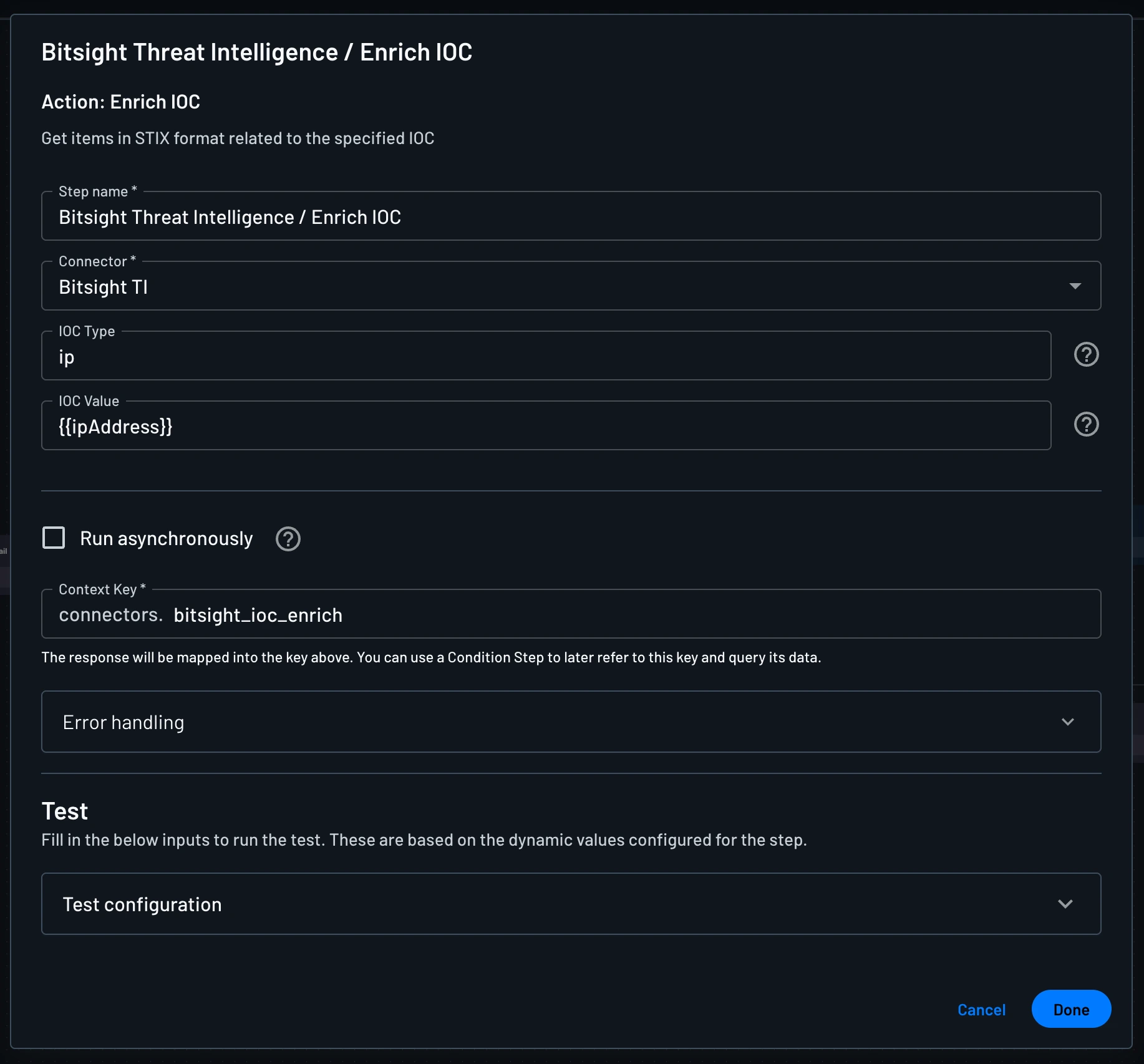
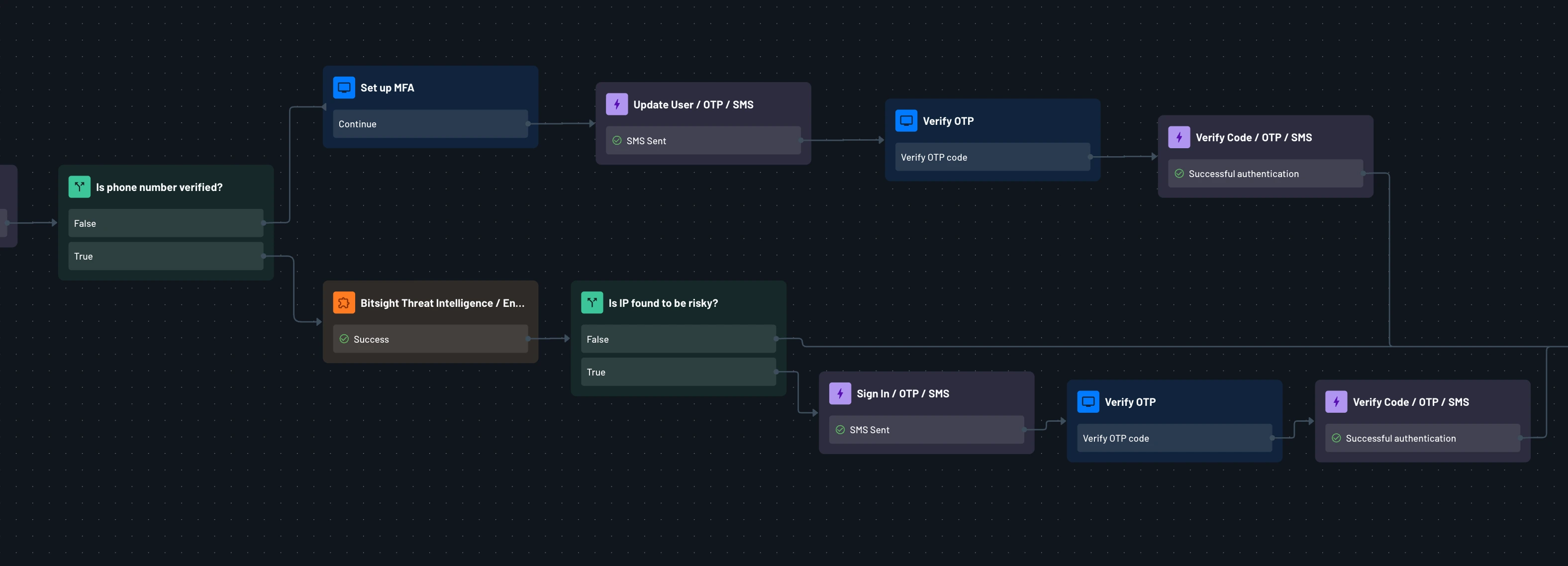
This is an example of a flow that uses the Bitsight Threat Intelligence / Enrich IOC connector action to enrich the IP address and then use the result in a condition to block the user if the IP address is associated with malware, APT groups, or criminal campaigns.