Block Users by IP Address
A common use case is blocking abusive or fraudulent traffic by preventing users from logging in or signing up if their IP address appears on a ban list.
Lists provide a native way to manage reusable sets of values, such as IP addresses, CIDR ranges, email domains, or countries and reference them directly in flow conditions.
Follow the steps below to implement this use case:
1. Create a List of Banned IP Addresses
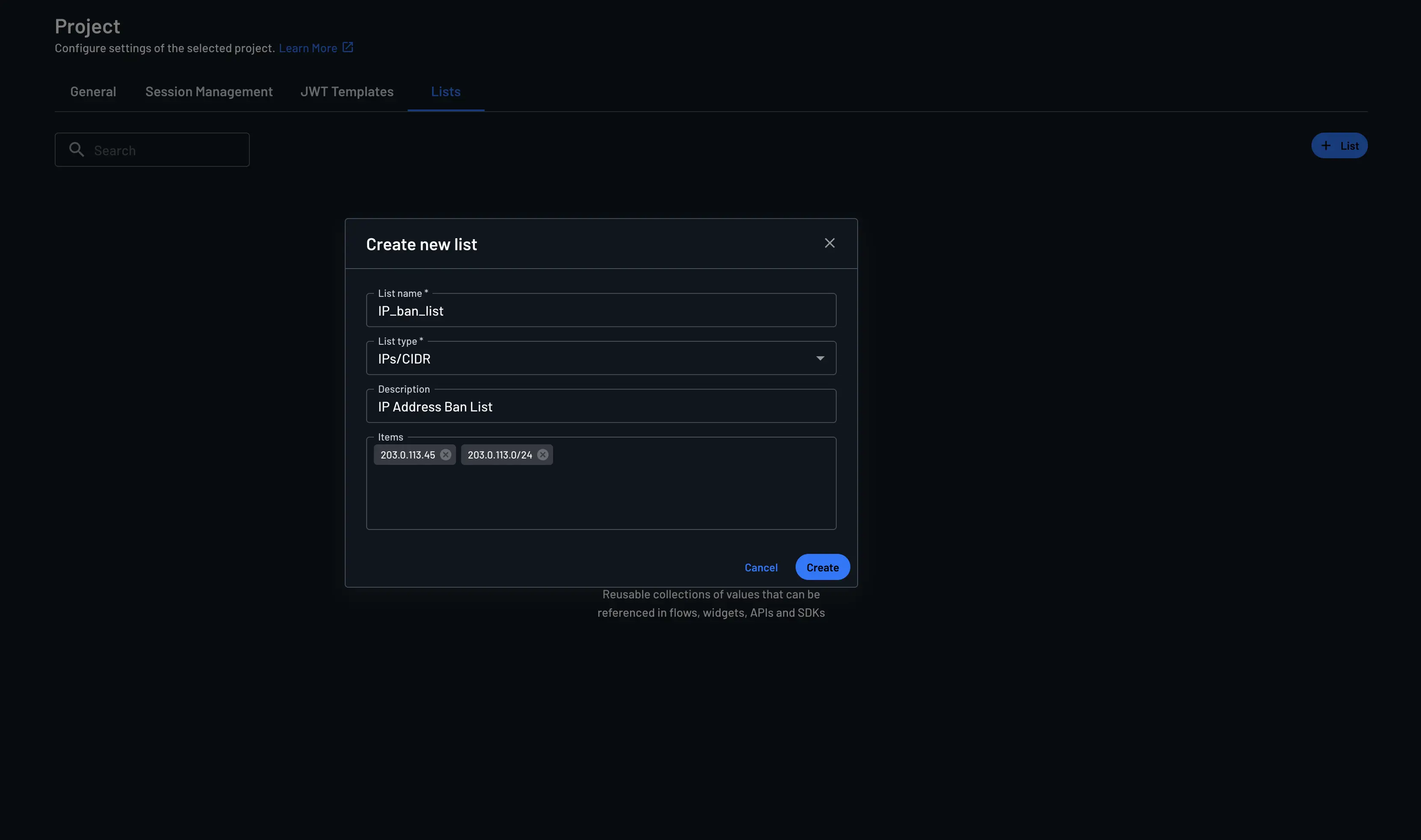
Create a centralized list of banned IP addresses to manage all blocked IPs in one place in the Project Settings page, making it easy to add or remove entries without modifying your authentication flows.
- List name: Enter the list name (e.g.,
IP_ban_list) - List type:
IPs/CIDR - Description: Enter the list description
- Items: Enter the IP addresses or CIDR ranges to ban
2. Add a Condition to Your Flow
Note
Adding the condition at the start of your flow ensures that IP blocking happens before any authentication steps, preventing unnecessary processing, OTP costs, or account creation attempts from banned IPs.
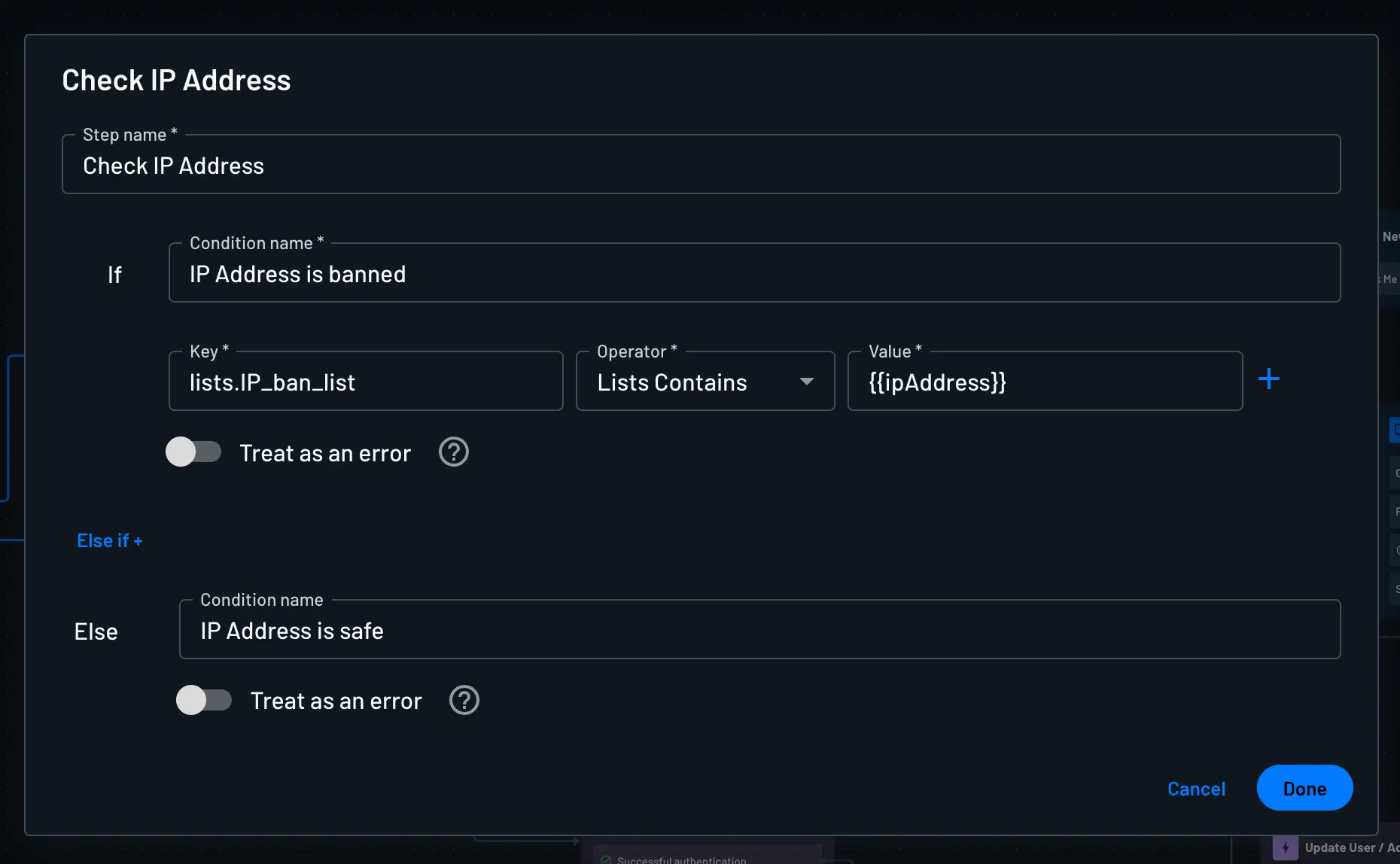
Add a Condition at the start of the flow, and configure the condition as follows:
- Key:
lists.<list-name> - Operator:
Lists Contains - Value:
{{ipAddress}}
3. Handle the Banned User
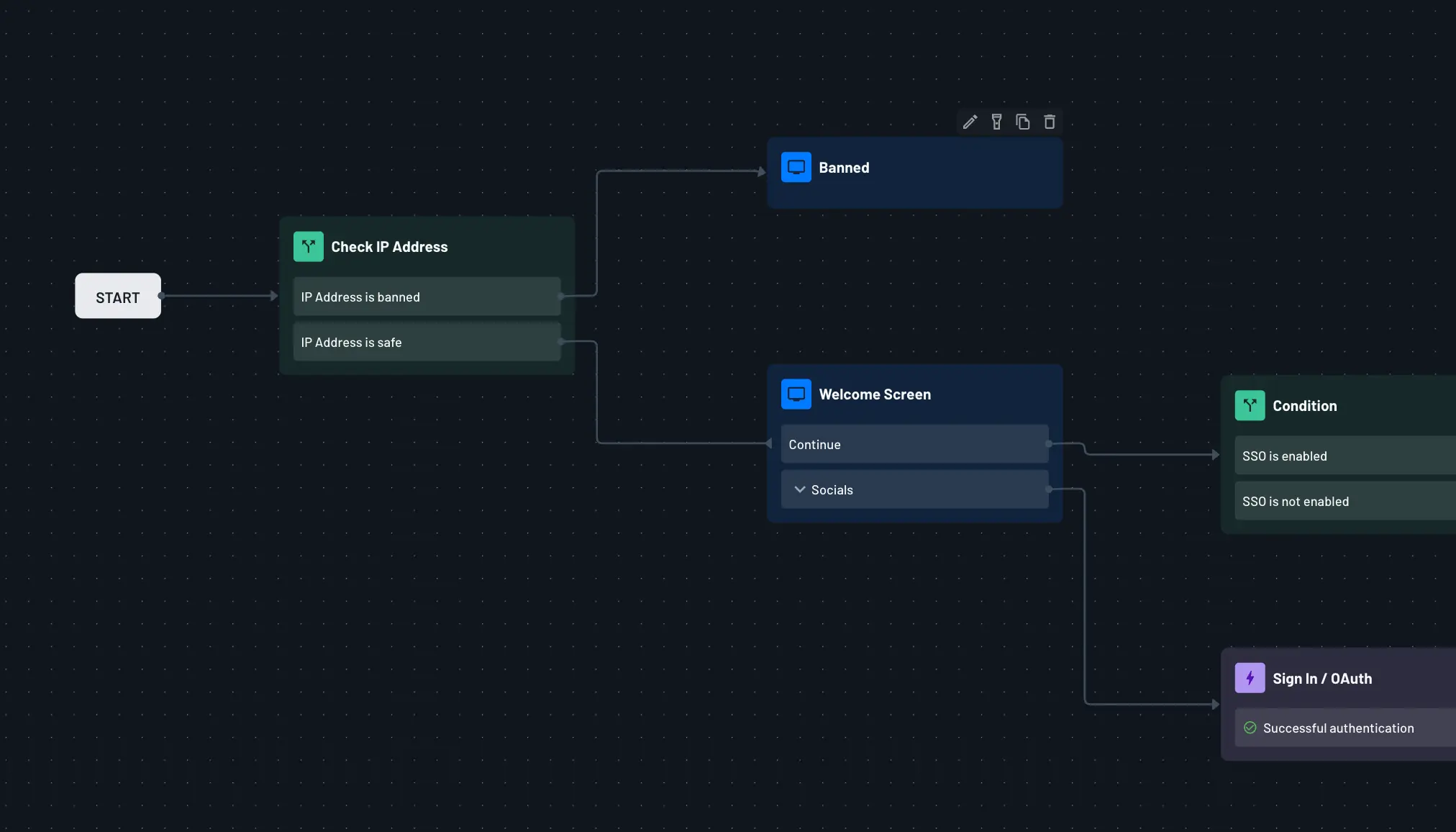
If the IP address is banned, configure the condition's routing to determine how the banned user should be handled. You can choose to:
- Display a Screen: Redirect users to a Screen that displays a banned message, providing clear feedback about why access is denied.
- Redirect to External URL: Redirect banned users to an external page or an error page on your application.
- End the Flow: Terminate the authentication flow immediately without allowing further progress.
Since this is part of a flow, you have full flexibility in how you want to handle banned users. In this example, we display a screen that shows a banned message. However, you can configure any action that fits your use case.
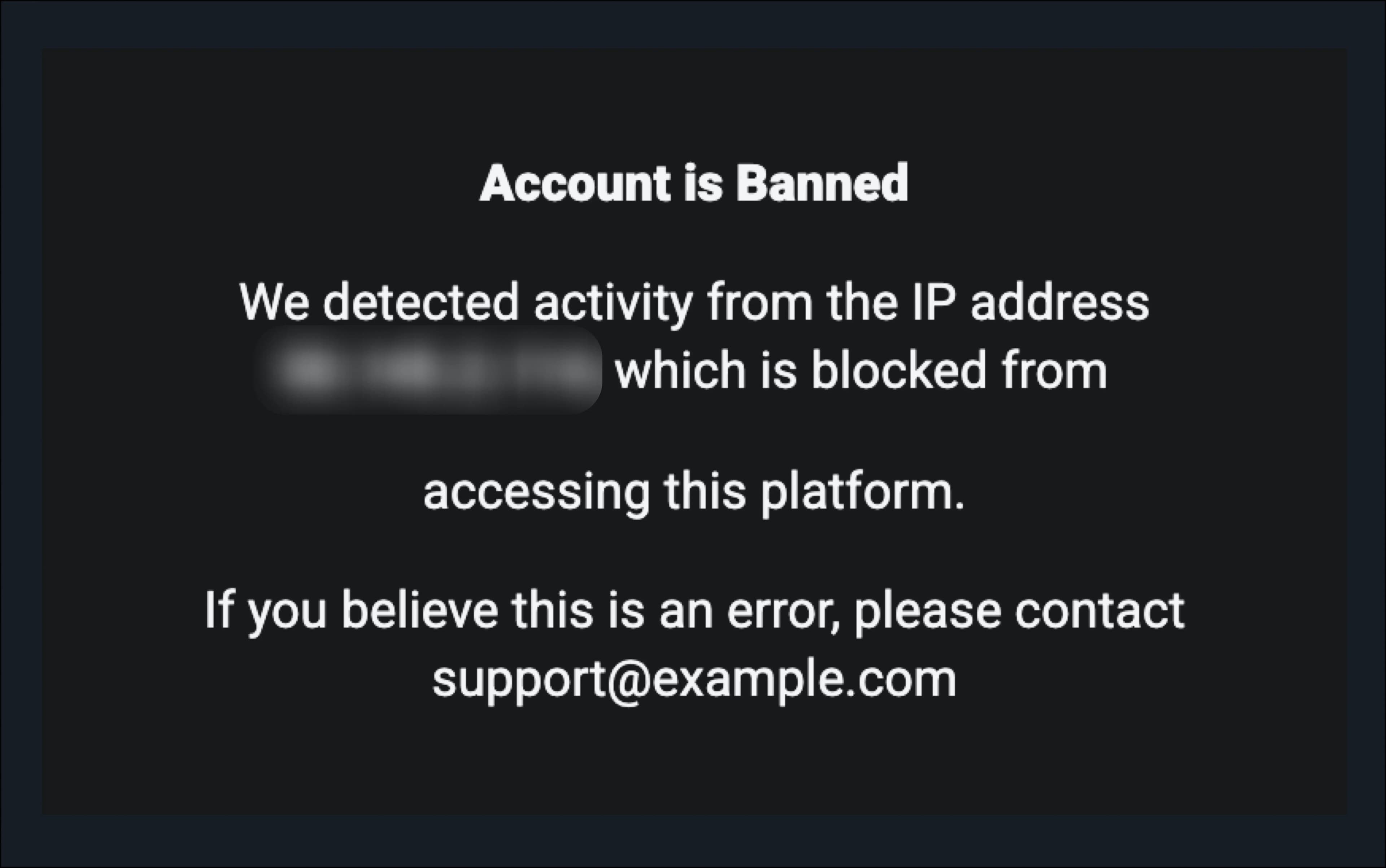
Providing clear feedback to users with banned IPs improves the user experience and helps legitimate users understand why they're being blocked.
Related
- Preventing IRSF and SMS Pumping — combines country Lists like this one with rate limiting and risk signals to stop SMS OTP abuse.
- Check Rate Limit
Remember User Flow
Learn how to implement the "Remember User" functionality in your Descope flows to streamline sign-in experiences.
Preventing IRSF and SMS Pumping
Prevent International Revenue Share Fraud (IRSF) and SMS pumping using country restrictions, Lists, VPN/bot detection, and rate limiting in a Descope flow.