Adding a Recovery Email
A recovery email gives users a fallback way to access their account when their primary login method is unavailable. This guide explains the steps needed to collect, verify, and store a recovery email on a user's account.
This guide uses a recovery email verified via magic link, but the same pattern applies to a recovery phone number — simply use the magic link over SMS instead of email.
Add Recovery Email
Start the flow with your normal authentication method — for example, Sign Up or In / Magic Link / Email or Sign Up or In / OTP / Email. This ensures the user is authenticated before they are prompted to add a recovery email.
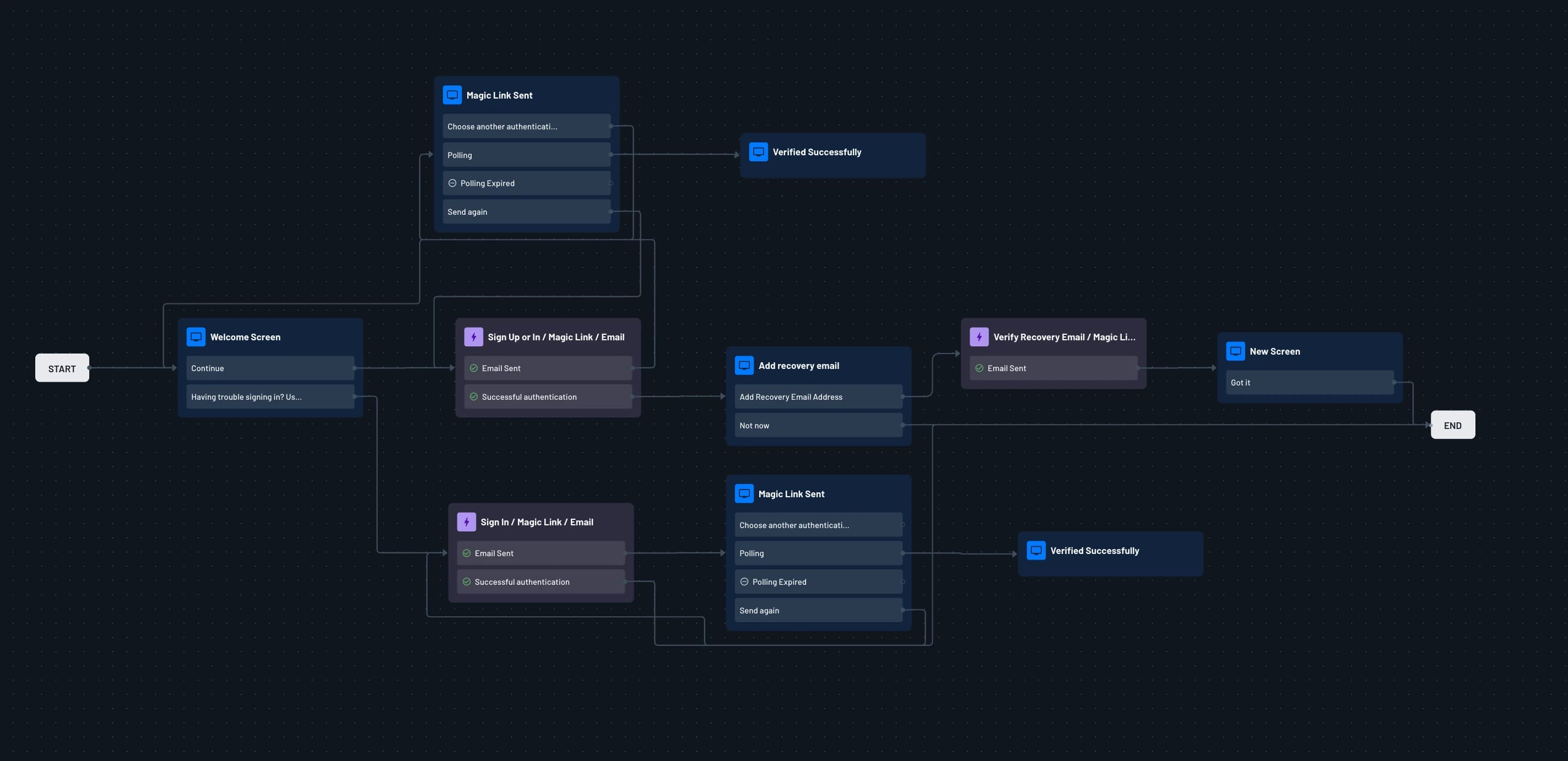
Add a Flow Screen with an input field for the recovery email address and a skip button. If the user skips, the flow ends and they continue normally. If they enter a recovery email, the next step verifies it.
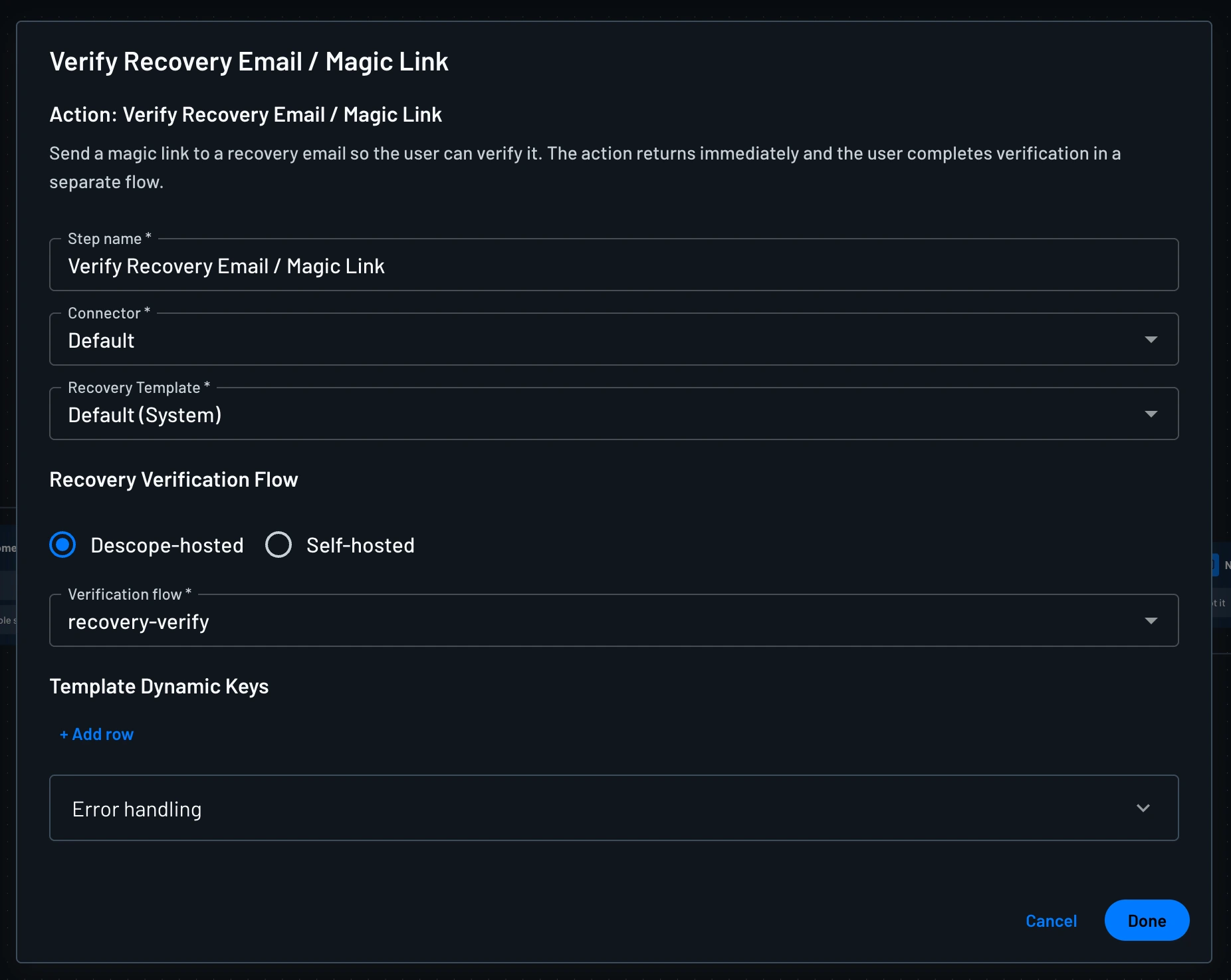
For verifying the recovery email, add a Verify Recovery Email / Magic Link action. In the action, select your Recovery Verification Flow under the Verification Flow setting.
This is a separate flow that will be used to verify the recovery email. Once this action runs, a magic link is sent to the recovery email address the user entered, and a confirmation screen is shown telling them to check their inbox.
Recovery Verification Flow
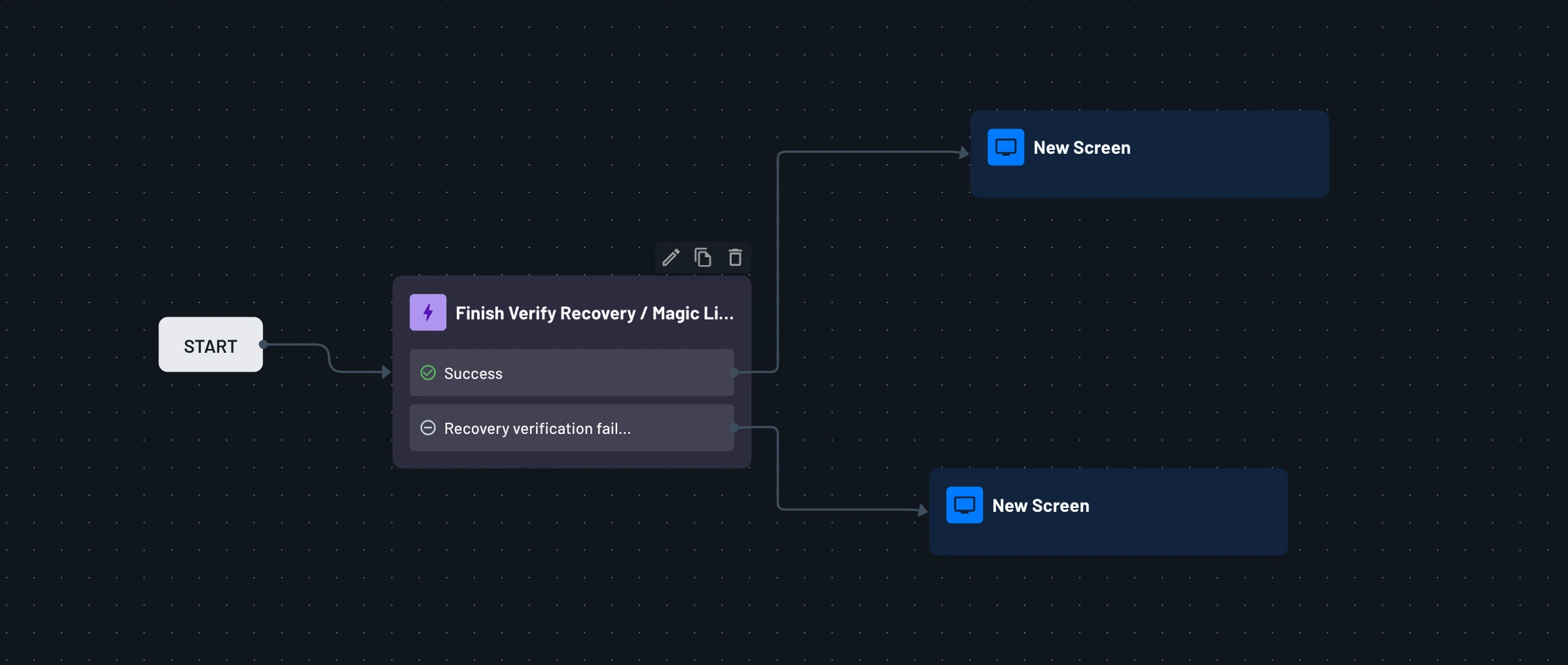
This is a separate flow that must be created first, then selected inside the Verify Recovery Email / Magic Link action in your main flow. This flow will have the Finish Verify Recovery / Magic Link action to finish the verification process, and then have a screen to confirm the recovery email has been successfully verified.
The Finish Verify Recovery / Magic Link action validates the token from the magic link and marks the recovery email as verified on the user's account. After that, a success screen is shown to the user confirming that their recovery email is now set up and ready to use.
Recovery Email Usage
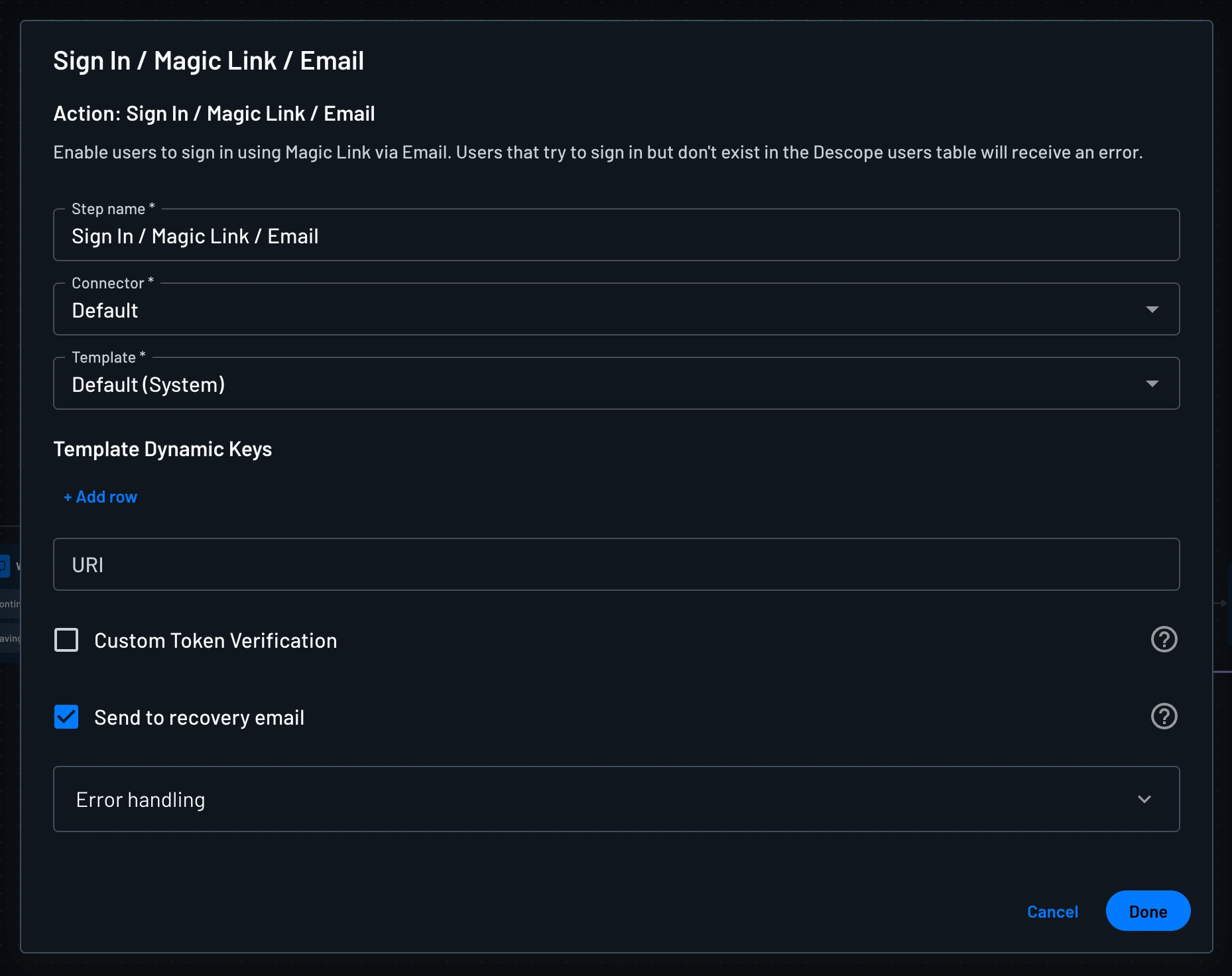
Once verified, the recovery email can be used for sign-in. In the Sign In / Magic Link / Email action, enable the Send to recovery email checkbox to route the magic link to the recovery email instead of the primary one.
Preventing IRSF and SMS Pumping
Prevent International Revenue Share Fraud (IRSF) and SMS pumping using country restrictions, Lists, VPN/bot detection, and rate limiting in a Descope flow.
Enabling OAuth Sign-In for Pre-Created Users
How to let pre-created users sign in with OAuth when sign-ups are disabled by verifying their email and linking the OAuth identity to their existing account.