Create or Modify Tenant
Use Flow actions to create a tenant during signup or update an existing tenant's attributes.
Note
This guide focuses on tenant management in Flows in the Descope Console. For SDK / API tenant management, see Tenant Management.
Creating Tenants in Flows
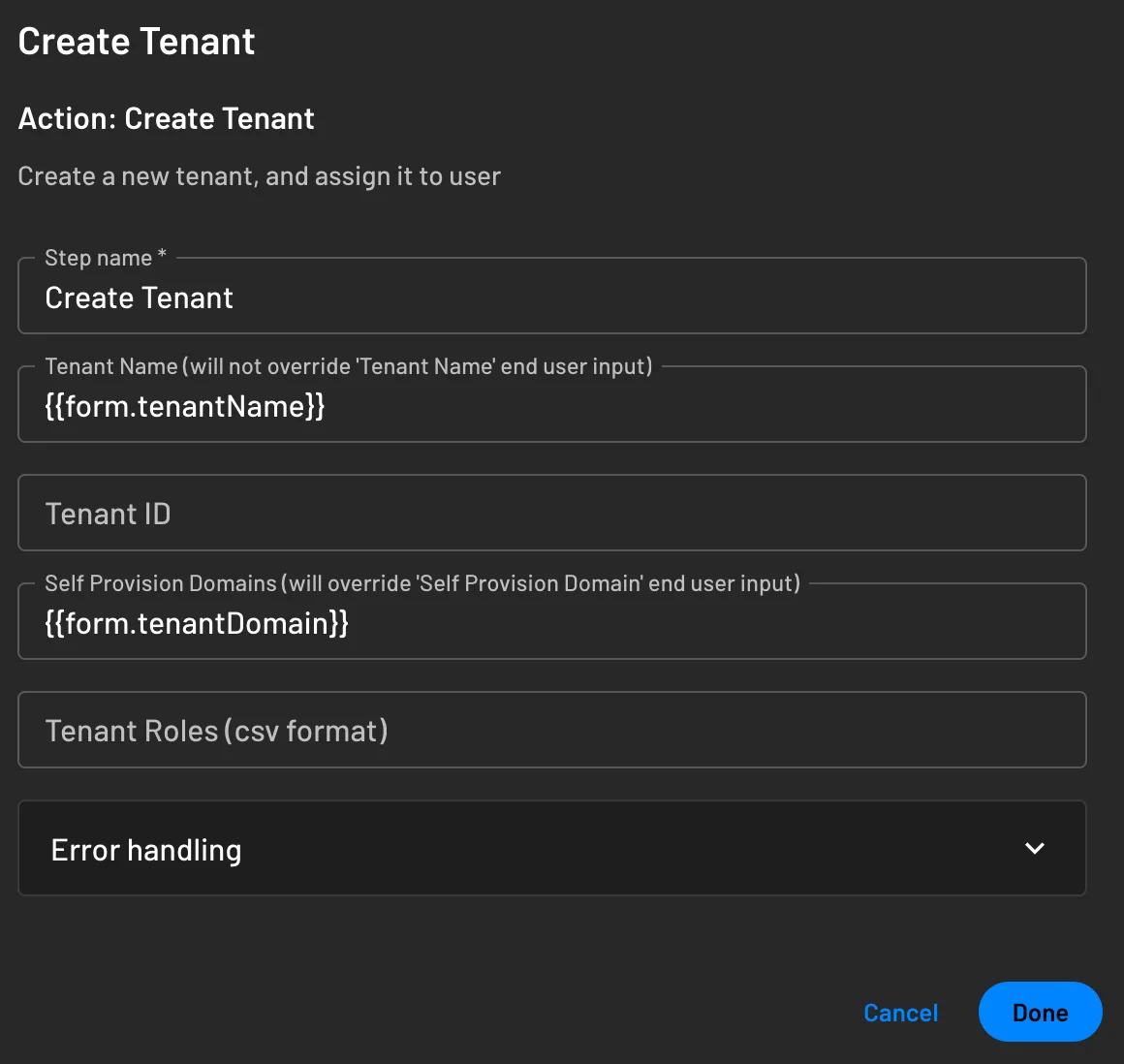
The Create Tenant action creates a new tenant during user signup if one doesn't already exist. You can configure several attributes during tenant creation:
- Tenant Name: The display name for the tenant
- Self Provision Domains: Domains associated with the tenant
- Tenant ID: A unique identifier for the tenant
- Roles: Permissions assigned to the tenant
These fields support dynamic values using the {{}} syntax.
Modifying Tenants in Flows
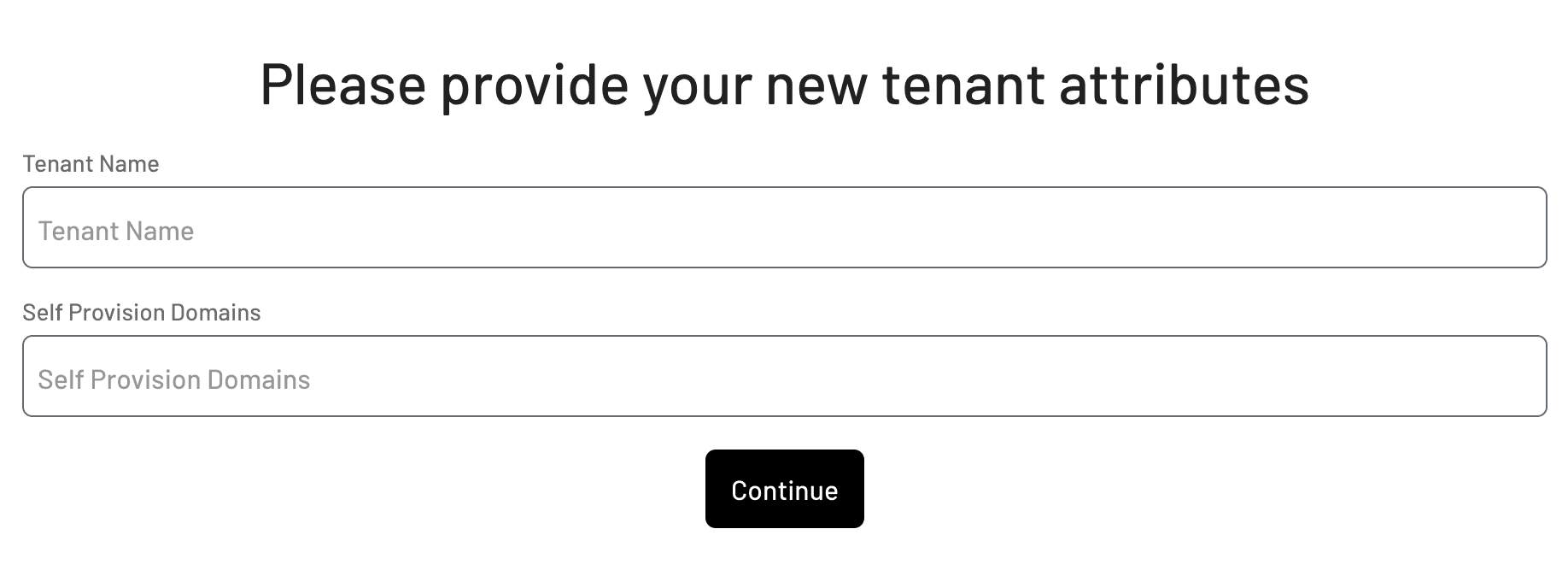
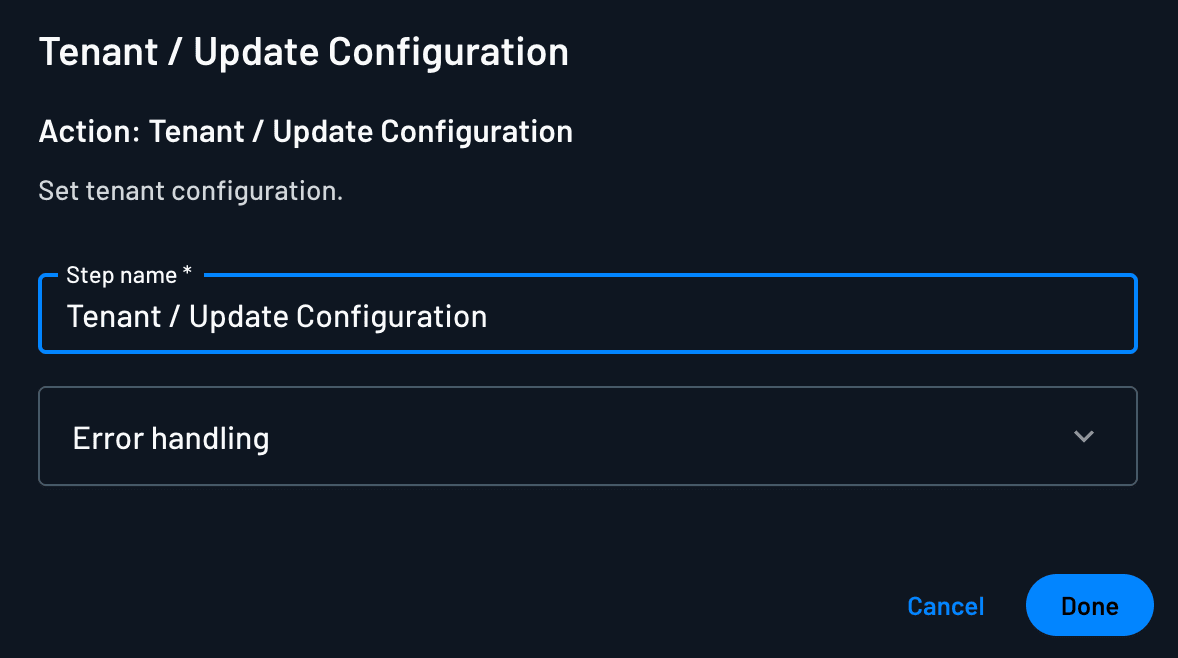
The Update Tenant action updates an existing tenant with new attributes. You can configure several attributes during tenant modification in a previous screen:
- Tenant Name: The display name for the tenant
- Self Provision Domains: Domains associated with the tenant
Example Flow
Here's an example flow that creates a tenant and assigns user permissions:
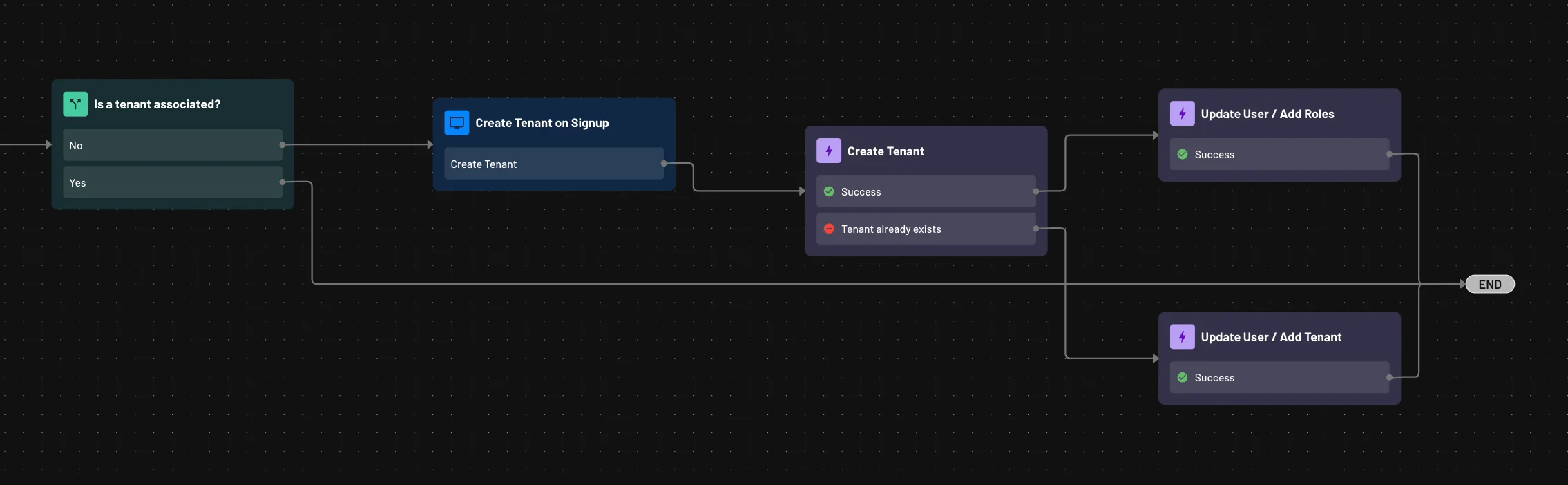
This flow demonstrates how to:
- Create a new tenant with custom attributes
- Add users to the tenant
- Update roles and permissions as needed
If a tenant already exists for a user's domain, the flow can update their roles and attributes instead of creating a new tenant.