Coralogix Connector
This guide covers implementing Descope's Coralogix connector. Coralogix is a cloud-native observability platform that provides real-time insights into logs, metrics, and traces.
Descope enables you to automatically collect authentication logs and audit events and stream them to your Coralogix account for centralized monitoring and analysis.
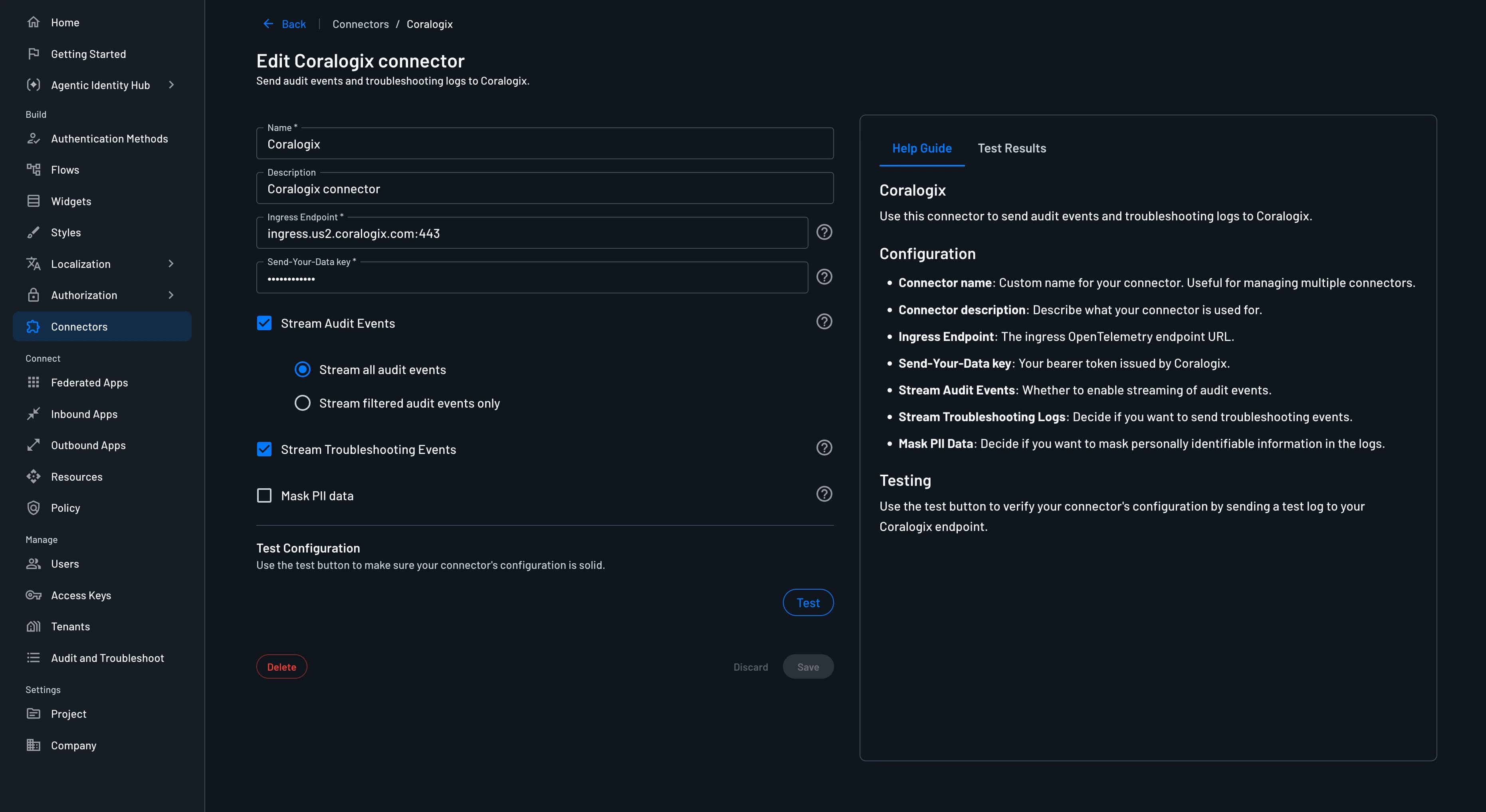
Configure Coralogix connector
Navigate to the Connectors page in the Descope Console and select Coralogix to create a new Coralogix connector.
The following parameters are required to use it:
- Connector Name: Provide a unique name for your connector. This assists in distinguishing it, especially when multiple connectors are derived from the same template.
- Connector Description: (Optional) Briefly explain the purpose of this connector.
- Ingress Endpoint: The ingress endpoint URL.
- Send-Your-Data API Key: In the Coralogix console, navigate to Settings -> API Keys -> Send-Your-Data API Keys in the left sidebar and create a new API key.
- Stream Audit Events: Select which events are sent to Coralogix. Descopers can allow all audit events or filter them based on certain actions that occur or tenants in the project.
- Stream Troubleshooting Events: Decide whether troubleshooting events are also sent to Coralogix.
- Mask PII: Decide whether to mask PII (personally identifiable information) in the logs.
Viewing Audit Logs
Once configured, audit logs are automatically streamed to Coralogix. The connector can be tested while configuring it to ensure the logs are being sent and collected properly.
The logs can still be viewed in Descope under the Audit and Troubleshoot section of the Descope Console.
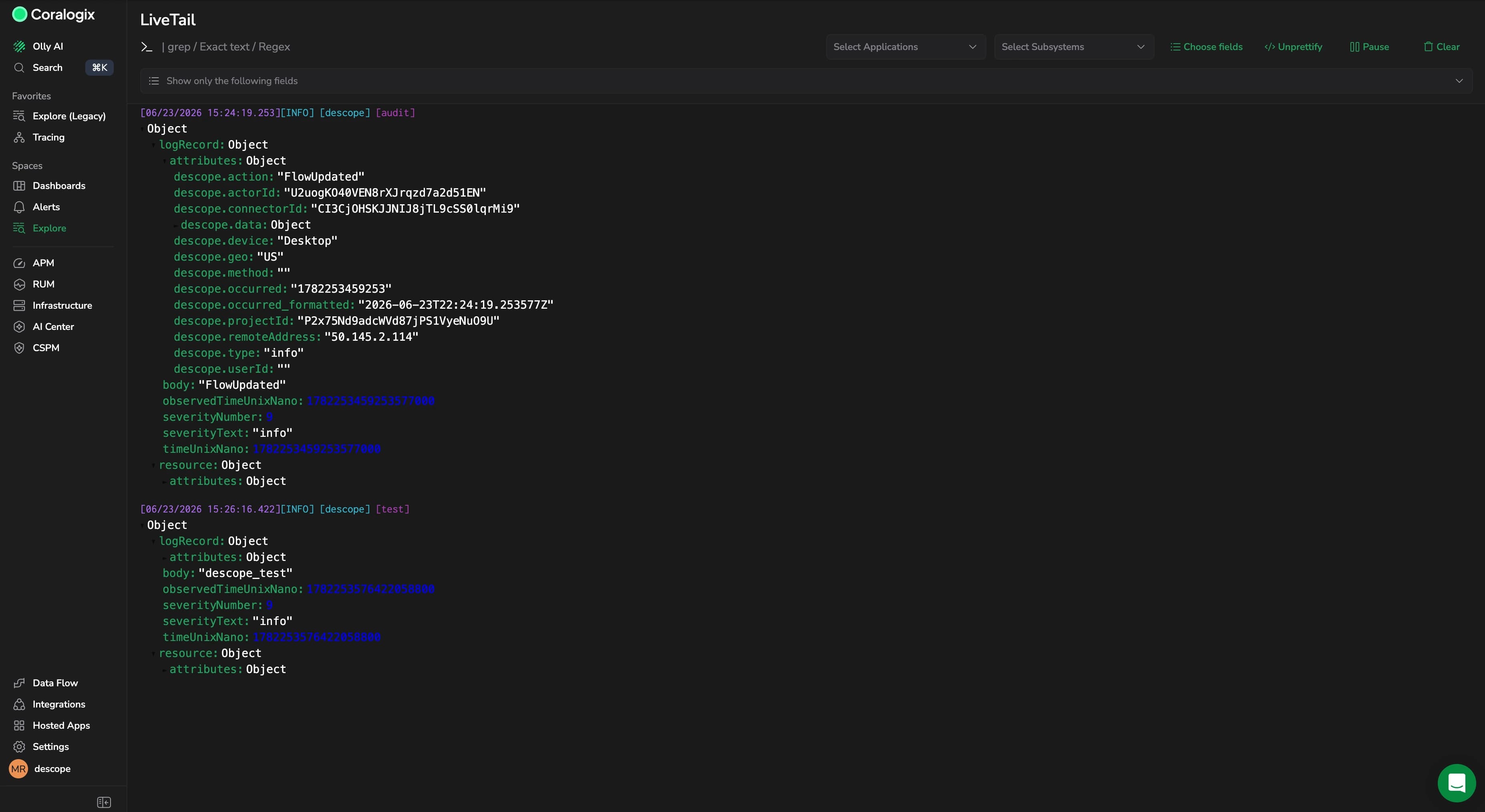
In Coralogix, navigate to Explore > Logs to view your Descope audit events. You can filter logs by the Application Name and Subsystem Name you configured.
Each log entry will contain detailed information about events, including user actions, timestamps, IP addresses, and other relevant data. You can click on any log entry to view its full details and use Coralogix's powerful search and analysis tools to gain insights into your events.