Google Maps Places Connector
The Google Maps Places connector supplies address suggestions to the address input component in your flows. The connector uses the Google Place Autocomplete Data API to suggest real addresses as the user types.
Unlike most connectors, the Google Maps Places connector does not run as a step in your flow. The address input loads the Google Maps library in the user's browser and requests suggestions directly from Google with your public API key. For a connector with the same role that uses a different provider, see the Radar connector.
Prerequisites
The connector needs a Google Cloud API key that can load the Maps JavaScript API and call the Places API. The Place Autocomplete Data API is part of the places library of the Maps JavaScript API, so the key needs both APIs. You can create the key in the Google Cloud Console by following the Google setup guide and the API key guide.
- Enable the APIs: Enable both Maps JavaScript API and Places API (New) in the API Library of your Google Cloud project.
- Restrict the key: If you restrict the API key by API, include both Maps JavaScript API and Places API (New) in the list of allowed APIs.
- Allow your domains: If you add application restrictions to the key, include every domain that hosts your flow.
If you enable or allow only Places API (New), the Maps JavaScript API fails to load in the browser, for example with an ApiNotActivatedMapError. In that case, the address input shows no suggestions.
The browser sends the API key to Google, so users can see the key. Google recommends that you restrict public keys by API and by website.
Configure the Connector
You can create the connector from the Connectors page of the Console.
- Open Connectors in the Descope Console.
- Select Google Maps Places.
- Complete the configuration fields.
- Click Create.
The connector has these configuration fields:
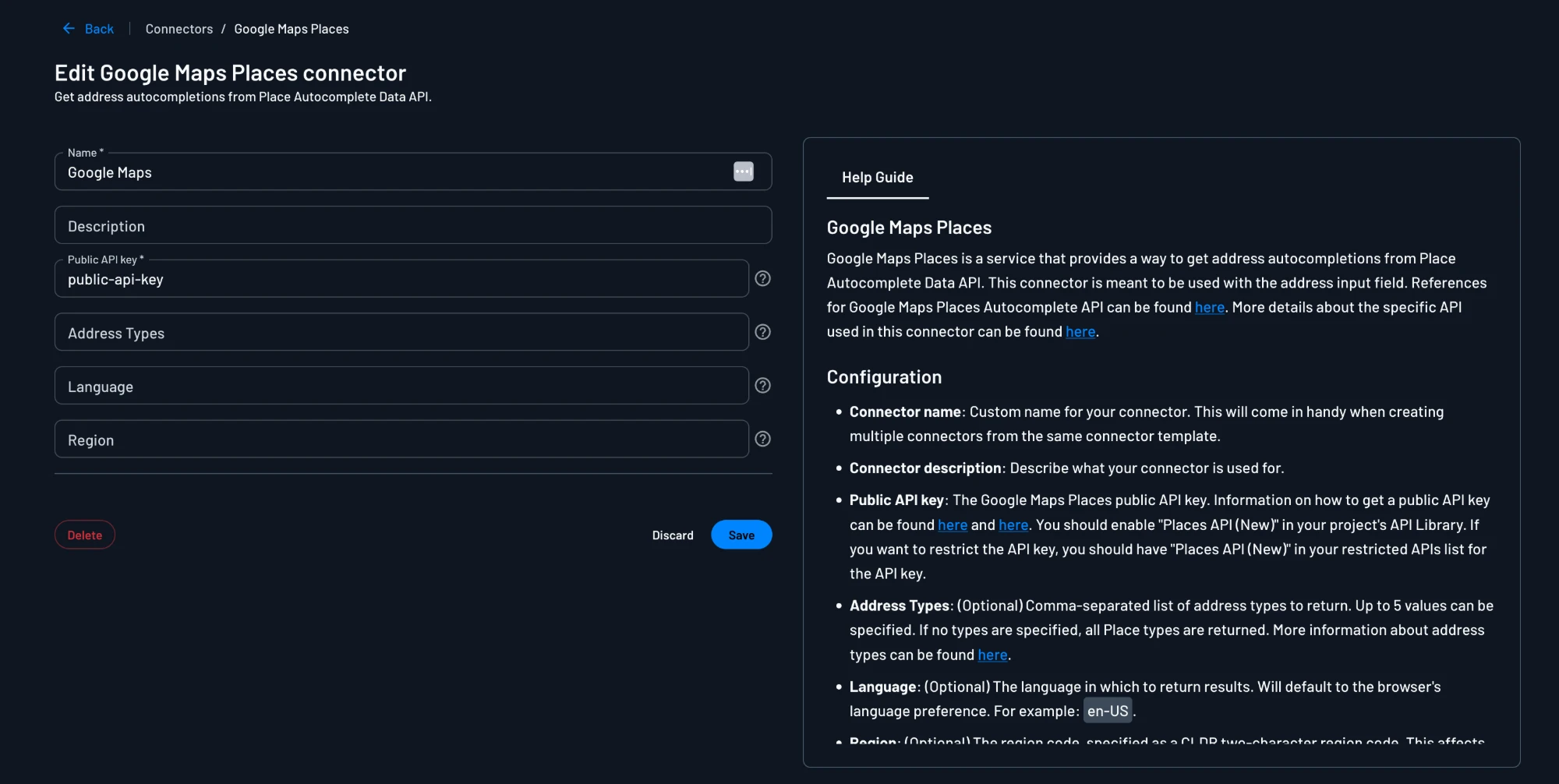
- Name: A custom name for the connector. The name helps you tell apart several connectors from the same template, and the screen editor shows the name in the address input's Connector list.
- Description: (Optional) A description of what you use the connector for.
- Public API key: The Google Maps Places public API key.
- Address Types: (Optional) A comma-separated list of up to five place types to return. When the field is empty, Google returns all place types.
- Language: (Optional) The language of the results, for example
en-US. When the field is empty, Google uses the language preference of the browser. - Region: (Optional) A CLDR two-character region code, for example
us. The region affects address formatting and result ranking, and it may influence which results Google returns. The region does not restrict results to that region.
Test the Connector
The connector has no Test button, because the connector runs only in the user's browser. To test the configuration, you can run a flow that has an address input with this connector selected, then type an address.
If you added application restrictions to your API key, run the test on a domain that the key allows. When no suggestions appear, the browser console usually shows the error from Google.
Next Steps
- Add the address input to a screen and select this connector.
- Learn more about connectors in flows.