Textarea
The Textarea component is a multi-line input designed for collecting longer, free-form responses than a standard single-line input. It is ideal for fields like comments, descriptions, mailing addresses, or anywhere users may need to enter multiple lines or larger amounts of text.
Descopers can reference the user's input later in the flow using the textarea component's context key, which can be found under the Component Info setting of the component.
Screen Builder
Create a new screen inside a flow, and search for "Textarea":
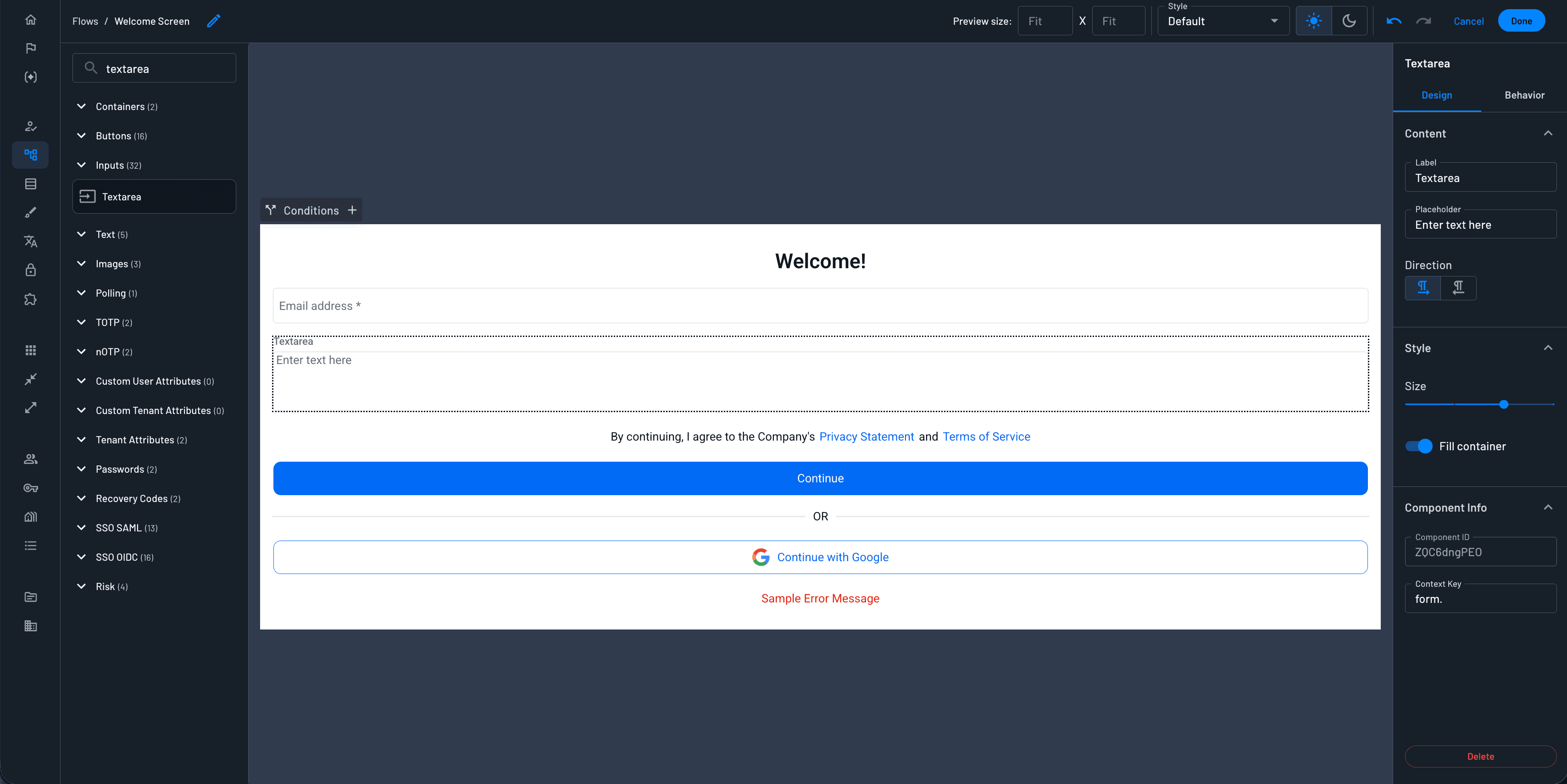
Options Overview
Design Tab:
- Label: The label will be presented to the customer right above the component.
- Placeholder: A text that will be displayed inside the input component as a placeholder.
- Direction: Text Direction (left to right / right to left).
- Size: The size of the text value inside the component. Select from several default sizes.
- Fill container: Stretch to fit the container.
- Context Key: The value you enter here determines where the textarea's response is stored in the flow's context, under
form.. You can reference this context key in later steps or components in the flow to use the value entered in this textarea.
Behavior Tab:
- Validation Regex: Configure a regex pattern to validate the input data format. For example, use
^[A-Za-z]+$to allow only letters. - Pattern Validation Error Message: Set a custom error message to display when regex validation fails. This message can be translated within the Localization section of the Descope Console.
- Minimum Length: Set the minimum number of characters required.
- Minimum Length Validation Error Message: Set a custom message for when the minimum length requirement isn’t met. This can also be translated.
- Maximum Length: Set the maximum number of characters allowed.
- Mandatory: Determines if the user must input a value to continue to the next step. An asterisk will indicate the field is required.
Was this helpful?