Cross-App Access
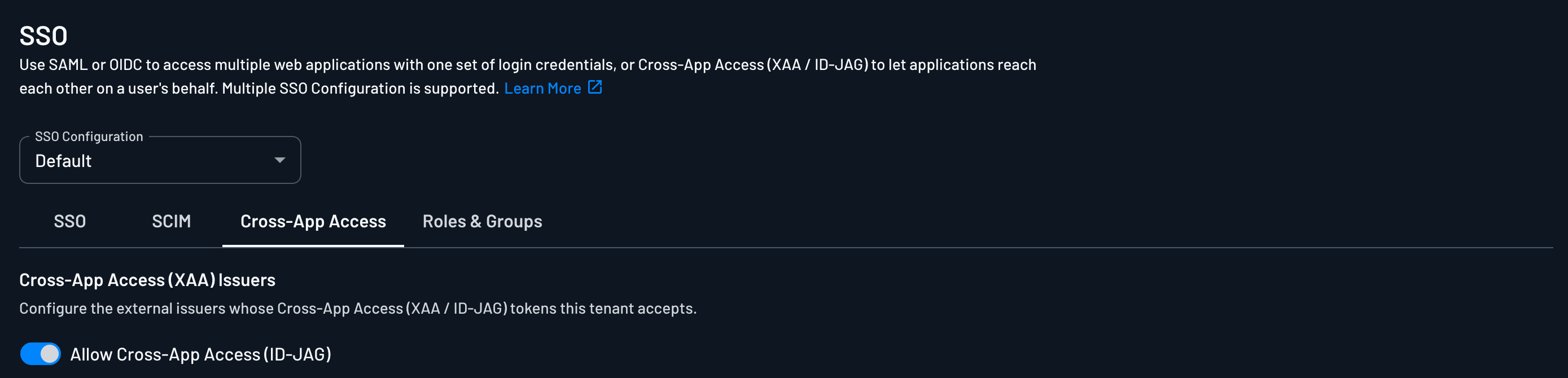
The Cross-App Access tab under a tenant's SSO settings is where you accept ID-JAG assertions from that tenant's workforce IdP. Use it when you host an MCP server and want enterprise customers' users and agents to reach it through their own IdP.
It sits under SSO because the assertions come from the same IdP the tenant signs in with.
For the product story (customer-managed agents, policies, MCP Resource), see Accept Your Customers' XAA Tokens. Customers can enter the same settings themselves in the SSO Setup Suite.
| Path | Who does it | Where |
|---|---|---|
| Console | You, on the customer's behalf | Tenant → Authentication Methods → SSO → Cross-App Access |
| SSO Setup Suite | The customer's IT admin | Cross App Access section, alongside SSO and SCIM |
Whether the Suite section appears is controlled by SSO Suite Features.
Turning it on
In the Console, open the tenant, go to Authentication Methods → SSO, and select the Cross-App Access tab. Enable Allow Cross-App Access (ID-JAG), which is off by default. Turning it on reveals the sections below.
- Resource Server Details — values to hand to the customer.
- Trusted Issuer — where you accept their IdP.
- JIT Provisioning — how their users become users in your project.
Resource Server Details
This section is read-only.
Note
The customer's IdP must send the tenant ID in the aud_tenant claim. Descope uses it to work out which tenant's Cross-App Access configuration an incoming assertion should be evaluated against.
If aud_tenant is missing, or carries a value different from the one shown here, token validation fails. This is the most common reason a correctly signed ID-JAG is still rejected.
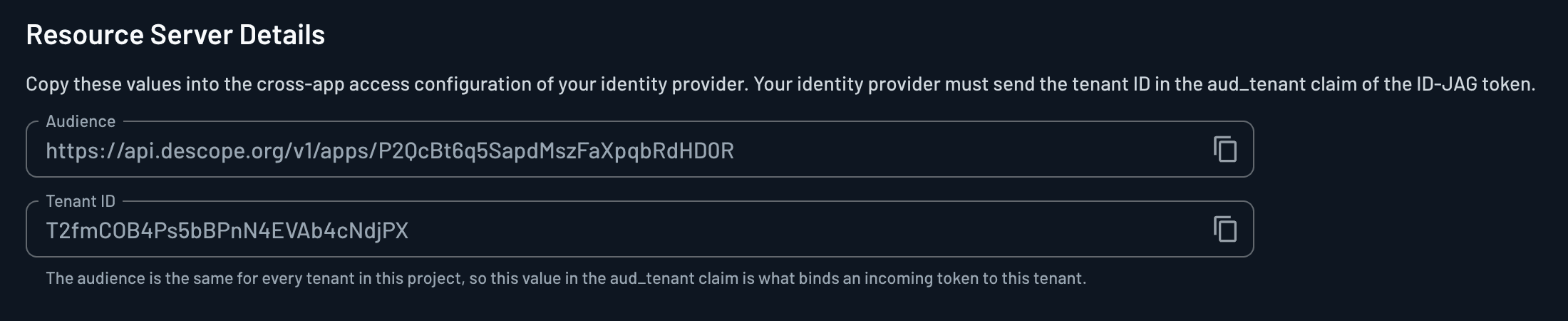
It shows the two values that identify your resource server to the customer's IdP. The customer copies both into the cross-app access configuration on their side.
| Value | Example | Where it lands |
|---|---|---|
| Audience | __BaseURL__/v1/apps/__ProjectID__ | The aud claim of the ID-JAGs their IdP mints |
| Tenant ID | T2fmCOB4Ps5bBPnN4EVAb4cNdjPX | The aud_tenant claim of those same ID-JAGs |
Together the two values keep customers separated. aud says the assertion is for your project, and aud_tenant says which customer inside it. An ID-JAG minted for one tenant cannot be redeemed against another.
Trusted Issuer
Which IdP Descope accepts assertions from, and how it verifies their signatures.
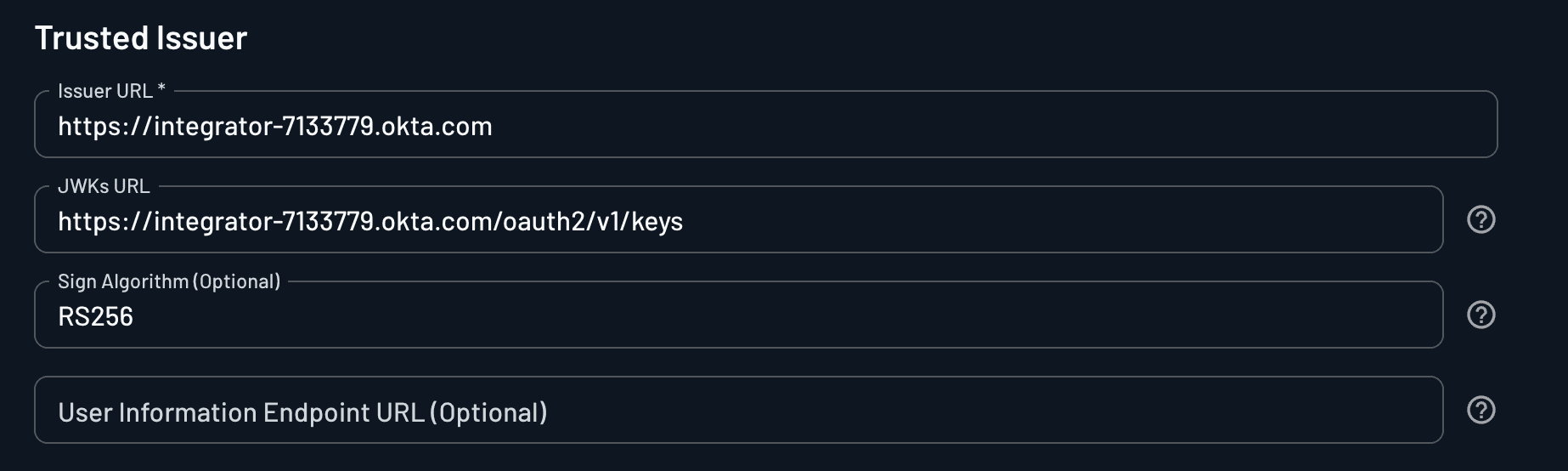
The customer gives you their IdP's issuer URL. Descope uses it two ways: every incoming assertion's iss claim must match it, and Descope fetches the public keys that verify the assertion's signature from there (or from the JWKs URL you set).
On each incoming assertion Descope checks that the signature verifies, that iss is the issuer registered on this tenant, that aud matches the Audience shown above, and that the assertion has not expired. An assertion that fails any of these is rejected and no access token is issued.
Registering the issuer on a specific tenant is what keeps customers apart. An assertion is only ever evaluated against the issuer configured for the tenant it targets.
| Field | Required | Description |
|---|---|---|
| Issuer URL | Yes | The expected iss claim on incoming ID-JAGs. If the issuer is discoverable, saving the configuration fetches the JWKs URL and the rest of the metadata automatically. |
| JWKs URL | Only if the issuer is not discoverable | The issuer's JSON Web Key Set, used to fetch the public keys that verify the JWT signature. You can set it manually; otherwise Descope attempts to discover it from the Issuer URL. |
| Sign Algorithm | No | The algorithm used to verify the JWT signature, for example RS256 or ES256. Left blank, the algorithm is read from the token header. |
| User Information Endpoint URL | No | An endpoint called after the token validates, to fetch additional attributes about the subject user that are not carried in the JWT. |
A tenant can trust more than one issuer. + Add issuer adds another set of these fields when a customer runs more than one IdP, or is midway through moving between them. Descope accepts an assertion if it matches any issuer configured on the tenant.
JIT Provisioning
The assertion names a subject in the customer's directory, not yet a user in yours. Something has to create the Descope user record that the access token is issued for.
Enable JIT Provisioning creates and updates that user from the claims in the ID-JAG every time one validates. The first time a given employee's agent calls your server, the user appears in the tenant; later assertions keep their attributes current. Nothing has to be set up in advance.
With the toggle off, provisioning has to happen some other way, in practice through SCIM. Leaving it off means the exchange only succeeds for users who already exist in the tenant.

Choosing between JIT and SCIM
The tradeoff is not about how users get created. It is about what happens when they leave.
| JIT provisioning | SCIM provisioning | |
|---|---|---|
| User created | On the first ID-JAG exchange | Pushed by the customer's IdP ahead of time |
| Setup required | None | The customer configures SCIM on their tenant |
| Offboarding | Nothing tells Descope the user is gone | The IdP pushes the deactivation to Descope |
JIT only ever hears about a user when that user shows up. When an employee leaves and their IdP account is disabled, their agent stops obtaining new ID-JAGs, but the Descope user record from an earlier assertion stays active, and so does any Descope session already issued for it.
SCIM is the channel for that event. The customer's IdP pushes the deactivation, Descope marks the user inactive, and the next refresh fails. That is what enterprise customers usually expect for offboarding.
Note
A deactivation takes effect on the next login or token refresh, so an access_token already in an agent's hands remains valid until it expires.
Shorten your session and refresh token durations if you need a tighter window, and revoke the session directly for an immediate cutoff. See SCIM session behavior.
Enable JIT when you do not manage that tenant's users with SCIM. When SCIM provisions the tenant's users, leave JIT off so lifecycle events arrive through the same channel that created the user.
Note
Entra pushes SCIM changes on a roughly 40 minute cycle, and disables often wait for a provisioning job that includes that user. If a customer needs a deactivation reflected immediately, they can run Provision on Demand in Entra. See SCIM best practices.
User Attribute Mapping
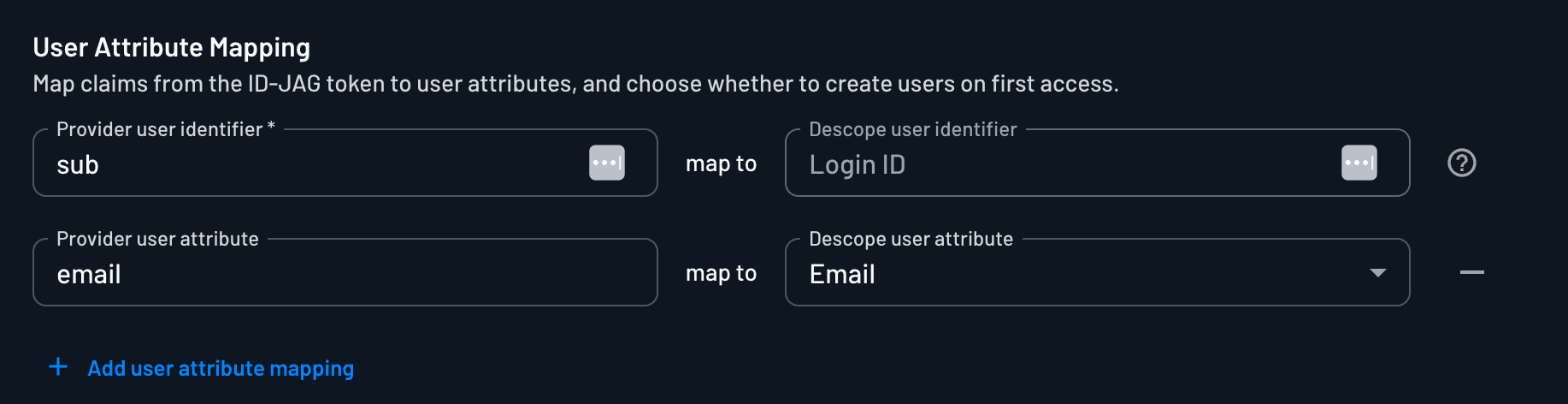
Same attribute mapping as SSO, except the values come from claims on the ID-JAG instead of a SAML assertion or id_token. It matters most when the customer's IdP sends custom claims you want on the user profile, since JIT builds the user from these claims.
SCIM does not use these mappings
SCIM provisions users according to the existing SCIM and SSO configuration and mapping. It does not read the ID-JAG claims mapped here, so these mappings only take effect on the JIT path.
Group Attribute Mapping
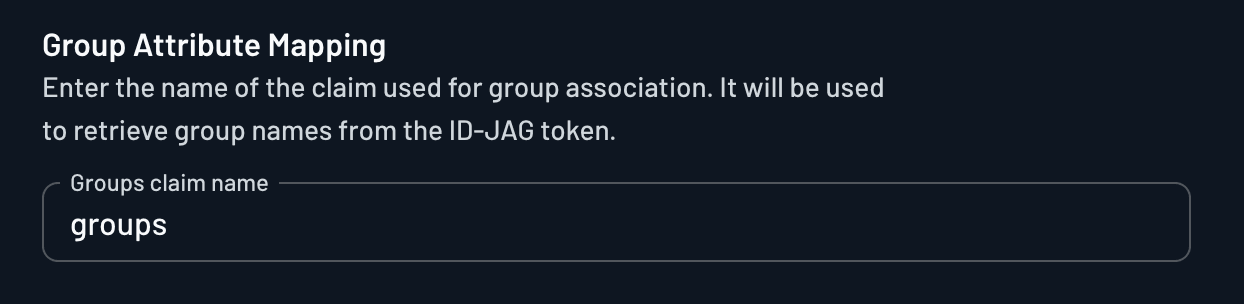
Enter the name of the claim that carries group association, commonly groups. Descope reads group names out of that claim on the ID-JAG and maps them onto the tenant's groups, so IdP group membership can drive access without a separate assignment step.
Note
Not every IdP sends groups in an ID-JAG. Okta, for example, does support sending group values in the assertion, so check what your customer's IdP emits before relying on this mapping.