Descope + Portkey
Portkey is an MCP Gateway that sits in front of one or more MCP servers, authenticates incoming requests, and forwards identity downstream. With Portkey's Bring Your Own Auth support, you can plug Descope in as the identity provider so that Portkey validates Descope tokens at the gateway before any MCP traffic reaches your servers.
Descope handles identity, authentication, and authorization through the Agentic Identity Hub. Portkey enforces policy at the gateway layer by validating those tokens, then forwards authenticated user identity to downstream MCP servers.
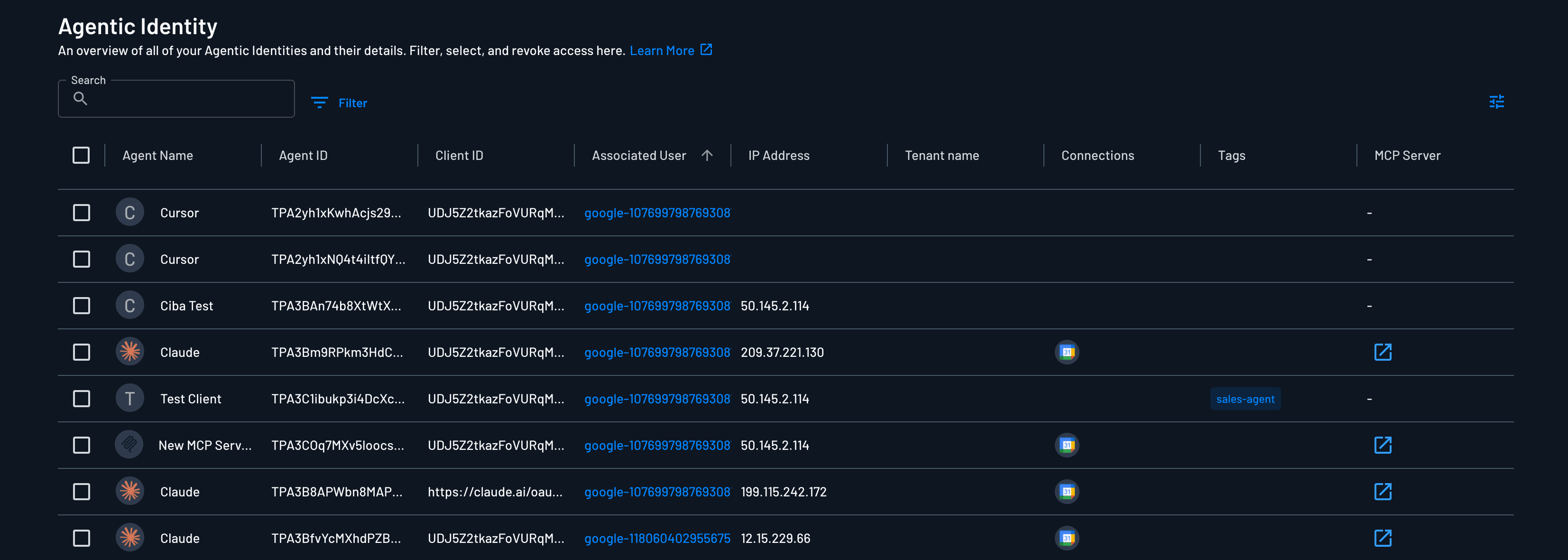
This setup is useful when you want to:
- Use Descope as the source of truth for user identity across MCP servers
- Model the Portkey gateway as an MCP Server in Descope to get full visibility into user and tenant consent, granted permissions, and enable CIMD/DCR with minimal configuration
- Validate tokens centrally at the gateway rather than in every individual MCP server
- Forward user claims (roles, tenant, email, custom attributes) downstream for authorization and audit logging
- Avoid provisioning separate Portkey accounts per user
How It Works
- The agent or MCP client authenticates with Descope and receives an access token (JWT).
- The agent sends MCP requests to Portkey with the Descope token in the
Authorizationheader. - Portkey validates the JWT against Descope's JWKs endpoint, checks the issuer, and verifies required claims.
- Portkey extracts user claims from the token and forwards them to the downstream MCP server via Identity Forwarding.
- The MCP server uses the forwarded identity for authorization, audit logging, or personalization.
Descope (as the IdP) stays the source of truth, and Portkey verifies every access token with Descope's public keys.
Configuring Descope as Portkey's Identity Provider
Before configuring Portkey, create an MCP Server in Descope to represent your Portkey gateway. This is what lets you control CIMD and DCR for the gateway, define the scopes users consent to, and see every connected agent in the Agentic Identity view.
Once the MCP Server exists, grab its Issuer URL from the Usage Samples section of the MCP Server configuration in the Descope Console, and use it as the iss value in Portkey.
Then, in Portkey, configure your MCP server's jwt_validation block to point at Descope:
{
  "jwt_validation": {
    "jwksUri": "__BaseURL__/{project-id}/.well-known/jwks.json",
    "algorithms": ["RS256"],
    "requiredClaims": ["sub", "email"],
    "claimValues": {
      "iss": {
        "values": "<Descope MCP Server Issuer URL>",
        "matchType": "exact"
      }
    }
  }
}
Replace {project-id} with your Descope Project ID (from Project Settings in the Descope Console), and replace <Descope MCP Server Issuer URL> with the Issuer URL shown for your gateway's MCP Server.
Required Configuration Values
| Field | Value |
|---|---|
jwksUri | __BaseURL__/{project-id}/.well-known/jwks.json |
algorithms | ["RS256"] |
iss (in claimValues) | Issuer URL from your MCP Server's Settings page (format: __BaseURL__/v1/apps/agentic/{project-id}/{mcp-server-id}) |
Enabling Dynamic Registration Methods
Because the Portkey gateway is modeled as an MCP Server in Descope, enabling DCR or CIMD is a per-server toggle in the MCP Server's registration settings; no extra infrastructure required.
Any compliant MCP client can then register against the gateway automatically.
Client Configuration
Once Portkey is configured, agents authenticate with Descope and include the Descope-issued JWT on requests to Portkey:
{
  "mcpServers": {
    "linear": {
      "url": "https://mcp.portkey.ai/linear/mcp",
      "headers": {
        "Authorization": "Bearer <descope-access-token>"
      }
    }
  }
}
No Portkey API key is needed on the client side. Portkey authorizes the request entirely based on the Descope token.
Using Custom Claims
One of the practical advantages of pairing Descope with Portkey is control over what ends up in the JWT.
Using Descope as your identity provider, you can configure your Descope JWT claims to drive both Portkey's validation logic and downstream MCP server authorization.
One example could be to enforce a claim that the user has a subscription tier, and that tier is used to authorize tool access to the downstream MCP server.
See Custom Claims Security Best Practices when choosing which claims to include in your JWT.
You can typically do this either via Custom Claims or JWT Templates.
Enforcing Claims in Portkey
Portkey rejects any token missing a required claim or with an iss / aud mismatch.
Once the claims are on the token, enforce them in Portkey's jwt_validation block using requiredClaims and claimValues:
{
  "jwt_validation": {
    "jwksUri": "__BaseURL__/{project-id}/.well-known/jwks.json",
    "algorithms": ["RS256"],
    "requiredClaims": ["sub", "email", "groups", "tenant_id"],
    "claimValues": {
      "iss": {
        "values": "__BaseURL__/v1/apps/agentic/{project-id}/{mcp-server-id}",
        "matchType": "exact"
      },
      "aud": {
        "values": ["https://{your-portkey-gateway-host}/mcp"],
        "matchType": "contains"
      },
      "subscription": {
        "values": "free",
        "matchType": "exact"
      }
    }
  }
}
Forwarding Identity to Downstream MCP Servers
After Portkey validates the Descope JWT, you can forward user identity to the downstream MCP server using Portkey's Identity Forwarding. This lets your MCP server handle per-user authorization or audit logging without implementing OAuth itself.
Pair jwt_validation with user_identity_forwarding and specify which claims to pass through:
{
  "jwt_validation": {
    "jwksUri": "__BaseURL__/{project-id}/.well-known/jwks.json",
    "algorithms": ["RS256"],
    "requiredClaims": ["sub", "email", "groups", "tenant_id"],
    "claimValues": {
      "iss": {
        "values": "__BaseURL__/v1/apps/agentic/{project-id}/{mcp-server-id}",
        "matchType": "exact"
      }
    }
  },
  "user_identity_forwarding": {
    "method": "claims_header",
    "include_claims": ["sub", "email", "groups", "tenant_id"]
  }
}
Portkey extracts the listed claims from the validated Descope JWT and injects them into the downstream request as a JSON header, signed JWT, or bearer token passthrough.
The claim contents are entirely up to you. Anything you add to the Descope JWT via Custom Claims or JWT Templates (Descope roles, tenant metadata, attributes pulled from your existing IdP, etc) arrives at the MCP server as trusted identity context, without the MCP server needing to implement OAuth itself.