MCP Gateway Use Cases
Most teams put a gateway in front of MCP for one of three reasons. They sell tools to other companies and need each customer isolated. They want agents to reach their own MCP servers and third-party ones like Notion or Linear through one URL. Or they need a single place to decide, and later prove, which agent called which tool.
This page walks through each one. How the gateway validates tokens and exchanges them for downstream credentials is on MCP Gateways, and this page assumes that model.
B2B: Tools per Customer
If you sell MCP to other companies, each customer is a tenant. You can keep one public gateway URL. Isolation lives in the token, in policies, in Connections, and (on the Descope Agent Gateway) in routes. You don't need a hostname per customer unless you want one.
One Gateway, Many Tenants
Consent and SSO run in Descope against the one gateway Resource. If a customer should bring their own workforce IdP, accept their XAA tokens on that tenant instead of a second login. See Let customers manage their agents.
When the user picked a company at consent, the token carries dct (active tenant). Tools and routes that touch tenant data should key off that claim. On the Descope Agent Gateway, a route sends a tool call to a server that is either shared (every user of the gateway) or company-specific (one tenant's MCP server or environment). For a single MCP URL with per-tenant toolsets, see the multi-tenant MCP server example.
Connections per Tenant
Connections can be project-wide or scoped to a tenant. Use tenant-scoped ones when each customer has their own OAuth client, API key, or base URL: their HubSpot token, their tool keys, their environment's host. You can create them with an associated tenant, or from a DCR preset when the customer brings their own OAuth app. See Create Connections.
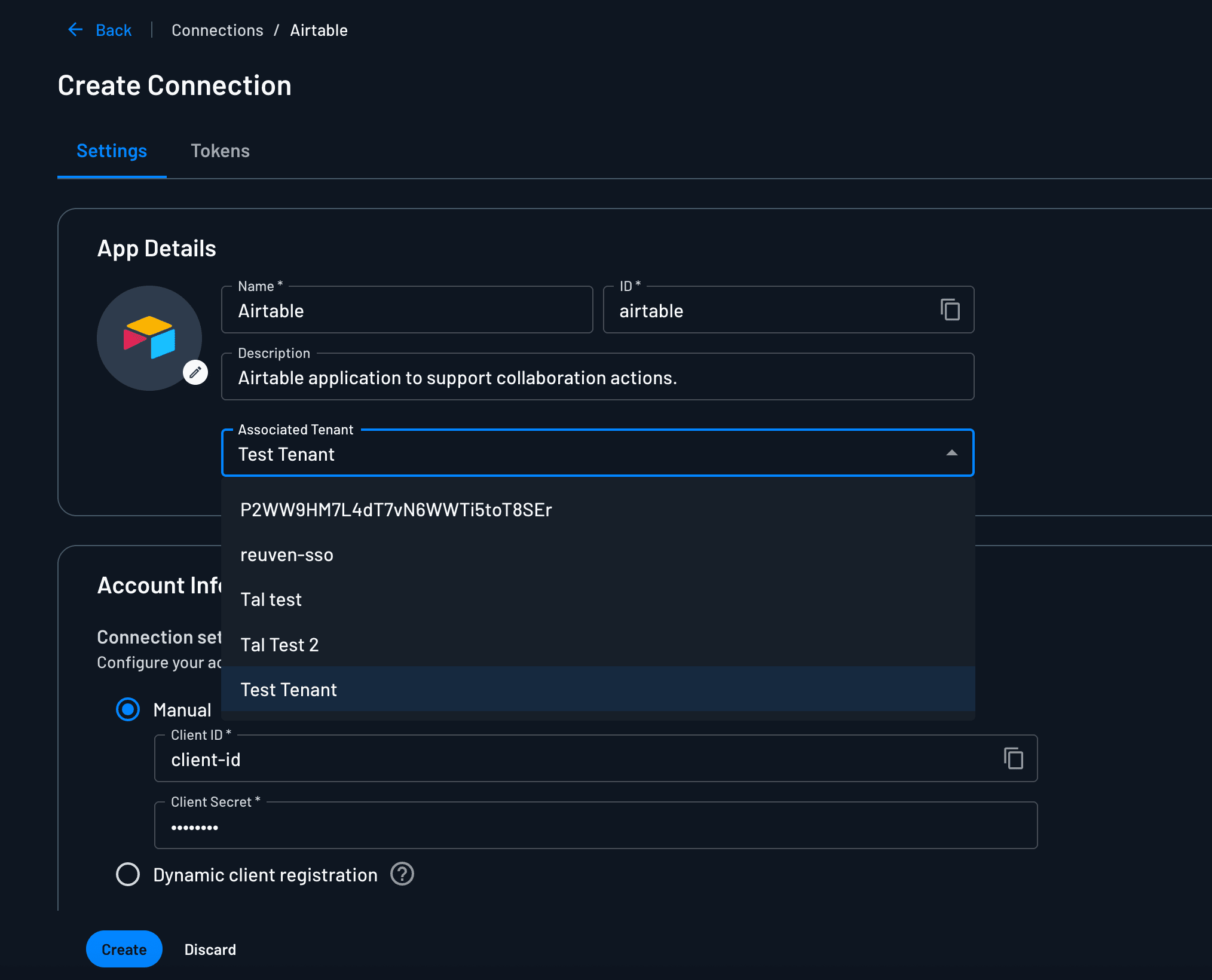
When the gateway exchanges the inbound token, Descope selects the Connection that matches the active tenant. MCP Server scopes map what the user consented to on the gateway onto the scopes the third-party token actually needs.
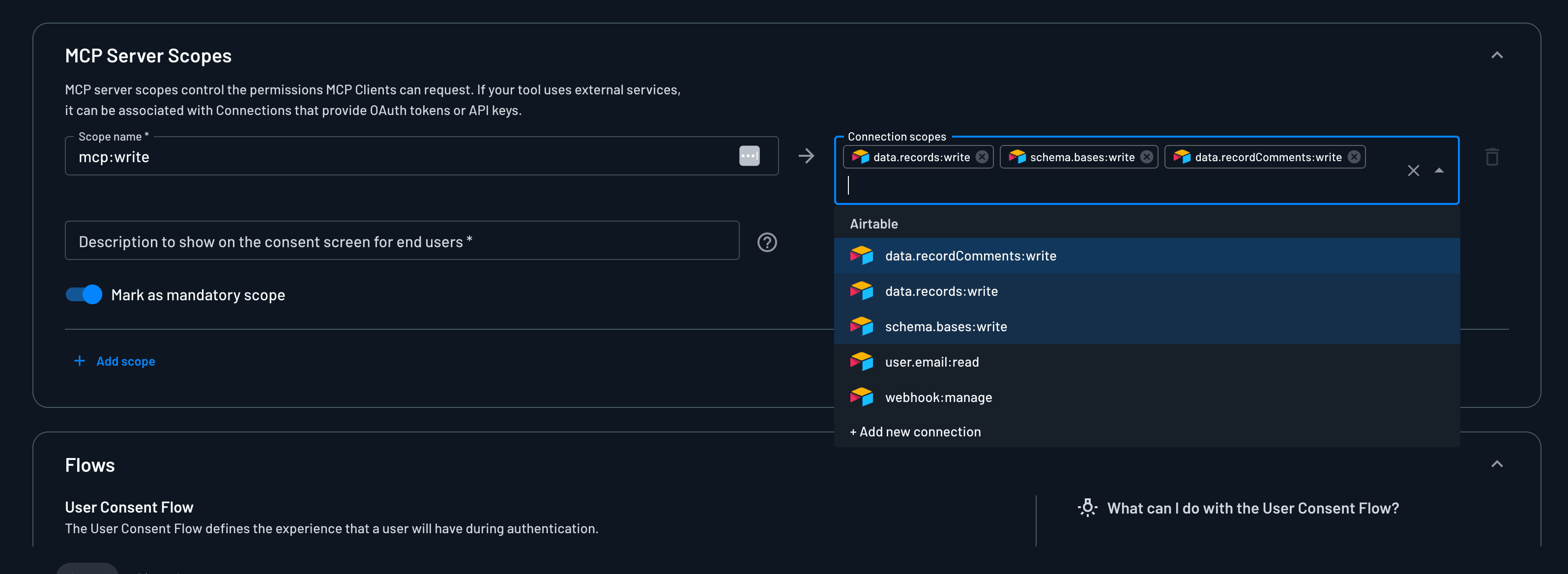
One gateway codebase can then keep credentials, endpoints, and mappings isolated per company.
Policies per Tenant and MCP Server
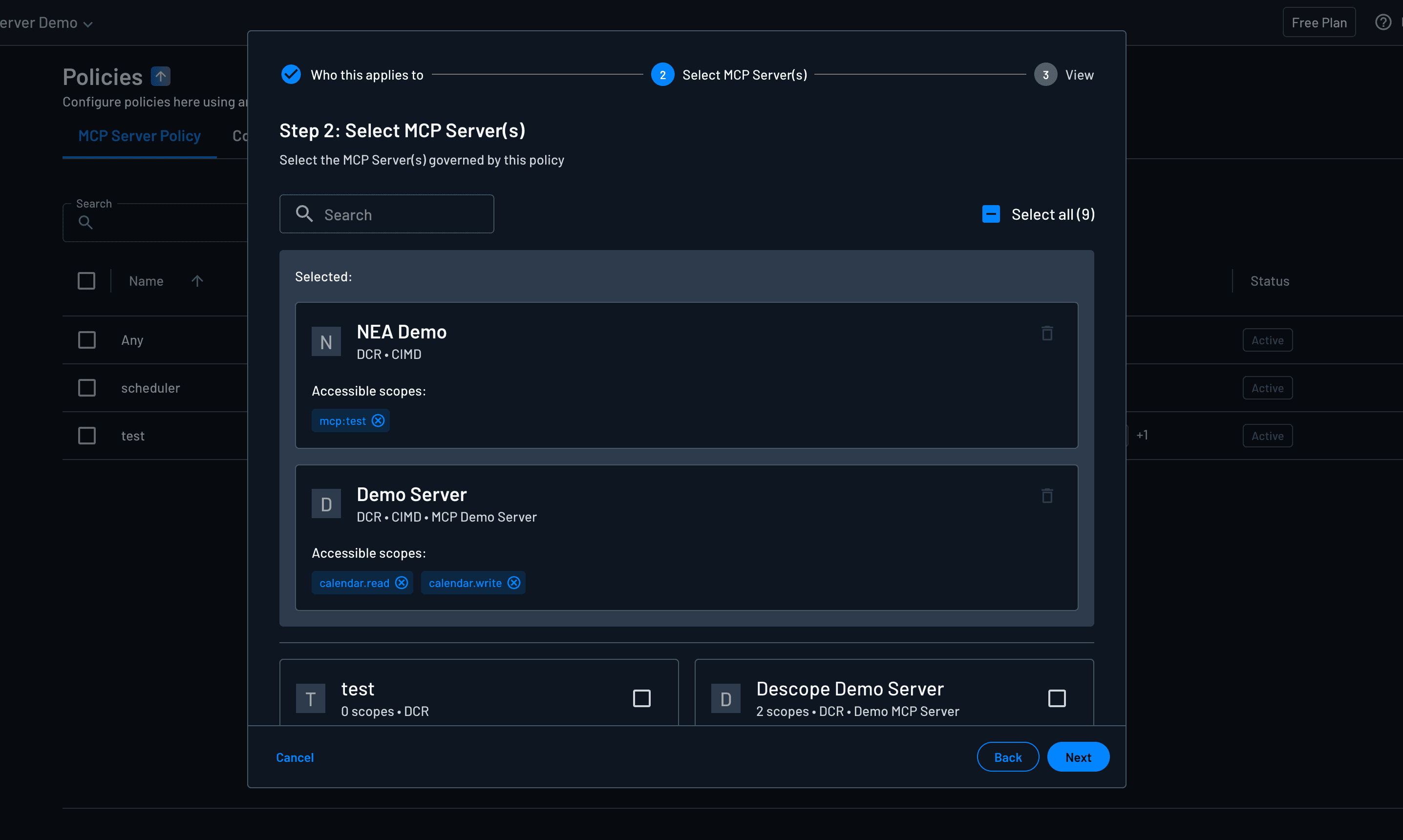
Policies should grant only the scopes a company paid for. Map SSO groups to roles, then use those roles in policies so one customer's agents can't request another customer's write tools.
A few patterns that show up in B2B gateways: agents tagged internal can request mcp:read on every tenant's server, while only admin agents get write scopes. Partner agents can reach a shared docs server and nothing in a customer's production environment. Write tools can be allowed on a staging MCP Server Resource and denied on production.
One MCP Server per Customer
Some teams go further and give each customer their own MCP Server in Descope, with its own well-known metadata, registration settings, flows, branding, audience, and scopes. That works even when every customer shares the same runtime, and it's how you give one customer stricter session timeouts, different consent copy, or their own logo. If you spin up a distinct deployment per customer, create the servers with the MCP Server Management API.
The gateway checks policy, then exchanges for that customer's server Resource token. Inside each deployment, the server does its own exchanges for your APIs and for Connections. On the Descope Agent Gateway, point a tenant route at that customer's MCP Server Resource. See Adding Routes.
Your MCP Servers and Third-Party Ones Behind One URL
Agents usually need more than your own tools. They also want remote MCP servers you don't run, like Notion or Linear. Without a gateway, every MCP client gets configured with each of those servers separately, and each one runs its own login.
With a gateway, the agent connects once. Connections hold the tokens for the third-party servers, scoped per user or tenant, and the gateway exchanges for them at tool time. Your internal servers still do their own exchanges behind the gateway: Resource tokens for your APIs, Connection tokens for things like Google Calendar or an API key.
The same pattern works for employees using pre-built clients like Claude Code or Cursor inside your company, when the third-party tools don't support Cross App Access. See Enforce with a Gateway.
Governing and Auditing Tool Calls
Once every downstream call goes through the gateway, you get one place to decide what an agent may do, and one record of what it did.
Two checks happen on each call. The inbound token's scope claim only carries what the user consented to and policy allowed, so the gateway can require a read scope for one tool and a write scope for another. Then, when the gateway exchanges for a downstream credential, Descope evaluates the Delegated access (token exchange) policy for that agent, target, and scopes. If nothing permits it, no token comes back and the tool isn't called. The agent never sees a Connection secret either way.
Every denial is written as a Warning audit event with the client, target, requested scopes, and evaluation outcome. The Agentic Activity Dashboard rolls those up by MCP server and by Connection, so you can see which agents keep asking for more than they're allowed.
Because the agent's token is only valid at the gateway, each downstream hop is its own grant: user, then MCP client, then gateway, then the downstream server. That is what makes the trail readable when you need to answer who did what on whose behalf.
Descope covers identity, policy, and the token trail. Inspecting tool-call payloads, detecting prompt injection, and similar content checks come from the gateway product you run. The Enforce with a Gateway section covers when those controls are the reason to choose a gateway over XAA.
Next Steps
If you haven't set up the gateway yet, start with MCP Gateways for the Resource and Client setup, token exchange, and which gateway products work with Descope. To set up the Descope Agent Gateway and its routes in the Console, see Gateways. For worked configurations with other gateways, see Portkey and Golf.dev.