AWS End User Messaging Connector
Send SMS messages with ease using the AWS End User Messaging Connector. This connector uses Amazon Web Services' End User Messaging service to send SMS messages, such as OTP codes, from your own AWS account. For comprehensive details on AWS End User Messaging, visit the official documentation.
You'll need an origination identity, such as a phone number or sender ID, registered for the countries you send to. New AWS accounts start in the SMS sandbox, where you can only send to verified destination numbers, so request production access before you send to real users.
Configuration
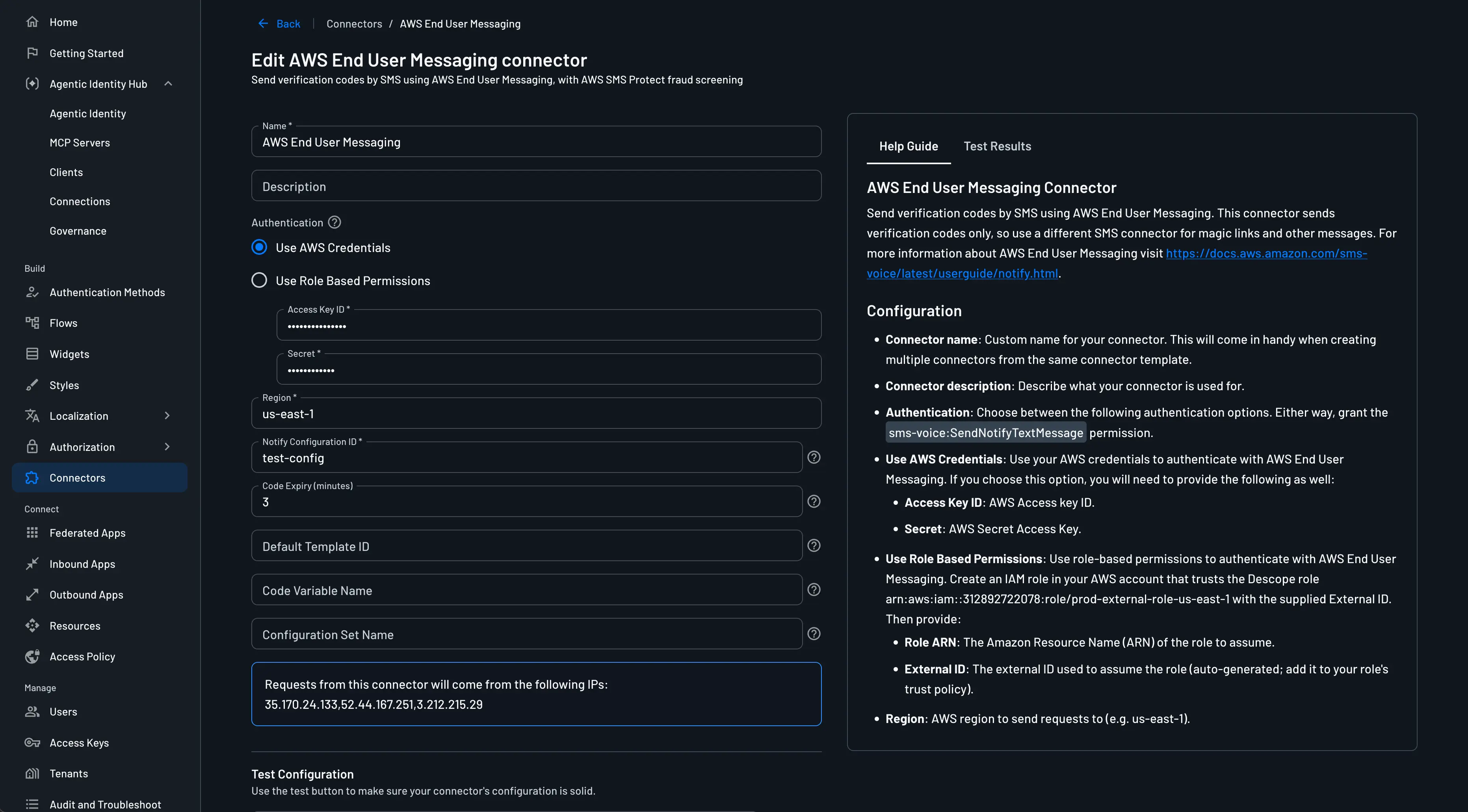
To integrate the AWS End User Messaging Connector into your project, head to the Connectors page, select the AWS End User Messaging connector, and configure the following parameters:
- Connector Name: Assign a custom name to your connector. This is especially useful for distinguishing among multiple connectors derived from the same template.
- Connector Description: Provide a brief description of your connector's purpose.
- Authentication: Choose whether to use AWS credentials or role-based permissions to authenticate.
- AWS Credentials: Enter your AWS Access Key ID and Secret Access Key.
- Role-based Permissions: Select the role you want to use for authentication, e.g.
arn:aws:iam::312892722078:role/prod-external-role-us-east-1.
- Region: The AWS region where your origination identity is registered (e.g.,
us-east-1). - Notify Configuration ID: The Notify configuration used to send messages. Its display name is the brand shown in each message.
- Default Template ID: (Optional) The AWS template to send. If empty, the Notify configuration's default template is used. Make sure it supports your destination countries. To send a different template, such as another language, add a second connector and select it in the flow.
- Code Expiry (minutes): Match your template: enter 1-60 minutes if its text includes the code's expiry, such as "This code expires in 10 minutes", or leave it empty if it doesn't. AWS rejects messages that don't match.
- Code Variable Name: (Optional) The template variable that receives the verification code. Defaults to code.
- Configuration Set Name: (Optional) The AWS configuration set whose event destinations receive delivery events, including messages that AWS blocks.
Testing
Before deploying your connector, it's crucial to verify its configuration:
- Enter a phone number to which the test SMS should be sent.
- Use the Test button to initiate a test SMS message.
Activating the Connector
You can use the AWS End User Messaging connector to send One-time Password (OTP) codes over SMS in two ways.
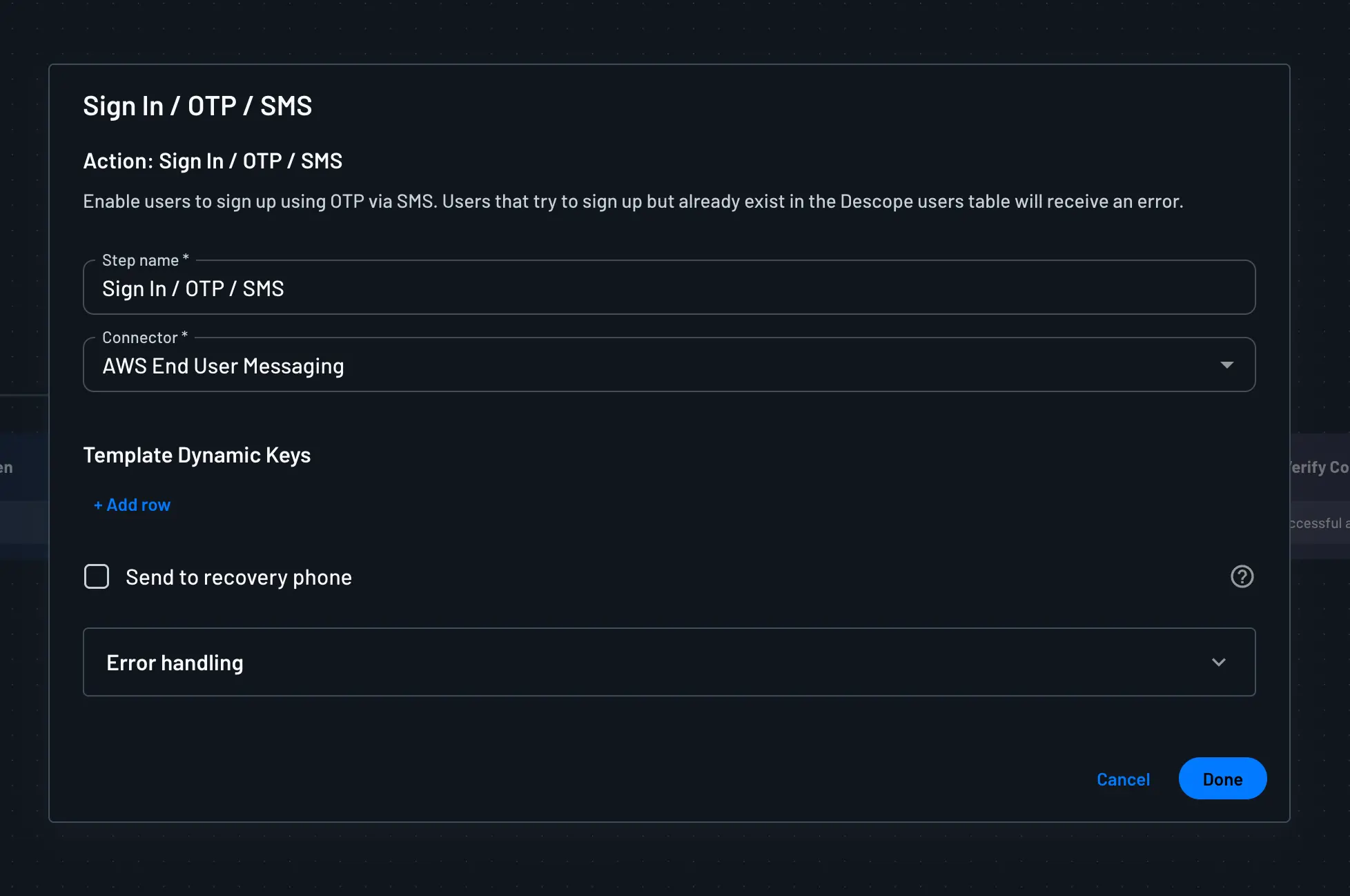
- Send OTP via SMS in a Flow
In your flow, click the action that sends the OTP via SMS (for example, Sign Up or In / OTP / SMS), and select your AWS End User Messaging connector as the connector for that action.
- Set the Connector for OTP in Authentication Methods
You can also set the connector for all OTP messages sent over SMS. Visit Authentication Methods, click One-time Password, and choose your AWS End User Messaging connector under the SMS connector setting.