Firebase Cloud Messaging (FCM) Connector
Send push notifications using Google's Firebase Cloud Messaging service. For more information about Firebase Cloud Messaging, visit the Firebase documentation.
Configuration
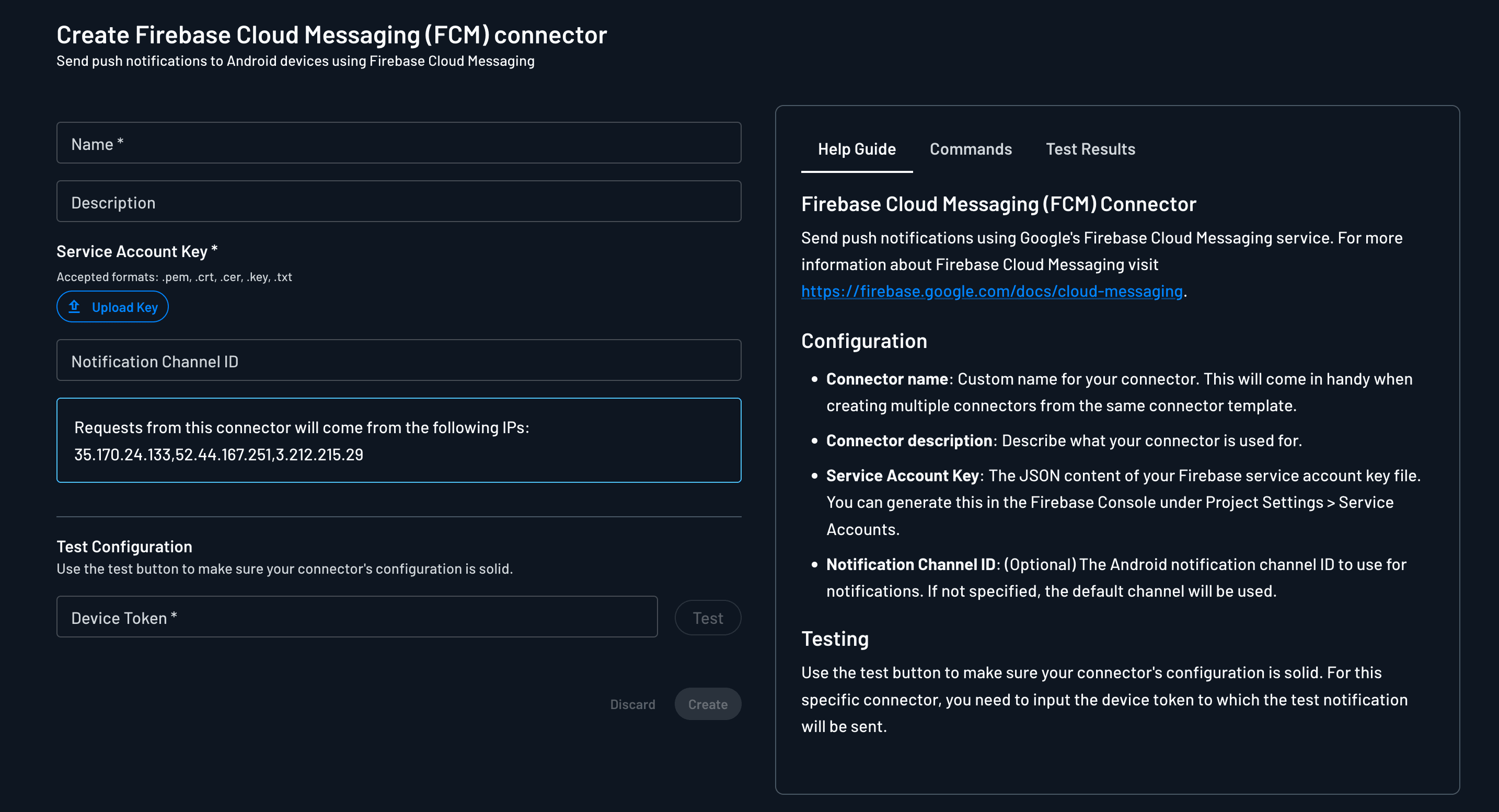
To configure the Firebase Cloud Messaging connector, go to the Connectors page within the Descope Console, search for Firebase Cloud Messaging (FCM), and select the connector card.
Settings
Below is a list of applicable settings for the Firebase Cloud Messaging (FCM) connector:
- Connector name: Custom name for your connector. This will come in handy when creating multiple connectors from the same connector template.
- Connector description: Describe what your connector is used for.
- Service Account Key: The JSON content of your Firebase service account key file. You can generate this in the Firebase Console under Project settings > Service accounts > Generate new private key. Accepted formats:
.pem,.crt,.cer,.key, and.txt. - Notification Channel ID (Optional): The Android notification channel ID to use for notifications. If not specified, the default channel will be used.
Testing
You can test if your connector's configuration is working properly by hitting the Test button and viewing the Test Results panel. For this connector, enter the device token to which the test notification will be sent.
Save your configuration by hitting Create.
Activating the Connector
Use the Firebase Cloud Messaging (FCM) connector to deliver push authentication requests on Android. After you create the connector, select it in Push Authentication settings.
For full setup of enrollment, notification payloads, and SDK usage, see Push Authentication.